How to Use YouTube Cards and End Screens to Drive Traffic is your essential guide to transforming passive viewers into active participants and loyal followers. This comprehensive exploration delves into the strategic implementation of these powerful YouTube features, offering a clear path to enhanced audience engagement, increased watch time, and significant traffic generation.
By mastering the art of YouTube Cards and End Screens, you can effectively guide your audience through your content ecosystem, encouraging further exploration of your videos, playlists, and even external websites. We will cover everything from the fundamental purposes and types of these interactive elements to designing compelling visuals and crafting effective calls to action, ensuring a seamless and beneficial experience for your viewers.
Understanding YouTube Cards and End Screens for Audience Engagement
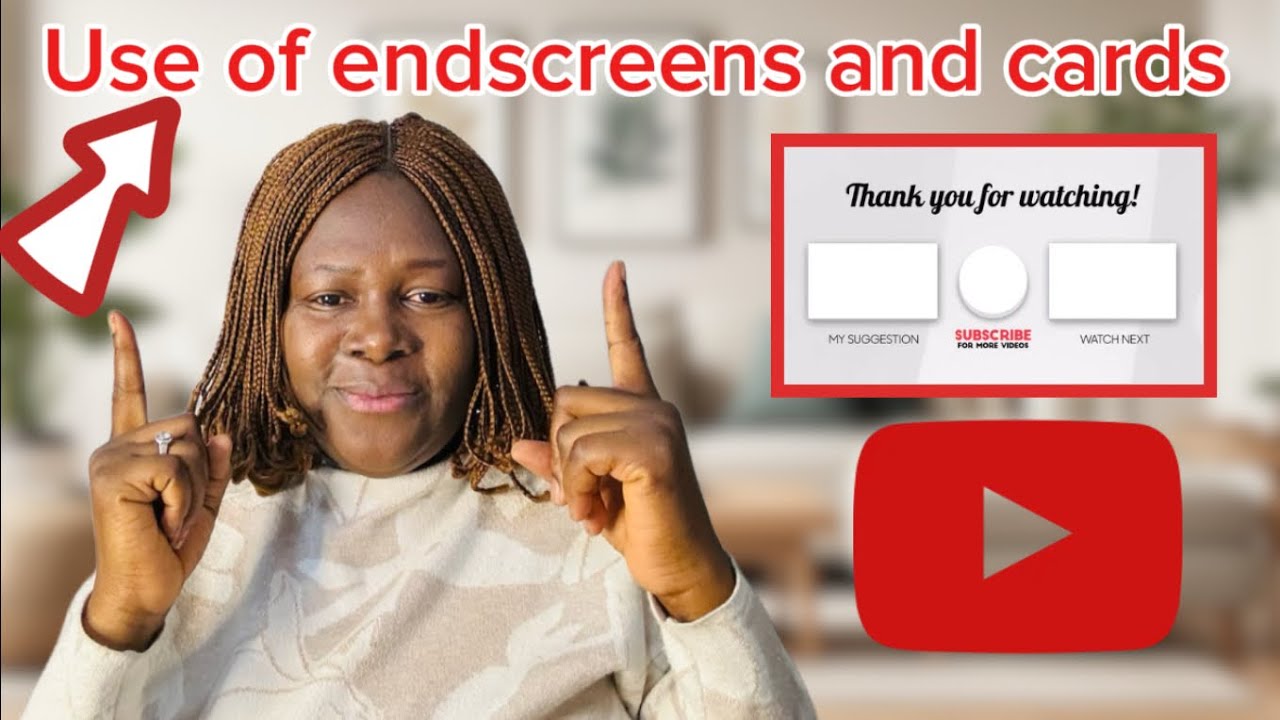
YouTube cards and end screens are powerful tools designed to keep your audience engaged with your content and guide them towards further interaction with your channel. They serve as interactive signposts within your videos, offering viewers relevant options without disrupting their viewing experience. By strategically implementing these features, you can effectively drive traffic to other videos, playlists, your website, or even encourage subscriptions.These interactive elements are crucial for maximizing the impact of your video content.
They transform passive viewers into active participants, providing them with clear pathways to discover more of what you offer. This not only enhances their overall experience on your channel but also significantly contributes to your channel’s growth and the achievement of your specific goals, whether that’s increasing watch time, promoting merchandise, or building a community.
The Fundamental Purpose of YouTube Cards and End Screens
The core purpose of YouTube cards and end screens is to extend the viewer’s journey on your channel beyond a single video. They are designed to provide immediate, contextually relevant calls to action that encourage further engagement. For cards, this means offering supplementary information or links at opportune moments during the video. For end screens, it’s about providing a clear, compelling set of options as the video concludes, preventing viewers from simply clicking away.By integrating these features, creators aim to achieve several key objectives:
- Increase viewer retention by linking to related content that might appeal to their interests.
- Drive traffic to external websites or merchandise stores.
- Promote other videos or playlists to encourage binge-watching.
- Encourage channel subscriptions and community building.
- Provide additional resources or information relevant to the video’s topic.
Types of YouTube Cards and Their Functions
YouTube offers several types of cards, each serving a distinct purpose to enhance viewer engagement. These cards appear as small, dismissible notifications at the top right of the video player.
- Video or Playlist Card: This is the most common type, allowing you to link directly to another video or playlist on your channel. This is excellent for suggesting follow-up content or related series. For example, if you’re discussing “Beginner Photography Tips,” you could link to a playlist of “Advanced Photography Techniques” or a specific video on “Understanding Your Camera Settings.”
- Channel Card: This card allows you to promote another YouTube channel. This can be useful for collaborations or shout-outs to channels with a similar audience.
- Donation Card: For eligible creators, this card enables viewers to make direct financial contributions to support your channel.
- Fan Funding Card: Similar to donation cards, these allow viewers to contribute financially through services like Patreon or YouTube’s own Super Chat and Super Stickers features.
- Link Card: These cards allow you to link to external websites, such as your personal blog, online store, or a specific product page. This is a powerful tool for driving traffic off-platform. For instance, a cooking channel could link to the recipe on their website or a specific kitchen gadget they used.
- Poll Card: These interactive cards allow you to ask your viewers questions and collect their opinions. This is a great way to gauge audience sentiment, gather feedback, or simply create a more interactive viewing experience. The results are often displayed to viewers after they vote.
Benefits of Strategically Placing End Screens
End screens appear in the last 5 to 20 seconds of a video and are crucial for capturing viewer attention as the video concludes. Strategic placement ensures that viewers are presented with compelling options that encourage them to stay on your channel or take a desired action.The benefits include:
- Extended Watch Time: By linking to other videos or playlists, end screens directly contribute to increasing the total watch time on your channel. This is a key metric for YouTube’s algorithm.
- Increased Subscribers: A prominent subscribe button in the end screen makes it effortless for viewers to commit to your content.
- Direct Traffic to External Sites: Similar to link cards, end screens can effectively drive traffic to your website, e-commerce store, or other platforms.
- Audience Segmentation: You can tailor end screens to promote specific content to different segments of your audience based on what they’ve watched.
- Enhanced Viewer Experience: A well-designed end screen provides a sense of completion and offers clear next steps, making the viewing experience more organized and satisfying.
Contribution to a Viewer’s Overall Experience
YouTube cards and end screens significantly enhance a viewer’s overall experience by transforming a linear viewing session into a more dynamic and interactive journey. They provide value by offering relevant resources and choices at the right time.
“Interactive elements like cards and end screens are not just promotional tools; they are integral components of a positive and engaging viewer experience on YouTube.”
These features contribute by:
- Providing Contextual Relevance: Cards can offer definitions, additional details, or related content that enriches the viewer’s understanding of the video’s subject matter.
- Facilitating Discovery: End screens act as a curated guide, helping viewers discover more content they might enjoy without having to actively search. This reduces friction and encourages exploration.
- Empowering Viewer Choice: Instead of a simple “end of video,” viewers are presented with a menu of options, allowing them to choose their next action, whether it’s watching another video, subscribing, or visiting a website.
- Building a Community: By making it easy to subscribe or link to social media, these tools foster a sense of connection and encourage viewers to become part of your channel’s community.
- Personalizing the Experience: The ability to link to specific videos or playlists can create a more personalized viewing path for each individual, catering to their demonstrated interests.
Designing Effective YouTube Cards
YouTube cards are powerful interactive elements that can significantly boost engagement and direct viewers to valuable content. When designed strategically, they act as subtle yet effective calls to action, guiding your audience deeper into your channel’s ecosystem. This section will walk you through the process of creating and implementing these cards, along with best practices for maximizing their impact.Understanding the nuances of card placement and content selection is crucial for driving traffic effectively.
By carefully choosing what to link and when, you can transform passive viewers into engaged subscribers and loyal followers.
Creating and Adding YouTube Cards
Adding YouTube cards to your videos is a straightforward process, integrated directly into the YouTube Studio. Follow these steps to implement them seamlessly:
- Access YouTube Studio: Log in to your YouTube account and navigate to YouTube Studio.
- Select a Video: From the left-hand menu, click on “Content” and then select the video you wish to add cards to.
- Navigate to the Editor: On the video details page, find and click on the “Editor” option in the left-hand menu.
- Locate the Cards Section: Within the editor, you will see a timeline for your video. On the right side, find and click on the “Cards” option.
- Choose Card Type: Click on “+ Card” to open a dropdown menu presenting various card types: Video or playlist, Channel, Link, Poll.
- Configure Card Details:
- Video or playlist: Search for a video or playlist from your channel or another channel.
- Channel: Enter the channel name or URL you wish to promote.
- Link: For external links (requires YouTube Partner Program eligibility), paste the URL and add a custom message and thumbnail.
- Poll: Create a question with up to five answer options for viewers to vote on.
- Set Timing: Drag the slider on the timeline to the exact moment you want the card to appear. You can add multiple cards at different timestamps.
- Add Message and Thumbnail (Optional): For video, playlist, and channel cards, you can add a custom teaser text and an image to make them more visually appealing.
- Save Changes: Once you have configured all your cards, click the “Save” button.
Selecting Relevant Content for Cards
The effectiveness of your YouTube cards hinges on the relevance of the content you link. Strategic selection ensures that viewers who click are genuinely interested, leading to higher engagement and lower bounce rates.Consider the following best practices when choosing what to link via your cards:
- Logical Progression: Link to videos or playlists that naturally follow the content of the current video. For example, if you’re discussing a specific aspect of a topic, link to a more in-depth video on that aspect or a subsequent part of a series.
- Audience Interest: Promote videos that are popular on your channel or align with the interests of your current audience. Analyze your YouTube Analytics to identify high-performing content.
- Call to Action Alignment: If your video is about a specific product or service, link to a review, tutorial, or purchase page for that item.
- Channel Growth: Use cards to encourage subscriptions by linking to your channel or to other playlists that showcase the breadth of your content.
- Cross-Promotion: If you collaborate with other creators, use channel cards to direct viewers to their content, fostering goodwill and potential cross-promotion opportunities.
- Timeliness and Seasonality: Promote content that is relevant to current events, holidays, or seasonal trends.
Impact of Different Card Types on Click-Through Rates
Each type of YouTube card serves a distinct purpose and can influence viewer behavior differently. Understanding these differences allows for more targeted implementation to achieve specific goals.
“The choice of card type directly correlates with the viewer’s intent and the action you want them to take.”
Here’s a comparison of common card types and their potential impact:
- Video/Playlist Cards: These are excellent for keeping viewers within your ecosystem. When a viewer clicks on a video or playlist card, they are already demonstrating interest in your content. This often leads to higher click-through rates (CTRs) and increased watch time as they delve into more of your offerings. They are particularly effective when suggesting the next logical video in a series or a highly relevant complementary piece.
- Channel Cards: These cards are primarily for promoting other channels. While they can be useful for collaborations or supporting other creators, their CTRs are generally lower than video or playlist cards. This is because the viewer’s immediate intent might not be to explore another channel, but rather to get more information on the current topic. However, they can be valuable for building community and reciprocal promotion.
- Link Cards: These are the most versatile for driving external traffic, but they also have the highest barrier to entry for viewers. Users must be eligible for the YouTube Partner Program to use them. When used effectively for relevant external resources, such as product pages, blog posts, or sign-up forms, they can yield high conversion rates for specific goals. However, the CTR might be lower than internal links as it requires a deliberate decision to leave YouTube.
- Poll Cards: Poll cards are designed for engagement rather than direct traffic driving. They increase interaction within the video itself, providing valuable audience insights. While they don’t directly link to other content, they can keep viewers engaged longer and provide data for future content creation, indirectly contributing to overall channel health.
Common Mistakes to Avoid When Implementing YouTube Cards
Even with the best intentions, certain common pitfalls can undermine the effectiveness of your YouTube cards. Being aware of these mistakes can help you avoid them and optimize your card strategy.
To ensure your YouTube cards are as effective as possible, consider avoiding the following common errors:
- Overcrowding: Adding too many cards to a single video can be overwhelming and distracting for viewers, leading them to ignore all of them. It’s better to strategically place a few relevant cards.
- Irrelevant Links: Linking to content that has no clear connection to the video’s topic will frustrate viewers and result in low click-through rates. Always ensure the linked content is a natural extension of what the viewer is currently watching.
- Poor Timing: Placing cards at awkward moments, such as during a crucial explanation or a climactic scene, can disrupt the viewing experience. Aim for natural pauses or transitions.
- Lack of Clear Call to Action: While cards are inherently calls to action, failing to provide a compelling teaser text or an engaging visual can lead to missed opportunities. Make it clear why a viewer should click.
- Ignoring Analytics: Not reviewing your YouTube Analytics to see which cards are performing well and which are not is a significant oversight. Use this data to refine your strategy.
- Using Link Cards Inappropriately: Link cards should be used for specific, high-value external destinations. Using them for general browsing or less important links can dilute their impact and potentially lead to lower conversions.
- Forgetting to Save: A simple but crucial mistake is forgetting to save your changes after adding or editing cards, rendering your efforts void.
Integrating YouTube Cards and End Screens with External Traffic Sources
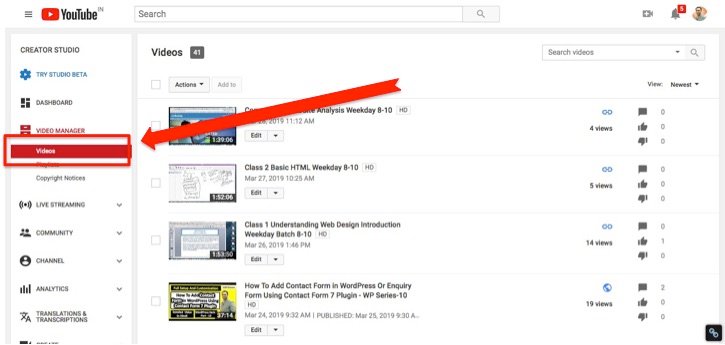
Leveraging YouTube cards and end screens effectively extends beyond viewer engagement within the platform. A key strategic advantage lies in their ability to drive traffic to external destinations, such as your website, online store, or other digital properties. This integration is crucial for converting YouTube viewership into tangible actions and achieving broader business objectives.By strategically placing links within your video content, you create direct pathways for interested viewers to explore your offerings further.
This seamless transition is paramount to maximizing the impact of your YouTube presence on your overall digital strategy.
Directing Viewers to External Websites or Landing Pages via Card Links
YouTube cards are versatile tools that can be configured to link to a variety of external destinations. This capability allows you to guide viewers directly to specific pages where they can learn more, make a purchase, or sign up for a service. The placement and content of these cards are critical for their effectiveness.When setting up a card, select the “External website” option.
You will then be prompted to enter the URL of the website or landing page you wish to direct traffic to. It is imperative that this URL is accurate and leads to a relevant, well-designed page.To maximize click-through rates, consider the following:
- Relevance: Ensure the external link directly corresponds to the content being discussed in the video at that moment. For instance, if you are reviewing a product, link directly to that product page on your website.
- Call to Action (within the video): Verbally prompt viewers to click the card. Phrases like “Click the card to learn more on our website” or “Find the link in the card above to get your discount code” are effective.
- Card Text and Teaser: Craft concise and compelling text for the card itself. The teaser text, which appears when a viewer hovers over the card, should be enticing enough to encourage a click.
- Timing: Strategically place cards when the viewer’s interest is likely highest, such as after you’ve presented a compelling feature or benefit.
Creating Compelling Calls to Action within End Screens for Off-Platform Engagement
End screens offer a valuable final opportunity to engage viewers and guide them towards external actions. While they can link to other videos or playlists on YouTube, their power to drive off-platform traffic is equally significant.When designing your end screen, you can incorporate elements that link to external websites. This is particularly useful for encouraging actions such as:
- Website Visits: Directing viewers to your homepage, a specific product page, or a blog post.
- Lead Generation: Linking to a sign-up form for a newsletter, webinar, or free resource.
- E-commerce: Sending viewers directly to your online store to browse or purchase products.
- App Downloads: Promoting your mobile application by linking to its download page.
To make these calls to action effective:
- Clear Visual Prompts: Use distinct visual elements on your end screen that clearly indicate an external link. This could be a button with text like “Visit Our Website” or “Shop Now.”
- Concise and Action-Oriented Text: The text on your end screen elements should be direct and encourage immediate action. Examples include “Discover More,” “Get Your Free Guide,” or “Explore Our Collection.”
- Verbal Reinforcement: As with cards, verbally encourage viewers to interact with your end screen elements during the final moments of your video.
- Strategic Placement: Position your end screen elements so they don’t obscure important video content and are easily clickable.
Ensuring a Seamless Transition for Viewers Moving from YouTube to an External Link
A smooth transition from YouTube to an external website is critical for maintaining viewer trust and encouraging them to complete the desired action. A jarring or confusing experience can lead to high bounce rates and missed opportunities.To facilitate a seamless transition:
- Mobile Optimization: Ensure that your external website or landing page is fully responsive and optimized for mobile devices, as a significant portion of YouTube viewership occurs on mobile.
- Fast Loading Speeds: External pages should load quickly. Slow loading times are a primary reason for users abandoning a website.
- Consistent Branding: The design and branding of your external page should align with your YouTube channel to create a cohesive user experience.
- Clear Value Proposition: The content on the external page must immediately deliver on the promise made by your call to action on YouTube. Viewers should instantly understand why they clicked and what they will gain.
- Intuitive Navigation: Once on your external site, navigation should be straightforward, allowing users to easily find what they are looking for.
“The journey from discovery on YouTube to conversion on your website should feel like a natural progression, not an abrupt detour.”
Tracking Traffic Driven from YouTube Cards and End Screens to External Destinations
Accurate tracking is essential to understand the effectiveness of your YouTube cards and end screens in driving external traffic. This data allows you to refine your strategies and allocate resources effectively.The primary method for tracking this traffic involves using UTM parameters. UTM (Urchin Tracking Module) parameters are tags added to the end of a URL that allow analytics tools to identify the source, medium, and campaign of website traffic.Here’s a guide to implementing and tracking:
Setting Up UTM Parameters
When you add an external link to a YouTube card or end screen, append UTM parameters to the URL. A common structure looks like this:`yourwebsite.com/your-page?utm_source=youtube&utm_medium=card&utm_campaign=product_launch`Let’s break down these parameters:
- `utm_source`: Identifies the traffic source. For YouTube cards, you might use “youtube.” For end screens, you could use “youtube_end_screen.”
- `utm_medium`: Identifies the marketing medium. Use “card” for cards and “end_screen” for end screens.
- `utm_campaign`: Identifies a specific campaign or promotion. This could be the name of your video, a product launch, or a specific offer.
You can use Google’s Campaign URL Builder to easily create these URLs.
Utilizing Analytics Tools
Once your UTM parameters are in place, you can track the performance in your website analytics platform, such as Google Analytics.In Google Analytics, navigate to:
- Acquisition > All Traffic > Source/Medium: This report will show you traffic coming from “youtube / card” or “youtube / end_screen.”
- Acquisition > Campaigns > All Campaigns: This report will display the performance of traffic driven by your specific `utm_campaign` values.
By analyzing these reports, you can gain insights into:
- Traffic Volume: How many visitors are coming from your YouTube cards and end screens.
- Behavior: Metrics like bounce rate, pages per session, and average session duration for traffic originating from YouTube.
- Conversions: If you have conversion tracking set up on your website (e.g., purchases, sign-ups), you can see how many of these actions are attributed to your YouTube traffic.
Key Metrics to Monitor
- Click-Through Rate (CTR): The percentage of viewers who clicked on your card or end screen element. This is often tracked within YouTube Analytics for cards, and can be inferred by comparing impressions to clicks on end screen elements.
- Conversion Rate: The percentage of visitors from YouTube who complete a desired action on your website.
- Return on Investment (ROI): If applicable, compare the cost of producing the YouTube content and the value of the conversions generated.
By diligently tracking these metrics, you can continually optimize your YouTube cards and end screens to maximize their effectiveness in driving valuable external traffic.
Advanced Strategies for YouTube Cards and End Screens
Beyond the fundamental implementation, advanced strategies for YouTube cards and end screens can significantly amplify their effectiveness in driving traffic and engagement. These methods involve meticulous testing, strategic content sequencing, and thoughtful integration with broader marketing objectives. By moving beyond basic placement, creators can unlock a new level of performance and achieve more targeted outcomes.This section delves into sophisticated techniques that leverage the full potential of YouTube’s interactive elements.
We will explore how to refine your approach through data-driven experimentation, how to guide viewers through a curated content journey, and how to strategically deploy these tools for specific promotional goals.
A/B Testing Card Placements and End Screen Configurations
Optimizing the placement and design of cards and end screens is crucial for maximizing click-through rates and viewer retention. A/B testing allows for empirical validation of hypotheses, ensuring that decisions are based on viewer behavior rather than assumptions. This iterative process of testing and refinement is key to unlocking peak performance.To effectively conduct A/B tests on YouTube cards and end screens, consider the following elements:
- Card Timing: Test different points in the video where a card appears. Some viewers might respond better to cards introduced early in a discussion, while others might be more receptive towards the end. For example, testing a card at the 30-second mark versus a 2-minute mark in a 5-minute video can reveal significant differences in engagement.
- Card Type and Content: Experiment with various card types (video, playlist, channel, link) and the specific content featured within them. A/B test promoting a single video versus a relevant playlist, or a direct call to action versus a more subtle suggestion.
- End Screen Element Count: Evaluate the impact of different numbers of end screen elements. While it’s tempting to include many options, testing with fewer, more targeted elements might lead to higher conversion rates as viewers are not overwhelmed by choices.
- End Screen Layout and Design: If using custom end screens or strategically placing YouTube’s default elements, test different visual arrangements. The position of a subscribe button relative to a video suggestion can influence user behavior.
- Call to Action Phrasing: Even subtle changes in the text accompanying a card or end screen element can impact performance. Test variations of your call to action to see which resonates most effectively with your audience.
“Data-driven iteration is the cornerstone of maximizing the impact of interactive elements on YouTube.”
Utilizing Playlists for Binge-Watching Opportunities
Playlists are powerful tools for extending viewer session times and encouraging deeper engagement with your content. By strategically integrating playlists into cards and end screens, you can create a seamless viewing journey that keeps audiences on your channel for longer. This approach transforms passive viewers into active subscribers and fans.The strategic use of playlists can be implemented in several ways:
- Sequenced Content Journeys: Create playlists that represent a logical progression of learning or entertainment. For instance, a tutorial series should be ordered chronologically within a playlist. Use cards and end screens to link to the next video in the sequence, guiding viewers through the entire series.
- Themed Content Collections: Group related videos into thematic playlists, such as “Best of My Travel Vlogs,” “Beginner Photography Tips,” or “Product Reviews: Tech Gadgets.” Promote these playlists via cards and end screens to expose viewers to a broader range of your content within a specific niche.
- “Watch Next” Recommendations: Within your end screens, prominently feature a link to a playlist that complements the video the viewer has just finished. This is particularly effective for evergreen content or popular series.
- Curated Resources: For educational content, a playlist can serve as a curated list of supplementary materials or related topics. A card linking to a “Further Reading” playlist can be highly valuable.
An example of this in practice would be a cooking channel that has a series on “Baking Bread.” The first video might introduce the basics. A card could appear halfway through linking to “Advanced Sourdough Techniques,” and the end screen could feature a link to the entire “Bread Baking Masterclass” playlist. This encourages viewers to commit to learning more, thereby increasing watch time.
Promoting Merchandise and Specific Campaigns
YouTube cards and end screens offer direct pathways to drive traffic for commercial objectives, such as merchandise sales or participation in specific campaigns. By thoughtfully integrating these elements, you can effectively convert viewer interest into tangible actions that support your brand or initiatives.Consider these approaches for promotional integration:
- Merchandise Store Links: For channels with merchandise, use cards and end screens to link directly to your online store or specific product pages. A visually appealing end screen element showcasing a popular item, with a clear call to action like “Shop Our Latest Merch,” can be highly effective.
- Campaign-Specific Calls to Action: If running a limited-time campaign, such as a giveaway, a charity drive, or a product launch, use cards and end screens to direct viewers to the relevant landing page. For instance, a card during a holiday video could say, “Enter Our Holiday Giveaway!” linking to the contest page.
- Exclusive Content Offers: Promote exclusive content available through a membership program or as part of a special offer. An end screen could feature a link to a video explaining the benefits of channel memberships or a special discount code for a premium product.
- Event Promotion: If you are hosting a webinar, a live event, or a virtual conference, use cards and end screens to drive registrations. A card stating, “Register for Our Free Webinar,” with a link to the sign-up page, is a direct and efficient method.
For instance, a gaming channel might use an end screen to promote a new t-shirt design featuring in-game characters. The end screen element would visually represent the shirt and link directly to the product page on their merchandise site. Similarly, a lifestyle vlogger could use a card during a video about a new beauty product to link to a special discount code for their followers.
Framework for a Strategic Content Calendar
A strategic content calendar that consistently incorporates YouTube cards and end screens ensures that these powerful tools are not an afterthought but an integral part of your content creation and promotion strategy. This framework helps maintain momentum, reinforce messaging, and maximize the return on your video production efforts.Here is a framework for building such a calendar:
| Content Pillar | Video Topic | Primary Card Strategy | End Screen Strategy | Campaign/Merch Integration |
|---|---|---|---|---|
| Educational Tutorials | “Mastering [Software Feature]” | Link to Playlist: “Advanced [Software] Techniques” | Link to next video in the series; Subscribe button | N/A |
| Product Reviews | “Review of [New Gadget]” | Link to Purchase Page (if affiliate); Link to related review | Link to “Top 5 Gadgets” playlist; Subscribe button | Link to affiliate partner’s site or branded merchandise related to the gadget |
| Vlog Series | “Day in the Life: [Location]” | Link to Playlist: “Travel Vlogs: [Region]” | Link to previous episode; Link to subscribe | Promote travel-themed merchandise via a card or end screen |
| Community Engagement | “Q&A with the Creator” | Link to Playlist: “Behind the Scenes” | Link to a video announcing a new campaign or giveaway; Subscribe button | Announce upcoming campaign with a card linking to details |
This calendar should be dynamic, allowing for adjustments based on performance data and emerging opportunities. Regularly reviewing analytics for card and end screen performance will inform future strategic decisions, ensuring continuous improvement and alignment with your overall channel goals.
Visualizing Effective YouTube Card and End Screen Implementations
Understanding how to visually implement YouTube cards and end screens is crucial for maximizing their impact. By strategically placing these interactive elements, creators can guide viewers through their content, encourage subscriptions, and drive traffic to external resources. This section explores concrete examples of effective implementations across different video types.
Product Showcase Card Scenario
A compelling scenario for a YouTube card involves promoting a specific product directly within a video. Imagine a tutorial on baking a sourdough bread. Midway through the demonstration, as the host presents the finished loaf, a card appears. The text overlay on this card could read: “Get Our Sourdough Starter Kit.” The timing of this card would be precisely at the moment the audience is most likely to be impressed by the results, perhaps around the 5-minute mark of a 10-minute video.
The card itself would be a visually appealing graphic, perhaps featuring a small image of the kit or a simple, clean design that doesn’t distract from the video content. Upon clicking, viewers are seamlessly directed to the product page on the creator’s website, facilitating an immediate purchase opportunity.
Travel Vlog End Screen Design
For a travel vlog, an end screen can serve as a comprehensive hub for further engagement. Consider a video documenting a trip to Kyoto, Japan. The end screen would feature a prominent “Subscribe” button, encouraging viewers to follow the channel for more travel adventures. Alongside this, a card would link to another popular video from the same channel, such as “Top 5 Temples to Visit in Kyoto,” to keep viewers on the platform.
A third element would be a direct link to an external resource, like a downloadable PDF travel guide titled “Your Essential Kyoto Itinerary,” accessible via a website URL. The visual layout would be clean and organized, with clear call-to-actions for each element, ensuring viewers can easily navigate to their desired next step.
Documentary-Style Video Card Flow
In a documentary-style video, a series of cards can enhance the viewer’s learning journey and encourage deeper exploration of the subject matter. For instance, in a documentary about ancient Roman history, the first card might appear after an introduction to Julius Caesar, linking to a video titled “The Rise of Julius Caesar.” As the documentary progresses to discuss the Roman Republic, a subsequent card could appear, offering a link to “Understanding the Roman Republic’s Governance.” Later, when the Punic Wars are mentioned, another card might direct viewers to “Key Battles of the Punic Wars.” This sequential placement of cards creates a natural progression, allowing viewers to delve into specific aspects of the topic at their own pace, fostering a more immersive and educational experience.
Gaming Channel Optimized End Screen
A gaming channel’s end screen should cater to the dynamic nature of gaming content and community interaction. For a popular streamer’s recent gameplay video, the end screen would include a clear “Subscribe” button. A vital element would be a card linking directly to their “Live Stream Now” page, encouraging immediate viewership of their ongoing broadcast. Additionally, a card showcasing a “Recent Upload” or a particularly popular video, such as “Epic Boss Fight – [Game Name],” would serve to showcase fresh content and engage viewers who might have missed it.
The visual design would likely be energetic and thematic to the games played, with prominent icons for each interactive element to ensure high click-through rates.
Closing Summary
In conclusion, leveraging YouTube Cards and End Screens is not merely an option but a necessity for anyone serious about growing their channel and driving meaningful traffic. By thoughtfully integrating these tools, you can create a more dynamic and engaging viewing experience, effectively directing your audience to where you want them to go, whether it’s to watch more of your content, subscribe to your channel, or visit your external platforms.
Implementing the strategies discussed will undoubtedly elevate your YouTube presence and contribute significantly to your overall content marketing success.