Embarking on the journey of creating polished talking head videos often hinges on mastering your lighting, and a ring light stands as a pivotal tool in achieving that professional sheen. This comprehensive guide delves into the intricacies of leveraging a ring light, transforming your visual presence from ordinary to extraordinary.
We will explore the fundamental principles behind ring light illumination, guide you through the selection process for the ideal device, and provide actionable strategies for optimal placement and adjustment. From understanding the nuances of brightness and color temperature to navigating common setup challenges and discovering useful accessories, this resource is designed to equip you with the knowledge to make your talking head videos captivate your audience.
Understanding the Basics of Ring Lights for Talking Head Videos
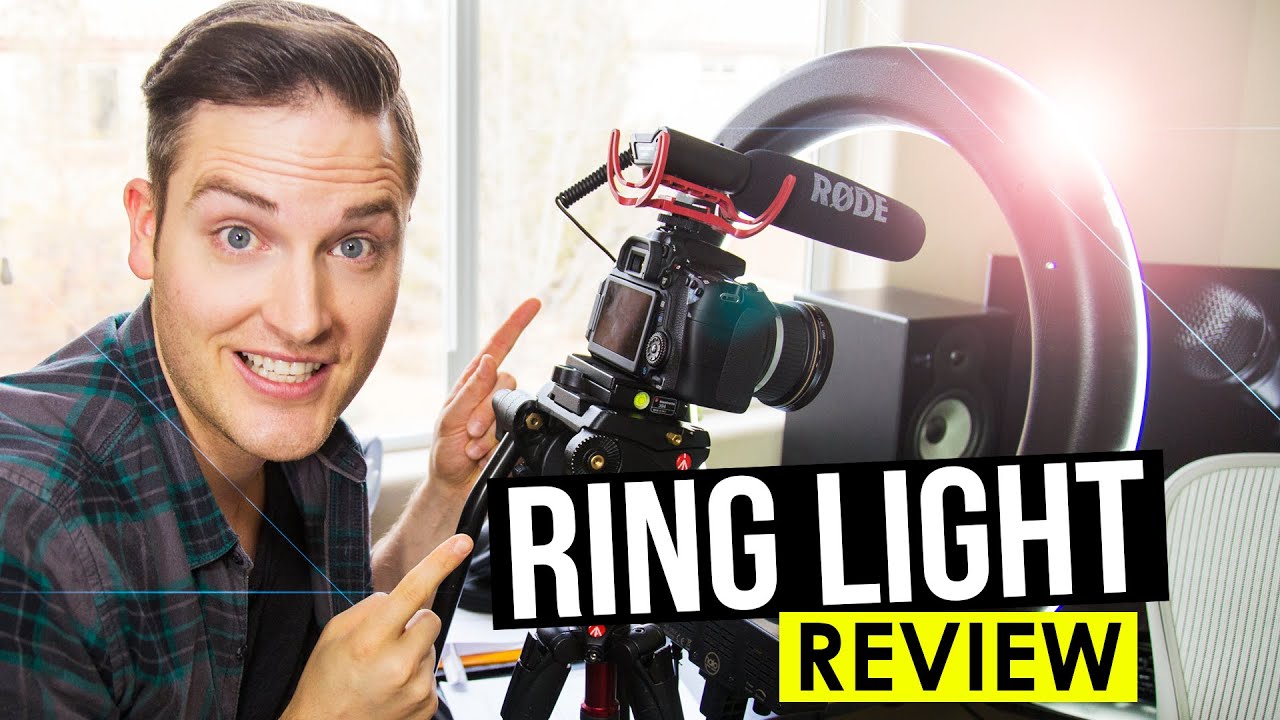
A ring light is a lighting fixture that produces a soft, even light that surrounds the subject. For talking head videos, this means eliminating harsh shadows and creating a flattering illumination that makes the presenter look professional and engaging. The circular nature of the light also creates a distinctive catchlight in the eyes, adding a spark of life to the viewer’s perception of the speaker.The fundamental purpose of a ring light in video production is to provide a controlled and consistent light source.
This consistency is crucial for maintaining a professional look, especially when you’re the sole focus of the camera. Unlike ambient room lighting, which can be unpredictable and unflattering, a ring light offers a reliable way to achieve desirable visual results for your talking head content.
Primary Benefits of Using a Ring Light for Talking Head Content
Utilizing a ring light offers several distinct advantages for creators focusing on talking head videos. These benefits directly contribute to a higher quality final product and a more polished on-screen presence.
- Even and Soft Illumination: The ring shape diffuses light evenly, minimizing harsh shadows on the face. This results in a more flattering and professional appearance for the presenter.
- Reduced Eye Strain for Viewers: The soft, shadowless light can make the presenter’s eyes appear more relaxed and less strained, which can improve viewer comfort and engagement.
- Distinctive Catchlights: The circular light source creates a noticeable circular reflection (catchlight) in the eyes. This subtle detail adds depth and life to the eyes, making the presenter appear more alert and connected to the audience.
- Simplicity and Ease of Use: Ring lights are generally straightforward to set up and operate, making them accessible even for beginners in video production.
- Portability: Many ring lights are compact and lightweight, allowing for easy transportation and setup in various shooting locations.
Types of Ring Lights Commonly Available for Video Creators
The market offers a variety of ring lights, each with features that cater to different needs and budgets. Understanding these variations can help you select the best option for your specific setup and content style.
- LED Ring Lights: These are the most common type, offering energy efficiency, long lifespan, and adjustable brightness and color temperature. They are available in various sizes, from small desktop models to larger floor-standing units.
- Bi-Color Ring Lights: A subset of LED ring lights, these allow for adjustment of the color temperature, enabling you to switch between warm (yellowish) and cool (bluish) tones. This is beneficial for matching ambient lighting or creating specific moods.
- RGB Ring Lights: These offer the full spectrum of colors, allowing for creative lighting effects beyond standard white light. While less common for primary talking head illumination, they can be used for accent lighting or thematic videos.
- Desktop Ring Lights: Smaller, often clamp-mounted or tripod-based lights designed for use on a desk. They are ideal for close-up shots and compact setups.
- Freestanding Ring Lights: Larger, tripod-mounted lights that offer more flexibility in positioning and can provide broader illumination for full-body or medium shots.
Common Misconceptions About Ring Light Usage for Talking Heads
Despite their popularity, some misunderstandings persist regarding the effective use of ring lights for talking head videos. Addressing these can help creators maximize the benefits and avoid common pitfalls.
- Misconception: A ring light is a “magic bullet” for perfect lighting.
Reality: While a ring light is a powerful tool, it’s only one component of good lighting. The environment, the subject’s position relative to the light, and other light sources can still impact the final result. Understanding basic lighting principles remains important.
- Misconception: Ring lights are only for selfies or beauty vlogging.
Reality: Ring lights are versatile and highly effective for any talking head content, from educational videos and business presentations to interviews and casual vlogs. Their ability to create flattering, even light is universally beneficial.
- Misconception: The ring light must be placed directly in front of the face.
Reality: While direct placement is common and effective, experimenting with slight angles or off-center placement can sometimes create more dimension and prevent a flat, overly “produced” look. The key is to maintain even illumination.
- Misconception: All ring lights are the same.
Reality: As discussed earlier, there are significant differences in quality, features (like dimming and color temperature control), and size. A cheap, low-quality ring light may not produce the desired flattering effect.
- Misconception: Ring lights eliminate the need for any other lighting.
Reality: For professional-looking videos, a ring light often works best as a key light, complemented by a fill light or backlight to add depth and separation from the background. However, for simpler setups, a well-positioned ring light can suffice.
Selecting the Right Ring Light
Choosing the correct ring light is a crucial step in elevating your talking head videos from good to great. It’s not a one-size-fits-all situation; the ideal ring light depends on several factors that influence how effectively it illuminates your face and enhances your overall presentation. This section will guide you through the essential considerations to make an informed decision.A well-chosen ring light can dramatically improve the quality of your videos by providing consistent, flattering light.
Understanding the interplay between your shooting environment and the specifications of a ring light will ensure you get the most out of your investment.
Ring Light Selection Based on Video Environment
The environment in which you record your talking head videos significantly impacts the type and power of ring light you’ll need. Ambient light conditions and the size of your recording space are primary determinants.For small rooms or spaces with minimal natural light, a less powerful ring light might suffice, as you’ll be closer to your subject and the light will be more concentrated.
Conversely, larger rooms or areas with a lot of ambient light might require a more powerful ring light to overpower the existing illumination and create a distinct, controlled lighting effect. If you’re shooting in a well-lit studio, you might even opt for a ring light primarily for its ability to create the signature catchlight in the eyes, rather than for overall illumination.
Ring Light Size and Power Output Considerations
The physical size of a ring light and its power output are directly related to the area it can effectively illuminate and the intensity of the light it produces. Larger ring lights tend to provide a softer, more even spread of light, which is generally more flattering for faces. Smaller ring lights can be more intense and focused, which might be suitable for specific creative effects or if you’re shooting very close-up.Power output, often measured in watts or lumens, dictates how bright the ring light can get.
For most talking head videos, a ring light with a power output that allows for significant brightness adjustment is ideal. It’s generally better to have a light that’s too bright and can be dimmed down than one that’s not bright enough.
Adjustable Brightness and Color Temperature Importance
The ability to adjust both the brightness and color temperature of your ring light is paramount for achieving professional-looking results. Brightness control allows you to fine-tune the intensity of the light, preventing overexposure or underexposure and ensuring a balanced look.Color temperature, measured in Kelvin (K), refers to the warmth or coolness of the light. Most modern ring lights offer adjustable color temperatures, typically ranging from warm yellow (around 2700K, mimicking incandescent bulbs) to cool white or daylight (around 5600K-6500K).
Being able to adjust this allows you to:
- Match existing ambient light, ensuring your video doesn’t look jarringly different from its surroundings.
- Create different moods or atmospheres. Warmer tones can feel more inviting and relaxed, while cooler tones can appear more energetic or professional.
- Achieve accurate skin tones, which is essential for any video where you are the subject.
Comparison of Ring Light Features
To help you visualize the differences and make a choice, here’s a comparison of common ring light features:
| Feature | Description | Importance for Talking Head Videos | Considerations |
|---|---|---|---|
| Adjustable Brightness (Dimming) | Allows control over the light’s intensity, from very dim to very bright. | Essential for preventing over/underexposure and achieving a balanced look. Allows for subtle lighting adjustments. | Look for a wide dimming range (e.g., 10% to 100%). Stepless dimming is preferred over stepped adjustments. |
| Adjustable Color Temperature | Enables switching between different color temperatures (e.g., warm, neutral, cool). | Crucial for matching ambient light, creating mood, and ensuring accurate skin tones. | A range from 2700K to 6500K is standard and highly recommended. |
| Diffusion | The material that covers the LEDs, softening and spreading the light. | Reduces harsh shadows and creates a more flattering, even illumination on the face. | Look for built-in diffusers or softbox-style attachments. Frosted plastic is common. |
| Power Source | How the ring light is powered (e.g., USB, AC adapter, battery). | Determines portability and convenience. USB is great for portability and use with power banks. AC adapters offer consistent power. | Consider where you’ll be shooting. For studio use, AC power is reliable. For on-the-go, USB or battery options are beneficial. |
| Mounting Options | How the ring light attaches to a stand or other equipment. | Ensures stability and allows for precise positioning. | Compatibility with standard light stands is a common feature. Some come with their own mini-tripods or desk mounts. |
Optimal Ring Light Placement and Positioning
Achieving a professional and flattering look for your talking head videos hinges significantly on how you position your ring light. The right placement can illuminate your face evenly, minimize unflattering shadows, and create a soft, appealing glow. This section will guide you through the ideal setups and adjustments to make your ring light work best for you.
Ideal Ring Light Placement for Flattering Illumination
The most common and effective placement for a ring light is directly in front of the subject, at eye level or slightly above. This position mimics natural light sources and provides a soft, wraparound effect that minimizes shadows on the face. The circular nature of the light source creates a distinctive catchlight in the eyes, adding a spark of life and engagement to your video.
When setting up, consider the following:
- Direct Frontal Placement: Position the ring light directly in front of your face.
- Eye Level or Slightly Above: Align the center of the ring light with your eyes or slightly higher. This helps to sculpt the face subtly and avoid harsh under-eye shadows.
- Consistent Distance: Maintain a consistent distance from the light to your face. Too close can be overpowering, while too far diminishes its effect. Experiment to find the sweet spot for your specific setup.
Techniques for Avoiding Harsh Shadows and Creating Soft, Even Light
Harsh shadows can detract from your video’s professionalism. The key to soft, even light lies in diffusing the light source and controlling its intensity and angle.
To achieve this, employ these techniques:
- Utilize Diffusers: Most ring lights come with a frosted diffuser. Ensure it’s attached to soften the light. If your ring light lacks one, you can create a DIY diffuser using thin white fabric or parchment paper placed in front of the LEDs.
- Adjust Brightness: Lowering the brightness of the ring light can significantly reduce harshness. Start with a lower setting and gradually increase it until you achieve the desired illumination without overexposure.
- Control Ambient Light: Be mindful of other light sources in your room. Close curtains or blinds to prevent conflicting light that might create unwanted shadows or uneven illumination. Ideally, your ring light should be the primary light source.
- Bounce Light: If you have a very bright ring light and still notice some harshness, you can try bouncing some of the light off a nearby white surface, like a wall or a large piece of foam board, placed off to the side. This will further soften the light.
Adjusting Angle and Distance for Different Facial Features
The beauty of a ring light is its adaptability. By slightly adjusting its angle and distance, you can subtly enhance or downplay certain facial features.
Consider these adjustments:
- High Angle for Jawline Definition: Positioning the light slightly higher than eye level can create a subtle shadow that defines the jawline and cheekbones, adding contour.
- Lower Angle for Softer Features: A slightly lower angle can soften facial features and is often used for a more gentle or approachable look.
- Distance for Light Fall-off: Moving the light further away will result in a softer, more diffused light with less defined shadows. Bringing it closer will create a more dramatic effect with sharper details and potentially more noticeable shadows. For example, for someone with prominent cheekbones, a slightly further distance might prevent harsh shadows under the cheekbones, while a closer light might accentuate them if desired.
Methods for Using Multiple Ring Lights for Complex Lighting Setups
While a single ring light is highly effective, employing multiple ring lights can elevate your video production quality by allowing for more sophisticated lighting control.
Here are some advanced techniques:
- Key and Fill Lights: Use one ring light as your primary (key) light, positioned as described above. A second ring light can then be used as a fill light, placed on the opposite side of your face, at a lower intensity. This fill light helps to soften any shadows created by the key light, resulting in a more balanced and evenly lit appearance.
For instance, if your key light is on the left, casting a slight shadow on the right side of your face, the fill light on the right would gently illuminate that shadowed area.
- Rim Lighting: A third ring light can be positioned behind and to the side of you, pointed towards the back of your head and shoulders. This creates a subtle Artikel of light, separating you from the background and adding depth and dimension to your image. This is particularly effective for subjects with darker hair against a dark background.
- Background Illumination: One ring light can be used to subtly illuminate the background, creating a more polished look and preventing the background from appearing too dark or flat. This is often achieved by pointing the ring light away from the camera and towards the background.
The goal of ring light placement is to sculpt your face with light, not to flatten it. Experimentation is key to finding what works best for your unique features and desired aesthetic.
Adjusting Ring Light Settings for Different Scenarios
Once you have your ring light set up and positioned correctly, the next crucial step is to fine-tune its settings to achieve the best possible lighting for your talking head videos. This involves understanding how to adjust brightness and color temperature to suit your environment and desired aesthetic.
Brightness Adjustment for Ambient Lighting
The brightness of your ring light needs to complement, not overpower, the existing light in your shooting space. Overly bright lights can cause harsh shadows and glare, while dim lights can make your video appear unprofessional.
A good starting point is to assess your room’s natural light. If you are shooting during the day with ample sunlight, you will likely need to use a lower brightness setting on your ring light. Conversely, if you are filming in a dimly lit room or at night, you will need to increase the brightness to ensure your face is well-illuminated.
Here’s a guide to help you adjust:
- Low Ambient Light: Start with your ring light at a higher brightness setting (e.g., 75-100%). Gradually decrease it until your face is evenly lit without blown-out highlights.
- Moderate Ambient Light: Use a medium brightness setting (e.g., 40-70%). Observe how the ring light interacts with the existing light. Aim for a balanced illumination where the ring light fills in shadows without creating new ones.
- Bright Ambient Light: Employ a lower brightness setting (e.g., 10-30%). The ring light’s primary role here is to soften shadows and add a catchlight to your eyes, rather than being the main light source.
Impact of Color Temperature on Mood and Tone
Color temperature, measured in Kelvin (K), significantly influences the perceived mood and tone of your video. It dictates whether the light appears warm (yellowish) or cool (bluish).
Warm light, typically around 2700K to 3000K, evokes feelings of coziness, intimacy, and relaxation. It’s often used for lifestyle vlogs, interviews in comfortable settings, or when aiming for a softer, more inviting atmosphere. Cool light, ranging from 5000K to 6500K, provides a crisp, energetic, and modern feel. This is suitable for tutorials, news segments, or when a clean, professional look is desired.
Most modern ring lights offer adjustable color temperature, allowing you to switch between these ranges. Experimenting with different settings will help you discover what best aligns with your content’s message and your personal brand.
Setting Color Temperature for Natural-Looking Skin Tones
Achieving natural-looking skin tones is paramount for engaging talking head videos. The ideal color temperature for this purpose generally falls within the daylight spectrum.
A color temperature between 4500K and 5500K is often considered the sweet spot for rendering skin tones accurately and appealingly. This range mimics natural daylight, which is what our eyes are accustomed to, and therefore results in the most lifelike representation of skin color. Deviating too far into warm or cool tones can make skin appear sallow, red, or unnaturally pale.
Tip: If your ring light has a “daylight” preset, this is usually a good starting point. You can then make minor adjustments based on your personal preference and the specific lighting conditions.
Fine-Tuning Ring Light Settings for Optimal Results
Achieving the perfect lighting is an iterative process. By following a systematic approach to adjusting your ring light settings, you can ensure consistently excellent results.
Before you begin recording, take a moment to set up your camera and ring light as described in previous sections. Then, follow these steps:
- Start with a Baseline: Set your ring light to a moderate brightness (around 50%) and a neutral color temperature (around 5000K).
- Observe Your Subject: Look at yourself or your subject on the camera’s monitor or screen. Pay close attention to how the light falls on your face.
- Adjust Brightness: If your face appears too dark, increase the brightness incrementally. If it’s too bright, causing blown-out highlights or a washed-out appearance, decrease the brightness. Aim for even illumination without harsh shadows.
- Adjust Color Temperature: If the skin tones appear too yellow or orange (too warm), shift the color temperature towards cooler settings. If they look too blue or pale (too cool), shift towards warmer settings. Your goal is to achieve a balanced and natural look.
- Check for Shadows and Glare: Move slightly or adjust the angle of the ring light if you notice unflattering shadows on your face or excessive glare in your eyes or on reflective surfaces.
- Test Shots: Take a few short test recordings. Review these clips on a larger screen if possible to identify any subtle issues you might have missed.
- Record: Once you are satisfied with the look, proceed with your recording.
Remember that these settings can and should be adjusted based on the time of day, the presence of other light sources, and the specific aesthetic you are trying to achieve for your video. Consistent practice will make this process quicker and more intuitive.
Common Ring Light Setups and Techniques
Understanding various ring light setups and techniques can significantly elevate the quality of your talking head videos. From the simplicity of a single light to more complex multi-light arrangements, each approach offers unique benefits for achieving professional-looking results. This section will guide you through common configurations and practical tips to master your ring light.
Basic Setup for Beginners
For those just starting with ring lights, a straightforward setup using a single light source is highly effective. This approach minimizes complexity while still delivering a noticeable improvement in video lighting.
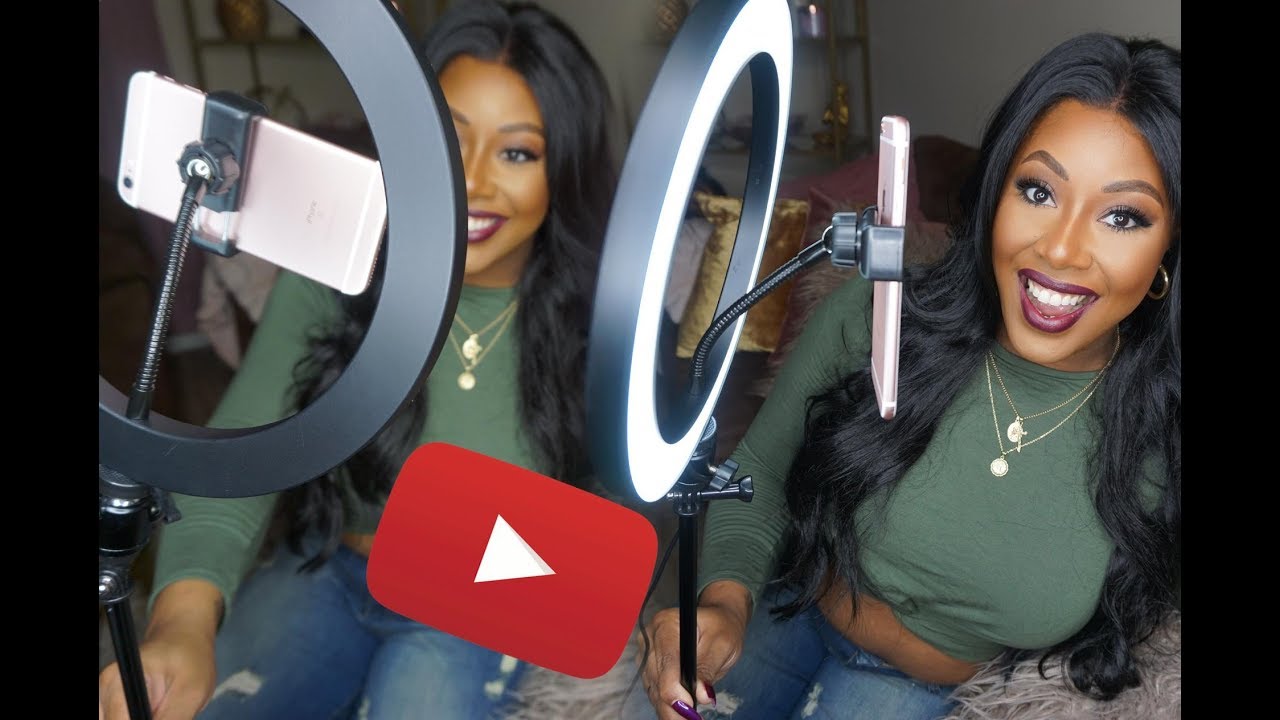
The most fundamental setup involves placing a single ring light directly in front of the subject, typically positioned at or slightly above eye level. This placement ensures that the light illuminates the face evenly, reducing shadows and creating a pleasing, soft glow. The camera is usually placed in the center of the ring light, allowing the light to pass through the lens and directly onto the subject’s face.
Key Components for a Basic Setup:
- Ring Light: A standard ring light with adjustable brightness and color temperature.
- Stand: A stable tripod or adjustable stand to hold the ring light at the desired height and angle.
- Smartphone/Camera: The device used for recording.
For a beginner, focusing on these core elements provides a solid foundation. Experimenting with the distance of the ring light from the subject is crucial. Closer placement results in softer, more diffused light, while further placement creates a more focused illumination. Always ensure the ring light’s brightness is adjusted to avoid overexposure or underexposure of the face.
Advanced Techniques with Multiple Light Sources
As you gain experience, incorporating additional light sources alongside your ring light can add depth, dimension, and a more polished aesthetic to your videos. This approach moves beyond simple frontal illumination to create a more sophisticated lighting scheme.
Advanced techniques often involve using the ring light as a primary “key light” and then adding secondary lights to sculpt the face and background. A common setup includes a ring light for frontal illumination, a “fill light” to soften shadows created by the key light, and a “hair light” or “backlight” to separate the subject from the background.
Example of an Advanced Setup:
- Key Light: The ring light, positioned directly in front of the subject.
- Fill Light: A softer light source (e.g., another LED panel or a bounced light) placed on the opposite side of the ring light, at a lower intensity, to reduce shadow depth.
- Hair Light/Backlight: A light source positioned behind and above the subject, aimed at the hair or shoulders, to create a subtle separation from the background.
The intensity and color temperature of each light should be carefully balanced. The ring light often provides the dominant illumination, with fill lights used to subtly lift shadows without overpowering the primary light. The hair light is typically set at a lower intensity to avoid harshness.
Creating Specific Visual Effects
Ring lights are exceptionally adept at creating specific visual effects, most notably the desirable “catchlights” in the eyes, which bring life and sparkle to a subject’s gaze.
Catchlights are small reflections of the light source visible in the subject’s pupils. When using a ring light, these reflections are naturally formed because of the ring’s shape and its position directly in front of the eyes. The circular shape of the ring light creates a distinct, circular catchlight that is highly flattering and makes the eyes appear more engaging.
“Catchlights are the windows to the soul, and a ring light is your perfect tool to illuminate them.”
To maximize catchlights, ensure the ring light is positioned at a similar height to the subject’s eyes. Experimenting with the angle and distance can subtly alter the shape and intensity of the catchlight. A slightly higher or lower angle can create a more dynamic reflection, while a closer light source will produce a brighter, more prominent catchlight.
Common Lighting Challenges and Ring Light Solutions
Talking head videos can present various lighting challenges, from unflattering shadows to a washed-out appearance. Ring lights offer elegant solutions to many of these common issues.
| Common Challenge | Ring Light Solution |
|---|---|
| Harsh shadows on the face | The ring light’s diffused nature and frontal placement wrap the face in soft, even light, minimizing or eliminating harsh shadows. |
| Flat or dull lighting | Adjusting the brightness and color temperature of the ring light allows for precise control, adding dimension and vibrancy to the subject’s features. |
| Underexposed or overexposed footage | The adjustable brightness settings enable fine-tuning the light output to match the camera’s exposure capabilities, ensuring a well-lit subject. |
| Lack of engagement in the eyes | The inherent catchlight effect created by ring lights adds sparkle and life to the eyes, making the subject appear more present and engaging. |
| Inconsistent lighting across different environments | A portable ring light can provide a consistent, controlled light source, regardless of ambient lighting conditions, ensuring a professional look every time. |
Ring Light Accessories and Enhancements
While a ring light itself is a powerful tool for improving your talking head videos, a few well-chosen accessories can significantly enhance its functionality and the overall quality of your production. These additions can help you achieve more professional results, offer greater flexibility in your setup, and even allow for creative customization.Investing in the right accessories can elevate your ring light from a basic lighting solution to a versatile production tool.
These additions are designed to optimize light quality, ensure stability, and adapt to various shooting environments, ultimately contributing to a more polished and engaging final video.
Essential Accessories for Ring Light Usage
Several accessories are considered fundamental for maximizing the benefits of a ring light in video production. These items address common needs such as light diffusion, stable mounting, and power management, ensuring a smooth and professional workflow.
- Diffusers: These are crucial for softening the light emitted by the ring light. A diffuser, often a translucent material like fabric or plastic, is placed in front of the LEDs. It scatters the light, reducing harsh shadows and creating a more even, flattering illumination on the subject’s face. This is particularly important for avoiding the appearance of “raccoon eyes” or overly sharp highlights.
- Stands and Mounts: A sturdy stand is essential for positioning the ring light at the correct height and angle. Many ring lights come with basic stands, but more robust options offer greater stability and adjustability. Specialized mounts, such as those that attach to tripods or desks, provide further flexibility in placement.
- Power Sources: Depending on your ring light model, you might need specific power adapters or USB power banks for portability. Ensuring a reliable power source is critical to avoid interruptions during recording.
- Phone/Camera Mounts: Most ring lights include a mount for smartphones or small cameras. For professional setups, consider dedicated adapters that allow for more secure attachment of larger cameras or accessories.
Diffusers and Diffusion Panels
The quality of light is paramount in video, and diffusers play a critical role in achieving a pleasing aesthetic. They transform the direct, potentially harsh light from LEDs into a soft, wrap-around illumination that is more forgiving and professional-looking.Diffusers work by scattering the light source. This process breaks up the concentrated beam of light into a wider, softer spread. The benefit of this is a significant reduction in contrast and the elimination of hard shadows.
For talking head videos, this translates to smoother skin tones, reduced wrinkles, and a generally more flattering appearance for the presenter. Diffusion panels, which can be larger sheets of translucent material, offer an even broader diffusion effect, suitable for larger lighting setups or when a very soft light is desired.
Ring Light Stands and Mounts
Stability and flexibility in positioning are key to effective lighting. Ring light stands and mounts provide the necessary support and adjustability to place your light precisely where it’s needed for optimal results.A good stand will prevent wobbling or tipping, which can be distracting and disrupt your recording. Adjustable height and tilt mechanisms allow you to fine-tune the light’s position relative to your camera and face.
Beyond standard tripod-style stands, specialized mounts offer even more versatility. Desk mounts clamp onto the edge of a table, freeing up floor space and providing a stable, close-range lighting option. Articulating arms can offer a wider range of motion, allowing you to position the light above, to the side, or even behind you for more complex lighting schemes.
Creative Modifications and DIY Enhancements
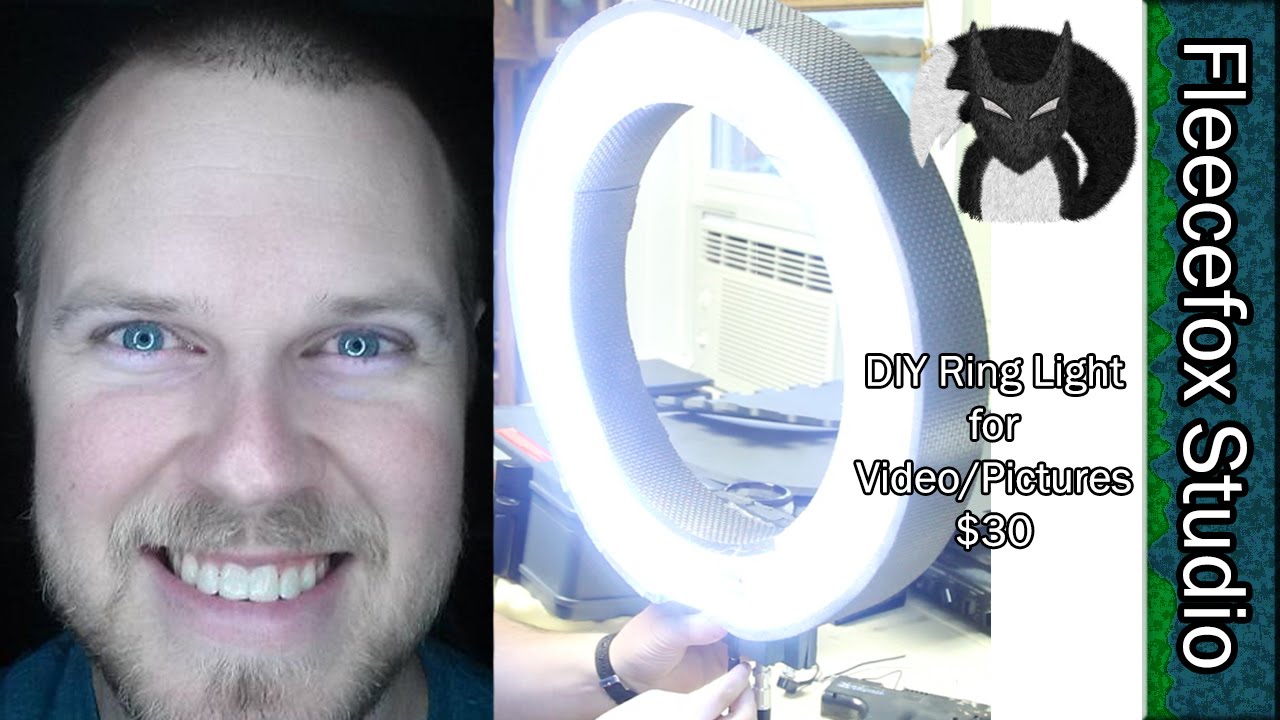
While commercial accessories are excellent, creative individuals can also enhance their ring light setups through DIY modifications. These can range from simple additions to more involved customizations, tailored to specific needs and budgets.One popular DIY enhancement involves creating custom diffusers. Instead of relying solely on the built-in diffuser, one might attach a layer of thin, white fabric (like muslin or a sheer curtain) using clips or Velcro to further soften the light.
Another approach is to build a larger diffusion panel using a lightweight frame and diffusion material, which can be positioned independently of the ring light for more control over the light spread. For added stability, some creators reinforce the base of their ring light stands with sandbags or weights. For those looking for unique color effects, gels (colored transparent sheets) can be placed in front of the LEDs, although care must be taken to ensure they are heat-resistant and do not damage the LEDs.
Troubleshooting Ring Light Issues in Video
Even with the best intentions and careful setup, you might encounter some common issues when using a ring light for your talking head videos. Addressing these problems promptly will ensure your footage looks professional and engaging. This section will guide you through identifying and resolving the most frequent ring light-related challenges.Ring lights are designed to provide even, flattering illumination, but sometimes the output isn’t quite right.
This can be due to various factors, from environmental conditions to incorrect settings. Understanding these potential pitfalls and their solutions is crucial for achieving polished video content.
Flickering and Uneven Light
Flickering lights in video can be incredibly distracting and are often caused by incompatible power frequencies or issues with the light’s internal components. Uneven light, on the other hand, can lead to harsh shadows or overly bright spots, detracting from the overall aesthetic.To combat flickering, ensure your ring light is plugged into a stable power source. If you’re using a dimmer, test it at different levels to see if the flickering is associated with specific brightness settings.
Sometimes, using a different outlet or a surge protector can resolve power-related flickers. For more persistent flickering, especially with older or cheaper models, the internal components might be failing, and replacement may be necessary.Uneven light is often a placement issue, which we’ve covered extensively. However, if the light itself has uneven diffusion, consider adding a diffuser material. A thin, white sheer fabric or a professional diffusion screen can soften and spread the light more uniformly across your face.
Overexposed or Underexposed Footage
The intensity of your ring light directly impacts the exposure of your video. Overexposure, where the image is too bright and details are lost in white, or underexposure, where the image is too dark and lacks detail, are common problems.For overexposed footage, the primary solution is to reduce the brightness of your ring light. Most ring lights have adjustable brightness settings.
If you’ve turned the brightness all the way down and it’s still too bright, consider moving the ring light further away from you. Alternatively, you can slightly decrease the exposure setting on your camera or smartphone if it allows.Conversely, if your footage is underexposed, increase the brightness of your ring light. If the maximum brightness is still insufficient, move the ring light closer to you.
You can also increase the exposure setting on your camera, but be mindful of introducing noise into the footage.
Glare and Reflections
Glare from a ring light can be particularly problematic if you wear glasses or have shiny surfaces in your background or on your person. This unwanted reflection can obscure your eyes or create distracting highlights.For glasses wearers, the angle of the ring light is critical. Experiment with slightly tilting the ring light up or down, or moving it to the side a bit, to find an angle where the reflection is minimized or eliminated.
Sometimes, wearing glasses with anti-reflective coatings can make a significant difference. If possible, remove your glasses for the recording, or opt for contact lenses.Shiny surfaces in your background, such as mirrors or glossy furniture, can also reflect the ring light. Try to reposition these items or adjust the ring light’s angle to avoid direct reflections. If you have a shiny desk or microphone, consider placing a matte cloth over it or adjusting its position.
Ring Light Troubleshooting Guide
Here is a table summarizing common ring light issues and their recommended solutions:
| Issue | Potential Causes | Solutions |
|---|---|---|
| Flickering Light | Incompatible power frequency, faulty dimmer, internal component failure. | Ensure stable power source, test dimmer at different levels, try a different outlet, consider replacing the light if persistent. |
| Overexposed Footage | Ring light too bright, too close. | Decrease ring light brightness, move light further away, reduce camera exposure. |
| Underexposed Footage | Ring light too dim, too far. | Increase ring light brightness, move light closer, increase camera exposure. |
| Glare on Glasses | Incorrect ring light angle, reflective lens coatings. | Adjust ring light angle (tilt up/down/side), consider anti-reflective coatings, remove glasses or use contacts. |
| Reflections on Shiny Surfaces | Direct light hitting glossy objects. | Reposition reflective objects, adjust ring light angle, use matte coverings for surfaces. |
| Harsh Shadows | Light source too small, too far, or at an extreme angle. | Ensure proper distance and angle (as discussed in placement), use diffusion, consider a secondary light source if necessary. |
Ending Remarks
In conclusion, harnessing the power of a ring light for your talking head videos is a readily achievable endeavor that significantly elevates production quality. By understanding its basic functions, making informed choices about the right equipment, and implementing strategic placement and settings, you can consistently produce videos that are not only visually appealing but also convey your message with clarity and impact.
Embrace these techniques, and watch your on-screen presence flourish.