Welcome to our comprehensive guide on mastering your camera for exceptional video production. This resource is meticulously crafted to illuminate the path towards achieving professional-grade footage, covering everything from fundamental camera settings to advanced techniques that will elevate your visual storytelling.
We will delve into the intricacies of understanding your camera’s capabilities, optimizing lighting environments, ensuring pristine audio, achieving sharp focus and stability, making informed lens selections, adapting settings for diverse scenarios, and finally, refining your work in post-production. Prepare to transform your video output from ordinary to extraordinary.
Understanding Your Camera’s Capabilities
To achieve the best possible video quality, it is crucial to thoroughly understand the capabilities of your camera. Each camera model, from professional cinema cameras to smartphones, offers a range of settings that directly influence the final output. Familiarizing yourself with these settings allows you to make informed decisions that align with your creative vision and technical requirements.This section will delve into the essential video settings commonly found on cameras, explaining their function and impact on video quality.
By mastering these elements, you can unlock your camera’s full potential and produce visually compelling content.
Essential Video Settings
Modern cameras offer a suite of video-specific settings that provide granular control over the image. Understanding each of these is the first step towards maximizing your video quality.
Resolution and Frame Rate
Resolution and frame rate are fundamental to defining the clarity and motion characteristics of your video. They dictate how much detail is captured and how smoothly movement is rendered. Resolution refers to the number of pixels that make up the image. Higher resolutions mean more pixels, resulting in a sharper and more detailed picture.
- 1080p (Full HD): This resolution, with 1920 pixels horizontally and 1080 pixels vertically, has been the standard for many years and still provides excellent quality for most online platforms and general viewing.
- 4K (UHD): Offering approximately four times the pixels of 1080p (3840×2160 pixels), 4K provides significantly more detail and allows for greater flexibility in post-production, such as cropping or reframing without substantial loss of quality.
Frame Rate determines the number of still images, or frames, displayed per second to create the illusion of motion.
- 24fps (frames per second): This is the standard cinematic frame rate, offering a natural, film-like motion blur that is often preferred for narrative filmmaking.
- 30fps: Commonly used for broadcast television and online content, 30fps provides a slightly smoother motion than 24fps and is often perceived as more realistic for everyday viewing.
- 60fps: Capturing twice as many frames per second as 30fps, this rate results in exceptionally smooth motion. It is ideal for capturing fast action, sports, or for creating slow-motion effects in post-production when played back at a lower frame rate.
Aperture (f-stop)
The aperture, controlled by the f-stop number, regulates the amount of light entering the camera lens and significantly impacts the visual aesthetic of your video.The f-stop is a ratio representing the focal length of the lens divided by the diameter of the aperture. A lower f-stop number (e.g., f/1.8, f/2.8) indicates a wider aperture, allowing more light to enter the lens.
- Depth of Field: A wider aperture (lower f-stop) results in a shallower depth of field, meaning only a narrow plane of the image will be in sharp focus, while the foreground and background are blurred. This is excellent for isolating your subject and creating a professional, cinematic look.
- Low-Light Performance: A wider aperture is also crucial for shooting in low-light conditions, as it allows the camera to gather more light without needing to increase other sensitivity settings, which can introduce noise.
Conversely, a higher f-stop number (e.g., f/8, f/11) creates a larger depth of field, keeping more of the scene in focus.
ISO
ISO measures the camera sensor’s sensitivity to light. Adjusting the ISO allows you to capture images in varying light conditions.
The ISO setting directly influences how much light the sensor records.
- Low ISO (e.g., 100, 200): When shooting in bright conditions, a low ISO is preferred. It results in the cleanest image with minimal digital noise.
- High ISO (e.g., 800, 1600, 3200+): In low-light situations, you may need to increase the ISO to adequately expose your shot. However, higher ISO values amplify the sensor’s sensitivity, which can introduce digital noise or grain into your video, reducing overall image quality. It’s a trade-off between brightness and image cleanliness.
Shutter Speed
Shutter speed controls the duration for which the camera’s sensor is exposed to light. It plays a critical role in capturing motion and managing exposure.For video, a common guideline is the “180-degree rule,” where the shutter speed is set to approximately twice the frame rate. For example, at 30fps, the shutter speed would be 1/60th of a second. This setting provides a natural amount of motion blur, making movement appear fluid and realistic.
- Capturing Motion: A faster shutter speed (e.g., 1/250s) will freeze motion, resulting in a sharper image of moving objects but can make the video appear choppy or stuttery if used for general filming. A slower shutter speed (e.g., 1/30s) will introduce more motion blur, which can be desirable for creative effect or in low light, but can lead to blurry footage if the subject is moving quickly.
- Controlling Exposure: Shutter speed is one of the three pillars of exposure (along with aperture and ISO). By adjusting shutter speed, you can influence how bright or dark your image is. For instance, in bright sunlight, you might need a faster shutter speed to prevent overexposure, even with a narrow aperture and low ISO.
Optimizing Lighting for Superior Footage
Effective lighting is paramount to achieving professional-looking video. It dictates the mood, clarity, and overall aesthetic of your shots, transforming ordinary footage into something truly captivating. Understanding how to manipulate light, whether natural or artificial, will significantly elevate your video quality.This section will guide you through various lighting techniques, from harnessing the power of sunlight to constructing a controlled studio environment, ensuring your camera captures the best possible image.
Natural Lighting Techniques for Video
Natural light, primarily sunlight, offers a beautiful and often flattering illumination for video. Its soft, diffused quality can create a pleasing aesthetic with minimal effort. However, it requires careful management to ensure consistency and avoid harsh shadows.To effectively utilize natural light, consider the following:
- Window Light: Position your subject near a window, but not directly in harsh sunlight. The window acts as a large, soft light source. The intensity and direction of the light can be controlled by opening or closing curtains, or by using sheer fabrics. For softer light, place your subject parallel to the window. For more dramatic, directional light, position them facing the window.
- Time of Day: The quality of natural light changes throughout the day. “Golden hour,” the period shortly after sunrise and before sunset, provides warm, soft, and aesthetically pleasing light. Midday sun can be harsh and create strong, unflattering shadows, so it’s often best avoided or diffused.
- Outdoor Shooting: When shooting outdoors, seek open shade or overcast conditions. Overcast skies act as a natural diffuser, providing even, soft light. If shooting in direct sunlight, find areas with natural shade like under a tree or building.
- Avoiding Mixed Lighting: Be mindful of mixing natural light with artificial light sources of different color temperatures, as this can lead to an unnatural color cast in your video.
Principles of Three-Point Lighting
Three-point lighting is a foundational technique in videography and filmmaking, providing a classic and well-lit look. It involves strategically placing three lights to illuminate your subject, creating depth and dimension while minimizing distracting shadows. The three key lights are the key light, fill light, and back light.The roles of each light are as follows:
- Key Light: This is the primary and strongest light source, positioned to illuminate the subject. It typically casts the main shadows. It’s usually placed at an angle of 45 degrees to the camera and 45 degrees to the subject, creating a balanced illumination.
- Fill Light: This light is placed on the opposite side of the camera from the key light. Its purpose is to soften or “fill in” the shadows created by the key light, reducing contrast and revealing more detail in the darker areas. The fill light is usually less intense than the key light.
- Back Light (Hair Light or Rim Light): Positioned behind the subject and opposite the camera, the back light separates the subject from the background. It creates a subtle Artikel or “rim” of light around the subject’s edges, adding depth and preventing them from appearing flat or “stuck” to the background.
Basic Studio Lighting Setup for Interviews
Setting up lighting for interviews in a studio environment allows for greater control and consistency. The goal is to create a professional and flattering look for the interviewee. A basic three-point lighting setup is often ideal for this purpose.Here’s a guide to a basic studio interview lighting setup:
- Key Light: Position a softbox or a diffused light source approximately 45 degrees to the side of the interviewee’s face and at a 45-degree angle above their eye level. This provides the main illumination.
- Fill Light: Place a less intense light source or a reflector on the opposite side of the interviewee from the key light. This light should be positioned at a similar height or slightly lower than the key light. The intensity should be adjusted to soften the shadows created by the key light, aiming for a pleasing contrast ratio.
- Back Light: Position a light behind the interviewee, aimed at their back or hair. This light should be angled to create a subtle highlight, separating them from the background. Avoid shining it directly into the camera lens.
- Background Light (Optional): If the background appears too dark or flat, a separate light can be used to illuminate it, adding depth and visual interest.
- Light Placement Considerations: Ensure lights are not directly in the interviewee’s line of sight to avoid discomfort or distracting reflections in their eyes. Experiment with light placement to find the most flattering angles for the individual.
Comparison of Artificial Light Types
Artificial lights offer control and consistency that natural light cannot always provide. Different types of artificial lights have distinct characteristics that affect their output, color temperature, and heat generation, influencing their suitability for various filming scenarios.Here’s a comparison of common artificial light types:
- LED Lights:
- Characteristics: Energy-efficient, long-lasting, produce little heat, and offer a wide range of color temperatures and brightness levels. Many LED panels are bi-color, allowing for adjustable color temperature (warm to cool).
- Pros: Versatile, portable, low power consumption, and dimmable.
- Cons: Initial cost can be higher, and the quality of light can vary significantly between manufacturers.
- Best For: Almost all applications, including interviews, documentaries, and general studio work, especially where portability and low heat are important.
- Fluorescent Lights:
- Characteristics: Produce a soft, diffused light and are relatively energy-efficient. They are available in various color temperatures.
- Pros: Produce less heat than tungsten lights, relatively affordable.
- Cons: Can be bulky, may produce a slight flicker if not properly ballasted, and color rendering can sometimes be an issue with lower-quality tubes.
- Best For: Studio interviews, product photography, and situations where soft, consistent light is needed.
- Tungsten (Incandescent) Lights:
- Characteristics: Produce a warm, rich light (typically around 3200K). They are readily available and inexpensive.
- Pros: Excellent color rendering, warm and pleasing light quality.
- Cons: Generate a significant amount of heat, consume more power, and have a shorter lifespan compared to LEDs.
- Best For: Creating a warm, cinematic look, and in situations where heat is not a major concern. Often used in traditional film sets.
Using Diffusers and Reflectors to Shape Light
Diffusers and reflectors are essential tools for controlling and shaping light, transforming harsh light into soft, flattering illumination and adding dimension to your shots. They allow you to manipulate the quality and direction of light without necessarily needing more lights.Here’s how to effectively use diffusers and reflectors:
- Diffusers:
- Purpose: To soften harsh light by spreading it over a larger area. This reduces the intensity of shadows and creates a more even, pleasing illumination.
- Types:
- Softboxes: Fabric boxes that attach to a light source, creating a large, soft light. They come in various shapes and sizes.
- Umbrellas: Can be used in two ways: shoot-through (light passes through the umbrella) or bounce (light bounces off the inside surface). Both create softer light.
- Diffusion Cloth/Scrims: Large sheets of translucent material that can be placed between the light source and the subject.
- Application: Place a diffuser directly in front of your light source. The larger the diffuser relative to the subject, the softer the light will be.
- Reflectors:
- Purpose: To bounce existing light back onto the subject, filling in shadows and adding highlights. They are excellent for adding dimension and controlling contrast.
- Types:
- White: Provides neutral, soft fill light.
- Silver: Creates a brighter, more specular fill light.
- Gold: Adds a warm tone, mimicking sunlight.
- Black: Used to absorb light and increase shadows, creating more contrast.
- Application: Position the reflector opposite your main light source, angled to bounce light into the shadowed areas of your subject. The distance and angle of the reflector will determine the intensity and spread of the bounced light.
The quality of light is more important than the quantity. It’s not about how bright your lights are, but how you use them.
Achieving Crystal-Clear Audio
While stunning visuals are crucial for engaging video content, exceptional audio is often the unsung hero that truly elevates a viewer’s experience. Poor audio can quickly lead to disinterest and a perception of unprofessionalism, regardless of how beautiful your footage is. This section will guide you through the essential steps to ensure your video’s sound is as polished as its visuals.The foundation of clear audio lies in selecting the right tools and understanding how to use them effectively.
This involves moving beyond the limitations of your camera’s built-in microphone and embracing external audio solutions that offer superior quality and control.
External Microphone Advantages
Built-in microphones on cameras are typically designed for convenience and general-purpose recording. They often capture a wide range of sounds, including unwanted ambient noise and room echo, leading to muffled or distant-sounding audio. External microphones, on the other hand, are engineered for specific audio capture scenarios, offering directional sensitivity, better frequency response, and significantly improved signal-to-noise ratios. This allows for more focused sound pickup, resulting in clearer dialogue, richer soundscapes, and a more professional overall production.
Microphone Types for Video Production
Choosing the right type of external microphone depends on your recording environment and subject matter. Each type offers distinct advantages for different situations:
- Shotgun Microphones: These are highly directional microphones, often referred to as “camera-mounted” or “boom” microphones. They excel at isolating sound from a specific direction while rejecting sound from the sides and rear. This makes them ideal for capturing dialogue in situations where the microphone can be positioned close to the subject, such as on a boom pole or mounted directly on the camera.
Their narrow pickup pattern helps minimize background noise and room reverberation.
- Lavalier Microphones (Lav Mics): These are small, clip-on microphones that attach directly to a subject’s clothing. They provide a consistent audio source as the subject moves, ensuring that the microphone remains at an optimal distance from the mouth. Lav mics are excellent for interviews, presentations, and any scenario where clear, consistent dialogue from a moving subject is paramount. They are often less susceptible to handling noise than handheld microphones.
- Wireless Microphone Systems: These systems consist of a transmitter (often attached to a lavalier or handheld microphone) and a receiver (connected to the camera). They offer the freedom of movement for the talent without being tethered by cables. Wireless systems are indispensable for dynamic shoots, such as event coverage, action sequences, or when maintaining a clean aesthetic without visible wires is important.
Reliability and signal interference are key considerations when choosing a wireless system.
Setting Proper Audio Levels
Achieving optimal audio levels is critical for preventing distortion (clipping) and ensuring that your audio is neither too quiet nor too loud. This process involves monitoring your audio input and making adjustments to the gain (sensitivity) of your microphone.The goal is to record audio that peaks, or reaches its highest point, in the “good” range of your audio meter, typically between -12dB and -6dB.
This leaves headroom for unexpected louder sounds and avoids the harsh, distorted sound that occurs when audio signals exceed the maximum recording capacity.
“Aim for your audio peaks to consistently fall between -12dB and -6dB to ensure clarity and prevent clipping.”
This can be achieved by:
- Monitoring with Headphones: Always wear headphones while recording to accurately hear what your microphone is capturing.
- Speaking at Your Normal Volume: Have your subject speak at their typical volume.
- Adjusting Gain: Gradually increase the microphone’s gain until your audio meter consistently reaches the desired range during peak vocal moments. If the meter frequently hits 0dB or goes into the red, reduce the gain.
- Performing a Test: Record a short test clip and listen back critically to ensure the levels are balanced and there is no audible distortion.
Reducing Ambient Noise
Unwanted background noise can significantly detract from your video’s quality. Proactive measures can minimize its impact:
- Choose a Quiet Location: Whenever possible, select a recording environment with minimal distractions like traffic, air conditioning hum, or chatter.
- Sound Treatment: Soft furnishings like carpets, curtains, and acoustic panels can absorb sound reflections and reduce echo.
- Turn Off Appliances: Switch off noisy appliances such as refrigerators, fans, or computers that are not essential for the recording.
- Minimize Wind Noise: If recording outdoors, use a windscreen or “dead cat” over your microphone to reduce the impact of wind.
- Microphone Placement: Position your microphone as close to the sound source as possible to maximize the desired signal and minimize ambient noise.
Pre-Recording Audio Checklist
Before you hit the record button, a thorough audio check can save you from time-consuming re-shoots and ensure a professional result.
| Check Item | Action | Notes |
|---|---|---|
| Microphone Connection | Ensure the microphone is securely plugged into the camera or recording device. | Check for loose connections that could cause audio dropouts. |
| Microphone Type Selection | Confirm the correct microphone type is selected in your camera’s audio settings. | e.g., External Mic, Shotgun, Lavalier. |
| Battery Levels | Verify that all microphones and wireless transmitters have sufficient battery power. | Carry spare batteries for extended shoots. |
| Audio Levels | Perform a sound check with the talent speaking at normal volume. | Adjust gain to peak between -12dB and -6dB. |
| Headphone Monitoring | Wear headphones and listen for any unwanted background noise or distortion. | Confirm clear audio capture without interference. |
| Wind Protection | If outdoors, attach a windscreen or “dead cat” to the microphone. | Essential for reducing wind noise. |
| Surroundings | Scan the recording environment for potential noise sources. | Turn off unnecessary equipment or close windows. |
Mastering Focus and Stability
Achieving sharp focus and maintaining a steady camera are fundamental to producing professional-looking video. These elements directly impact viewer engagement and the perceived quality of your production. While automatic settings can be convenient, understanding and implementing manual techniques offers greater creative control and consistently superior results.
Manual Focus Versus Autofocus
Autofocus systems are designed for speed and convenience, making them suitable for many general shooting scenarios. However, they can sometimes struggle in challenging lighting conditions, with low-contrast subjects, or when subjects move erratically. Manual focus, on the other hand, provides absolute precision. It allows the videographer to dictate exactly where the sharpest point of the image lies, which is crucial for creative storytelling and ensuring that the intended subject remains in focus throughout a shot, even with complex camera movements or background activity.
Techniques for Achieving Sharp Focus
To ensure your subject is in crisp focus, several techniques can be employed. These methods leverage the camera’s tools and your understanding of composition.
- Focus Peaking: Many modern cameras offer focus peaking, which highlights the edges of in-focus areas with a colored overlay. This visual cue is invaluable for confirming sharpness, especially when using manual focus. Adjust the focus ring until the desired subject is highlighted.
- Magnification (Zoom Assist): Utilize the camera’s magnification feature to digitally zoom into a portion of the frame, typically the subject’s eyes or a key detail. This allows for extremely precise focus adjustments before zooming back out to your desired framing.
- Subject Tracking (Manual Aid): Even with manual focus, you can anticipate subject movement. By observing your subject’s trajectory, you can pre-focus on a point where they are likely to be or make subtle adjustments as they move, maintaining focus throughout their path.
- Depth of Field Awareness: Understanding depth of field is crucial. A shallow depth of field (achieved with wide apertures) can isolate your subject but requires more precise focusing. A deeper depth of field (achieved with narrower apertures) is more forgiving but may require ensuring the entire subject is within the sharp plane.
Benefits of Using a Tripod for Stable Shots
A tripod is an indispensable tool for achieving stable video footage. It eliminates the shakiness inherent in handheld shooting, leading to a more polished and professional appearance.
- Eliminates Camera Shake: The primary benefit is the complete removal of unintentional camera movements, such as jitters and wobbles, that can distract viewers.
- Enables Smooth Pans and Tilts: Tripods with fluid heads allow for incredibly smooth and controlled horizontal (pan) and vertical (tilt) movements, adding cinematic flair to your shots.
- Facilitates Consistent Framing: Once your shot is framed, a tripod ensures that the camera remains in that exact position, allowing for consistent compositions across multiple takes or when adding other elements.
- Supports Longer Exposures and Low Light: For situations requiring longer shutter speeds or shooting in low light, a tripod is essential to prevent motion blur caused by handholding.
Comparison of Stabilization Methods
Different stabilization methods offer varying levels of effectiveness and are suited to different shooting styles and equipment.
| Method | Description | Pros | Cons |
|---|---|---|---|
| Gimbals | Motorized, multi-axis stabilizers that counteract unwanted movements by sensing and correcting them in real-time. | Excellent for dynamic, fluid camera movements; provides very smooth, cinematic shots even while walking or running. | Can be bulky and expensive; requires practice to master; battery life can be a concern. |
| In-Camera Stabilization (IBIS/OIS) | Internal mechanisms within the camera body (IBIS) or lens (OIS) that shift components to counteract camera shake. | Convenient as it’s built-in; effective for handheld shots, especially with telephoto lenses; works with any lens attached. | Less effective for very fast or erratic movements compared to gimbals; can sometimes introduce slight artifacts. |
| Digital Stabilization | Software-based stabilization that analyzes footage and digitally crops or warps the image to create the illusion of stability. | Often available as a post-production option or in-camera feature; can be effective for minor shake. | Results in a loss of resolution and field of view due to cropping; can introduce visual artifacts or a “wobbly” effect if overused. |
Procedure for Checking and Ensuring Camera Stability
Before you begin recording, a quick check of your camera’s stability can prevent hours of frustrating re-shoots.
- Mount the Camera Securely: Ensure the camera is firmly attached to your tripod, gimbal, or other support system. Double-check that the quick-release plate is locked and the camera is not loose.
- Level the Camera: Use the built-in bubble level on your tripod or camera, or an external level, to ensure the camera is perfectly horizontal and vertical. This is crucial for preventing shots that appear to be tilted or falling.
- Test Movements (if applicable): If using a tripod with a fluid head or a gimbal, perform a few slow, deliberate pans and tilts. Observe the smoothness and absence of jerky movements. Make any necessary adjustments to tension or motor settings.
- Conduct a Test Shot: Record a short, static clip of your scene. Play it back immediately and examine it for any subtle shakes or vibrations. Pay attention to fine details in the frame to detect any unwanted motion.
- Assess Environmental Factors: Be mindful of your surroundings. Strong winds, vibrations from nearby traffic, or unstable ground can all affect camera stability. Adjust your setup or location if necessary.
Lens Selection and Usage for Impact
Your camera’s lens is a critical component in shaping the visual narrative of your video. Beyond simply capturing an image, the lens dictates perspective, depth, and the overall aesthetic. Understanding its capabilities and how to utilize different types effectively will significantly elevate your video production quality. This section explores the nuances of lens selection and usage to create visually compelling footage.The choice of lens fundamentally alters how your viewers perceive the scene.
Different focal lengths manipulate perspective and compression, influencing the sense of space and the relationship between foreground and background elements. Experimenting with various lenses allows you to control these visual aspects intentionally, guiding the viewer’s eye and conveying specific emotions or information.
Focal Length and Visual Perspective
The focal length of a lens, measured in millimeters, determines the angle of view and the magnification of the subject. This directly impacts how the scene is framed and the perceived distance between objects.
- Wide-Angle Lenses (e.g., 14mm-35mm): These lenses offer a broad field of view, capturing more of the surrounding environment. They create a sense of spaciousness and can make subjects appear farther away. Wide-angle lenses are excellent for establishing shots, capturing grand landscapes, or conveying a feeling of immersion. However, they can also introduce barrel distortion, where straight lines near the edges of the frame appear curved.
- Normal Lenses (e.g., 35mm-70mm): These lenses mimic the field of view of the human eye, providing a natural and realistic perspective. They are versatile and suitable for a wide range of shooting scenarios, from interviews to general scene coverage, without significant distortion.
- Telephoto Lenses (e.g., 70mm+): These lenses have a narrow field of view and magnify distant subjects, making them appear closer. They compress the perspective, bringing background elements closer to the subject, which can be useful for isolating subjects or creating a sense of intimacy. Telephoto lenses are ideal for capturing details from a distance, wildlife photography, or achieving a shallow depth of field.
Choosing the Right Lens for Specific Scenarios
Selecting the appropriate lens for a given situation is paramount to achieving the desired visual outcome. Consider the subject matter, the environment, and the emotional tone you wish to convey.
- Interviews: A normal to short telephoto lens (e.g., 50mm-85mm) is often preferred for interviews. These focal lengths provide a flattering perspective for faces and allow for a pleasing separation between the subject and the background, creating a subtle bokeh effect.
- Landscapes and Establishing Shots: Wide-angle lenses are ideal for capturing expansive vistas and providing context for your scene. They emphasize the scale and grandeur of the environment.
- Action and Sports: Telephoto lenses are essential for capturing distant action, allowing you to fill the frame with the subject without needing to be physically close. Fast telephoto lenses with wide apertures are particularly useful in low light conditions often encountered in sports venues.
- Documentary and Run-and-Gun: Versatile zoom lenses, often in the 24-70mm or 24-105mm range, offer flexibility for unpredictable shooting environments. They allow you to quickly adjust framing without changing lenses, which is crucial when speed and adaptability are key.
The Art of Bokeh
Bokeh refers to the aesthetic quality of the blur in the out-of-focus parts of an image produced by a lens. It is often characterized by smooth, pleasing circles of light. Achieving desirable bokeh is a key element in creating a professional and visually appealing video.Bokeh is primarily influenced by the lens’s aperture (f-stop), focal length, and the distance between the camera, the subject, and the background.
- Wide Aperture (Low f-number): A wider aperture (e.g., f/1.4, f/1.8, f/2.8) creates a shallower depth of field, meaning fewer elements in the scene will be in sharp focus. This effectively blurs the background, making your subject stand out.
- Longer Focal Length: Longer focal lengths also contribute to a shallower depth of field, further enhancing the bokeh effect.
- Distance: The greater the distance between your subject and the background, the more pronounced the bokeh will be.
A well-executed bokeh can draw attention to the subject, add a sense of depth and dimension, and create a cinematic look.
Lens Sharpness and Distortion
The inherent quality of a lens significantly impacts the clarity and fidelity of your video.
- Sharpness: A sharp lens resolves fine details accurately, resulting in crisp and clear images. Lens sharpness is often measured by its ability to resolve contrast and detail. High-quality lenses generally exhibit better sharpness across the frame, from edge to edge. Poorly designed or older lenses may appear softer, especially at the edges.
- Distortion: Distortion refers to the bending or warping of straight lines within an image.
- Barrel Distortion: Common in wide-angle lenses, this causes straight lines to bow outwards, making the image appear to bulge.
- Pincushion Distortion: More typical of telephoto lenses, this causes straight lines to bend inwards, making the image appear to pinch in the center.
While some distortion is inherent in certain lens types, high-quality lenses are engineered to minimize it. Post-production software can often correct for lens distortion, but starting with a less distorted image is always preferable.
Prime Lenses Versus Zoom Lenses for Video Production
The choice between prime and zoom lenses is a fundamental decision for videographers, each offering distinct advantages.
| Feature | Prime Lenses | Zoom Lenses |
|---|---|---|
| Focal Length | Fixed focal length (e.g., 50mm). Offers a specific field of view. | Variable focal length (e.g., 24-70mm). Allows for a range of fields of view. |
| Image Quality | Generally sharper and have fewer optical aberrations due to simpler construction. Often have wider maximum apertures. | Can be very good, but may exhibit slightly lower sharpness or more aberrations compared to equivalent primes, especially at the extremes of their zoom range. |
| Aperture | Often have wider maximum apertures (e.g., f/1.4, f/1.8), allowing for better low-light performance and shallower depth of field. | Maximum aperture may be constant (e.g., f/2.8) or variable (e.g., f/3.5-5.6), which can change as you zoom. |
| Versatility | Less versatile as you need to “zoom with your feet” or change lenses to alter framing. | Highly versatile, allowing for quick framing adjustments without moving or changing lenses. |
| Size and Weight | Typically smaller and lighter. | Generally larger and heavier. |
| Cost | Can be more affordable for comparable quality, especially at common focal lengths. | High-quality zoom lenses can be expensive, especially those with constant wide apertures. |
| Use Cases | Ideal for situations where precise framing and shallow depth of field are desired, such as portraits, cinematic shots, and low-light scenarios. Often preferred by filmmakers for their optical quality and distinct look. | Excellent for event coverage, documentary filmmaking, travel, and situations where flexibility and speed are crucial. |
While prime lenses are often lauded for their superior image quality and ability to achieve beautiful bokeh, zoom lenses offer unparalleled flexibility. Many professional videographers utilize a combination of both, choosing primes for critical shots where image quality is paramount and zooms for their convenience and adaptability.
Understanding Camera Settings for Specific Scenarios
Mastering your camera’s settings is crucial for achieving professional-looking video, and understanding how to adapt them to different shooting situations can elevate your footage significantly. This section will guide you through optimizing your camera for various common scenarios, ensuring you capture the best possible quality every time.
Talking-Head Interview Settings
For interviews, the primary goal is to present your subject clearly and professionally, with minimal distractions. The following table Artikels recommended settings to achieve this:
| Setting | Recommendation | Rationale |
|---|---|---|
| Resolution | 4K | Provides maximum detail, allowing for cropping and zooming in post-production without significant loss of quality. |
| Frame Rate | 24fps | This frame rate is standard in filmmaking and provides a cinematic look with smooth motion for dialogue. |
| Shutter Speed | 1/48s (or twice the frame rate) | Matching the shutter speed to twice the frame rate (e.g., 1/48s for 24fps) creates a natural motion blur, preventing a choppy or “video game” look. |
| Aperture | f/2.8 – f/4 | A wider aperture (lower f-number) creates a shallow depth of field, effectively blurring the background and isolating the subject, drawing the viewer’s attention to them. |
| ISO | As low as possible (e.g., 100-400) | Minimizing ISO reduces digital noise, resulting in a cleaner and sharper image, especially important for detailed shots of faces. |
Dynamic Action Shot Settings
Capturing fast-paced action requires settings that freeze motion and maintain clarity. The key is to balance shutter speed, frame rate, and aperture to ensure every moment is sharp and impactful.For dynamic action shots, consider the following optimal settings:
- Resolution: 4K is still recommended for its detail, but if storage or processing is a concern, 1080p is acceptable.
- Frame Rate: 60fps or higher is ideal. This allows for smooth playback of fast movement and provides the option for slow-motion playback in post-production, adding dramatic effect.
- Shutter Speed: To freeze motion effectively, set your shutter speed to at least twice the frame rate, but often faster is better. For 60fps, a shutter speed of 1/125s or 1/250s is a good starting point. For extremely fast action, you might need to go even higher.
- Aperture: You’ll likely need a narrower aperture (higher f-number, e.g., f/8 or higher) to achieve sufficient depth of field to keep the entire action in focus, especially if it’s moving towards or away from the camera. This also helps manage exposure in bright conditions.
- ISO: Keep ISO as low as possible to maintain image quality.
Low-Light Indoor Recording Settings
Recording in low-light conditions presents a challenge for maintaining image quality. The primary objective is to gather as much light as possible without introducing excessive noise.Adjust your settings for low-light indoor recording by:
- Increasing Aperture: Use the widest aperture your lens allows (lowest f-number) to let in the maximum amount of light.
- Raising ISO: You will likely need to increase your ISO. Modern cameras handle higher ISOs better than older models, but be mindful of the noise level. Aim for the highest ISO that produces acceptable noise for your project.
- Lowering Shutter Speed: If possible without introducing unwanted motion blur, you can slightly lower your shutter speed. However, be cautious not to go below 1/30s for standard video unless you specifically want a motion blur effect.
- Frame Rate: Stick to 24fps or 30fps to allow for slower shutter speeds if necessary.
- Resolution: 1080p might be more manageable in low light than 4K, as it requires less processing and can sometimes yield cleaner results.
Consider using additional lighting sources whenever possible, as they will always yield better results than pushing your camera’s low-light capabilities too far.
Outdoor, Bright-Sunlight Environment Settings
Shooting in bright sunlight can lead to overexposed footage and harsh shadows. The goal here is to control the amount of light hitting your sensor.Configure your settings for outdoor, bright-sunlight environments by:
- Narrowing Aperture: Use a higher f-number (e.g., f/8, f/11, or even higher) to reduce the amount of light entering the lens.
- Lowering ISO: Keep ISO at its base level (e.g., 100 or 200) to ensure the cleanest possible image.
- Adjusting Shutter Speed: While the 180-degree rule (shutter speed at twice the frame rate) is ideal, in very bright conditions, you may need to increase your shutter speed to achieve proper exposure. If you’re shooting at 24fps and need to maintain that for a cinematic look, you might be forced to use a shutter speed faster than 1/48s, which can introduce a less natural motion blur.
- Using Neutral Density (ND) Filters: For controlling exposure without sacrificing aperture or shutter speed, ND filters are invaluable. They act like sunglasses for your lens, allowing you to maintain a wider aperture for depth of field or the correct shutter speed for motion blur, even in bright conditions.
On-the-Fly Settings Adjustment Workflow
Being able to adjust settings quickly and efficiently during a shoot is a hallmark of an experienced videographer. Developing a workflow will help you adapt to changing conditions seamlessly.Here’s a workflow for adjusting settings on the fly during a shoot:
- Prioritize Exposure: Your first concern should always be correct exposure. Use your camera’s histogram and waveform monitor to gauge light levels.
- Set Shutter Speed: Based on your desired motion blur (usually 1/48s for 24fps or 1/60s for 30fps), set your shutter speed first.
- Adjust Aperture: Next, adjust your aperture to control depth of field. If you have enough light, aim for your desired aperture. If not, you’ll need to compensate elsewhere.
- Manage ISO: If you’re still underexposed after setting your shutter speed and aperture, gradually increase your ISO. Listen for audio cues and check your image for noise.
- Utilize ND Filters: If you’re in a bright environment and need a wider aperture or slower shutter speed than the light allows, reach for your ND filters.
- White Balance: Continuously check and adjust your white balance as lighting conditions change. Auto white balance can be unreliable, so manual white balance is often preferred.
- Focus: Ensure your focus is sharp on your subject. For moving subjects, practice manual focus pulling or utilize reliable autofocus features.
- Monitor Audio: Never forget to monitor your audio levels. Adjust microphone gain as needed to prevent clipping or signal loss.
Regular practice with your camera in various lighting and movement scenarios will build your intuition and speed up this adjustment process considerably.
Post-Production Considerations for Enhanced Quality
The journey of creating exceptional video content doesn’t conclude once the recording stops. Post-production is where raw footage is transformed into a polished, professional final product. This phase involves refining every aspect, from visual aesthetics to auditory clarity, ensuring your message resonates effectively with your audience. By paying close attention to detail during editing, color grading, and export, you can significantly elevate the perceived quality of your videos.The post-production process is a critical stage that allows for creative control and technical refinement.
It’s where the story truly comes to life, and the viewer’s experience is shaped. Understanding the tools and techniques available can make a substantial difference in the impact and professionalism of your final video.
The Role of Color Grading in Elevating Video Aesthetics
Color grading is the art and science of altering and enhancing the color of a video, influencing its mood, tone, and overall visual appeal. It goes beyond simple color correction to create a distinct look and feel that can evoke specific emotions and guide the viewer’s perception. A well-executed color grade can make footage appear more cinematic, vibrant, and professional.Color grading involves several key aspects:
- Color Correction: This is the foundational step, ensuring that the colors in your footage are accurate and balanced. It involves correcting white balance, exposure, and contrast issues to achieve a neutral starting point.
- Creating a Visual Style: Once corrected, color grading allows for the application of specific color palettes and looks. This can range from warm and inviting tones for lifestyle content to cool, desaturated looks for dramatic scenes.
- Enhancing Mood and Emotion: Colors have a powerful psychological impact. For instance, blues and greens can evoke calmness or sadness, while reds and oranges can convey energy or passion. Judicious use of color can subtly enhance the emotional resonance of your video.
- Establishing Consistency: Throughout a project, maintaining a consistent color palette across different shots and scenes is crucial for a cohesive viewing experience. Color grading ensures that all footage feels like it belongs to the same world.
- Highlighting Key Elements: Color can be used to draw the viewer’s attention to specific subjects or details within the frame, guiding their focus and reinforcing the narrative.
For example, a travel vlog might use vibrant, saturated colors to convey the excitement and beauty of a destination, while a documentary on a somber topic might employ a more muted and desaturated palette to reflect the gravity of the subject matter.
Choosing the Correct File Format and Codec for Export
The choice of file format and codec for exporting your video is paramount for maintaining quality and ensuring compatibility across various platforms. These technical decisions directly impact file size, playback performance, and the fidelity of your original footage. Selecting the right combination balances visual quality with practical considerations like storage and bandwidth.Key considerations for export formats and codecs include:
- File Formats: Common video file formats include MP4, MOV, AVI, and WMV. MP4 (MPEG-4 Part 14) is widely favored for its excellent balance of quality and file size, making it suitable for web streaming and general playback. MOV (QuickTime File Format) is often used in professional workflows, especially with Apple software.
- Codecs: A codec (coder-decoder) compresses and decompresses video data. Popular codecs include H.264 (AVC), H.265 (HEVC), and ProRes. H.264 is a highly efficient and widely compatible codec, excellent for online distribution. H.265 offers even better compression, resulting in smaller file sizes with similar quality, but may have less broad compatibility. ProRes is a visually lossless codec favored in professional editing environments for its high quality and performance during editing, though it results in significantly larger files.
- Resolution and Frame Rate: Ensure your export settings match the intended delivery platform. Exporting at a resolution (e.g., 1080p, 4K) and frame rate (e.g., 24fps, 30fps, 60fps) that aligns with your source footage and target audience is essential for optimal viewing.
- Bitrate: Bitrate refers to the amount of data used per second of video. A higher bitrate generally means better quality but also a larger file size. For streaming, platforms often have recommended bitrates to ensure smooth playback.
For instance, if you are exporting a video for YouTube, H.264 in an MP4 container at a suitable bitrate for 1080p or 4K resolution would be an excellent choice. For archival purposes or further editing, a higher-quality codec like ProRes in a MOV container might be preferable, accepting the larger file size for maximum fidelity.
Tips for Basic Video Editing to Improve Pacing and Flow
Effective editing is crucial for transforming disparate clips into a coherent and engaging narrative. Pacing and flow are the rhythm and smoothness with which your story unfolds. Skillful editing can maintain viewer interest, clarify your message, and create an immersive experience.Here are some fundamental editing tips to enhance pacing and flow:
- Cut on Action: Transitioning from one shot to another during a character’s movement or an action creates a seamless and dynamic feel. This technique helps to mask the cut and makes the editing less noticeable.
- Vary Shot Lengths: Avoid keeping shots on screen for too long or cutting them too abruptly. Mix shorter, punchier shots for emphasis or excitement with longer takes to allow viewers to absorb information or appreciate a scene.
- Maintain Visual Continuity: Ensure that elements like lighting, color, and character positioning remain consistent between shots. Inconsistencies can be jarring and pull the viewer out of the narrative.
- Use Transitions Wisely: While simple cuts are often the most effective, judicious use of dissolves, fades, or wipes can signal the passage of time or a change in location. Overuse of flashy transitions can look amateurish.
- Listen to Your Audio: Audio cues can guide your editing. A sound effect or a change in music can indicate the perfect moment to cut.
- The Rule of Thirds in Editing: Just as in cinematography, consider the placement of subjects and elements within the frame during editing to create visually pleasing compositions and guide the viewer’s eye.
Consider a scene where a person is walking. Instead of showing the entire walk in one long shot, you could cut between wider shots of them walking and closer shots of their face or their feet. Cutting on the action of their foot hitting the ground in one shot and their next foot landing in the subsequent shot creates a smooth, continuous sense of movement.
How Audio Mixing Can Significantly Enhance the Viewer Experience
Audio is often considered the “forgotten” element in video production, yet its impact on the viewer experience is profound. Poor audio quality can quickly detract from even the most visually stunning video, while well-mixed audio can immerse the viewer, convey emotion, and ensure clarity of message. Audio mixing involves balancing different sound elements to create a harmonious and impactful soundscape.The importance of audio mixing is evident in several areas:
- Clarity of Dialogue: Ensuring that spoken words are clear, audible, and free from background noise is paramount. This often involves adjusting volume levels, reducing ambient noise, and sometimes even adding subtle equalization to make voices stand out.
- Emotional Resonance: Music and sound effects play a vital role in setting the mood and enhancing the emotional impact of a scene. Mixing these elements at appropriate levels ensures they support, rather than overpower, the visuals and dialogue.
- Spatial Awareness: Stereo or surround sound mixing can create a sense of depth and space, making the viewing experience more immersive. Sounds can be panned left or right to match on-screen action or create a more dynamic audio environment.
- Professionalism: A well-mixed audio track signals professionalism and attention to detail. Conversely, uneven volumes, distracting background noise, or harsh sounds can make a video feel amateurish and unprofessional.
- Viewer Engagement: When audio is clear and well-balanced, viewers are more likely to stay engaged with the content. They can easily follow the narrative and absorb the intended message without distraction.
Imagine watching a tense thriller. The dialogue needs to be crisp and clear, even during moments of quiet suspense. Then, a sudden, loud sound effect can be mixed to startle the viewer, followed by a subtle, unsettling musical score that builds tension. Without careful mixing, the impact of these elements would be lost, diminishing the overall experience.
Common Editing Mistakes That Degrade Video Quality
Even with the best intentions, certain editing practices can inadvertently detract from the quality and professionalism of your video. Recognizing and avoiding these common pitfalls is essential for producing polished and effective content. These mistakes often relate to pacing, audio, visual continuity, or an overreliance on certain editing techniques.Here are some frequent editing mistakes to avoid:
- Inconsistent Audio Levels: Drastic changes in volume between dialogue, music, and sound effects can be jarring and make the video difficult to watch. All audio elements should be balanced and at appropriate levels.
- Overuse of Transitions: Employing too many flashy or complex transitions can distract from the content and make the video appear amateurish. Simple cuts are often the most effective.
- Poor Pacing: Holding shots for too long, cutting too quickly, or not allowing enough time for the audience to process information can lead to boredom or confusion.
- Lack of Visual Continuity: Inconsistent lighting, color, or subject placement between shots can break the illusion of reality and pull the viewer out of the experience.
- Unnecessary Footage: Including clips that do not advance the narrative or contribute to the overall message can make the video feel long and tedious. Ruthless editing to remove extraneous material is key.
- Distracting Background Noise: Failing to address or remove unwanted background noise in the audio can significantly degrade the perceived quality of the video.
- Ignoring the Edit Point: Making cuts at awkward moments in speech or action, rather than at natural pauses or on an action, can create a choppy and unnatural feel.
A classic example of poor pacing is showing a lengthy interview where the subject pauses for an extended period, and the editor doesn’t trim these silences. This can lead to viewers losing interest and checking their phones. Similarly, if a presenter’s voice suddenly becomes much louder when they transition to a new topic without any audio adjustment, it’s a clear indicator of a mixing oversight.
Last Recap
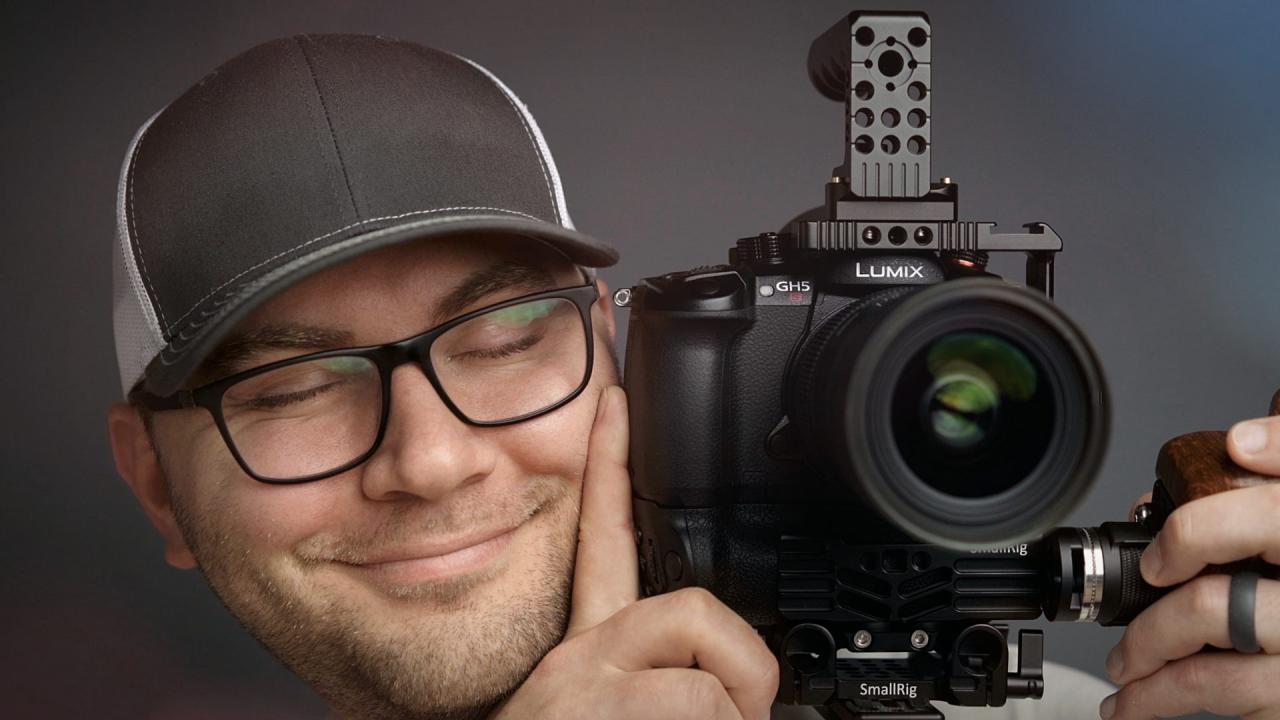
As we conclude our exploration of How to Set Up Your Camera for the Best Video Quality, it’s evident that achieving superior video results is a multifaceted endeavor. By diligently applying the principles of understanding your equipment, mastering lighting and audio, ensuring stable and focused shots, selecting appropriate lenses, adapting to various shooting conditions, and thoughtfully considering post-production, you are well-equipped to produce visually compelling and impactful videos.