Embarking on the journey of How to Record a Professional Voice-Over at Home is an exciting endeavor, and this comprehensive guide is designed to illuminate every step of the process. We will delve into the foundational principles, the indispensable tools, and the refined techniques that separate amateur recordings from polished, professional-grade audio.
This exploration will cover everything from crafting the ideal acoustic environment and selecting the right equipment to mastering microphone techniques and navigating the intricacies of post-production. Whether you are a seasoned content creator looking to elevate your audio quality or a budding voice artist setting up your first home studio, this guide provides the actionable insights needed to achieve exceptional results.
Understanding the Fundamentals of Home Voice-Over Recording
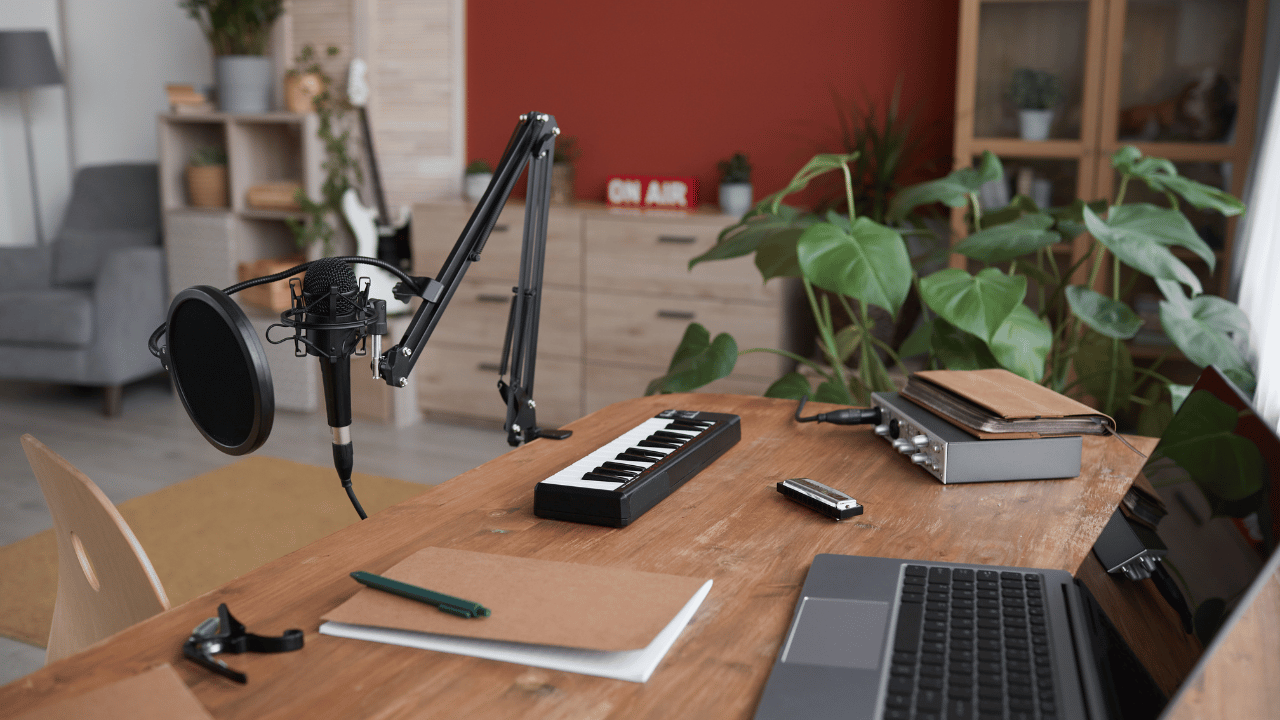
Embarking on the journey of professional voice-over recording from the comfort of your home requires a foundational understanding of the essential elements that contribute to clear, high-quality audio. This section will guide you through the core components of a home studio setup, the ideal acoustic environment, common pitfalls to avoid, and the critical importance of soundproofing and acoustic treatment.A professional home voice-over setup is not about accumulating the most expensive gear, but rather about strategically selecting and configuring the right tools to achieve optimal sound.
This involves careful consideration of your recording space, microphone, audio interface, and monitoring equipment.
Essential Elements for a Professional Home Voice-Over Setup
To capture pristine audio for your voice-over projects, several key components are indispensable. These elements work in synergy to ensure your voice is recorded with clarity, warmth, and without unwanted noise.
- Microphone: The primary tool for capturing your voice. Condenser microphones are generally favored for their sensitivity and ability to pick up nuanced vocal performances, while dynamic microphones can be more forgiving in less-than-ideal acoustic environments. The choice often depends on your voice type and recording space.
- Audio Interface: This device converts the analog signal from your microphone into a digital signal that your computer can understand and record. It also provides phantom power for condenser microphones and preamplifiers to boost the microphone’s signal.
- Headphones: Crucial for monitoring your recording in real-time. Closed-back headphones are recommended to prevent sound bleed from the headphones into the microphone, ensuring a clean recording.
- Pop Filter or Windscreen: Essential for mitigating plosive sounds (like “p” and “b”) and sibilance (“s” sounds) that can create undesirable pops and hisses in your recording.
- Microphone Stand: A sturdy stand is necessary to position the microphone correctly and to isolate it from vibrations that can travel through the floor or desk.
- Computer and Digital Audio Workstation (DAW): Your computer will house the recording software (DAW) where you will capture, edit, and mix your audio. Popular DAWs include Audacity (free), Adobe Audition, Reaper, and Logic Pro.
The Ideal Acoustic Environment for Recording Clear Audio
The acoustics of your recording space play a pivotal role in the quality of your voice-over. An ideal environment minimizes unwanted reflections, echoes, and external noise, allowing your voice to be captured cleanly.The goal is to create a “dead” or “dry” sounding space, where sound waves are absorbed rather than reflected. This prevents the microphone from picking up the room’s reverberation, which can make recordings sound distant, muddy, or unprofessional.
Common Mistakes Beginners Make in Home Studio Setup
Many aspiring voice-over artists encounter similar hurdles when setting up their home studios. Recognizing and avoiding these common mistakes can significantly accelerate your progress towards professional-sounding recordings.
- Recording in an Untreated Room: Using a space with hard, reflective surfaces like bare walls, windows, and floors will result in significant echo and reverb.
- Using Inadequate Microphone Placement: Placing the microphone too close or too far from the sound source, or at an incorrect angle, can lead to inconsistent levels, proximity effect issues, or poor tone.
- Ignoring Plosives and Sibilance: Failing to use a pop filter or proper microphone technique can result in distracting “pops” and harsh “s” sounds.
- Overlooking Background Noise: Not taking steps to minimize ambient noise from appliances, traffic, or other household sounds will necessitate extensive post-production editing, which can degrade audio quality.
- Using Cheap or Unsuitable Equipment: While budget is a consideration, investing in at least a decent quality microphone and audio interface is crucial. Using a low-quality microphone can introduce noise and distortion that cannot be easily fixed.
- Not Monitoring Correctly: Recording without headphones or using speakers that leak sound into the microphone will lead to feedback loops and poorly controlled recordings.
The Crucial Role of Soundproofing and Acoustic Treatment
Soundproofing and acoustic treatment are distinct but equally vital processes for achieving professional voice-over recordings at home. Understanding their differences and applications is key to transforming a regular room into a recording sanctuary.Soundproofing aims to prevent sound from entering or leaving the recording space. This is achieved by adding mass and sealing air gaps. Acoustic treatment, on the other hand, focuses on controlling sound reflections within the room to improve the listening and recording environment.
Soundproofing stops noise from getting in or out, while acoustic treatment controls how sound behaves inside the room. Both are essential for professional results.
Acoustic treatment involves absorbing or diffusing sound waves. Absorption helps to reduce echo and reverberation, making the room sound “drier.” Diffusion scatters sound waves, preventing harsh reflections and creating a more even sound field.Common materials for acoustic treatment include:
- Acoustic Foam Panels: Effective at absorbing mid and high frequencies. They are typically placed on walls and ceilings at reflection points.
- Bass Traps: Specifically designed to absorb low-frequency sound waves, which can be problematic in smaller rooms. They are usually placed in corners.
- Diffusers: These panels have irregular surfaces that scatter sound waves, preventing flutter echo and creating a more spacious sound.
For soundproofing, effective strategies include:
- Adding Mass: Thick, heavy materials like drywall, mass-loaded vinyl, or multiple layers of plywood can help block sound transmission.
- Sealing Air Gaps: Sound travels easily through any openings. Sealing gaps around doors, windows, and electrical outlets with acoustic caulk and weatherstripping is critical.
- Decoupling: Separating surfaces from each other, such as using resilient channels for drywall or floating floors, can significantly reduce the transmission of vibrations.
While complete soundproofing can be challenging and expensive in a home environment, significant improvements can be made through strategic application of these principles. For many home voice-over artists, focusing on acoustic treatment and employing creative solutions for sound isolation can yield excellent results.
Essential Equipment for Professional Voice-Overs
Embarking on professional voice-over work from home requires a strategic investment in the right equipment. This section delves into the core components that will form the backbone of your home recording studio, ensuring clarity, fidelity, and a polished final product.Understanding the fundamental equipment is paramount to achieving professional-sounding results. The right tools not only capture your voice with accuracy but also minimize unwanted noise and allow for precise editing.
We will explore the key pieces of gear and what to consider when making your selections.
Microphone Types for Voice-Over
The microphone is arguably the most critical piece of equipment in your voice-over setup. Different microphone technologies excel in different recording scenarios, and choosing the right one for voice-over work is crucial for capturing nuances and ensuring a clean signal.For voice-over applications, the primary distinction lies between condenser and dynamic microphones. Condenser microphones are known for their sensitivity and ability to capture subtle details and a wide frequency range, making them excellent for capturing the richness and texture of the human voice.
They typically require phantom power, which is usually supplied by an audio interface or mixer. Dynamic microphones, on the other hand, are more robust, less sensitive, and generally better at handling high sound pressure levels. They are often favored for live performance or in untreated rooms because they can reject background noise more effectively. However, for the controlled environment of a home studio, a good condenser microphone often provides a more detailed and professional sound for voice-over.
When selecting a microphone for voice-over, consider the following:
- Polar Pattern: The cardioid polar pattern is generally preferred for voice-overs as it picks up sound primarily from the front and rejects sound from the sides and rear, helping to minimize room noise and reflections.
- Frequency Response: Look for a relatively flat frequency response, especially in the mid-range, to ensure your voice is captured naturally. Some microphones have a slight presence boost in the upper-mid frequencies, which can help voice-overs cut through a mix.
- Self-Noise: For sensitive condenser microphones, a low self-noise rating is essential to avoid adding hiss to your recordings.
Audio Interfaces for Home Recording
An audio interface acts as the bridge between your microphone and your computer, converting the analog audio signal from your microphone into a digital signal that your computer can process and record. It also handles the output of your audio back to your headphones or speakers.When choosing an audio interface for home voice-over recording, several specifications and features are important to consider.
The number of microphone preamplifiers (preamps) is key; most home studios will only need one or two. The quality of these preamps directly impacts the clarity and noise floor of your recordings. Look for interfaces with clean preamps that offer sufficient gain for your microphone. Connectivity is also vital; USB is the most common and convenient connection for home studios.
Ensure the interface supports a high enough sample rate and bit depth (e.g., 44.1 kHz/24-bit or higher) for professional audio quality. Latency, the delay between when you make a sound and when you hear it back, is another crucial factor. Lower latency is better for monitoring and recording.
Key features to evaluate in an audio interface include:
- Phantom Power (+48V): Essential for powering condenser microphones.
- Gain Control: Independent gain knobs for each microphone input allow for precise level setting.
- Direct Monitoring: This feature allows you to hear your voice directly from the interface with zero latency, which is invaluable for monitoring your performance without delay.
- Headphone Output: A dedicated headphone output with its own volume control is necessary for accurate monitoring.
- Build Quality: A sturdy metal construction often indicates better durability.
The Importance of Quality Headphones
Headphones are indispensable tools for voice-over artists, serving multiple critical functions throughout the recording and editing process. They provide an accurate representation of the audio being captured, allowing you to make informed decisions about your performance and technical setup.Quality headphones are essential for accurate monitoring. They enable you to hear the nuances of your voice, identify any unwanted background noise, and ensure that your recording levels are set appropriately.
During editing, they allow you to detect subtle imperfections, such as mouth clicks, plosives, or room echo, which might be missed on less accurate monitoring systems. For voice-over work, closed-back headphones are generally recommended. This design helps to isolate the sound, preventing the headphone audio from bleeding into the microphone, which is a common issue with open-back designs. A flat frequency response is also highly desirable, meaning the headphones reproduce sound without artificially boosting or cutting certain frequencies, giving you a true representation of your audio.
When selecting headphones for voice-over, prioritize:
- Type: Closed-back headphones for isolation.
- Comfort: You will be wearing them for extended periods, so comfort is key.
- Frequency Response: Aim for a neutral, flat response.
- Impedance: Higher impedance headphones often require a dedicated headphone amplifier, but many audio interfaces can drive them adequately.
Tiered Equipment Recommendations
Building a professional home voice-over studio can be approached with varying levels of investment. The following tiered recommendations provide a roadmap for acquiring essential equipment based on different budget considerations.It is important to note that even at the entry-level, investing in quality components will yield significantly better results than using basic consumer-grade equipment. As you progress, upgrading these components will offer incremental improvements in sound quality and workflow efficiency.
Entry-Level Setup (Under $300)
This tier focuses on achieving a functional and decent-sounding setup without breaking the bank. It prioritizes essential functionality and good value.
- Microphone: USB Condenser Microphone (e.g., Rode NT-USB+, Audio-Technica AT2020 USB+). These microphones bypass the need for an audio interface by connecting directly to your computer via USB, offering a convenient all-in-one solution.
- Headphones: Closed-back Studio Headphones (e.g., Audio-Technica ATH-M30x, Sennheiser HD 280 Pro). These offer good isolation and a relatively neutral sound profile for their price point.
- Accessories: Pop Filter and Microphone Stand. These are crucial for managing plosives and positioning your microphone correctly.
Mid-Range Setup ($300 – $800)
This tier introduces the separation of microphone and audio interface, allowing for greater flexibility and often superior audio quality.
- Microphone: XLR Condenser Microphone (e.g., Rode NT1-A, Aston Origin, sE Electronics X1 A). These microphones offer excellent sound quality and are designed to be used with an audio interface.
- Audio Interface: 1 or 2-Channel USB Audio Interface (e.g., Focusrite Scarlett 2i2, PreSonus AudioBox USB 96, Audient iD4). These provide clean preamps, phantom power, and essential monitoring features.
- Headphones: High-Quality Closed-back Studio Headphones (e.g., Audio-Technica ATH-M50x, Beyerdynamic DT 770 PRO). These offer enhanced detail, comfort, and durability.
- Accessories: XLR Cable, Pop Filter, and Microphone Stand.
Professional Setup ($800+)
This tier represents a significant investment in top-tier equipment, focusing on pristine audio capture, advanced features, and long-term reliability.
- Microphone: High-End Condenser Microphone (e.g., Neumann TLM 103, AKG C214, Shure SM7B – though dynamic, it’s a voice-over staple). These microphones are renowned for their exceptional clarity, detail, and professional sound.
- Audio Interface: Premium 2-Channel or Multi-Channel Audio Interface (e.g., Universal Audio Apollo Twin, Focusrite Clarett 2Pre, RME Babyface Pro FS). These interfaces feature superior preamps, advanced connectivity, and often onboard processing.
- Headphones: Professional Studio Headphones (e.g., Beyerdynamic DT 1990 PRO, Sennheiser HD 650 – open-back, for critical listening in treated spaces, or Sony MDR-7520 for closed-back). These offer unparalleled accuracy and detail.
- Accessories: High-Quality XLR Cable, Premium Pop Filter, and a Robust Microphone Stand. Consider acoustic treatment as a crucial addition at this level.
Setting Up Your Recording Space
Creating an optimal recording environment at home is paramount to achieving professional-sounding voice-overs. This section will guide you through the process of transforming a regular room into a functional and acoustically treated recording space, ensuring clarity and minimizing unwanted sonic interference.A dedicated recording space, even a small one, makes a significant difference in the quality of your audio. It involves careful consideration of the room’s acoustics and the elimination of external noise sources.
By following these steps, you can establish a reliable setup that supports high-quality voice-over production.
Organizing a Step-by-Step Guide for Setting Up a Dedicated Home Recording Space
Establishing a dedicated recording space involves a systematic approach to maximize its effectiveness. This guide Artikels the key stages from initial selection to final touches, ensuring a professional outcome.
- Select Your Space: Choose a quiet room with minimal echo. Closets, spare bedrooms, or even a corner of a larger room can work. Avoid rooms with hard, reflective surfaces like large windows or bare walls, as these contribute to unwanted reverberation.
- Clear and Declutter: Remove any unnecessary items that can cause noise or interfere with sound. This includes appliances, rattling furniture, or anything that might vibrate during recording.
- Acoustic Treatment: Implement sound absorption and diffusion techniques to control reflections and reduce echo. This is a crucial step for professional audio.
- Equipment Placement: Position your recording equipment, including your microphone and computer, strategically to minimize noise and optimize sound capture.
- Minimize External Noise: Address potential sources of external noise, such as doors, windows, and ventilation systems.
- Comfort and Ergonomics: Ensure the space is comfortable for extended recording sessions, with proper lighting and seating.
Effective Methods for Acoustic Treatment Using Readily Available Materials
Acoustic treatment doesn’t require expensive professional gear. Many common household items can be effectively repurposed to improve your room’s sound characteristics. The goal is to absorb sound waves and prevent them from bouncing around the room, which causes echo and muddiness.Here are some practical methods for acoustic treatment:
- Soft Furnishings: Utilize thick rugs or carpets on the floor, heavy curtains or drapes over windows, and upholstered furniture. These materials are excellent at absorbing sound.
- Blankets and Duvets: Hanging heavy blankets or duvets on walls, particularly behind you and on side walls, can significantly reduce reverberation. Ensure they are taut to avoid creating new resonance points.
- DIY Acoustic Panels: Create simple acoustic panels using rigid fiberglass or mineral wool insulation boards wrapped in breathable fabric. These can be mounted on walls or ceilings. While professional panels are ideal, these DIY versions offer a substantial improvement.
- Bookcases: Strategically placed bookcases filled with books can act as diffusers, scattering sound waves rather than reflecting them directly back.
- Egg Cartons (Limited Effectiveness): While often suggested, egg cartons offer very minimal acoustic benefit and are primarily a visual deterrent to reflection rather than an effective sound absorber. Their thin material does not absorb sound frequencies effectively.
Microphone Positioning for Optimal Sound Capture Considering Room Acoustics
The way you position your microphone is as important as the microphone itself, especially in a home studio. Incorrect placement can amplify room issues, while thoughtful positioning can mitigate them and enhance vocal clarity.When setting up your microphone, consider the following:
- Distance from Source: Generally, a distance of 6-12 inches (15-30 cm) from your mouth is a good starting point for most microphones. Closer placement can lead to proximity effect (increased bass) and plosives (popping sounds from ‘p’ and ‘b’ sounds), while farther placement will capture more of the room’s acoustics.
- Angle of Incidence: Experiment with angling the microphone slightly off-axis from your mouth. This can help reduce plosives and sibilance (hissing ‘s’ sounds). For example, aiming the microphone slightly above or to the side of your mouth can be beneficial.
- Reflection Points: Avoid positioning the microphone directly facing a hard, reflective surface like a bare wall or window. If your treated space is small, position yourself facing a softer surface or the most acoustically treated part of the room.
- The “Sweet Spot”: Every room and microphone combination has a “sweet spot” where the sound is clearest and most balanced. This is discovered through careful listening and experimentation. Record short test phrases and listen back critically.
- Microphone Type Considerations:
- Condenser Microphones: These are sensitive and capture detail well but also pick up more room noise. They benefit most from thorough acoustic treatment.
- Dynamic Microphones: These are generally less sensitive and more forgiving of less-than-perfect acoustics, making them a good choice for untreated or minimally treated spaces.
Minimizing Background Noise and Distractions in a Home Environment
Home environments are rife with potential noise sources that can ruin a professional voice-over recording. Proactive measures are essential to create a silent backdrop for your audio.Here are key strategies for minimizing background noise:
- Identify and Eliminate Sources: Walk through your chosen space and listen intently for any hums, buzzes, or intermittent noises. This could be from refrigerators, air conditioning units, computer fans, or even distant traffic. Turn off or unplug anything non-essential during recording.
- Seal the Room: Pay attention to doors and windows. Ensure they are closed tightly. You can use weatherstripping or draft stoppers to seal gaps around doors and windows, preventing external noise from entering.
- Manage Appliances: If an appliance must remain on (e.g., a refrigerator in an adjacent room), try to record during its off cycles or use sound-dampening materials around it if possible.
- Computer Noise: Place your computer and any noisy peripherals as far away from the microphone as possible. Consider using a quieter laptop or a fanless desktop if noise is a significant issue.
- Notify Household Members: Communicate your recording schedule to family members or housemates. Request their cooperation in keeping noise levels down during your sessions.
- Record at Optimal Times: Choose times of day when external noise is naturally lower, such as early mornings or late evenings, depending on your location.
Checklist for Pre-Recording Space Preparation
Before you hit the record button, a quick check of your prepared space ensures everything is in order and ready for a smooth recording session. This checklist helps you avoid last-minute issues and maintain focus.
| Item | Status (Check/X) | Notes |
|---|---|---|
| Room is quiet and free of ambient noise | ||
| All unnecessary appliances/electronics are off | ||
| Doors and windows are securely closed and sealed | ||
| Acoustic treatment (blankets, panels, etc.) is in place | ||
| Microphone is positioned correctly and securely mounted | ||
| Headphones are connected and functioning | ||
| Recording software is open and set up | ||
| Pop filter is attached and positioned correctly | ||
| Comfortable seating and good lighting | ||
| Water bottle or beverage readily available |
Microphone Techniques and Vocal Performance
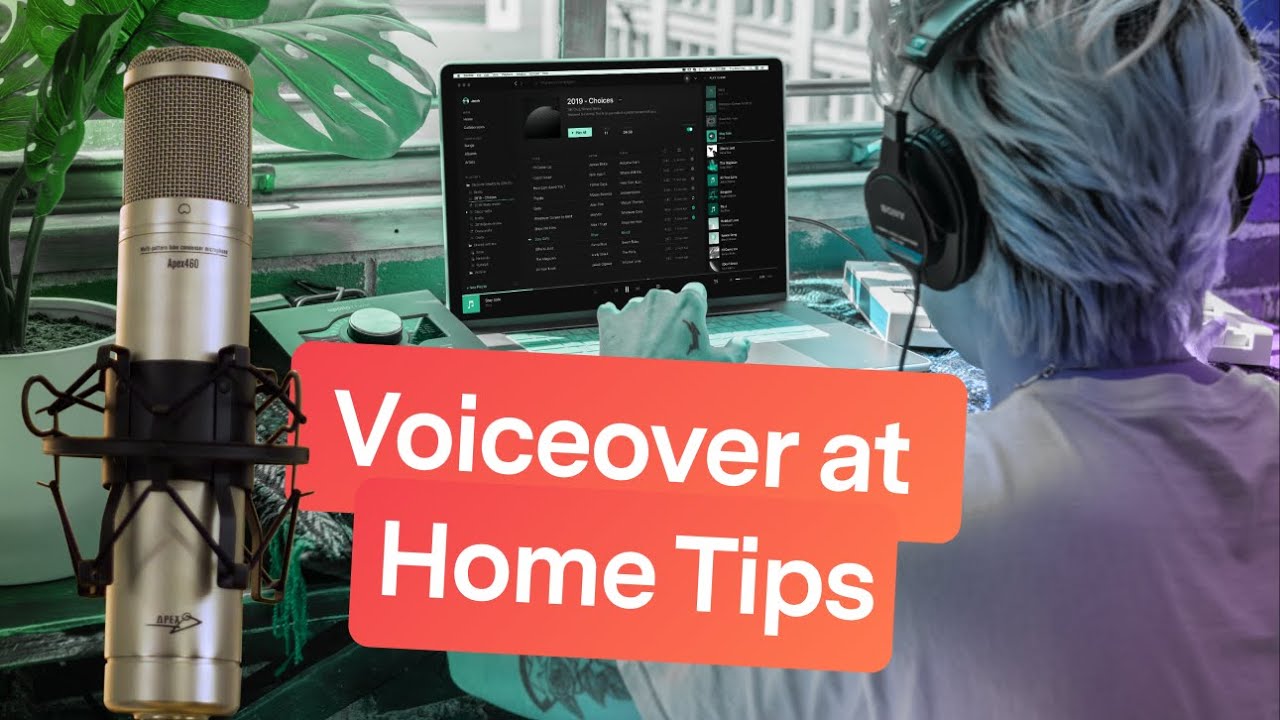
Mastering microphone techniques and vocal performance is paramount to achieving a professional sound in your home voice-over recordings. This section delves into the practical aspects of how you interact with your microphone and how to best utilize your voice to create compelling audio. A strong understanding of these elements will significantly elevate the quality and impact of your voice-overs.
Proper Microphone Technique for Clear and Consistent Vocal Delivery
Achieving clear and consistent vocal delivery hinges on a consistent and intentional approach to microphone placement and usage. This ensures that your voice is captured with optimal fidelity and minimizes unwanted variations in volume or tone.
- Distance: The ideal distance from the microphone is typically between 6 to 12 inches (15 to 30 cm). This distance allows for a full vocal sound without proximity effect issues or sounding too distant and thin. Experimentation is key to finding the sweet spot for your voice and microphone.
- Angle: Aiming your voice slightly off-axis from the microphone capsule can help reduce plosives and sibilance. Instead of speaking directly into the center, direct your voice slightly towards the side or top of the microphone.
- Movement: Minimize sudden head movements or excessive swaying while speaking. Consistent positioning ensures a uniform audio signal throughout your recording session.
- Pop Filter Usage: Always use a pop filter. This mesh screen placed between your mouth and the microphone is crucial for diffusing the air expelled during plosive sounds (like ‘p’ and ‘b’), preventing those jarring pops.
Controlling Plosives and Sibilance
Plosives and sibilance are common vocal artifacts that can detract from the professionalism of a voice-over. Fortunately, there are effective techniques to mitigate their impact.
Plosives are bursts of air created by consonant sounds such as ‘p’ and ‘b,’ while sibilance refers to the sharp, hissing sounds produced by ‘s’ and ‘sh’ consonants.
- Plosive Control:
- Microphone Placement: As mentioned, angling the microphone slightly off-axis is highly effective.
- Breathing Technique: Exhale slightly before pronouncing plosive sounds. This reduces the volume of air hitting the microphone.
- Articulation: Practice articulating plosive sounds with less force.
- Post-Production: While not ideal, minor plosive issues can often be addressed with equalization and de-essing plugins in your Digital Audio Workstation (DAW).
- Sibilance Control:
- Microphone Choice: Some microphones are inherently brighter and can exaggerate sibilance. Experimenting with different microphones might be beneficial.
- Vocal Placement: Positioning your mouth slightly further from the microphone can also help.
- De-Esser Plugins: These are essential tools in post-production. A de-esser targets specific frequencies associated with sibilance and reduces their amplitude.
- Vocal Delivery: Consciously softening the ‘s’ sounds can make a difference, though this requires practice and can affect the natural flow of speech if overdone.
Vocal Warm-Up Exercises and Techniques for Improved Performance
Just like any physical activity, your voice benefits greatly from proper warm-up. Engaging in vocal exercises before a recording session prepares your vocal cords, improves flexibility, and enhances your overall performance.Here are some effective vocal warm-up exercises:
- Humming: Start with gentle humming on a comfortable pitch, gradually moving up and down the scale. This loosens the vocal cords without strain.
- Lip Trills (Lip Rolls): Produce a “brrr” sound with relaxed lips, maintaining a steady airflow. Ascend and descend in pitch while performing the lip trill. This helps with breath support and vocal cord vibration.
- Tongue Trills: Similar to lip trills, but roll your tongue (“rrr” sound). This helps with articulation and tongue flexibility.
- Sirens: Glide your voice smoothly from a low pitch to a high pitch and back down, like a siren. This helps with vocal range and smooth transitions.
- Articulation Drills: Practice tongue twisters or repeating consonant-vowel combinations (e.g., “ma-me-mi-mo-mu,” “ta-te-ti-to-tu”). This sharpens your enunciation.
- Resonance Exercises: Focus on feeling vibrations in different parts of your face (mask, forehead) while making sounds like “mmm” or “nnn.” This helps in projecting your voice effectively.
Importance of Breath Control and Pacing in Voice-Over Narration
Effective breath control and deliberate pacing are foundational to compelling voice-over narration. They ensure clarity, maintain listener engagement, and convey the intended emotion and rhythm of the script.
- Breath Control:
- Diaphragmatic Breathing: Learn to breathe from your diaphragm, not your chest. This allows for a deeper, more controlled, and sustainable airflow, preventing vocal fatigue and ensuring consistent volume. Place a hand on your stomach; it should expand as you inhale.
- Breath Management: Plan where you will take breaths within the script. Avoid gasping for air mid-sentence. Strategic breaths ensure smooth delivery and prevent interruptions.
- Breath Support: Use your abdominal muscles to support your breath, providing steady pressure as you speak. This prevents your voice from sounding weak or shaky.
- Pacing:
- Rhythm and Flow: Pacing refers to the speed at which you speak. It should be varied to match the content and intended mood. A slower pace can convey thoughtfulness or seriousness, while a faster pace can indicate excitement or urgency.
- Pauses: Strategic pauses are as important as the words themselves. They allow listeners to absorb information, emphasize key points, and create dramatic effect.
- Script Analysis: Before recording, read the script aloud to identify natural places for pauses and to get a feel for the ideal pacing.
Vocal Delivery Styles for Various Voice-Over Applications
Different voice-over applications demand distinct vocal delivery styles. Understanding these nuances allows you to tailor your performance to effectively meet the requirements of each project.
| Application | Vocal Delivery Style | Key Characteristics |
|---|---|---|
| Commercials | Engaging, persuasive, often energetic or warm and friendly. | Clear articulation, strong emphasis on product benefits, often with a call to action. Pacing can vary from rapid to deliberate depending on the product and target audience. |
| Audiobooks | Narrative, character-driven, consistent and engaging. | Clear pronunciation, varied intonation to differentiate characters, maintaining a consistent pace that allows for comprehension. The voice should serve the story without overpowering it. |
| Corporate Narration | Professional, informative, authoritative, or reassuring. | Clear, precise delivery, steady pacing, and a tone that conveys credibility and trust. Often requires a more neutral or sophisticated vocal quality. |
| E-Learning/Educational Content | Clear, instructional, encouraging, and easy to follow. | Slightly slower pacing than commercials, with clear enunciation of terms. The tone should be approachable and supportive to facilitate learning. |
| Video Games/Animation | Versatile, character-specific, often highly expressive. | Requires significant range in tone, pitch, and emotion to embody diverse characters. Pacing and articulation are dictated by the character’s personality and the scene’s requirements. |
Recording Software and Workflow
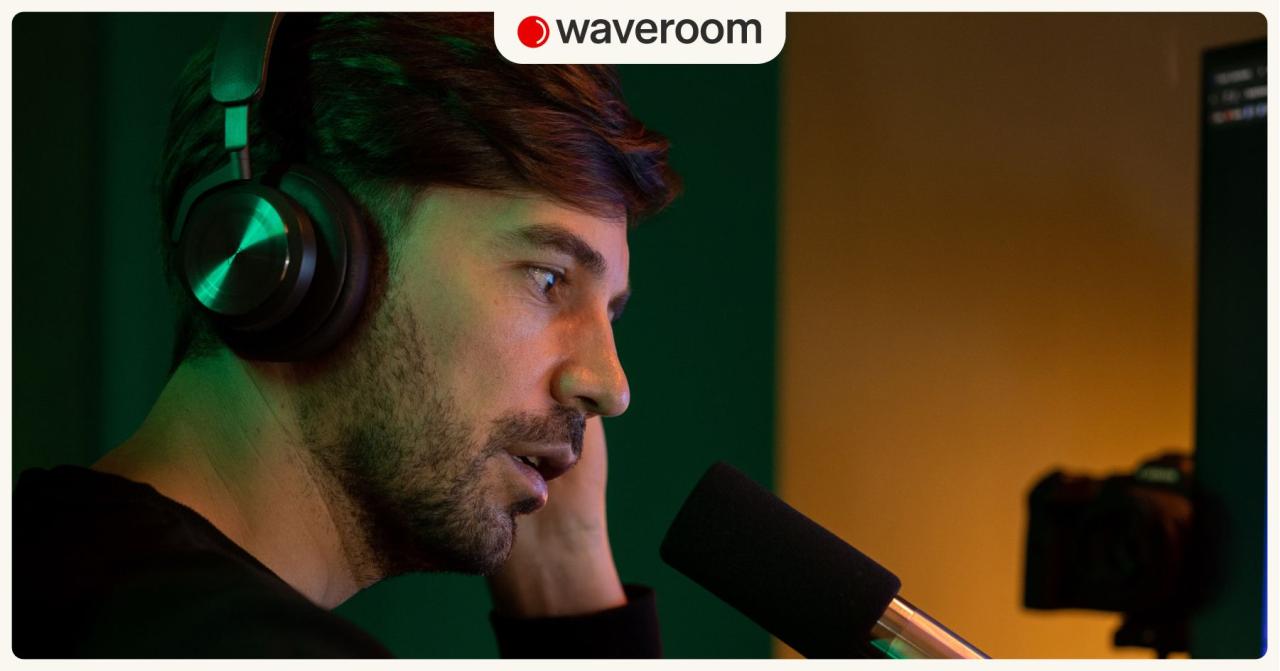
Once your space is set up and your equipment is ready, the next crucial step is selecting the right tools and establishing an efficient workflow for recording and editing your voice-overs. This involves choosing a Digital Audio Workstation (DAW) and understanding how to use it effectively to capture and refine your audio.A Digital Audio Workstation, or DAW, is the central hub for all your audio recording, editing, and mixing needs.
These powerful software applications allow you to capture sound from your microphone, manipulate it, and produce a polished final product. For voice-over work, many DAWs offer the necessary features to achieve professional results.
Popular Digital Audio Workstations for Voice-Over Recording
The choice of a DAW can significantly impact your recording experience and the quality of your final output. While many options exist, several stand out for their user-friendliness, feature set, and suitability for voice-over professionals working from home. These include both free and paid options, catering to different budget levels and technical proficiencies.
- Audacity: A free, open-source, and cross-platform audio editor and recorder. It is an excellent starting point for beginners due to its straightforward interface and robust basic editing capabilities.
- GarageBand: Included for free with Apple devices (Mac, iPhone, iPad), GarageBand offers a user-friendly interface with professional-grade features, making it a popular choice for Mac users.
- Adobe Audition: A professional-grade audio editor and mixer that is part of the Adobe Creative Cloud suite. It offers advanced features for noise reduction, spectral editing, and multi-track mixing, ideal for complex projects.
- Reaper: A highly customizable and powerful DAW known for its flexibility and affordable licensing. It has a steep learning curve but offers immense control and efficiency once mastered.
- Logic Pro X: A professional DAW for Mac users, offering a comprehensive set of tools for recording, editing, mixing, and mastering audio. It is a step up from GarageBand in terms of complexity and advanced features.
Basic Recording and Editing Process within a DAW
The fundamental process of recording and editing in a DAW involves several key stages, from initial setup to final refinement. Understanding these steps will ensure you can capture clean audio and make necessary adjustments to achieve a professional sound.First, you will create a new project and add an audio track. This track is where your microphone’s input will be recorded.
Before hitting record, it’s essential to configure your audio interface or microphone input within the DAW’s preferences to ensure the software is receiving the signal correctly. Once set up, you can monitor your audio levels to prevent clipping (distortion caused by audio being too loud) and to ensure a healthy signal. The recording process itself is straightforward: arm the track for recording and press the record button.
After recording, you can then use the DAW’s editing tools to trim unwanted sections, remove breaths or stumbles, adjust pacing, and apply effects like noise reduction or equalization.
Input and Output Level Setup for Optimal Recording
Properly setting your input and output levels is paramount to capturing clean, usable audio and avoiding the need for extensive post-production fixes. This process ensures that your microphone signal is strong enough to be heard clearly but not so loud that it distorts.The goal for input levels is to achieve a healthy signal-to-noise ratio. When speaking at your normal performance volume, your audio signal should peak somewhere between -18 dB and -12 dB on the DAW’s meter.
This provides ample headroom, meaning there’s space for occasional louder moments without distortion, while still being loud enough to avoid amplifying background noise.
“Aim for your loudest spoken words to peak around -12 dB to -18 dB on your DAW’s meter. This leaves plenty of headroom for dynamic performances and avoids clipping.”
For output levels, which control the volume of your playback through your speakers or headphones, you should set them to a comfortable listening volume. During editing, you’ll want to monitor your work at a consistent level to accurately judge your edits and any applied effects. Avoid extremely high playback volumes, as this can lead to ear fatigue and an inaccurate perception of the audio’s dynamics.
Best Practices for File Management and Organization
Effective file management is a cornerstone of any professional workflow, especially in voice-over work where projects can become numerous and complex. A well-organized system saves time, prevents accidental data loss, and ensures you can easily locate and recall previous work.To maintain order, it is highly recommended to create a dedicated folder structure for all your voice-over projects. Within each project folder, you might have subfolders for raw recordings, edited audio, final exports, scripts, and any client-specific notes.
Consistently naming your files is also crucial. A good naming convention might include the project name, your name, the date, and a brief description of the content (e.g., “ProjectX_VoiceOver_JohnDoe_20231027_Narration_Take01.wav”). Regularly backing up your project files to an external hard drive or cloud storage is also an essential safeguard against data loss.
Workflow for Recording, Editing, and Exporting a Voice-Over Track
A structured workflow streamlines the entire process from initial recording to final delivery, ensuring efficiency and quality. By following a consistent set of steps, you can minimize errors and produce professional results reliably.Here is a recommended workflow for recording, editing, and exporting a voice-over track:
- Preparation: Review the script, understand the client’s requirements, and ensure your recording environment is optimized.
- Setup: Open your DAW, create a new project, and configure your audio interface and microphone input. Set input levels as described previously.
- Recording: Record multiple takes of each section of the script. This provides options during the editing phase. Listen back to your takes to identify the best performances.
- Basic Editing: Import your recorded audio into the DAW. Trim the beginning and end of each take. Remove unwanted noises, breaths, stumbles, and long pauses.
- Content Editing: Assemble the best parts of your takes to create a cohesive performance. Ensure smooth transitions between sections.
- Audio Enhancement: Apply necessary audio processing. This may include noise reduction to remove background hum or hiss, equalization (EQ) to shape the tone of your voice, and compression to even out volume dynamics.
- Mixing: Adjust the overall volume of your track to a professional listening level. Ensure there are no clipping issues.
- Export: Export the final audio file in the format specified by the client (e.g., WAV, MP3, AIFF). Ensure the correct sample rate and bit depth are selected.
Post-Production and Editing Techniques
Once you’ve captured your raw audio, the journey to a professional voice-over isn’t complete. Post-production is where your recording truly shines, transforming it from a mere capture into a polished, broadcast-ready product. This phase involves meticulous editing, noise management, and sonic enhancement to ensure clarity, consistency, and impact.The fundamental post-production processes for voice-overs are crucial for cleaning up your audio and preparing it for its final destination.
These steps are the bedrock upon which a professional sound is built, ensuring that your voice is heard clearly and effectively, free from distracting artifacts.
Noise Reduction and Equalization
Noise reduction is the process of identifying and minimizing unwanted background sounds, such as hums, hiss, or room ambiance, that can detract from the vocal performance. Equalization (EQ) is then used to shape the tonal characteristics of the voice, boosting desirable frequencies and cutting undesirable ones to achieve a clear, present, and balanced sound.To effectively implement noise reduction, you’ll typically use a dedicated plugin or function within your Digital Audio Workstation (DAW).
The process often involves capturing a “noise print” – a segment of your recording that contains only the background noise. This print is then used by the software to intelligently subtract that specific noise profile from the entire track. Equalization, on the other hand, involves adjusting specific frequency bands. For instance, a common practice is to gently roll off very low frequencies (below 80-100 Hz) to remove rumble, and to boost frequencies in the 2-5 kHz range to enhance intelligibility and presence.
Editing Mistakes, Breaths, and Unwanted Sounds
Meticulous editing is key to a seamless voice-over. This involves carefully listening to your recording and removing any stumbles, misspoken words, excessive breaths, lip smacks, or other distracting noises. The goal is to create a natural flow that maintains the energy and intent of the performance without sounding overly edited or robotic.The editing process typically begins with a thorough listen-through of your recorded takes.
You will identify sections that need removal and then use your DAW’s editing tools, such as cutting, trimming, and crossfading, to excise these unwanted elements. For breaths, the aim is not to remove them entirely, as this can sound unnatural, but to reduce their volume or reposition them slightly so they don’t compete with the spoken word. Unwanted sounds like mouth clicks or chair squeaks are usually removed by simply cutting them out or using a very short fade.
Normalizing Audio Levels to Industry Standards
Normalizing audio levels ensures that your voice-over is consistently audible and adheres to broadcast or distribution standards. This process adjusts the overall volume of your audio file to a target level, preventing it from being too quiet or too loud, which can be frustrating for listeners.Industry standards for voice-overs often refer to LUFS (Loudness Units Full Scale) values. For example, many broadcast platforms and online streaming services target around -16 LUFS for stereo content and -19 LUFS for mono.
Normalization tools within your DAW or specialized plugins can help you achieve these targets.
“Consistent loudness is paramount for listener experience; it prevents jarring volume shifts and ensures your message is always heard clearly.”
Compression and its Impact on Vocal Presence
Compression is a dynamic range processor that reduces the difference between the loudest and quietest parts of an audio signal. When applied to voice-overs, it can help to even out vocal dynamics, making the performance sound more consistent and present. This can be particularly useful for voices that have a wide dynamic range, ensuring that quieter passages are still audible and louder passages are not overly harsh.The impact of compression on vocal presence is significant.
By reducing the dynamic range, compression effectively brings up the perceived loudness of the quieter parts of the vocal, making the overall performance sound more intimate and upfront. However, over-compression can lead to a “squashed” sound, reducing the natural expressiveness of the voice and potentially introducing unwanted artifacts like pumping or breathing noise. A common starting point for voice-over compression might involve a ratio of 3:1 or 4:1, with a moderate attack and release time, and a threshold set to achieve 3-6 dB of gain reduction on the loudest peaks.
Subtly Applying Effects to Enhance Vocal Quality
The judicious use of effects can elevate a voice-over from good to exceptional. These effects should be applied subtly, enhancing the natural qualities of the voice rather than masking them or creating an artificial sound. Common effects include reverb, delay, and de-essing.* Reverb: A touch of reverb can add a sense of space and depth to a voice, making it sound less dry and more polished.
The key is to use a short, subtle reverb that mimics a natural acoustic environment, rather than a long, echoey effect.
Delay
While less common for general voice-overs, a subtle delay can sometimes be used creatively for specific effects or to add a slight sense of rhythm.
De-essing
This is a specialized form of equalization that targets sibilant sounds (harsh ‘s’ and ‘sh’ sounds). A de-esser can significantly improve the clarity and listenability of a vocal by taming these sharp frequencies without affecting the overall tone of the voice.The principle of “less is more” is paramount when applying effects. Always listen critically and compare the processed audio with the unprocessed original to ensure that the enhancements are beneficial and not detrimental to the vocal performance.
Common Voice-Over Project Types and Their Requirements
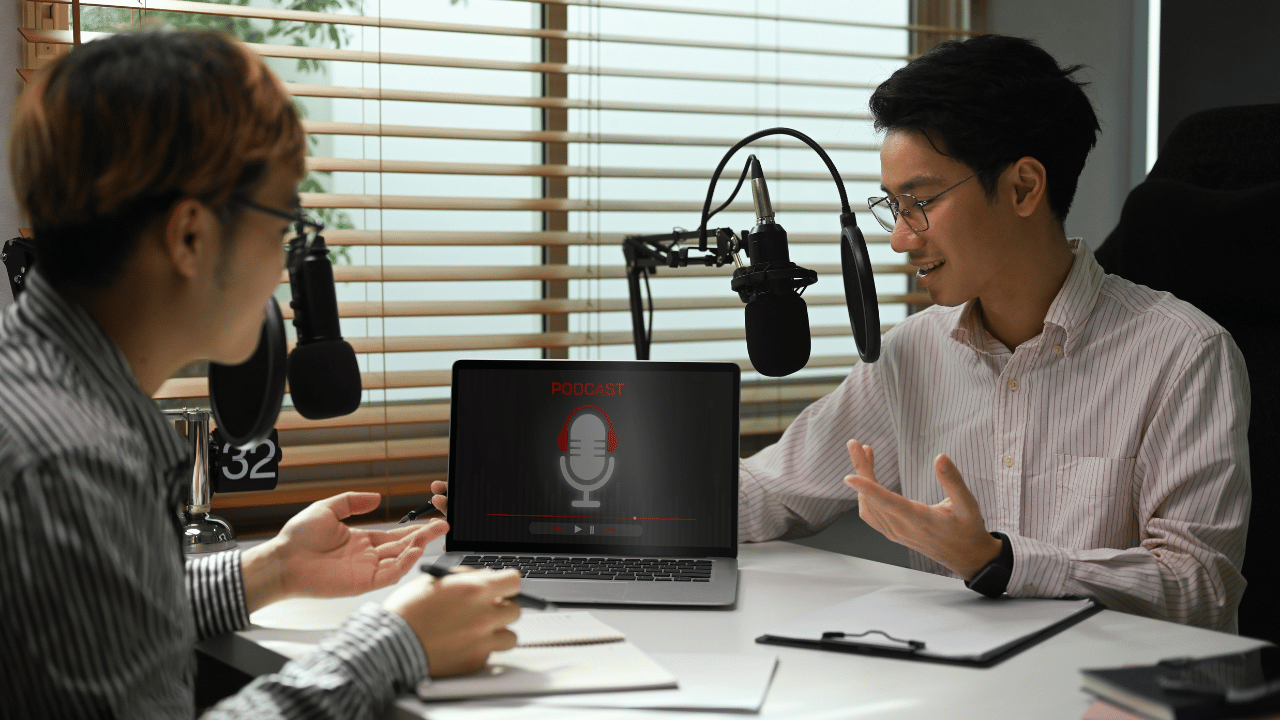
Understanding the diverse landscape of voice-over projects is crucial for any home-based professional. Each genre presents unique technical and performance demands that directly influence recording, editing, and delivery. By familiarizing yourself with these distinctions, you can better prepare your setup, refine your vocal approach, and meet client expectations effectively.The technical and performance nuances vary significantly across different voice-over genres. For instance, an audiobook demands consistent pacing, clear enunciation, and the ability to sustain a character’s voice for extended periods, often requiring minimal post-production intervention beyond basic cleanup.
Conversely, a commercial advertisement might necessitate a more dynamic, energetic, or persuasive delivery, often with specific timing constraints and the need for punchy edits to fit within short time slots.
Technical and Performance Requirements by Genre
Different voice-over genres necessitate distinct technical and performance approaches. Audiobooks require meticulous attention to detail, ensuring character consistency, emotional depth, and smooth narrative flow over many hours. Commercials, on the other hand, demand impact and clarity within a limited timeframe, often focusing on persuasive tones and energetic deliveries. E-learning modules need clear, engaging, and educational vocalizations, while video games require versatile performances that can span a wide range of emotions and character archetypes, often with specific direction on vocalizations and character nuances.
Corporate narration calls for a professional, trustworthy, and informative tone, prioritizing clarity and approachability.
Audiobook vs. Commercial Advertisement Recording and Editing Needs
The recording and editing requirements for audiobooks and commercial advertisements present a clear contrast. For audiobooks, the emphasis is on capturing long, uninterrupted takes with minimal background noise and consistent audio levels. Editing primarily involves removing extraneous sounds, correcting minor stumbles, and ensuring smooth transitions between chapters, all while preserving the natural cadence and emotional arc of the narrator’s performance.
The goal is an immersive listening experience.Commercial advertisements, however, often involve shorter, more frequent takes, with a focus on achieving specific emotional inflections or energy levels. Editing here is more dynamic, involving precise timing to match visuals, layering of sound effects and music, and often significant manipulation of vocal takes to achieve the desired impact. The goal is to grab the listener’s attention and convey a message effectively and concisely.
Typical File Formats and Delivery Specifications
File formats and delivery specifications are dictated by the client and the project’s intended use. For audiobooks, common formats include MP3 (often at 128 kbps or higher) or FLAC for lossless quality, delivered as individual chapter files or a complete audiobook. Commercials typically require WAV or high-quality MP3 files, often delivered as stereo files with specific loudness standards (e.g., -16 LUFS for broadcast).
E-learning and corporate narration often use MP3 files at 64-192 kbps, delivered as individual lesson modules or narration segments. Video game voice-overs can vary widely, but WAV files are common for raw audio, with specific naming conventions and folder structures often provided by the client.
Tailoring Vocal Delivery to Client Briefs
Successfully tailoring vocal delivery to suit different client briefs involves active listening and a keen understanding of the brand or project’s objectives. For instance, a children’s book narration might require a playful, animated tone, while a medical explainer video would demand a calm, authoritative, and reassuring voice. It’s essential to ask clarifying questions about the target audience, the desired emotional impact, and any specific brand guidelines.
Practicing different vocal textures, paces, and intonations can help you adapt your performance effectively.
“The most effective voice-over artists are not just performers; they are adaptable communicators who can inhabit a character or convey a message with precision and authenticity.”
Common Voice-Over Project Types and Their Considerations
Here is a table outlining common voice-over project types and their associated considerations, offering a quick reference for understanding the diverse demands of the industry.
| Project Type | Technical Requirements | Performance Requirements | Typical File Format | Delivery Specifications |
|---|---|---|---|---|
| Audiobooks | High-quality, consistent audio levels, minimal background noise, long takes. | Clear enunciation, consistent character voices, emotional depth, natural pacing. | MP3 (128 kbps+), FLAC | Individual chapter files, stereo or mono, specified bit depth/sample rate. |
| Commercials/Advertisements | Clean audio, precise timing, often requires multiple takes. | Dynamic, energetic, persuasive, or authoritative tone; ability to convey emotion quickly. | WAV, high-quality MP3 | Stereo, specific loudness standards (e.g., LUFS), short durations. |
| E-Learning/Educational | Clear, consistent audio, easy-to-understand pacing. | Engaging, informative, friendly, and clear delivery; ability to explain complex topics simply. | MP3 (64-192 kbps) | Individual module files, mono, often with specific naming conventions. |
| Video Games | High-quality raw audio, often requires specific vocalizations and character work. | Versatile, emotive, character-driven; ability to perform a wide range of emotions and archetypes. | WAV | Specific folder structures, naming conventions, mono or stereo, various sample rates. |
| Corporate Narration/Explainer Videos | Professional, clean audio, consistent tone. | Trustworthy, authoritative, informative, approachable, and clear delivery. | MP3 (128-192 kbps), WAV | Mono or stereo, specific file naming, often delivered as complete scripts. |
| Animation/Character Voices | Clean audio, ability to capture unique vocal qualities. | Creative, expressive, wide range of characterizations, distinct vocal personas. | WAV | Mono, specific takes as requested, often with direction on vocal effects. |
Last Word
In conclusion, mastering How to Record a Professional Voice-Over at Home is an achievable goal with the right knowledge and application of techniques. By understanding the fundamentals of acoustics, investing wisely in essential equipment, honing your vocal performance, and diligently applying post-production skills, you can consistently produce high-quality voice-overs from the comfort of your own space. This comprehensive approach empowers you to deliver clear, compelling, and professional audio for any project.