How to Get Great Audio with a Lavalier (Lapel) Mic is your comprehensive guide to unlocking pristine sound quality for any project. This detailed exploration delves into the intricacies of these compact microphones, transforming them from simple tools into powerful allies for clear and professional audio capture.
We will navigate through the essential knowledge, from understanding the basic components and various types of lavalier microphones to mastering optimal placement techniques that eliminate unwanted noise and ensure your voice is heard with clarity. Furthermore, we will cover the crucial steps of connecting and configuring your equipment, exploring accessories and settings that elevate your audio, and applying these skills in practical scenarios.
Prepare to elevate your audio production with insights designed for both beginners and seasoned professionals alike.
Understanding Lavalier Microphone Basics

Lavalier microphones, often referred to as lapel mics, are indispensable tools for capturing clear and consistent audio, particularly in situations where the sound source is mobile or when a discreet microphone solution is desired. Their small size and direct placement near the speaker’s mouth make them ideal for interviews, presentations, vlogging, and broadcast applications. Understanding the fundamental components, types, setup, and advantages of lavalier microphones is the first crucial step towards achieving professional-sounding audio.A lavalier microphone system is designed to provide a close-proximity audio capture solution.
Unlike larger microphones that might be held or placed on a stand, lavaliers are intended to be clipped onto clothing, ensuring a consistent distance from the speaker’s voice. This consistency is key to minimizing room noise and maximizing the clarity of the intended audio source.
Fundamental Components of a Lavalier Microphone System
A typical lavalier microphone system comprises several key components, each playing a vital role in the overall audio chain. Understanding these parts will help you troubleshoot issues and optimize your setup for the best possible sound quality.A lavalier system generally includes the following:
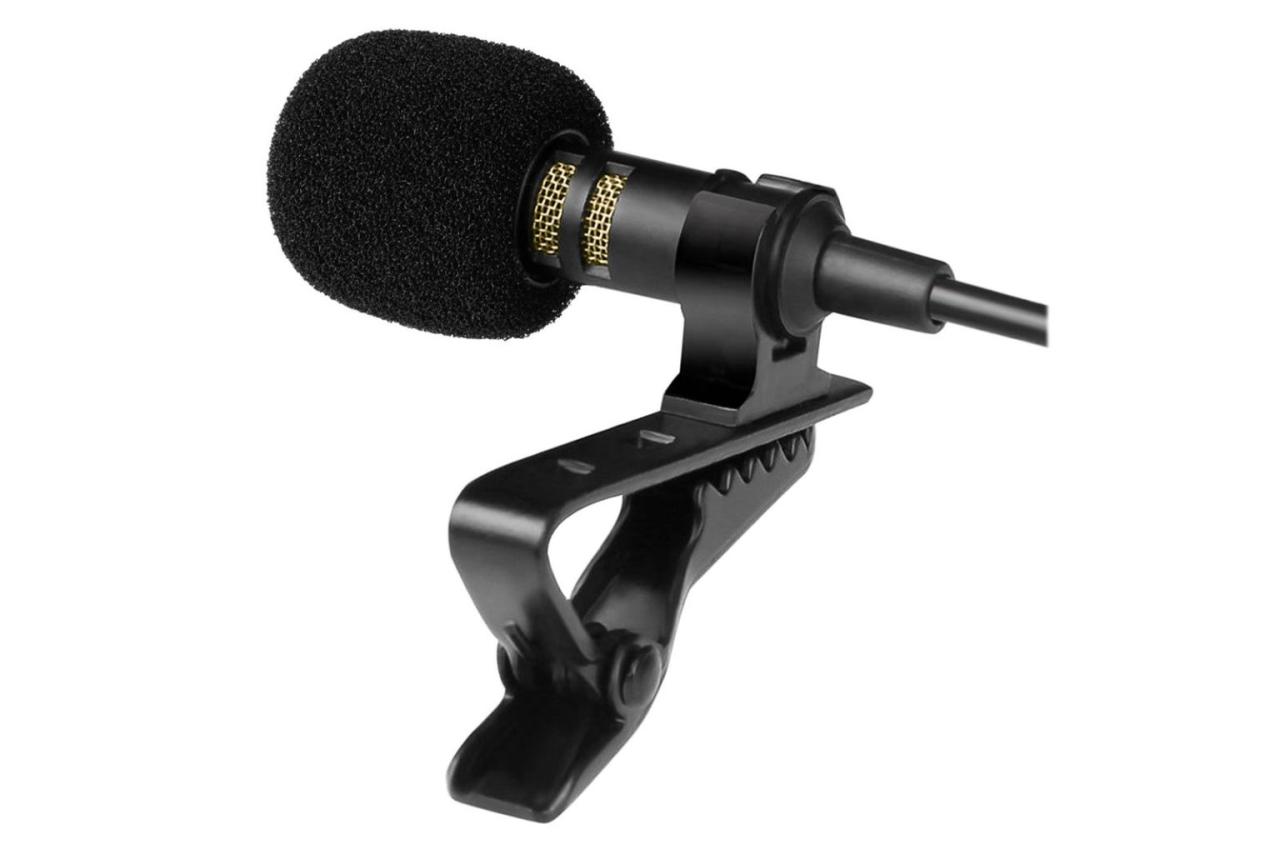
- Microphone Capsule: This is the actual transducer that converts sound waves into electrical signals. It is the smallest part of the system and is typically housed in a discreet casing designed to be clipped onto clothing.
- Cable: A wire that connects the microphone capsule to the transmitter (in wireless systems) or directly to the recording device (in wired systems). The length and quality of the cable can impact signal integrity.
- Power Source: This can vary depending on the system. Wired lavaliers might draw power from the connected device, while wireless systems typically use batteries (AA, AAA, or proprietary rechargeable packs) to power the transmitter.
- Transmitter (for Wireless Systems): This unit takes the audio signal from the microphone capsule and transmits it wirelessly to a receiver. Transmitters are often small and can be clipped to a belt or pocket.
- Receiver (for Wireless Systems): This unit receives the wireless audio signal from the transmitter and outputs it to your recording device, mixer, or camera. Receivers can be mounted on cameras, placed on a desk, or integrated into a soundboard.
- Mounting Clip: A small clip, usually integrated into the microphone body or provided separately, used to attach the microphone securely to clothing such as a lapel, collar, or tie.
Types of Lavalier Microphones
The world of lavalier microphones offers a variety of options, each suited to different recording environments and technical requirements. The choice between these types can significantly impact the audio quality and flexibility of your setup.The primary distinctions in lavalier microphones lie in their connectivity and their polar patterns:
- Wired Lavalier Microphones: These microphones connect directly to your recording device (camera, audio recorder, computer) via a physical cable. They are generally simpler, less expensive, and do not require batteries for transmission. However, they limit the speaker’s mobility due to the tethered cable.
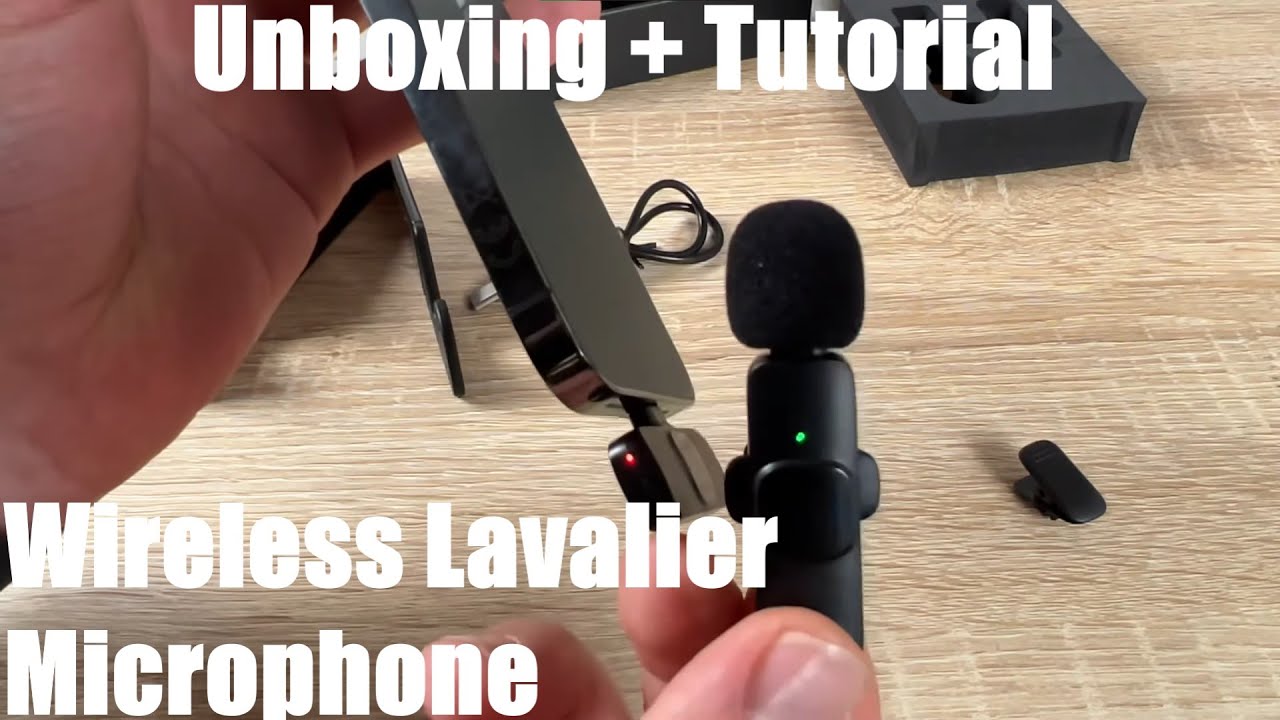
- Wireless Lavalier Microphones: These systems consist of a lavalier microphone, a transmitter, and a receiver. They offer unparalleled freedom of movement for the speaker as the audio signal is transmitted wirelessly. Wireless systems can be further categorized by their transmission technology (e.g., RF, digital) and frequency bands, which can affect their susceptibility to interference.
- Omnidirectional Lavalier Microphones: These microphones pick up sound equally from all directions. This characteristic makes them excellent at capturing natural-sounding speech and less prone to the “muffled” sound that can occur if the mic placement shifts slightly. They are less susceptible to plosives (popping sounds from ‘p’ and ‘b’ sounds) and wind noise compared to directional mics.
- Directional (Cardioid) Lavalier Microphones: While less common than omnidirectional lavaliers, some directional lavalier microphones are available. These are designed to pick up sound primarily from the front, rejecting sound from the sides and rear. This can be useful in very noisy environments to isolate the speaker’s voice, but they are more sensitive to placement and can exhibit a proximity effect.
Typical Setup Process for a Basic Lavalier Microphone
Setting up a lavalier microphone, especially a wired one, is a straightforward process that can be mastered quickly. The goal is to ensure the microphone is positioned correctly for optimal sound capture and securely attached to the speaker.For a basic wired lavalier setup, follow these steps:
- Connect the Microphone: Attach the lavalier microphone capsule to the speaker’s clothing, typically on the lapel, collar, or tie, ensuring it is positioned roughly 6-8 inches from the speaker’s mouth. Avoid placing it directly over the chest, as this can lead to muffled sound or clothing rustle.
- Route the Cable: Discreetly run the microphone cable down the speaker’s clothing, securing it with tape or clips to prevent movement and reduce cable noise. If the cable needs to go to a camera or recorder that is some distance away, ensure there is enough slack for the speaker to move comfortably.
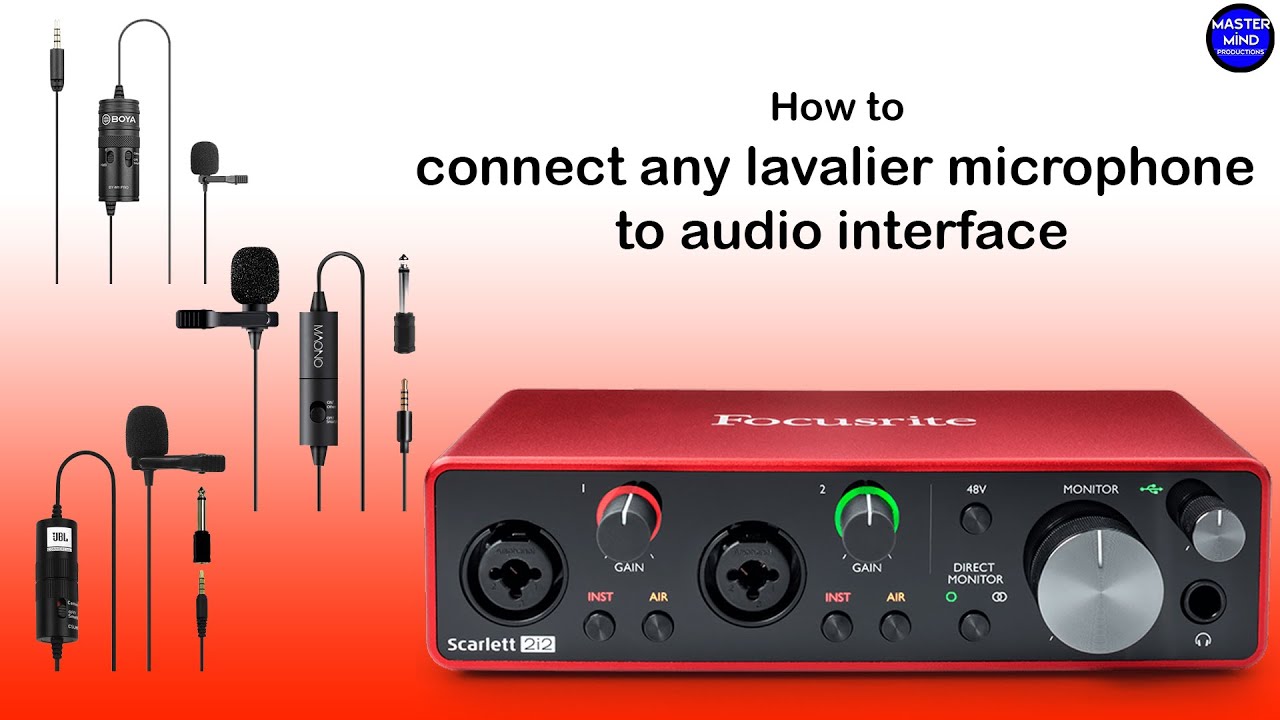
- Connect to Recording Device: Plug the other end of the microphone cable into the appropriate input on your camera, audio recorder, or computer. This is typically a 3.5mm jack or an XLR connector, depending on the microphone and device.
- Test Audio Levels: Turn on your recording device and speak into the microphone at a normal speaking volume. Monitor the audio levels on your device’s meter. Adjust the input gain on the recording device or microphone (if available) so that the audio peaks are around -12dB to -6dB. This provides headroom and prevents clipping (distortion).
- Perform a Sound Check: Have the speaker move around slightly and speak a few sentences to ensure the microphone remains securely in place and that there is no excessive clothing noise or other distractions.
Primary Advantages of Using a Lavalier Microphone
Lavalier microphones offer distinct benefits that make them a preferred choice for many audio recording scenarios. Their design and functionality are tailored to overcome common audio capture challenges.The key advantages of using a lavalier microphone include:
- Consistent Audio Quality: Due to their fixed position near the speaker’s mouth, lavaliers maintain a consistent distance, resulting in a more uniform and predictable audio signal. This minimizes variations in volume and tone that can occur with handheld or boom microphones.
- Hands-Free Operation: The ability to clip the microphone onto clothing frees up the speaker’s hands, allowing them to gesture naturally, hold notes, or operate equipment without obstruction. This is invaluable for presenters, performers, and interviewees.
- Discreet Appearance: Their small size makes lavalier microphones unobtrusive, which is important in situations where visual aesthetics are a concern, such as in film, television, or formal presentations.
- Reduced Background Noise: By being placed so close to the sound source, lavaliers are more effective at isolating the speaker’s voice from ambient noise, such as room reverberation, HVAC systems, or other background sounds.
- Mobility (especially with Wireless Systems): Wireless lavalier systems provide the speaker with complete freedom of movement, making them ideal for dynamic presentations, interviews conducted on location, or any scenario where the speaker is not confined to one spot.
Optimal Placement Techniques
Achieving excellent audio quality with a lavalier microphone hinges significantly on its placement. While the microphone itself is small, its position relative to the speaker’s mouth and clothing can dramatically alter the sound captured. This section will guide you through effective strategies to ensure your lavalier mic delivers clear, crisp audio, minimizing unwanted noises and maximizing intelligibility.Understanding how the microphone interacts with the environment and the speaker’s movements is crucial for professional results.
Proper placement is not just about hiding the microphone; it’s about optimizing its acoustic performance.
Effective Lavalier Microphone Placement on Clothing
The goal of lavalier microphone placement is to position the capsule as close to the speaker’s mouth as possible without being visually distracting or picking up excessive clothing noise. The ideal placement will vary slightly depending on the garment and the speaker’s physiology, but some general principles apply.When attaching a lavalier microphone, consider these common placements:
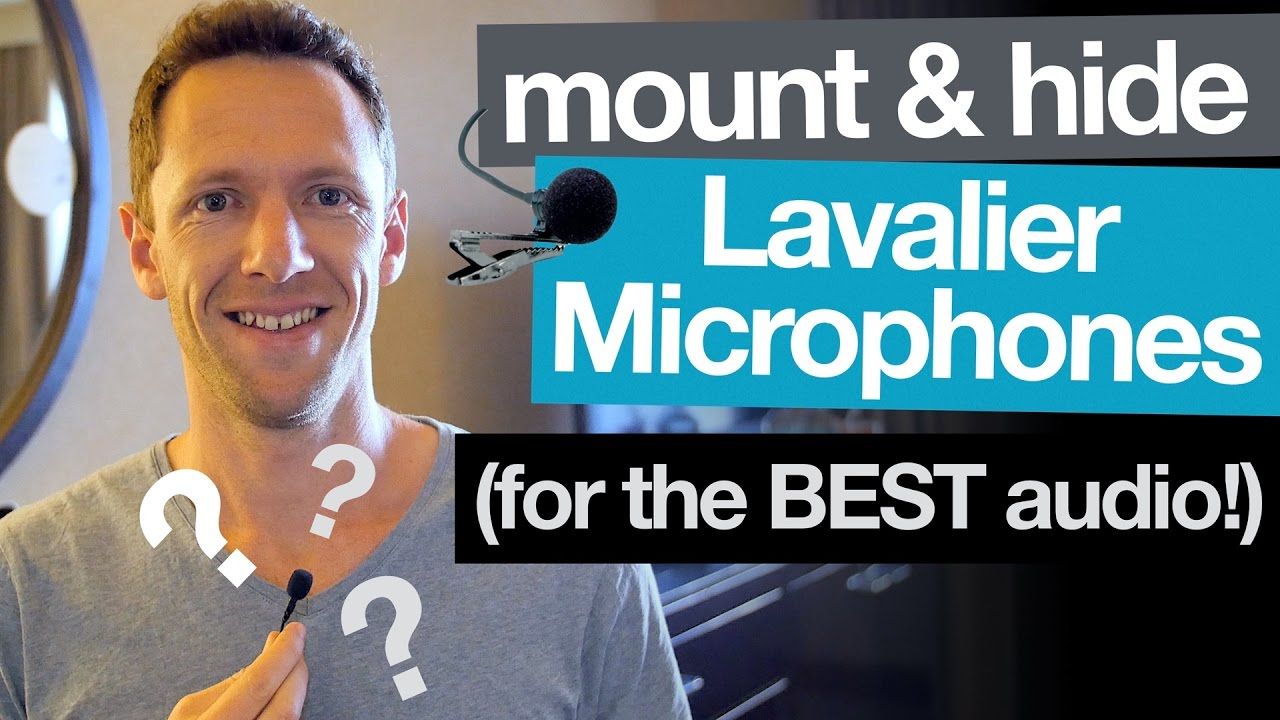
- Collarbone: This is often the most recommended spot. Attaching the microphone just below the center of the collarbone, pointing upwards towards the mouth, provides a consistent and relatively unobstructed path for sound. This placement is generally discreet and less prone to breathing sounds.
- Center Chest: Similar to the collarbone, placing the mic in the center of the chest, again pointing upwards, can also yield good results. It’s slightly more visible but can be effective for certain clothing types.
- Lapel/Collar: For collared shirts or jackets, attaching the microphone to the lapel or collar can work. Ensure the microphone is positioned so it doesn’t rub against the fabric as the speaker moves their head. The capsule should ideally be pointing towards the speaker’s mouth.
- Tie Clip: If the speaker is wearing a tie, the microphone can be discreetly clipped to the narrow end of the tie, pointing upwards. This offers excellent concealment and often good audio quality.
Impact of Mic Placement on Plosives and Sibilance
The proximity of the lavalier microphone to the speaker’s mouth directly influences the occurrence of plosives (popping sounds from ‘p’ and ‘b’ sounds) and sibilance (hissing sounds from ‘s’ and ‘sh’ sounds). Incorrect placement can exacerbate these issues, making the audio sound unprofessional.Plosives and sibilance are caused by bursts of air hitting the microphone diaphragm. The distance between the microphone and the speaker’s mouth is the primary factor in controlling these sounds.
- Plosives: When a lavalier microphone is placed too close to the mouth, especially directly in the path of expelled air during plosive sounds, the diaphragm can be overloaded, creating a distinct “pop.” Placing the microphone slightly off-axis from the direct airflow, or further down the chest, can significantly reduce plosives.
- Sibilance: Similarly, excessive sibilance can occur if the microphone is placed too high or too close to the speaker’s teeth, as the ‘s’ sounds are directed straight into the capsule. A slightly lower placement or angling the microphone away from the direct line of ‘s’ sound projection can help.
It is often a balancing act between being close enough for good vocal pickup and far enough to avoid these phonetic artifacts.
Discreetly Attaching a Lavalier Mic to Various Fabric Types
Attaching a lavalier microphone discreetly requires understanding the properties of different fabrics and using appropriate accessories. The aim is to secure the microphone without causing visible bulges, shifting, or unwanted noise.Here are some tips for attaching lavalier mics to different materials:
- Lightweight Fabrics (e.g., silk, thin cotton): For these delicate materials, using a small piece of medical tape on the underside of the fabric can help secure the microphone clip. Alternatively, a small adhesive microphone mount can be applied directly to the fabric if it’s sturdy enough not to show through. Be cautious with direct taping to avoid damage or residue.
- Medium-Weight Fabrics (e.g., t-shirts, blouses): These fabrics generally hold a standard microphone clip well. You can often clip directly onto the fabric, ensuring the clip is firmly attached. For added security, especially during movement, a small piece of gaffer tape can be used to reinforce the clip’s hold from the inside of the garment.
- Heavyweight Fabrics (e.g., wool, tweed, jackets): These materials are typically robust and can easily accommodate a microphone clip. For a cleaner look, you can often thread the microphone cable through the buttonholes of a shirt or jacket, or use the inside seams for a more hidden approach. Consider using a dedicated microphone windscreen or pop filter designed for lavaliers if the fabric is particularly prone to rustling.
- Synthetics and Slippery Fabrics: These can be challenging as clips may slide. Using a small piece of double-sided fabric tape or a specialized lavalier microphone mount designed for smooth surfaces can provide better grip. Ensure the tape is strong enough to hold but gentle enough not to damage the fabric.
For all fabric types, it’s beneficial to secure the cable as well, using gaffer tape or specialized cable clips, to prevent it from pulling on the microphone or creating noise.
Influence of Body Movement on Audio Quality and Mitigation
Body movement is a significant factor that can negatively impact lavalier microphone audio quality. Shifting clothing, rustling fabric, and the microphone capsule moving relative to the speaker’s mouth can introduce unwanted noise and alter the sound’s consistency.Effective mitigation strategies focus on securing the microphone and cable to minimize movement and friction.
- Cable Management: The most common culprit for noise is the microphone cable brushing against clothing. Secure the cable to the speaker’s back or torso using gaffer tape or specialized cable clips. This creates a more rigid path for the cable, reducing its ability to move freely and create noise.
- Microphone Security: Ensure the microphone clip is firmly attached to the garment. If the fabric is thin or slippery, consider using a small piece of moleskin or fabric tape on the underside of the clip to provide better grip. For very active speakers, a specialized lavalier harness or adhesive mount might be necessary.
- Clothing Choice: Advise speakers to avoid wearing overly stiff or rustly fabrics if possible, especially if discreet placement is challenging. Smoother, softer fabrics generally produce less noise when the microphone is attached.
- Speaker Awareness: While not always possible, gently reminding the speaker to be mindful of sudden, jerky movements can help. For highly dynamic situations, pre-production planning and rehearsal can identify potential problem areas.
The key is to create a stable platform for the microphone and its cable, treating them as an extension of the speaker’s body that should move predictably.
Step-by-Step Guide for Testing Lavalier Mic Placement
Thorough testing before a recording session is paramount to ensure optimal audio performance from your lavalier microphone. This process allows you to identify and rectify any potential issues related to placement, clothing, or environment.Follow these steps to effectively test your lavalier mic placement:
- Initial Attachment: Attach the lavalier microphone to the chosen placement on the speaker’s clothing using the most secure method for the fabric type. Ensure the cable is also managed as described previously.
- Pre-Recording Check: Have the speaker perform a series of natural movements they will likely do during the recording. This includes talking, turning their head, gesturing, and any specific actions related to the content (e.g., walking, sitting down).
- Listen for Noise: While the speaker is moving and talking, listen critically through headphones to the audio being recorded. Pay close attention to any rustling, rubbing, or static sounds. Also, listen for the dreaded “plosives” and excessive “sibilance.”
- Plosive and Sibilance Test: Specifically ask the speaker to say words that contain ‘p’, ‘b’, ‘s’, and ‘sh’ sounds. Listen to how these sounds are captured. If plosives are prominent, consider moving the microphone slightly lower or further from the direct airflow. If sibilance is an issue, try repositioning it slightly higher or angling it differently.
- Movement Test: Have the speaker repeat the movements from step 2. Observe if the noise introduced by movement is consistent or intermittent. If it’s consistent, the attachment might be too loose. If it’s intermittent, it might be related to specific types of movement or fabric interaction.
- Adjust and Re-test: Based on your observations, make adjustments to the microphone’s position, the cable management, or the attachment method. Repeat steps 2-5 until you are satisfied with the clarity and consistency of the audio.
- Final Confirmation: Once you have a satisfactory placement, perform a final short recording of the speaker talking naturally. Listen back to confirm that all issues have been resolved and the audio is clean and intelligible.
This systematic approach ensures that you are not just guessing but are actively troubleshooting and optimizing the lavalier microphone’s performance for the specific recording scenario.
Minimizing Unwanted Noise
Even with optimal placement, lavalier microphones are susceptible to capturing unwanted sounds that can detract from your audio quality. Proactive identification and mitigation of these noise sources are crucial for achieving professional-sounding recordings. This section will guide you through understanding common noise culprits and implementing effective strategies to eliminate them.Ambient noise, electrical interference, and physical disturbances are the primary categories of unwanted sounds that can plague lavalier microphone recordings.
Each requires specific attention to ensure your primary audio source remains clear and prominent.
Common Sources of Ambient Noise
Ambient noise refers to any sound present in the recording environment that is not the intended subject. These sounds can range from subtle background hums to distracting, overt noises. Understanding these sources is the first step in effectively managing them.
Common ambient noise sources include:
- HVAC Systems: Air conditioning, heating, and ventilation systems often produce a low-frequency hum or rhythmic pulsing that can be picked up by sensitive microphones.
- Traffic and City Sounds: Exterior noise from vehicles, sirens, construction, or general urban activity can easily intrude into indoor recordings if not properly managed.
- Room Echo and Reverb: Hard surfaces in a room can reflect sound waves, creating an echo or reverberation that makes dialogue sound distant or muddy.
- Electronic Devices: Refrigerators, computers, projectors, and other electronic equipment can emit operational noises or electromagnetic interference.
- People and Activity: Uncontrolled conversations, footsteps, or general movement from individuals not involved in the primary recording can be distracting.
- Environmental Factors: Wind, rain, birds, or other natural sounds can be significant issues, especially when recording outdoors.
Reducing Wind Noise Outdoors
Wind is a significant adversary to outdoor audio recording, causing low-frequency rumbles and distortion known as “wind noise” or “plosives.” Fortunately, several effective methods can drastically reduce its impact.
Employing a multi-layered approach to wind protection is essential for clear outdoor audio:
- Foam Windscreens: These are the most basic form of wind protection and are usually included with lavalier microphones. While they offer minimal protection against light breezes, they are a good first line of defense.
- Furry Windscreens (Windscreens/Deadcats): These are designed to break up wind currents before they reach the microphone capsule. They are significantly more effective than foam and are crucial for outdoor use. Ensure the furry material is dense and covers the entire microphone.
- Blimp or Zeppelin Systems: For professional applications, a blimp is a larger, often rigid cage that surrounds the microphone and windscreen, creating a pocket of still air. These offer the highest level of wind protection but are typically too large for lavalier microphones. However, smaller, specialized lavalier windjammer solutions are available.
- Strategic Microphone Placement: Position the microphone so it is shielded from the prevailing wind by the subject’s body or clothing. Avoid pointing the microphone directly into the wind.
- Lowering Gain: While not a direct wind reduction technique, reducing microphone gain can make the microphone less sensitive to the lower-level sounds of wind, though it also reduces the level of the desired audio.
Preventing Clothing Rustle and Handling Noise
The movement of clothing against a lavalier microphone capsule is a common source of distracting, percussive noise. Similarly, any handling of the microphone or its cable can introduce unwanted sounds.
Implementing these techniques will significantly minimize clothing rustle and handling noise:
- Secure Cable Management: Use specialized clips or tape to secure the microphone cable to the subject’s clothing, running it away from areas of high movement. Avoid letting the cable dangle freely.
- Microphone Placement: As discussed previously, careful placement on clothing that moves less is key. Areas like the sternum or collarbone are often good choices.
- Clothing Material: Softer, quieter fabrics tend to produce less rustle than stiffer, synthetic materials. If possible, advise subjects to wear clothing made of natural fibers like cotton or wool.
- Double-Sided Tape: For particularly problematic clothing, a small piece of double-sided tape can be used to adhere the microphone or its cable discreetly to the fabric, reducing movement.
- Pre-Recording Movement Test: Before starting the recording, have the subject move naturally – walk, turn their head, adjust their position – while monitoring the audio to identify and address any rustling sounds.
- Gentle Handling: If the microphone needs to be adjusted during a recording, do so with extreme care and silence.
Addressing Electrical Interference or Hum
Electrical interference, often heard as a low-frequency hum or buzz, can originate from various electronic devices or poor grounding. This type of noise can be particularly persistent and difficult to remove in post-production.
Here are methods to identify and mitigate electrical interference:
- Identify Sources: Listen carefully for hums or buzzes and try to pinpoint their origin. Common culprits include fluorescent lights, dimmer switches, power adapters, and unshielded cables.
- Distance from Interference: Move the microphone, the subject, or the interfering device further apart if possible.
- Cable Quality and Shielding: Use high-quality, shielded XLR cables. Poorly shielded cables are more susceptible to picking up electromagnetic interference (EMI).
- Balanced Connections: Ensure all connections are balanced (e.g., XLR) as they are designed to reject common-mode noise.
- Power Source: If possible, use batteries for wireless transmitters instead of relying on AC power adapters, which can sometimes introduce hum. If using AC power, ensure it’s from a clean power source or a power conditioner.
- Ground Loops: A ground loop occurs when there are multiple paths to ground for electrical current, creating an audible hum. This can happen when multiple audio devices are plugged into different outlets that are not properly grounded together. Using a ground lift adapter or ensuring all equipment shares a common ground can resolve this.
- RF Interference: Radio Frequency (RF) interference can manifest as static or buzzing. This is often caused by nearby radio transmitters, cell phones, or Wi-Fi routers. Keeping wireless microphone receivers away from these sources is crucial.
Pre-Recording Audio Check Checklist
A thorough pre-recording audio check is your best defense against unexpected noise issues. This checklist ensures you systematically address potential problems before committing to a recording.
Before each recording session, systematically perform the following checks:
- Environment Scan: Quietly listen to the recording environment for any obvious ambient noises (HVAC, traffic, equipment hums).
- Microphone Placement Test: Attach the lavalier microphone and have the subject perform natural movements (talking, turning head, sitting/standing) while monitoring audio for rustling or handling noise.
- Wind Noise Simulation (if outdoors): If recording outdoors, simulate wind by gently blowing near the microphone or using a fan at a low setting to test the effectiveness of wind protection.
- Electrical Hum Sweep: Turn on all relevant lights and electronic equipment in the recording area. Listen for any new hums or buzzes that appear when devices are active.
- Wireless System Check: If using wireless, check signal strength and monitor for any RF interference or dropouts. Ensure transmitters and receivers are on appropriate channels.
- Cable Integrity: Visually inspect all cables for damage. Gently flex cables while monitoring audio to detect any intermittent noise.
- Gain Staging Verification: Speak into the microphone at a normal and slightly louder volume to ensure levels are appropriate and not clipping or too low.
- Subject Comfort and Awareness: Briefly discuss with the subject any potential noise sources they can control (e.g., avoiding fidgeting with jewelry or pockets).
Connecting and Configuring Your Microphone
Once you have your lavalier microphone, understanding how to properly connect and configure it to your recording device is crucial for achieving high-quality audio. This section will guide you through the various connection types, essential configuration settings, and troubleshooting common issues.
Connection Types
Lavalier microphones utilize different connectors to interface with a variety of recording devices, each suited for specific applications. Familiarizing yourself with these types ensures you select the correct cable and adapter for your setup.
The primary connection types for lavalier microphones include:
- 3.5mm TRS (Tip-Ring-Sleeve): This is a common connector found on many consumer-grade cameras, portable audio recorders, and smartphones. It typically carries a stereo signal or a mono microphone signal. For microphones requiring power, a TRRS (Tip-Ring-Ring-Sleeve) connector might be used on smartphones, which dedicates an extra ring for microphone input.
- 3.5mm TRRS (Tip-Ring-Ring-Sleeve): Primarily used with smartphones and some laptops, the TRRS connector allows for both microphone input and headphone output on a single jack. It’s essential to ensure your lavalier mic is compatible with TRRS inputs, as standard TRS mics may require an adapter.
- XLR: This is a professional-grade connector, most commonly found on professional cameras, high-end audio recorders, and mixing consoles. XLR connections are robust, offer balanced audio signals to minimize interference, and are often used with microphones that require phantom power.
- 2.5mm TS (Tip-Sleeve): Less common, this connector is sometimes found on older or specialized equipment. It’s a mono connector and typically does not carry power.
Preamplifiers and Signal Strength
The preamplifier, often integrated into the recording device or the microphone’s transmitter, plays a vital role in boosting the weak signal from the microphone capsule to a usable level for recording. A good preamplifier ensures a clean and strong signal without introducing excessive noise.
The preamplifier’s function is critical for:
- Signal Amplification: It takes the very low-level electrical signal generated by the microphone’s diaphragm and amplifies it significantly.
- Impedance Matching: Preamplifiers also help match the impedance of the microphone to the input of the recording device, ensuring maximum signal transfer and minimizing signal loss.
- Noise Floor: A high-quality preamplifier will have a low noise floor, meaning it adds minimal self-noise to the amplified signal. This is crucial for capturing clear audio, especially in quiet environments or when recording quiet sources.
- Headroom: Adequate preamplification provides sufficient headroom, allowing for dynamic audio passages without clipping or distortion.
Adjusting Gain and Input Levels
Properly setting the gain and input levels is paramount to avoid clipping (distortion) and ensure your audio is not too quiet. This process involves finding the sweet spot where the signal is strong enough but not overpowering the recording device’s input.
Follow these steps for optimal recording levels:
- Set Gain to Minimum: Start with the gain knob or setting on your recording device set to its lowest level.
- Connect the Microphone: Ensure your lavalier microphone is securely connected to the input.
- Monitor Audio: Wear headphones and listen to the audio being fed into the recorder.
- Speak Naturally: Have the subject speak at their normal volume and tone.
- Adjust Gain Gradually: Slowly increase the gain until the audio is clearly audible and at a healthy level, typically peaking around -12dB to -6dB on your meter.
- Peak Levels: Aim for your loudest spoken words to hit around -6dB to -12dB on your meter. This leaves some headroom for unexpected louder sounds and prevents clipping, which is irreversible distortion.
- Test with Different Volumes: Have the subject speak softer and louder to ensure the gain setting accommodates the full dynamic range of their voice.
“The goal is to capture the loudest desired sound without reaching 0dB, which causes clipping. Aiming for peaks between -12dB and -6dB provides a good balance of signal strength and headroom.”
Phantom Power
Phantom power is a DC electrical current that is sent from the audio interface, mixer, or recorder through the microphone cable to power condenser microphones. While most battery-powered lavalier mics do not require phantom power, some professional condenser lavaliers do.
Understanding phantom power is important for:
- Condenser Microphones: Professional condenser lavalier microphones often require phantom power to operate their internal electronics.
- Balanced XLR Connections: Phantom power is typically delivered over balanced XLR cables.
- Compatibility: It is crucial to know if your lavalier microphone requires phantom power. Applying phantom power to a dynamic microphone or a ribbon microphone can potentially damage it, though most modern dynamic mics are designed to withstand it.
- Enabling Phantom Power: If your microphone requires it, ensure phantom power (+48V) is enabled on your recording device. If your microphone is battery-powered, phantom power should be disabled.
Troubleshooting Common Connection Problems
Connection issues can arise from various sources, but most are resolvable with systematic troubleshooting. Identifying the problem quickly ensures minimal disruption to your recording session.
Here is a guide to resolving common connection problems:
- No Audio Signal:
- Check all physical connections: Ensure the microphone is securely plugged into the correct input on your camera, recorder, or smartphone.
- Verify the microphone is powered on: If it’s a battery-powered mic, check the battery level or replace the battery.
- Confirm the correct input is selected: On your recording device, ensure the microphone input is activated and not set to line-in or another source.
- Test with a different cable or adapter: Cables can fail, and adapters can be faulty.
- Check for mute settings: Ensure the input channel is not muted on your recording device.
- Low Audio Levels:
- Increase gain/input level: As discussed, the gain may be set too low.
- Check for attenuation switches: Some microphones or devices have a pad or attenuation switch that might be engaged, reducing the signal strength.
- Ensure proper microphone placement: The mic might be too far from the sound source.
- Distorted Audio (Clipping):
- Decrease gain/input level: The gain is set too high, causing the signal to exceed the maximum input level.
- Check for overload indicators: If your device has a peak or clip indicator, ensure it is not illuminated.
- Reduce microphone sensitivity (if applicable): Some mics have adjustable sensitivity settings.
- Hum or Buzzing Noise:
- Check for ground loops: Ensure all audio equipment is plugged into the same power circuit.
- Use balanced cables (XLR): These are less susceptible to interference.
- Keep cables away from power sources: Electrical cables can induce noise into audio cables.
- Test with a different microphone: Rule out a faulty microphone.
- Turn off phantom power if not needed: Unnecessary phantom power can sometimes cause issues with certain equipment.
- Smartphone Compatibility Issues:
- Use a TRRS adapter: If your mic has a TRS connector, you may need a TRS to TRRS adapter for smartphones.
- Check app permissions: Ensure your recording app has permission to access the microphone.
- Some apps require specific microphone settings: Consult the app’s documentation.
Improving Audio Quality with Accessories and Settings
While proper mic placement and noise reduction are fundamental, several accessories and configuration settings can further elevate the audio quality captured by your lavalier microphone. These elements help to refine the sound, protect the microphone, and ensure a more polished final product.
Investing in the right accessories and understanding how to leverage your recording software’s settings can make a significant difference in the clarity, richness, and overall professionalism of your audio.
Windscreens for Wind and Plosive Protection
Windscreens are essential for mitigating two common audio adversaries: wind noise and plosive sounds (like ‘p’ and ‘b’). They act as a physical barrier, diffusing air before it hits the microphone capsule.
- Foam Windscreens: These are typically small, cylindrical foam covers that fit snugly over the microphone capsule. They are excellent for reducing moderate wind noise and provide a degree of protection against light breath noise and plosives. They are often included with lavalier microphones and are a cost-effective first line of defense.
- Furry Windscreens (Windsocks/Deadcats): These are larger, plush covers designed to mimic the appearance of faux fur. They offer superior wind noise reduction compared to foam windscreens, making them ideal for outdoor recordings or environments with noticeable air movement. Their effectiveness comes from trapping air and slowing it down before it reaches the microphone.
Minimizing Handling Noise with Shock Mounts and Clips
Handling noise occurs when vibrations from movement, such as the clothing rustling against the microphone or the microphone clip itself, are transmitted to the capsule. Specialized accessories are designed to isolate the microphone from these disturbances.
- Shock Mounts: While less common for traditional lavalier microphones due to their small size, some professional lavalier systems might incorporate small shock-absorbing elements within their clips or mounts. These are designed to suspend the microphone capsule, decoupling it from the physical structure it’s attached to.
- Mic Clips with Vibration Dampening: The standard clip that attaches the lavalier to clothing can be a source of noise. Look for clips that have rubberized or cushioned contact points. These materials absorb vibrations, preventing them from traveling up the microphone cable and into the sensitive capsule. Some clips are designed with a spring-loaded mechanism that gently holds the microphone, further reducing direct contact and potential noise transfer.
Enhancing Vocal Clarity with Equalization (EQ)
Equalization, or EQ, is a powerful tool for shaping the tonal characteristics of your audio. It allows you to boost or cut specific frequencies to make vocals sound clearer, warmer, or more present.
For lavalier microphones, EQ is often used to address common issues:
- Cutting Low-End Rumble: Lavalier mics can sometimes pick up low-frequency noise from clothing rustle or HVAC systems. Applying a high-pass filter (also known as a low-cut filter) around 80-120 Hz can effectively remove this unwanted rumble without significantly impacting vocal intelligibility.
- Boosting Mid-Range Frequencies: The “presence” range, typically between 2 kHz and 5 kHz, is crucial for vocal clarity and intelligibility. A subtle boost in this area can help the voice cut through a mix and sound more defined.
- Managing Harshness: If vocals sound sibilant (hissy ‘s’ sounds) or harsh, you might need to gently reduce frequencies in the 4 kHz to 8 kHz range.
It’s important to use EQ subtly. Over-processing can make vocals sound unnatural.
Understanding Compression for Consistent Levels
Audio compression is a dynamic range processing tool that reduces the difference between the loudest and quietest parts of an audio signal. For lavalier recordings, this is particularly useful for ensuring consistent vocal levels, making the speech easier to follow.
- Reducing Dynamic Range: A compressor will “turn down” the louder parts of the signal and “turn up” the quieter parts, effectively making the overall volume more uniform. This is beneficial because lavalier microphones can sometimes experience sudden drops in volume if the speaker turns their head away or speaks more softly.
- Application in Lavalier Recordings: A moderate amount of compression can help to smooth out vocal performances, preventing sudden peaks from distorting and ensuring that quieter passages are still audible. A common starting point for speech might involve a ratio of 2:1 or 3:1, with a threshold set so that compression only engages on the louder portions of the speech. The attack and release times should be set to be relatively fast to react to speech dynamics without introducing audible “pumping” artifacts.
“Compression is like a volume knob that automatically adjusts itself to keep your audio at a consistent, listenable level.”
Recommended Audio Settings for Different Recording Environments
The ideal audio settings can vary significantly depending on where you are recording. Here are some general recommendations to get you started:
| Environment | Microphone Placement | Windscreen | High-Pass Filter (HPF) | Compression | EQ Adjustments |
|---|---|---|---|---|---|
| Quiet Indoor Studio | Center of chest, clipped securely | Foam windscreen (optional, for plosives) | Engage around 80 Hz | Light compression (e.g., 2:1 ratio, moderate threshold) | Subtle boost in presence (2-5 kHz) if needed. |
| Moderately Noisy Indoor (e.g., office, public space) | Center of chest, slightly higher if possible to avoid clothing noise | Foam windscreen | Engage around 100 Hz | Moderate compression (e.g., 3:1 ratio, lower threshold) | Boost presence (2-5 kHz), potentially cut harsh frequencies (4-8 kHz) if sibilance is an issue. |
| Outdoor (light breeze) | Center of chest, ensure it’s not brushing against clothing | Furry windscreen | Engage around 120 Hz | Moderate to heavy compression (e.g., 4:1 ratio, lower threshold) | Focus on clarity in the mid-range (2-5 kHz), manage any wind-induced low-frequency rumble. |
| Outdoor (windy conditions) | Center of chest, try to shield from direct wind as much as possible | Furry windscreen (essential) | Engage around 150 Hz | Heavy compression (e.g., 4:1 or higher ratio, low threshold) | Prioritize intelligibility by boosting mid-range frequencies, and aggressively filter out low-frequency wind noise. |
These settings are starting points. Always listen critically to your recordings and adjust as necessary. The goal is to achieve clear, natural-sounding speech that is easy to understand in any situation.
Practical Application Scenarios
Understanding the theoretical aspects of lavalier microphones is essential, but applying this knowledge in real-world situations is where the magic truly happens. This section delves into practical scenarios, providing step-by-step guidance and best practices to ensure you capture excellent audio in diverse environments.
Setting Up a Lavalier Mic for Interviews
A well-executed interview setup with a lavalier microphone ensures your subject’s voice is clear and present, free from distractions. The process involves careful placement, connection, and testing.
- Prepare the Microphone: Ensure the lavalier microphone is clean and the cable is untangled. Attach the windscreen if necessary, especially if there’s a chance of plosives or wind.
- Position the Microphone: The ideal placement is typically on the lapel, about 4-6 inches below the chin. This position minimizes breath sounds and mouth noise while capturing a natural vocal tone. Avoid placing it too close to the mouth, which can cause proximity effect and plosives, or too far away, which can result in a thin sound. For formal attire, the microphone can be clipped to the shirt or jacket’s lapel.
For casual wear, it can be attached to the collar or a pocket.
- Secure the Cable: Route the cable discreetly. For clothing, use gaffer tape or specialized cable clips to secure the wire along the inside of the garment, preventing rustling sounds as the subject moves. If possible, have the subject wear a microphone harness or a lavalier clip that runs the cable down their back to avoid any visual distraction and minimize handling noise.
- Connect to the Recorder/Transmitter: Connect the microphone to the audio input of your recorder or the bodypack transmitter of a wireless system. Ensure the connection is secure.
- Test and Monitor: Before the interview begins, perform a sound check. Have the interviewee speak at a normal conversational volume. Listen through headphones to the audio feed. Adjust the gain on the recorder or transmitter to achieve optimal levels – aiming for peaks around -12dB to -6dB to avoid clipping while maintaining a strong signal. Monitor the audio throughout the interview for any unexpected noises or changes in level.
Achieving Clear Audio in a Noisy Environment
Noisy environments, such as bustling streets or crowded rooms, pose a significant challenge for audio recording. Strategic use of lavalier microphones can mitigate these issues effectively.
- Directional Microphones: While most lavaliers are omnidirectional, some models offer cardioid patterns, which can help reject sound from the sides and rear. If using an omnidirectional mic, focus on placement to minimize ambient noise.
- Strategic Placement: Position the lavalier as close to the sound source (the speaker’s mouth) as possible without causing unwanted artifacts like plosives or breath noise. This proximity allows the microphone to capture the desired voice more strongly than the surrounding noise. Experiment with placement on the collarbone, chest, or even behind the ear (with specialized adapters) to find the sweet spot.
- Low-Cut Filter: Utilize the low-cut or high-pass filter on your recorder or transmitter. This filter attenuates low-frequency sounds, which often include rumble, traffic noise, and HVAC hum, without significantly affecting the clarity of human speech.
- Gain Staging: Set your gain levels carefully. Record at a healthy level, but avoid clipping. It’s often easier to boost a clean signal in post-production than to try and remove noise from a distorted recording.
- Post-Production Noise Reduction: Even with careful setup, some ambient noise may be present. Employ noise reduction software in your editing suite. Tools like iZotope RX or the built-in noise reduction features in most DAWs can effectively reduce persistent background noise. However, use these tools judiciously to avoid making the audio sound unnatural or “watery.”
Best Practices for Live Presentations or Speeches
Lavalier microphones are indispensable for live presentations, ensuring speakers are heard clearly by their audience. Adhering to best practices enhances the presenter’s message and the overall experience.
- Pre-Event Testing: Always conduct a thorough sound check before the event begins. Have the presenter speak at their usual volume and pace. Test the microphone at various points on the stage to identify any dead spots or interference.
- Secure and Discreet Placement: Clip the microphone securely to the presenter’s clothing, typically on the lapel or collar. Ensure the cable is managed to prevent any rustling or snagging. For presenters who move a lot, consider using a dual-lavalier system for redundancy or a wireless system with a robust connection.
- Monitor Audio Levels: Have an audio technician monitor the sound levels throughout the presentation. The presenter’s voice should be consistently audible above any background music or applause. Adjust gain as needed to maintain optimal levels.
- Backup System: For critical presentations, have a backup microphone or wireless system ready in case of equipment failure. This can be a lifesaver.
- Presenter Awareness: Briefly inform the presenter about the microphone’s placement and advise them to avoid touching it or the cable, as this can create unwanted noise. Encourage them to speak clearly and at a consistent volume.
Considerations for Recording Dialogue in Film or Video Production
Capturing clean and consistent dialogue is paramount in film and video production. Lavalier microphones, often referred to as “mics” or “lavs” in this context, play a crucial role.
- Hidden Placement: The primary consideration is to hide the microphone as effectively as possible to avoid it appearing in the shot. This often involves creative placement within clothing, such as under buttons, in seams, or using specialized tape and mounts to conceal them. Techniques include “tape jobs” where the mic is secured with medical tape, or using “mole skin” to further dampen any fabric rustle.
- Wireless Systems: For freedom of movement and to avoid visible cables, wireless lavalier systems are almost universally used in film and video. Ensure the transmitters and receivers are properly paired and have sufficient battery life for the duration of the shoot.
- Monitoring and Recording: A dedicated sound recordist will monitor the audio feed through headphones throughout the take. They will adjust gain and listen for any extraneous noises, such as air conditioning, traffic, or creaking chairs, that might not be apparent to the actors or director.
- Plosives and Sibilance Control: Special attention is paid to controlling plosives (“p” and “b” sounds) and sibilance (“s” sounds). This is achieved through careful mic placement, using windscreens, and sometimes employing specific EQ in post-production.
- Continuity: Maintaining consistent audio levels and tone across different takes and scenes is vital. This ensures seamless editing. The sound recordist will aim for similar gain settings and mic placement whenever possible.
Ensuring Consistent Audio Levels Across Multiple Lavalier Microphones
When recording multiple individuals with lavalier microphones simultaneously, maintaining consistent audio levels is crucial for a balanced and professional final product. This often requires meticulous setup and monitoring.
| Step | Procedure | Importance |
|---|---|---|
| 1. Initial Gain Setting | Set the gain for each microphone individually while the person speaks at their normal volume. Aim for similar peak levels (e.g., -12dB to -6dB) on the recorder’s meters for each speaker. | Establishes a baseline for each voice, preventing drastic volume differences. |
| 2. Subject Comparison | Have all subjects speak simultaneously or in quick succession, repeating a short phrase. Listen to the combined audio to identify any significant disparities in volume. | Allows for direct comparison of each voice’s loudness relative to the others. |
| 3. Fine-Tuning | Adjust the gain on individual transmitters or recorder inputs to equalize the perceived loudness of each speaker. Minor adjustments are usually sufficient. | Brings the levels of all speakers into closer alignment. |
| 4. Monitoring with Headphones | Continuously monitor the audio feed through high-quality headphones during the recording. This allows for real-time detection of any deviations in volume. | Enables immediate identification and correction of any emerging volume imbalances. |
| 5. Post-Production Normalization/Leveling | After recording, use audio editing software to further refine the levels. Tools like normalization, compression, and gain automation can be employed to achieve a final, consistent sound. | Provides a final polish to ensure all voices are equally audible and present in the mix. |
Last Point
By mastering the techniques discussed, from understanding the fundamentals of lavalier microphones to optimizing their use with accessories and in diverse settings, you are now well-equipped to achieve exceptional audio quality. This guide has provided you with the knowledge to confidently set up, troubleshoot, and enhance your lavalier microphone recordings, ensuring your message is delivered with the clarity and professionalism it deserves.
Embrace these practices, and let your audio truly shine.