How to Create Professional Videos Using Just Your Smartphone embarks on a journey to demystify mobile filmmaking. This guide is meticulously crafted to transform your everyday device into a powerful production tool, revealing secrets to capturing stunning visuals and crystal-clear audio without needing expensive equipment.
We will delve into understanding your smartphone’s inherent capabilities, exploring essential accessories that elevate your content, and mastering the art of planning, filming, and editing. From selecting the right angles to fine-tuning your sound and lighting, this comprehensive approach ensures you can produce polished, engaging videos ready for any platform.
Understanding Your Smartphone’s Video Capabilities
Embarking on the journey of professional video creation with just your smartphone might seem daunting, but it begins with a thorough understanding of the powerful tools already in your pocket. Modern smartphones are sophisticated recording devices, equipped with advanced hardware and software that can produce stunning visual content. By delving into your device’s native video recording features and settings, you unlock its full potential for creating polished and impactful videos.Your smartphone is more than just a communication device; it’s a portable production studio.
The quality of the video it can capture is influenced by a combination of its hardware components and the software that controls them. Mastering these elements is the foundational step towards elevating your video production from casual to professional.
Native Video Recording Features
Most contemporary smartphones offer a robust suite of native video recording features designed to cater to a wide range of creative needs. These features are readily accessible through the default camera application, eliminating the need for third-party software for basic recording. Understanding and utilizing these built-in capabilities is crucial for efficient and effective video production.Modern smartphone cameras typically provide the following core video recording functionalities:
- Resolution Options: The ability to record in various resolutions, such as 720p (HD), 1080p (Full HD), and 4K (Ultra HD). Higher resolutions capture more detail, offering greater flexibility in editing and a sharper final image.
- Frame Rate Control: Options to select different frame rates, commonly including 24fps (cinematic look), 30fps (standard for broadcast), and 60fps (for smoother motion or slow-motion effects).
- Autofocus and Manual Focus: While most phones offer reliable autofocus, some allow for manual focus adjustments, giving creators more control over what remains sharp in the frame.
- Exposure Control: The ability to lock or adjust exposure settings (brightness) to prevent the image from becoming too dark or too bright, especially when moving between different lighting conditions.
- Stabilization: Many phones incorporate optical image stabilization (OIS) or electronic image stabilization (EIS) to reduce shakiness and produce smoother footage.
- Zoom Capabilities: Digital and optical zoom options allow for framing shots from different distances, though optical zoom generally maintains better quality.
- HDR Video: High Dynamic Range (HDR) video recording captures a wider range of light and shadow detail, resulting in more vibrant and realistic imagery.
Smartphone Camera Settings for Video Production
Optimizing your smartphone’s camera settings is paramount to achieving professional-looking video. These settings directly influence the final image quality, aesthetic, and technical execution of your footage. Ignoring these settings can lead to suboptimal results, regardless of the subject matter or lighting.It is essential to familiarize yourself with and adjust the following key camera settings for optimal video production:
- Resolution: For professional output, prioritize recording in the highest resolution your phone supports, ideally 4K. This provides the most detail and flexibility for post-production, allowing for cropping and reframing without significant quality loss.
- Frame Rate: Select your frame rate based on the desired aesthetic and content. 24fps is standard for a cinematic feel, 30fps is suitable for general use and online content, and 60fps is excellent for capturing fast action or creating smooth slow-motion effects.
- Aspect Ratio: While most videos are recorded in a 16:9 aspect ratio, be aware of your target platform. For example, social media platforms like Instagram or TikTok may benefit from vertical (9:16) or square (1:1) formats, which can often be set within the camera app or easily adjusted in editing.
- Grid Lines: Enabling grid lines (e.g., the rule of thirds) can significantly improve composition by helping you align subjects and create visually balanced shots.
- Focus: For static shots or interviews, locking the focus on your subject is crucial to prevent distracting refocusing. Many phones allow you to tap and hold on the screen to lock focus and exposure.
- Exposure Lock: Similar to focus, locking exposure prevents the camera from automatically adjusting brightness, which can cause jarring shifts in the image. This is particularly important when filming scenes with consistent lighting.
- Color Profile/Picture Style: Some advanced smartphone cameras offer options to shoot in flatter color profiles (e.g., “Log” or “Pro” modes) which retain more dynamic range and color information for grading in post-production. If available, these can be invaluable for achieving a professional look.
Optimizing Smartphone Camera Settings for Lighting Conditions
Lighting is arguably the most critical element in visual storytelling, and your smartphone’s camera settings play a vital role in how it interprets and captures light. Adapting your settings to suit the prevailing light conditions ensures that your footage is well-exposed, free from noise, and visually appealing.Here are strategies for optimizing your smartphone camera settings for various lighting scenarios:
- Bright Daylight: In strong sunlight, the primary concern is overexposure. Reduce the exposure by tapping on a darker area of the screen or using an exposure compensation slider if available. Consider using a neutral density (ND) filter if your phone supports attachments, to mimic the effect of professional camera filters and control light without sacrificing aperture or shutter speed.
- Overcast or Diffused Light: This is often ideal lighting as it’s soft and even. Ensure your exposure is balanced. You may need to slightly increase exposure if the light is dim.
- Low Light: In dimly lit environments, increasing exposure is necessary. However, be mindful of digital noise, which appears as graininess. Most phones will automatically increase ISO (sensitivity) in low light, which exacerbates noise. If your phone allows manual ISO control, keep it as low as possible while still achieving a usable exposure. Using a wider aperture (lower f-number) if available can also help gather more light.
- Mixed Lighting: When you have contrasting light sources (e.g., indoor light and window light), your camera will struggle to balance the exposure. Try to position your subject where the lighting is more uniform, or use supplemental lighting to even out the scene. Focus on exposing for your subject’s face and accept that some background areas might be over or underexposed, which can be corrected in editing if shooting in a flatter profile.
- Backlighting: If your subject is in front of a bright light source, they can appear as a silhouette. To expose for the subject, tap on their face to set the focus and exposure. You may need to use a reflector to bounce light back onto their face or add a light source in front of them.
Essential Smartphone Hardware Components Impacting Video Quality
While software settings are crucial, the underlying hardware of your smartphone dictates the absolute ceiling of its video recording capabilities. Understanding these components will help you appreciate your device’s strengths and limitations, and inform your shooting decisions.The following hardware components are fundamental to your smartphone’s video quality:
- Image Sensor: This is the digital equivalent of film in a traditional camera. A larger image sensor can capture more light, leading to better low-light performance, less noise, and a wider dynamic range. This is one of the most significant differentiators between high-end and mid-range smartphones for video.
- Lens Quality: The quality of the lens affects sharpness, color accuracy, and distortion. Higher-end smartphones often feature multi-element lenses that minimize aberrations and deliver clearer images. The aperture (f-stop) of the lens also determines how much light enters the sensor; a wider aperture (lower f-number) is better for low light and achieving a shallow depth of field.
- Image Processor (ISP): The Image Signal Processor is responsible for processing the raw data from the sensor. A powerful ISP can handle higher resolutions and frame rates, improve noise reduction, and apply advanced features like HDR processing and color correction in real-time.
- Stabilization Hardware (OIS/EIS): Optical Image Stabilization (OIS) physically moves the lens or sensor to counteract camera shake. Electronic Image Stabilization (EIS) uses software to digitally stabilize the image. OIS is generally more effective, especially in low light, while EIS can sometimes introduce minor artifacts or crop the image.
- Microphones: While not directly related to image quality, high-quality built-in microphones are essential for professional video. Most smartphones have multiple microphones that can be used for stereo recording or noise cancellation, which significantly impacts the overall production value of your video.
The quality of your smartphone’s video output is a direct consequence of the interplay between its sophisticated optics, sensor technology, and processing power.
Essential Gear and Accessories for Smartphone Videography
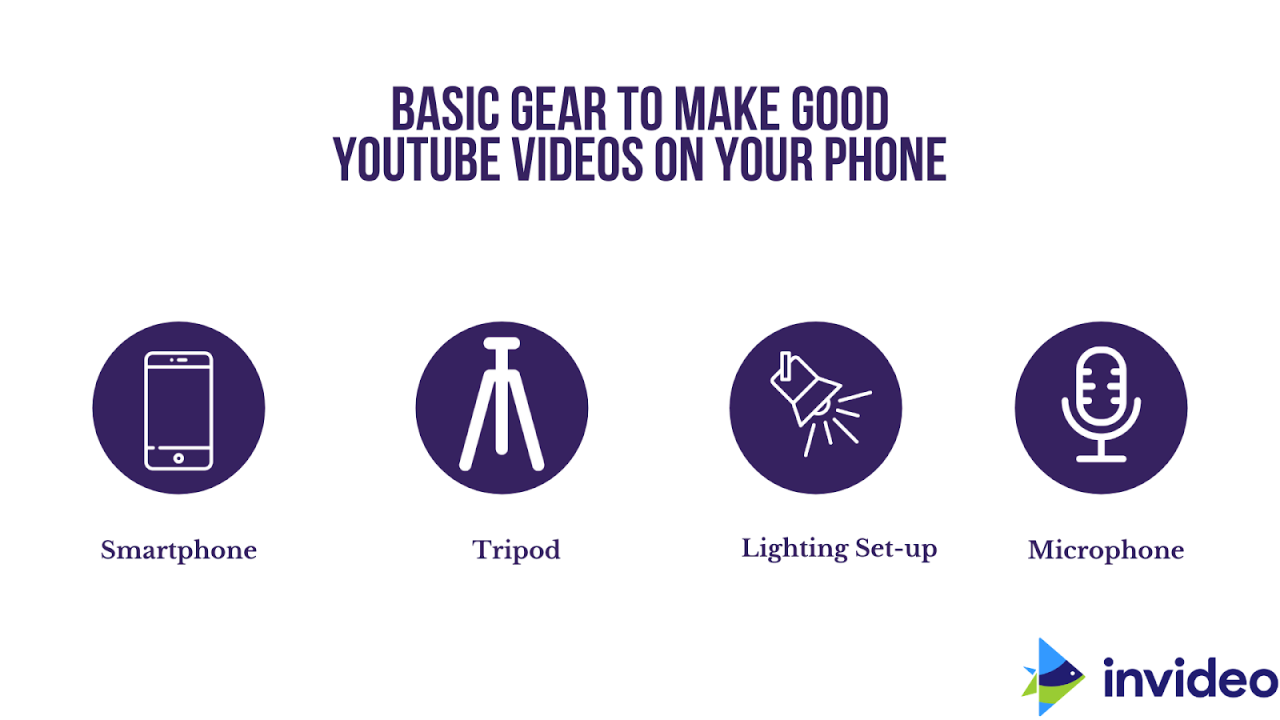
While your smartphone is a powerful tool, a few key accessories can significantly elevate the quality and professionalism of your video productions. Investing in affordable, effective gear can transform your mobile footage from amateur to polished. This section will guide you through the essential accessories that enhance stability, audio clarity, and lighting for your smartphone videography projects.Understanding that a stable shot is fundamental to professional-looking video, we’ll explore how to achieve this with readily available equipment.
Beyond visual stability, pristine audio is equally crucial for viewer engagement. We will also delve into solutions for achieving better sound, ensuring your message is heard clearly and without distraction. Finally, mastering lighting, even on a budget, can dramatically impact the mood and aesthetic of your videos, and we’ll cover practical ways to achieve this with your smartphone.
Stabilization Solutions: Tripods and Gimbals
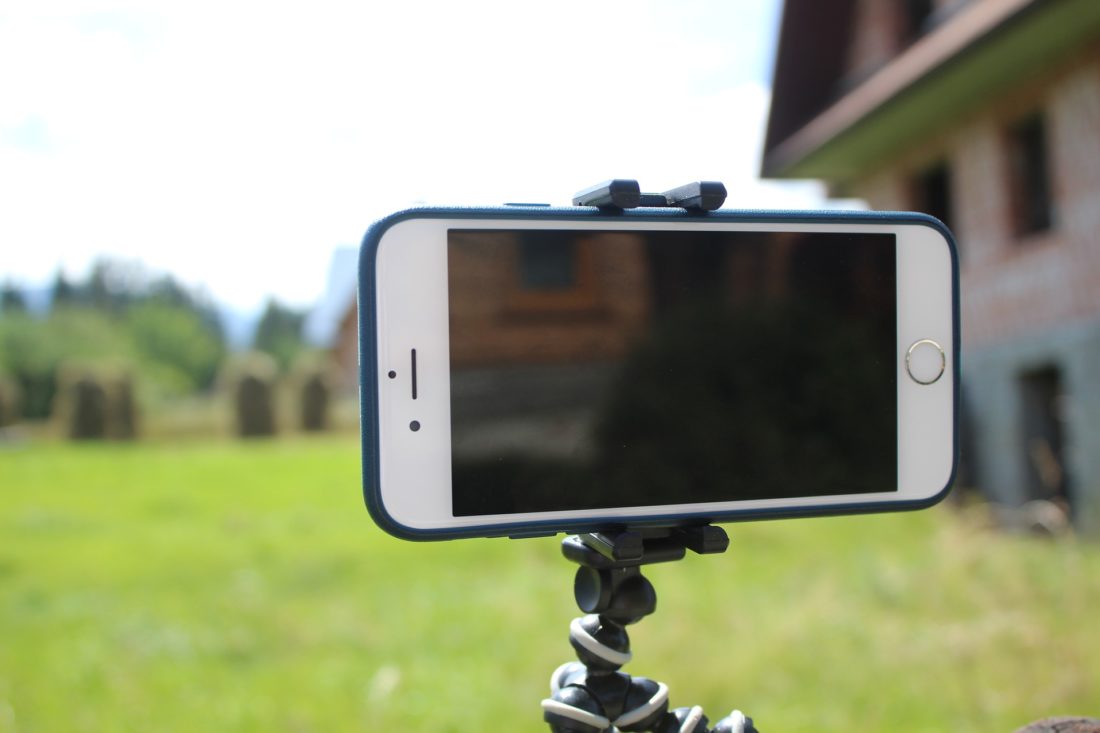
Achieving smooth, professional-looking footage hinges on minimizing camera shake. Shaky, handheld shots can be distracting and detract from the overall quality of your video. Fortunately, several affordable accessories can provide the stability needed for cinematic results.A tripod is an indispensable tool for static shots, interviews, and time-lapses. It anchors your smartphone, eliminating movement and allowing for precise framing. Many smartphone tripods are lightweight, portable, and come with adjustable legs and a versatile phone mount.For dynamic shots that require movement, such as following a subject or creating sweeping pans, a gimbal is the ideal solution.
Gimbals use motorized stabilization to counteract unwanted movements, resulting in incredibly smooth and fluid motion. While gimbals can be a more significant investment, their impact on professional video quality is undeniable, allowing for cinematic tracking shots and complex camera movements that would be impossible with handheld filming.
Enhancing Audio Quality with External Microphones
While smartphone microphones have improved, they are often omnidirectional and susceptible to picking up ambient noise, leading to muffled or unclear audio. Professional video requires clear, crisp sound that complements the visuals. External microphones are a game-changer for improving your smartphone’s audio capture capabilities.There are several types of external microphones suitable for smartphone videography, each offering distinct advantages:
- Lavalier Microphones (Lapel Mics): These small, clip-on microphones are excellent for capturing clear dialogue from a single subject. They are discreet and can be placed close to the speaker’s mouth, minimizing background noise. Many come with adapters for direct smartphone connection.
- Shotgun Microphones: These directional microphones are designed to capture sound from a specific direction while rejecting sound from the sides and rear. They are ideal for capturing dialogue from a distance or for situations where you want to focus on a particular sound source.
- Wireless Microphone Systems: For greater freedom of movement, wireless systems offer a transmitter that attaches to the subject and a receiver that connects to your smartphone. This is particularly useful for interviews or vlogging where the subject may move around.
The benefits of using an external microphone are substantial. You will experience a noticeable reduction in background noise, improved voice clarity, and a richer, more immersive sound experience for your viewers. This is crucial for maintaining audience engagement, as poor audio can quickly lead to viewers abandoning your video.
Lighting Solutions for Mobile Shoots
Lighting is often cited as one of the most critical elements in visual storytelling, and even with a smartphone, effective lighting can transform your video from amateur to professional. Relying solely on ambient light can result in inconsistent exposure, harsh shadows, or underexposed footage. Fortunately, several affordable and portable lighting solutions can dramatically improve your video’s look.Consider these lighting options for your smartphone videography:
- On-Camera LED Panels: These compact, battery-powered lights can be mounted directly onto your smartphone rig or placed nearby. They offer adjustable brightness and sometimes color temperature, allowing you to control the intensity and warmth of the light. They are excellent for adding fill light or creating a key light for close-ups.
- Ring Lights: Popular for vlogging and beauty content, ring lights provide a soft, even light source that wraps around the camera lens. This minimizes shadows on the face and creates an attractive, flattering look. Many are USB-powered and come with adjustable stands.
- Natural Light Utilization: The most affordable and often the most flattering light source is natural light. Position your subject near a window, but avoid direct sunlight, which can be too harsh. Soft, diffused natural light from an overcast sky or light filtered through sheer curtains can produce beautiful results.
- Reflectors: A simple white foam board or a dedicated collapsible reflector can be used to bounce existing light back onto your subject, filling in shadows and creating a more balanced image. This is a very cost-effective way to manipulate light.
By strategically using these lighting solutions, you can control the mood of your video, ensure your subject is well-lit, and create a more visually appealing and professional final product. Even subtle adjustments in lighting can make a significant difference in the perceived quality of your smartphone-shot videos.
Planning Your Video Content
Effective video creation begins long before you press the record button. Thorough planning ensures your message is clear, your visuals are engaging, and your production process is efficient. This section guides you through the essential steps of conceptualizing, organizing, and preparing your smartphone video projects for success.The pre-production phase is critical for laying a solid foundation. It’s where ideas are refined, audiences are understood, and the visual and narrative elements of your video are mapped out.
Investing time here will save you significant effort and potential frustration during filming and editing.
Pre-Production Checklist for Smartphone Video Projects
A well-structured checklist acts as your roadmap, ensuring no crucial step is overlooked. It streamlines the entire planning process, from initial concept to readiness for filming.Here is a comprehensive pre-production checklist designed for smartphone video projects:
- Concept Development: Clearly define the core message and purpose of your video.
- Target Audience Identification: Determine who you are trying to reach with your video.
- Idea Brainstorming: Generate a variety of potential video ideas related to your concept.
- Scripting/Outlining: Develop the narrative flow and dialogue or key talking points.
- Storyboarding: Visually plan each shot and sequence.
- Location Scouting: Identify and assess suitable filming locations.
- Gear Preparation: Ensure your smartphone and any accessories are charged and ready.
- Lighting Assessment: Plan for adequate lighting conditions.
- Sound Considerations: Think about how to capture clear audio.
- Shot List Creation: Detail specific shots needed to cover the script/Artikel.
- Call to Action: Decide what you want viewers to do after watching.
- Permissions/Releases: Obtain necessary permissions if filming in public or with identifiable people.
Brainstorming Video Ideas and Defining Your Target Audience
The success of any video hinges on its relevance to the intended viewer. Understanding your audience and generating ideas that resonate with them is paramount. This involves a deep dive into who they are, what they care about, and how your video can provide value or entertainment.To effectively brainstorm and define your audience, consider the following:
- Audience Demographics: Research age, gender, location, income, education level, and occupation of your ideal viewer. For instance, a tech review aimed at young professionals might focus on portability and performance, while a gardening tutorial for retirees might emphasize ease of use and accessibility.
- Audience Psychographics: Explore their interests, hobbies, values, lifestyles, and pain points. If your video is about sustainable living, understanding your audience’s concerns about environmental impact will shape your content.
- Audience Needs and Goals: What problems are they trying to solve? What information are they seeking? A video demonstrating how to use a new software feature directly addresses a user’s need for efficient task completion.
- Content Formats: Consider what types of videos your audience consumes. Are they drawn to short, engaging clips, in-depth tutorials, or inspirational stories?
- Platform Analysis: Where does your target audience spend their time online? This will influence your video’s style, length, and distribution strategy.
- Competitor Analysis: Examine what content already exists and how similar audiences are being engaged. Identify gaps or opportunities for unique perspectives.
Once you have a clear picture of your audience, you can begin to brainstorm ideas that directly address their interests and needs. This might involve asking: “What questions do they have that I can answer?” or “What experiences can I share that will resonate with them?”
Simple Storyboard Template for Planning Visual Sequences
A storyboard is a visual representation of your video, frame by frame. It helps you plan the composition of each shot, the movement within the frame, and the sequence of scenes, ensuring a cohesive visual narrative.This template provides a basic structure for creating your storyboard:
| Shot Number | Scene Description | Visuals (Sketch/Description) | Audio/Dialogue | Notes (Camera Angle, Movement, Props) |
|---|---|---|---|---|
| 1 | Opening shot: establishing the setting. | Wide shot of a bustling city street. | Ambient city sounds. | Eye-level shot, static. |
| 2 | Introducing the main character. | Medium shot of a person walking, looking thoughtful. | Character’s internal monologue: “I need to find a solution.” | Slightly low angle to convey determination. |
| 3 | Problem presentation. | Close-up on a broken item or a confused expression. | Sound of frustration. | Focus on the detail of the problem. |
| 4 | Solution introduction. | Shot of a smartphone displaying a helpful app or website. | Upbeat, hopeful music begins. | Hand holding phone, clear view of screen. |
When sketching your visuals, don’t worry about artistic perfection. Stick figures and simple shapes are sufficient to convey the intended action and composition. The key is to visualize the flow and ensure each shot contributes to the overall story.
Scripting or Outlining Your Video Narrative
The narrative is the backbone of your video. Whether you opt for a detailed script or a more flexible Artikel, it’s crucial to structure your content logically and engagingly. This ensures your message is delivered effectively and keeps your audience invested.The process of scripting or outlining involves several key steps:
- Define Your Core Message: Reiterate the primary takeaway you want your audience to have. This acts as your guiding principle throughout the writing process.
- Structure Your Narrative: Most videos benefit from a clear beginning, middle, and end.
- Introduction: Hook your audience immediately and state the video’s purpose.
- Body: Develop your main points, providing evidence, examples, or demonstrations.
- Conclusion: Summarize key information and include a clear call to action.
For example, a “How-To” video might introduce the problem, demonstrate the solution step-by-step, and then conclude with a recap and encouragement.
- Write Dialogue or Key Talking Points: If you are speaking directly to the camera, write out your dialogue or jot down the essential points you need to cover. Aim for natural, conversational language.
- Incorporate Visual Cues: As you write, think about what will be happening on screen. Note where B-roll footage, graphics, or on-screen text will enhance your message. This integration is vital for smartphone videography, where visual storytelling is key.
- Pacing and Flow: Read your script or Artikel aloud to gauge the pacing. Ensure smooth transitions between points and avoid long, unbroken segments of dialogue.
- Call to Action: Clearly state what you want viewers to do next, whether it’s to subscribe, visit a website, or share the video.
- Refine and Edit: Polish your script or Artikel for clarity, conciseness, and impact. Remove any unnecessary jargon or redundant information.
A well-crafted script or Artikel not only guides your filming but also helps in the editing process, making it more efficient to assemble your final video.
Mastering Smartphone Filming Techniques
With your smartphone, you hold a powerful tool for visual storytelling. Moving beyond simply pointing and shooting, mastering fundamental filming techniques will elevate your videos from amateur to professional. This section delves into the art of framing, camera movement, and composition, all achievable with the device you likely have in your pocket.Understanding how to manipulate your camera’s perspective and motion is crucial for engaging your audience and conveying specific emotions or information.
These techniques are not exclusive to professional equipment; they are universal principles of visual communication that can be effectively applied to smartphone videography.
Camera Angles and Emotional Impact
The perspective from which you film directly influences the viewer’s perception and emotional response to your subject. Different angles can create a sense of power, vulnerability, dominance, or intimacy.
- Eye-Level Shot: This is the most common and natural angle, filmed from the subject’s eye level. It fosters a sense of equality and connection with the viewer, making the subject relatable and direct.
- Low-Angle Shot: Filming from below the subject makes them appear larger, more powerful, dominant, or even intimidating. This angle can be used to portray characters as heroic or imposing figures.
- High-Angle Shot: Filming from above the subject can make them appear smaller, weaker, vulnerable, or isolated. This angle can evoke feelings of pity or suggest a loss of control.
- Over-the-Shoulder Shot: Often used in dialogue scenes, this angle shows the subject from behind the shoulder of another character. It creates a sense of intimacy and allows the viewer to feel as though they are part of the conversation.
- Bird’s-Eye View: A shot taken directly from above, looking down on the scene. This angle offers a broad perspective, often used to establish location or show the insignificance of individuals within a larger environment.
- Worm’s-Eye View: An extreme low-angle shot, looking up from ground level. This angle can create a dramatic and disorienting effect, emphasizing the height or scale of an object or structure.
The Rule of Thirds in Smartphone Videography
The rule of thirds is a fundamental principle of composition that helps create visually appealing and balanced images. It involves dividing your frame into nine equal sections by two horizontal and two vertical lines. Placing key elements of your scene along these lines or at their intersections can lead to more dynamic and engaging shots.To apply the rule of thirds on your smartphone, many camera apps have an optional grid overlay.
You can typically find this setting in your phone’s camera app preferences. Once enabled, you’ll see a 3×3 grid.
- Subject Placement: Instead of centering your subject, position them along one of the vertical lines or at one of the four intersection points. For example, in a talking-head video, place the person’s eyes on the top horizontal line and their body along a vertical line.
- Horizon Line: If filming a landscape, place the horizon line on either the top or bottom horizontal line, rather than directly in the middle, to give more emphasis to either the sky or the foreground.
- Leading Lines: Use elements within the scene, such as roads, fences, or rivers, to guide the viewer’s eye towards your subject, often aligning these lines with the grid.
Achieving Smooth Camera Movements
Professional-looking camera movements are essential for adding dynamism and polish to your videos. While professional gimbals and sliders are ideal, several techniques can help you achieve smooth motion with just your smartphone.It is important to practice these techniques to develop muscle memory and a steady hand. Smooth movements convey a sense of professionalism and guide the viewer’s attention effectively.
- The Two-Handed Grip: Always hold your smartphone with both hands, with your elbows tucked in towards your body. This provides a stable base and minimizes accidental shakes.
- Walking Smoothly: When moving while filming, bend your knees slightly and take deliberate, small steps. Imagine you are walking on a tightrope to maintain balance and minimize up-and-down motion.
- Using Everyday Objects as Stabilizers:
- Table or Surface: Rest your smartphone on a stable surface like a table or a stack of books for static shots or slow pans.
- Backpack or Bag: Use a slightly open backpack or bag as a makeshift stabilizer by resting your phone on it.
- Scarf or Cloth: Drape a scarf or cloth around your phone and grip it to absorb some of the micro-vibrations.
- Slow and Deliberate Movements: Avoid jerky or rapid movements. When panning or tilting, do so slowly and smoothly, focusing on a single point of reference to guide your motion.
- Zooming Techniques: Digital zoom on smartphones often degrades image quality. If you need to get closer, it’s better to physically move closer to your subject. If you must zoom, do so very slowly and smoothly.
Shot Composition and Framing for Visual Appeal
Shot composition refers to how elements are arranged within the frame, while framing involves selecting what is included and excluded from the shot. Effective composition and framing draw the viewer’s eye, convey information efficiently, and enhance the overall aesthetic of your video.Good composition creates visual harmony and guides the narrative. It’s about making intentional choices to tell your story in the most compelling way possible.
- Leading Lines: Use natural or man-made lines within the scene (e.g., roads, fences, architectural elements) to direct the viewer’s gaze towards your subject or a point of interest.
- Symmetry and Patterns: Look for symmetrical elements or repeating patterns in your environment. These can create a sense of order and visual interest.
- Depth: Create a sense of depth by including foreground, middle ground, and background elements in your frame. This can be achieved by shooting through objects in the foreground or by having subjects at different distances from the camera.
- Negative Space: The empty or open space around your subject is called negative space. Using it effectively can help to isolate your subject, draw attention to them, and create a sense of scale or mood.
- Framing within the Frame: Use natural elements like doorways, windows, or tree branches to create a frame within your shot. This can add depth and focus attention on your main subject.
- Headroom and Looking Room: When filming a person, ensure there is appropriate headroom (space above their head) and looking room (space in the direction they are looking). Too much or too little can make the shot feel unbalanced. For a person looking left, leave more space on the left side of the frame.
Optimizing Audio Capture on Your Smartphone
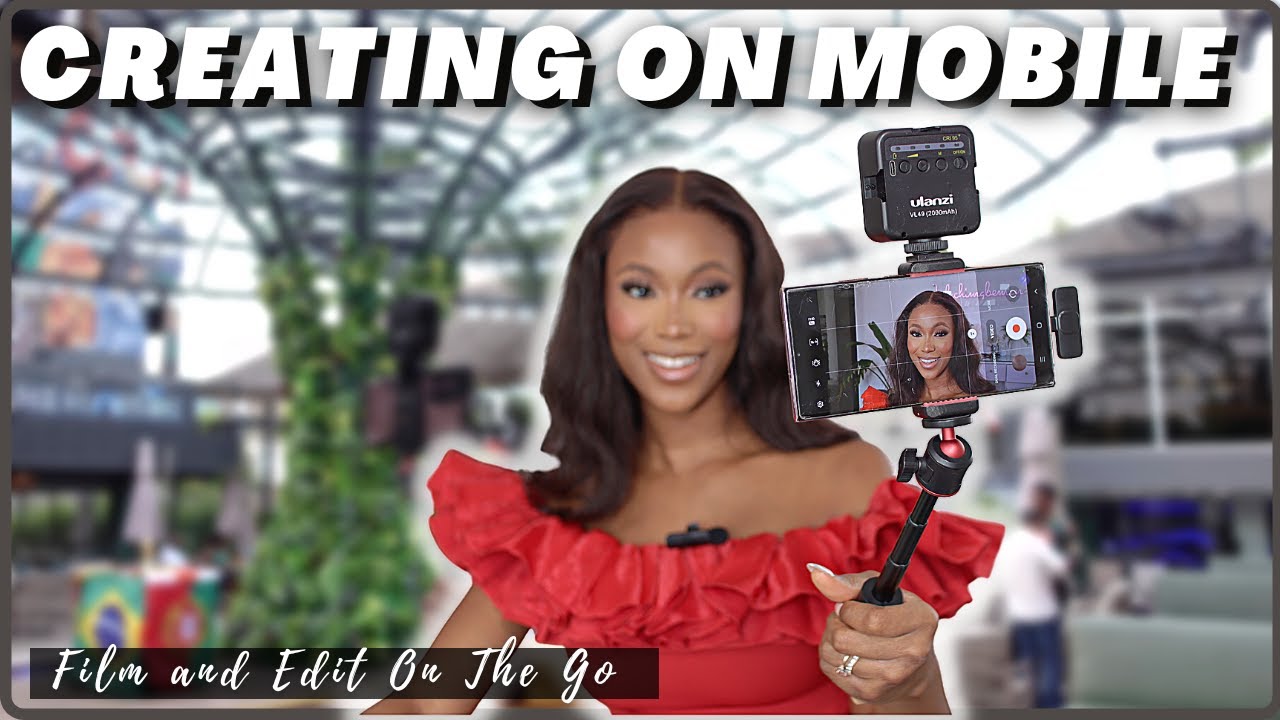
Achieving professional-sounding video hinges significantly on clear and crisp audio. While smartphones have advanced considerably, their built-in microphones often struggle in less-than-ideal conditions. This section will guide you through essential techniques to elevate your smartphone audio quality, ensuring your message is heard as clearly as it is seen.Mastering audio capture requires understanding your environment and utilizing your smartphone’s capabilities effectively, along with considering external enhancements.
By implementing these strategies, you can dramatically improve the overall production value of your videos.
Reducing Background Noise During Smartphone Video Recording
Minimizing unwanted ambient sounds is crucial for dialogue clarity. Background noise can distract viewers and make your content appear amateurish. Several methods can be employed to mitigate these distractions, even with your smartphone’s native microphone.Effective strategies for noise reduction include:
- Choose a Quiet Location: Whenever possible, select a recording environment with minimal ambient noise. This might involve finding a room away from traffic, air conditioning units, or noisy appliances.
- Positioning Relative to Noise Sources: If a perfectly quiet location isn’t feasible, position your subject and the smartphone to minimize the impact of unavoidable noise. For instance, place your subject facing away from a window overlooking a busy street.
- Utilize Directional Recording (if available): Some smartphone apps or native camera settings offer directional audio recording options. Experiment with these to focus the microphone’s pickup pattern towards your subject.
- Record During Quieter Times: If you’re filming outdoors or in a location with predictable noise patterns (like rush hour traffic), try to schedule your recording sessions during quieter periods.
- Post-Production Noise Reduction: While it’s best to capture clean audio initially, many video editing applications offer tools to reduce background noise. However, excessive noise reduction can sometimes degrade the primary audio.
Positioning Your Smartphone to Capture Clear Dialogue
The placement of your smartphone directly impacts the quality of the audio it captures. Proper positioning ensures that the microphone is oriented correctly to pick up your subject’s voice with optimal clarity and minimal distortion.Key considerations for smartphone positioning include:
- Proximity to the Subject: The closer the smartphone is to the speaker’s mouth, the stronger and clearer the audio signal will be. Aim for a distance of about 1 to 3 feet (0.3 to 1 meter) for most situations.
- Avoiding Obstructions: Ensure that nothing is physically blocking the microphone on your smartphone. This includes your fingers, a phone case, or other objects.
- Orientation of the Microphone: Most smartphones have their primary microphone located at the bottom edge. Position the phone so this microphone is directed towards the speaker.
- Consistent Distance: For interviews or dialogue-heavy scenes, try to maintain a consistent distance between the smartphone and the speaker throughout the recording to avoid fluctuations in audio levels.
Comparing Built-in Microphones Versus External Options
While smartphone microphones have improved, they generally have limitations in terms of sensitivity, frequency response, and noise rejection compared to dedicated external microphones. Understanding these differences will help you decide when an external solution is necessary.Here’s a comparison of audio quality:
| Feature | Built-in Smartphone Microphone | External Microphone |
|---|---|---|
| Audio Quality | Adequate for casual use; can sound thin or muffled in noisy environments. | Significantly clearer, richer, and more detailed sound with better frequency response. |
| Noise Rejection | Poor; picks up a lot of ambient sound. | Superior; directional microphones can isolate the subject’s voice. |
| Sensitivity | Lower; requires subjects to be closer. | Higher; can capture audio from a greater distance. |
| Connectivity | Integrated; no extra setup needed. | Requires connection via headphone jack, USB-C, Lightning port, or wireless receiver. |
| Cost | Free (included with the phone). | Varies from affordable lavalier mics to more expensive shotgun mics. |
For professional-quality audio, especially in challenging environments or for dialogue-centric content, investing in an external microphone is highly recommended.
Best Practices for Recording Audio in Different Environments
Adapting your audio recording strategy to the specific environment is key to capturing the best possible sound. Each location presents unique challenges and opportunities for audio capture.Here are best practices for various environments:
- Indoor, Quiet Environments (e.g., office, studio):
- Position the smartphone close to the speaker.
- Use a pop filter or windscreen if the speaker is prone to plosives (harsh “p” and “b” sounds).
- Consider using a small tripod or stand to position the phone at the speaker’s level, further away from potential desk or computer noises.
- Indoor, Noisy Environments (e.g., cafe, event hall):
- Prioritize external microphones, such as a lavalier microphone clipped to the speaker’s clothing, to get the mic close to the sound source.
- If using the built-in mic, place it as close as possible to the speaker and try to position it to minimize the direct pickup of ambient noise.
- Record at a slightly higher volume, but be mindful of clipping (distortion).
- Outdoor Environments (e.g., park, street):
- Always use a windscreen or “dead cat” on your external microphone, or even on the smartphone itself if possible, to reduce wind noise.
- Be aware of traffic, crowds, and other unpredictable sounds. Record during less busy times if possible.
- Consider using a directional microphone to focus on the subject and reject off-axis noise.
- Environments with Reverberation (e.g., empty rooms, large halls):
- Reduce echo by using soft furnishings like carpets, curtains, or even blankets to absorb sound.
- Position the smartphone closer to the speaker and further from hard, reflective surfaces.
- For interviews, consider conducting them in a smaller, more furnished space within the larger area if available.
Basic Smartphone Video Editing Workflow
Once you’ve captured your footage, the next crucial step is to bring it all together into a polished final product. Fortunately, with the advancements in smartphone technology and the availability of powerful editing apps, you can now create professional-looking videos directly on your device without needing a computer. This section will guide you through a streamlined editing process, making your video creation journey even more efficient and accessible.This workflow is designed to be intuitive and straightforward, even for beginners.
By following these steps, you’ll learn to transform raw clips into engaging narratives, add depth with audio elements, and ultimately produce videos that stand out.
Step-by-Step Smartphone Video Editing Process
Editing on a smartphone involves a series of logical steps, from importing your footage to exporting the final video. Each stage is designed to build upon the last, ensuring a smooth and effective editing experience.
- Import Footage: Open your chosen editing app and import all the video clips and any audio files you intend to use. Most apps allow you to access your phone’s media library directly.
- Rough Cut: Begin by placing your clips onto the timeline in the general order you envision for your final video. This is where you’ll make initial cuts to remove unwanted parts from the beginning and end of each clip.
- Fine-Tuning and Arrangement: Refine your cuts to ensure smooth transitions between clips. Rearrange clips as needed to improve the flow and storytelling of your video.
- Adding Audio: Incorporate background music, sound effects, or voiceovers to enhance the mood and impact of your video. Adjust the volume levels to ensure dialogue or primary audio is clear.
- Color Correction and Effects: Apply basic color adjustments to enhance the visual appeal of your footage. You might also add simple transitions or text overlays at this stage.
- Review and Refine: Watch your video from beginning to end to catch any errors, pacing issues, or areas that could be improved. Make final adjustments as necessary.
- Export: Once you are satisfied with your edit, export the video in your desired resolution and format.
Popular and User-Friendly Mobile Video Editing Applications
The market offers a diverse range of mobile video editing applications, each with its own strengths and target audience. For those starting out, it’s beneficial to explore apps that balance powerful features with an intuitive interface.
- InShot: Widely praised for its ease of use, InShot offers a comprehensive set of tools for trimming, merging, adding music, text, and filters. It’s excellent for social media content.
- CapCut: Developed by ByteDance, CapCut has gained immense popularity for its advanced features, including keyframe animation, motion tracking, and a vast library of effects and templates, all within a user-friendly interface.
- KineMaster: KineMaster provides a more professional-level editing experience with multi-layer timelines, precise trimming, and a wide array of blending modes and visual effects.
- Adobe Premiere Rush: For users familiar with Adobe’s professional software, Premiere Rush offers a simplified, cross-platform editing experience that syncs with Adobe Creative Cloud.
- iMovie (iOS only): A free and powerful option for Apple users, iMovie provides a streamlined interface with templates, themes, and essential editing tools.
Trimming, Cutting, and Arranging Video Clips Effectively
The foundation of good video editing lies in skillfully manipulating your clips. Trimming and cutting are essential for removing extraneous footage, while effective arrangement ensures a compelling narrative.When trimming, focus on identifying the exact start and end points of each clip that you want to keep. This often involves subtle adjustments to ensure that no unnecessary pauses or awkward moments remain.
Cutting, on the other hand, is about removing sections from the middle of a clip or separating a clip into multiple parts.Arranging your clips on the timeline is where you build the story. Consider the pacing and flow:
- Chronological Order: For straightforward narratives, arranging clips in the order they were filmed is often the most logical approach.
- Thematic Grouping: If your video covers different aspects of a topic, group related clips together, even if they were filmed at different times.
- Pacing and Rhythm: Vary the length of your clips to create a dynamic viewing experience. Shorter clips can increase energy, while longer clips can allow for more emotional impact or detailed explanation.
- Storyboarding: Even a simple mental storyboard can help you visualize the sequence of shots before you start editing, saving time and effort.
Many editing apps allow you to simply drag and drop clips on the timeline, making rearrangement a fluid process.
Adding Background Music and Sound Effects
Audio plays a pivotal role in setting the tone and enhancing the emotional impact of your videos. Background music can evoke specific feelings, while sound effects can add realism or emphasize actions.When selecting background music, consider the genre and tempo that best complements your video’s content and mood. Many editing apps offer built-in music libraries, or you can import your own licensed tracks.
It’s crucial to ensure you have the rights to use any music to avoid copyright issues.
The right music can transform a good video into a memorable one.
Sound effects can be used to highlight key moments, such as a “whoosh” sound for a quick transition or a “ding” for an important notification. These subtle additions can significantly improve the viewer’s engagement and understanding. When adding audio elements, pay close attention to volume levels. Your primary audio, such as dialogue or narration, should always be clear and audible above the background music.
Most apps provide tools to adjust the volume of individual tracks and fade them in or out smoothly.
Optimizing Audio Capture on Your Smartphone
While this section focuses on editing, it’s worth reiterating the importance of good audio capture during filming, as it directly impacts the editing process. Poor audio quality can be very difficult to fix in post-production.Ensure your smartphone’s microphone is not obstructed and consider using external microphones designed for smartphones, such as lavalier mics or shotgun mics, for significantly improved sound clarity.
Recording in quieter environments will also reduce the need for extensive noise reduction during editing.
Lighting Strategies for Smartphone Videos
Effective lighting is a cornerstone of professional-looking video production, transforming even the most basic smartphone footage into something polished and engaging. It’s not just about making things visible; it’s about shaping the mood, highlighting your subject, and guiding the viewer’s eye. Fortunately, you don’t need a Hollywood studio to achieve great lighting. This section will explore how to leverage both natural and affordable artificial light sources to elevate your smartphone videography.Understanding how light interacts with your subject and environment is crucial.
Strategic lighting can add depth, dimension, and a professional aesthetic to your videos, making them more visually appealing and impactful. We will delve into practical techniques for designing effective lighting setups that are both accessible and impactful.
Designing a Basic Lighting Setup Using Natural Light Sources
Natural light is a readily available and often beautiful resource for illuminating your subjects. By understanding its properties and how to work with it, you can achieve soft, flattering light with minimal effort and cost. The key is to position your subject and camera in relation to windows or other natural light sources to control the direction and intensity of the light.When using natural light, consider the following strategies:
- Window Light: Position your subject facing a window. This provides soft, diffused light that wraps around the face, minimizing harsh shadows. If the light is too direct and creating strong shadows, you can diffuse it further by using a sheer curtain or a white sheet.
- Backlighting with Natural Light: Placing your subject with a window behind them can create a silhouette effect or a dramatic rim light. This technique is often used for artistic shots or to separate the subject from the background. Be mindful of exposing for the subject’s face if you want to retain detail.
- Golden Hour and Blue Hour: These times of day, shortly after sunrise and before sunset, offer exceptionally beautiful and soft natural light. The warm tones of the golden hour are ideal for creating a cozy and inviting atmosphere, while the cooler tones of the blue hour can evoke a sense of calm or drama.
- Overcast Days: Overcast skies act as a giant diffuser, providing very soft and even light. This is an excellent condition for shooting portraits or interviews as it minimizes harsh shadows and is generally flattering for most subjects.
Using Affordable Artificial Lights to Improve Illumination
While natural light is excellent, it’s not always consistent or available. Affordable artificial lights can provide control and enhance your lighting setups. These lights can supplement natural light or be used entirely on their own to create a controlled and professional look. The goal is to add fill light, key light, or accent light to sculpt your subject and create a desired mood.Here are some effective ways to use affordable artificial lights:
- LED Panel Lights: These are versatile and relatively inexpensive. Many offer adjustable brightness and color temperature, allowing you to match them with ambient light or create specific looks. A single LED panel can serve as a key light, providing the primary illumination for your subject.
- Ring Lights: Popular for their ability to provide a soft, even light that wraps around the subject’s face, minimizing shadows and creating attractive catchlights in the eyes. They are particularly useful for close-ups and vlogging.
- Work Lights and Desk Lamps: Simple household lights can be surprisingly effective. Use them with diffusion materials like parchment paper or thin white fabric to soften the light and prevent harshness.
- DIY Diffusion: Even with basic lights, diffusion is key. You can create a softbox effect by placing a white translucent material (like a shower curtain or a white trash bag) in front of your light source.
Comparing the Effectiveness of Different Lighting Patterns for Subjects
The way light falls on a subject’s face, known as lighting patterns, significantly impacts the mood and perception of the subject. Different patterns can emphasize features, create drama, or convey a sense of approachability. Understanding these patterns allows you to intentionally shape the look of your video.Here’s a comparison of common lighting patterns and their effects:
- Front Lighting: When the light source is directly in front of the subject, it illuminates their face evenly, minimizing shadows. This is often perceived as open, honest, and direct, making it suitable for interviews or situations where clarity is paramount. However, it can sometimes appear flat.
- Side Lighting (Split Lighting): With the light source positioned to the side of the subject, approximately 90 degrees from the camera, one side of the face is fully lit, while the other is in shadow. This creates a dramatic and sculpted look, emphasizing facial features and adding depth. It can convey mystery or intensity.
- Rembrandt Lighting: A more nuanced form of side lighting, Rembrandt lighting creates a small triangle of light on the shadowed cheek, directly under the eye. This is achieved by positioning the light source slightly higher and more to the side than split lighting. It’s a classic pattern that adds sophistication and depth without being overly harsh.
- Loop Lighting: The light source is positioned at a 45-degree angle to the subject and slightly above eye level, creating a small shadow of the nose that loops down towards the corner of the mouth. This pattern is generally flattering and adds dimension without being overly dramatic.
- Butterfly Lighting (Paramount Lighting): The light source is placed directly in front of and above the subject, creating a butterfly-shaped shadow directly under the nose. This pattern is often used for glamour shots and can accentuate cheekbones.
Creating Depth and Dimension with Strategic Lighting Placement
Beyond simply illuminating your subject, strategic lighting placement is essential for adding depth, dimension, and visual interest to your smartphone videos. This involves using multiple light sources to sculpt your subject and separate them from the background, preventing a flat, two-dimensional look.Consider these techniques for creating depth and dimension:
- Key Light: This is the primary light source that illuminates your subject. Its position, intensity, and color temperature will largely define the look of your video.
- Fill Light: Placed on the opposite side of the key light, the fill light softens the shadows created by the key light. It doesn’t need to be as bright as the key light; its purpose is to reduce contrast and reveal detail in the shadowed areas. A reflector can also serve as a fill light.
- Backlight (Hair Light or Rim Light): Positioned behind and slightly above your subject, a backlight creates a luminous Artikel around their hair and shoulders. This effectively separates the subject from the background, adding a sense of depth and professionalism.
- Background Light: A separate light aimed at the background can further enhance separation and add visual interest. This could be a subtle wash of color or a focused beam to highlight a specific element in the background.
- Controlling Light Spill: Use flags, gobos, or even your hands to control where the light falls, preventing it from spilling onto areas you don’t want illuminated, such as the background when you want it dark.
Sound Design for Mobile Productions
While visual appeal is crucial, exceptional audio is what truly elevates a video from amateur to professional. In mobile productions, where microphones are often built-in, meticulous attention to sound design is paramount for a clear and engaging viewer experience. This section delves into techniques to ensure your audio is as polished as your visuals.The clarity of spoken words is the foundation of most video content.
Without clear dialogue, viewers will struggle to connect with your message, leading to frustration and disengagement. Fortunately, several methods can significantly enhance vocal clarity, even when relying on your smartphone’s microphone.
Enhancing Spoken Word Clarity
Achieving crisp and understandable dialogue on a smartphone involves a combination of recording techniques and post-production adjustments. These methods focus on isolating the voice and minimizing unwanted noise.
- Proximity to the Microphone: The closer the speaker is to the smartphone’s microphone, the stronger and clearer the audio signal will be. Aim for the speaker to be within a few inches of the device, ensuring the microphone is pointed towards their mouth. This directness reduces the impact of background noise.
- Minimizing Background Noise: Recording in quiet environments is the most effective way to ensure clear speech. Turn off fans, air conditioners, and any other noisy appliances. If external noise is unavoidable, consider using noise-reduction features in your editing software.
- Using a Windscreen: Even slight breezes can create significant rumble on recordings. A small foam windscreen, often inexpensive and readily available, can dramatically reduce wind noise when filming outdoors or near a fan.
- Vocal EQ and Compression: In post-production, applying equalization (EQ) can help to boost the frequencies that make speech sound clear and present (typically in the 2-5 kHz range). Compression can even out the volume of the dialogue, making quieter parts audible and louder parts less jarring.
The auditory environment in which you record has a profound impact on the overall viewer experience. Unwanted ambient sounds can distract from your content, making it sound unprofessional and amateurish. Understanding and managing these sounds is key to creating a polished final product.
Impact of Ambient Sound
Ambient sound, also known as background noise or room tone, refers to all the sounds present in your recording environment besides the intended audio source, such as dialogue or music. Its presence, or absence, significantly shapes how your audience perceives your video.
- Distraction and Disengagement: Loud or intrusive ambient sounds, like traffic, air conditioning hum, or chatter, can pull viewers’ attention away from your main subject matter. This distraction can lead to a loss of focus and ultimately, disengagement with your content.
- Perception of Quality: Videos with excessive background noise often sound amateurish and low-budget. Conversely, clean audio with minimal ambient sound conveys a sense of professionalism and care, enhancing the perceived quality of your production.
- Emotional Tone: Ambient sound can subtly influence the emotional tone of your video. For instance, a quiet, controlled environment might create a sense of intimacy or seriousness, while a livelier background could contribute to a more energetic or casual feel. However, this must be intentional; unintentional ambient noise rarely contributes positively.
- Dialogue Intelligibility: The most direct impact of ambient sound is on the clarity of dialogue. When background noise is too loud, it can mask or distort the spoken words, making them difficult to understand.
Balancing the levels of music and dialogue is a delicate art that ensures neither element overpowers the other, creating a harmonious listening experience. When executed correctly, music can enhance emotion and pacing, while dialogue remains clear and understandable.
Balancing Music and Dialogue Levels
Achieving an optimal balance between music and dialogue is crucial for effective storytelling and audience comprehension. The goal is to have music support the narrative without hindering the clarity of the spoken word.
- Dialogue as the Priority: In most video productions, spoken dialogue is the primary element. Therefore, it should generally be the loudest and clearest element in the mix. Music should be mixed underneath the dialogue, often dipping in volume when someone is speaking and rising again during pauses or instrumental sections.
- Using Music for Emotion and Pacing: Music’s role is often to evoke emotion, set a mood, or underscore key moments. Its volume should be adjusted to complement these aims without becoming a distraction. For example, a dramatic scene might benefit from a slightly more prominent musical score, but it should still never make the dialogue unintelligible.
- The “Duck” Effect: Many editing software programs offer an automatic “ducking” feature. This function automatically lowers the volume of music (or other background audio) whenever dialogue is detected, and then raises it again when the dialogue stops. This is a highly effective way to maintain dialogue clarity.
- Listening Critically: The best way to ensure proper balance is to listen to your mix on different devices and at various volume levels. What sounds balanced on headphones might not on small laptop speakers. Pay attention to how the dialogue sounds when the music is present.
- Subtlety is Key: Often, less is more. Music that is too loud or too prominent can detract from the visual storytelling and the message being conveyed. Aim for a subtle enhancement rather than a dominant presence.
Even with the best recording practices, audio pitfalls can easily creep into your production, undermining its quality. Being aware of these common mistakes allows you to proactively avoid them during recording and address them effectively during the editing process.
Common Audio Pitfalls
Recognizing and mitigating common audio mistakes is essential for producing professional-sounding videos with your smartphone. These pitfalls can occur at various stages of the production process.
- Recording in Noisy Environments: As discussed, this is a primary source of audio degradation. Attempting to “fix” heavily noisy audio in post-production is often an uphill battle and can result in an unnatural, artifact-laden sound.
- Poor Microphone Placement: Even with a good microphone, incorrect placement can lead to muffled audio, excessive plosives (harsh “p” and “b” sounds), or an inconsistent volume. Ensuring the microphone is consistently aimed at the speaker’s mouth is vital.
- Ignoring Room Acoustics: Hard surfaces in a room can cause echoes and reverb, making dialogue sound distant and unclear. Recording in spaces with soft furnishings like carpets, curtains, and upholstered furniture can help absorb sound and reduce echo.
- Over-reliance on Smartphone Speakers: Using your smartphone’s built-in speakers for playback during editing or monitoring can be misleading. These speakers are not designed for accurate audio reproduction, and you might miss subtle audio issues that would be apparent on proper headphones or studio monitors.
- Clipping and Distortion: This occurs when the audio signal is too strong for the recording device to handle, resulting in an unpleasant, distorted sound. Monitoring audio levels during recording and ensuring they do not reach the maximum (red zone) is crucial.
- Inconsistent Volume Levels: Dialogue that fluctuates wildly in volume, or music that suddenly jumps in loudness, can be jarring for the viewer. Proper use of compression and volume automation in editing is necessary to create a smooth listening experience.
Final Conclusion
In conclusion, the power to create professional-quality videos now rests comfortably in your pocket. By understanding your smartphone’s potential, investing wisely in simple accessories, and applying the techniques for meticulous planning, filming, and editing, you are equipped to produce content that truly stands out. Embrace these strategies and unlock your mobile filmmaking prowess, turning everyday moments into compelling visual stories.