Embarking on the journey of video podcasting can seem daunting, but with a structured approach, it becomes an achievable and rewarding endeavor. This comprehensive guide will walk you through every essential step, from understanding the foundational elements to effectively engaging with your audience.
We will delve into the specifics of planning your content, setting up an optimal recording environment, mastering the art of recording, refining your production through editing, and strategically publishing your work to reach a wider audience. By the end, you will possess the knowledge and confidence to bring your video podcast vision to life.
Understanding the Fundamentals of Video Podcasting
Video podcasting represents a dynamic evolution of traditional audio content, blending the intimacy of spoken word with the visual engagement of video. This format allows creators to connect with their audience on a deeper level, offering a richer and more immersive experience. By incorporating visual elements, video podcasts can convey information, demonstrate concepts, and build stronger personal connections, thereby expanding their reach and impact.The core concept of a video podcast lies in its dual nature: it is a podcast that is also a video.
While an audio podcast relies solely on sound to deliver its message, a video podcast adds a visual dimension, allowing viewers to see the hosts, guests, and any accompanying visual aids. This distinction is crucial for understanding the strategic advantages and technical considerations involved in creating this engaging medium.
Distinction from Traditional Audio Podcasts
Traditional audio podcasts have long been a popular medium for information sharing and entertainment, accessible through various audio platforms. They are designed for listening, making them ideal for multitasking activities like commuting or exercising. The focus is entirely on the auditory experience, with emphasis placed on the quality of sound, clarity of speech, and engaging narrative.Video podcasts, conversely, are designed for viewing and listening.
They leverage the visual aspect to enhance storytelling, provide context, and foster a more personal connection with the audience. This could involve seeing the hosts’ expressions and body language, observing demonstrations, or viewing supplementary graphics and B-roll footage. The added visual layer can significantly increase engagement and comprehension, making complex topics more accessible and personalities more relatable. For instance, a cooking podcast would benefit immensely from showing the actual preparation steps, a stark contrast to an audio-only version that would rely solely on descriptive language.
Essential Equipment for Starting a Video Podcast
Embarking on video podcasting requires a thoughtful approach to equipment selection, balancing quality with budget. While professional studios can invest heavily, a beginner can achieve excellent results with a focused set of tools. The primary goal is to ensure clear audio and video, which are the cornerstones of a professional-sounding and looking podcast.Here are the essential equipment categories to consider when starting your video podcasting journey:
- Camera: A good quality webcam or a digital camera that can record high-definition video (1080p or 4K) is crucial. Many modern smartphones also offer excellent video recording capabilities, making them a viable starting point. For example, a Logitech C920 webcam is a popular and affordable choice for beginners, while a mirrorless camera like a Sony Alpha a6400 offers higher quality and more control for those with a larger budget.
- Microphone: Audio quality is paramount. A dedicated external microphone will significantly outperform your camera’s built-in mic. USB microphones are user-friendly for beginners, while XLR microphones connected to an audio interface offer greater flexibility and professional sound. The Blue Yeti is a widely recommended USB microphone, known for its versatility. For XLR options, the Shure SM58 is a workhorse for vocals, requiring an audio interface like the Focusrite Scarlett 2i2.
- Lighting: Proper lighting can transform the look of your video, making it appear more professional and engaging. Natural light is a great free option, but controlled artificial lighting offers consistency. A simple ring light can provide flattering illumination for a single host, while a three-point lighting setup (key light, fill light, and back light) offers more sophisticated control for multiple subjects or complex backgrounds.
A Neewer Ring Light Kit is a popular and affordable entry-level option.
- Tripod or Mount: A stable camera is essential for a professional look. A tripod will keep your camera steady, preventing shaky footage. Ensure the tripod is compatible with your camera or webcam.
- Recording Software: You’ll need software to capture your video and audio. Options range from free built-in tools like OBS Studio (Open Broadcaster Software) to more advanced paid software. OBS Studio is a powerful, free, and open-source option that supports screen recording, webcam capture, and scene switching, making it ideal for various podcasting needs.
- Editing Software: Once recorded, your footage will need editing. Free options like iMovie (for Mac) and DaVinci Resolve (for Windows and Mac) are powerful tools. Paid options like Adobe Premiere Pro and Final Cut Pro offer more advanced features. DaVinci Resolve is particularly noteworthy for its professional-grade editing, color correction, and audio post-production capabilities, all available for free.
Benefits of Incorporating Video into a Podcasting Strategy
Adding a video component to your podcast can unlock a wealth of opportunities and significantly enhance your overall content strategy. The visual dimension offers unique advantages that can deepen audience engagement, broaden your reach, and create new avenues for monetization and brand building.The advantages of integrating video are multifaceted and can profoundly impact your podcast’s success:
- Enhanced Audience Engagement: Video allows for non-verbal communication, such as facial expressions, gestures, and body language, which can make hosts and guests more relatable and engaging. This visual connection can foster a stronger sense of intimacy and trust with your audience. For instance, a podcast discussing emotional topics can convey empathy more effectively through visual cues than through audio alone.
- Increased Accessibility and Reach: Platforms like YouTube have a massive user base, offering a significant opportunity to reach new audiences who might not typically seek out audio-only podcasts. Many people prefer visual content, and a video podcast makes your content discoverable to a broader demographic. Consider how a tutorial on a complex software application would be far more effective and accessible when demonstrated visually on YouTube.
- Deeper Content Exploration: Video enables the use of visual aids, such as on-screen graphics, charts, demonstrations, and B-roll footage, which can clarify complex information and make abstract concepts more tangible. This visual reinforcement can lead to better comprehension and retention of information. A history podcast, for example, could use archival footage or maps to illustrate historical events, making them more vivid for the viewer.
- Stronger Personal Branding: Seeing your face and personality on screen helps build a stronger personal brand and connection with your audience. This visual representation can make your podcast feel more like a personal interaction, akin to a one-on-one conversation. This is particularly beneficial for solo hosts or small teams looking to establish a recognizable presence.
- New Monetization Opportunities: Video platforms often offer more diverse monetization options, including ad revenue sharing (e.g., YouTube Ads), sponsorships, and the ability to promote merchandise or digital products more effectively through visual calls to action. The visual medium can also support direct sales through links and integrated shopping features on some platforms.
- Improved and Discoverability: Video content, especially on platforms like YouTube, is highly searchable. Optimizing video titles, descriptions, and tags can significantly improve your podcast’s visibility in search engine results, driving more organic traffic to your content.
“The fusion of audio and visual elements in podcasting creates a more compelling and accessible experience for a wider audience.”
Setting Up Your Recording Environment
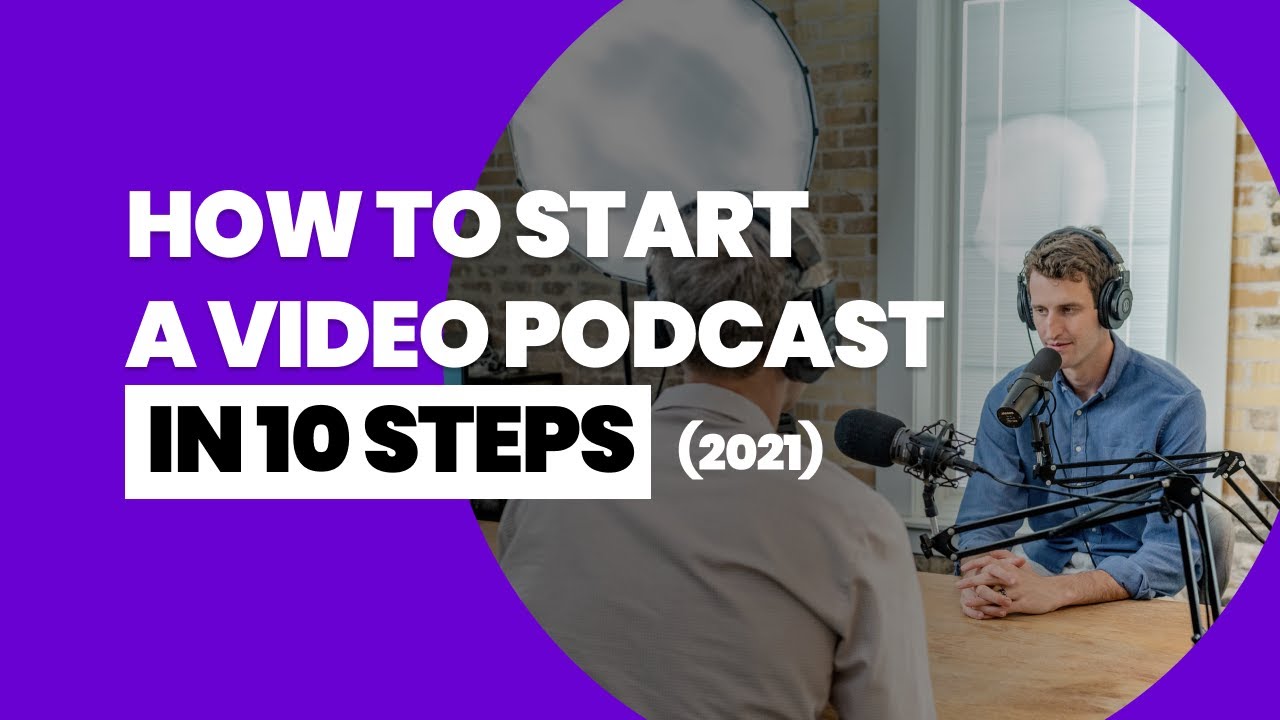
Creating a professional-looking and sounding video podcast starts with a well-prepared recording space. This section will guide you through optimizing your environment for both visual appeal and audio clarity, ensuring your content captivates your audience from the first frame to the last.A successful video podcast hinges on a harmonious blend of excellent audio and compelling visuals. By thoughtfully arranging your lighting, setting up your audio equipment, and designing an engaging background, you lay the foundation for a polished and professional production.
Optimizing Lighting for Video Podcast Recordings
Effective lighting is paramount in video production, as it directly influences the mood, professionalism, and overall watchability of your content. The goal is to create a well-lit scene that flatters your subject and minimizes distractions.To achieve optimal lighting, consider a three-point lighting setup. This classic technique involves three light sources: a key light, a fill light, and a back light.
- Key Light: This is the primary light source, typically positioned at a 45-degree angle to your subject and slightly above eye level. It should be the brightest light, illuminating your subject and creating the main shadows.
- Fill Light: Placed on the opposite side of the key light, the fill light softens the shadows created by the key light. It should be less intense than the key light to avoid flattening the image.
- Back Light (or Hair Light): Positioned behind and above your subject, this light separates the subject from the background, adding depth and dimension. It helps to create a halo effect around the hair and shoulders.
Beyond the three-point setup, consider the following:
- Natural Light: Large windows can provide beautiful, diffused natural light. Position yourself facing the window to avoid harsh shadows. Be mindful of changes in natural light throughout the day and consider using blackout curtains or diffusers to control it.
- Soft Light vs. Hard Light: Soft light, achieved through diffusers or bouncing light off surfaces, creates gentle shadows and is generally more flattering. Hard light, from a direct, un-diffused source, creates sharp, defined shadows and can be used for dramatic effect, but is often less ideal for standard podcasting.
- Color Temperature: Ensure your lights have a consistent color temperature (measured in Kelvin). Daylight is around 5500K, while tungsten bulbs are around 3200K. Mismatched color temperatures can result in an unnatural color cast. LED lights often offer adjustable color temperature.
Audio Setup Recommendations for Clear Sound Quality
While visuals draw viewers in, superior audio quality is what keeps them engaged. Poor audio can quickly lead to viewers abandoning your podcast, regardless of how compelling the content might be. Investing time and resources in a good audio setup is non-negotiable.The core principle of excellent audio is minimizing unwanted noise and ensuring your voice is captured clearly and consistently.
This involves careful selection and placement of your microphone, as well as consideration of your recording space’s acoustics.
Background Considerations and Visual Setting
Your background is more than just a backdrop; it’s an extension of your brand and a crucial element in conveying your podcast’s tone and professionalism. A well-designed background enhances viewer engagement and helps to establish credibility.When considering your background, aim for a balance between visual interest and minimal distraction. It should complement your content without overpowering it.
- Simplicity and Cleanliness: A cluttered or distracting background can pull attention away from you and your message. Opt for a clean, organized space. This could be a plain wall, a bookshelf with strategically placed items, or a dedicated studio backdrop.
- Branding Elements: Incorporate elements that align with your podcast’s brand. This might include your logo, brand colors, relevant artwork, or props that relate to your topic. Ensure these elements are subtle and not overwhelming.
- Depth and Dimension: A flat background can make your video feel amateurish. Adding depth can be achieved by having objects at varying distances from the camera, such as plants, artwork, or furniture.
- Acoustic Treatment: While primarily for audio, some background elements can also help with acoustics. Soft furnishings like rugs, curtains, and upholstered furniture can absorb sound reflections, reducing echo and reverb in your recording space.
- Professionalism: Even a simple background can convey professionalism if it’s well-lit and tidy. Avoid busy patterns, distracting posters, or anything that might appear unprofessional to your target audience.
Microphone Choice and Positioning for Optimal Video Podcast Audio
The microphone is the most critical piece of audio equipment for any podcast. Choosing the right microphone and positioning it correctly will make a significant difference in the clarity and quality of your audio.There are several types of microphones suitable for podcasting, each with its own characteristics. For video podcasts, where you’re often speaking directly to the camera, certain types and placements are more effective.
Microphone Types:
- Condenser Microphones: These are highly sensitive and capture a wide range of frequencies, making them excellent for capturing subtle nuances in voice. They often require phantom power (48V) and are best used in quieter environments. For video podcasts, a large-diaphragm condenser is a popular choice for studio settings.
- Dynamic Microphones: These are more robust and less sensitive than condenser microphones, making them ideal for noisier environments as they are less likely to pick up background sounds. They are also less prone to plosives (popping sounds from ‘p’ and ‘b’ sounds). Dynamic microphones are a great option for less acoustically treated spaces.
- Lavalier Microphones (Lapel Mics): These small microphones clip onto your clothing and are ideal for situations where you might be moving around or for multiple speakers who need individual mics. They offer consistent audio capture as they remain close to the speaker’s mouth.
Microphone Positioning:
Proper placement ensures that your voice is captured clearly without picking up excessive room noise or causing audio issues like plosives or proximity effect (an increase in bass response when the microphone is very close to the sound source).
- Distance: For most microphones, an optimal distance from your mouth is between 4 to 10 inches (10 to 25 cm). Experiment to find the sweet spot for your voice and microphone. Too close can lead to plosives and an unnatural boominess; too far can result in the microphone picking up too much room echo and ambient noise.
- Angle: Position the microphone slightly off-axis from your mouth (e.g., aimed towards your chin or the side of your mouth) rather than directly in front. This helps to reduce plosives.
- Pop Filter/Windscreen: A pop filter (a screen placed between your mouth and the microphone) or a foam windscreen is essential for mitigating plosive sounds, especially with condenser microphones.
- Environment: Consider the acoustics of your recording space. If your room has a lot of echo, you may need to position the microphone closer to your mouth and potentially use more sound-dampening materials in your background.
“The best microphone is the one that captures your voice clearly and naturally, without introducing unwanted noise or distortion.”
Recording Your Video Podcast
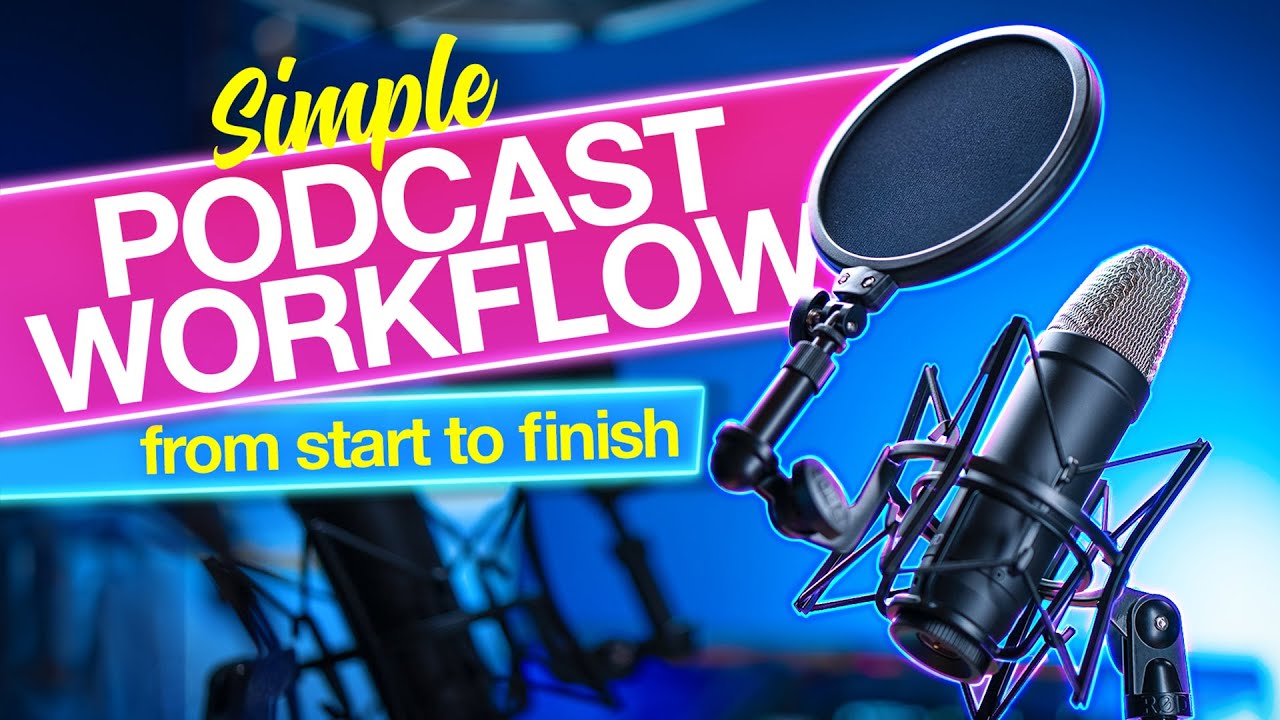
Now that you have a solid understanding of video podcasting fundamentals and a well-prepared recording environment, it’s time to capture your content. This section will guide you through the technical and performance aspects of recording, ensuring your video podcast looks and sounds professional, whether you’re flying solo or collaborating with guests remotely.
Achieving a polished look and feel for your video podcast hinges on effective camera operation and a compelling on-camera presence. These elements are crucial for keeping your audience engaged and conveying your message with clarity and impact.
Camera Operation and Framing Best Practices
Proper camera operation and framing are foundational to creating visually appealing video content. Strategic use of camera angles, shot composition, and movement can significantly enhance viewer engagement and the overall professional quality of your podcast.
- Camera Placement: Position your camera at eye level with the subject. This creates a natural and engaging perspective for the viewer, mimicking a face-to-face conversation. Avoid placing the camera too high or too low, as this can create an unflattering or distant feel.
- The Rule of Thirds: Imagine your frame is divided into nine equal sections by two horizontal and two vertical lines. Place key elements of your subject (like the eyes) along these lines or at their intersections. This creates a more balanced and visually interesting composition than centering the subject.
- Headroom and Lead Room: Ensure there’s adequate space above the subject’s head (headroom) to avoid a cramped feeling. For interviews or conversations, provide more space in the direction the subject is looking or speaking (lead room). This guides the viewer’s eye and suggests where the conversation is heading.
- Shot Variety: While a medium shot (from the waist or chest up) is common for interviews, incorporating wider shots (to establish the environment) or closer shots (for emphasis on expressions) can add dynamism. Plan these shots in advance if possible, or be prepared to adjust during editing.
- Focus and Stability: Maintain sharp focus on your subject’s eyes. Use a tripod or a stable surface to prevent shaky footage, which can be distracting and unprofessional. If you’re moving the camera, do so smoothly and deliberately.
Engaging with the Camera and Delivering a Compelling Performance
Connecting with your audience through the camera is paramount in video podcasting. It requires more than just speaking; it involves conveying personality, confidence, and genuine engagement.
- Direct Eye Contact: Look directly into the camera lens as if you are speaking to a specific person. This creates a sense of intimacy and direct connection with your viewers. Practice this to feel natural.
- Enthusiasm and Energy: Let your passion for the topic shine through. Vary your tone of voice, use hand gestures naturally, and maintain an energetic yet conversational delivery. Avoid a monotone or overly stiff presentation.
- Authenticity: Be yourself. Authenticity resonates with audiences and builds trust. Don’t try to imitate someone else’s style; embrace your unique personality.
- Storytelling and Examples: Weave stories and real-life examples into your narrative. This makes your content more relatable, memorable, and engaging. For instance, when discussing the benefits of a new technology, share a personal anecdote or a case study of how it has impacted a business.
- Practice and Rehearse: While you want to sound natural, some rehearsal can help you refine your points, improve your flow, and boost your confidence. However, avoid memorizing scripts word-for-word, as this can lead to a robotic delivery.
Recording Solo Video Podcast Episodes Effectively
Creating compelling solo video podcast episodes requires careful planning and execution to maintain viewer interest and ensure high-quality production without a co-host or interviewer.
- Scripting or Artikel: Develop a detailed Artikel or script for your episode. This provides structure and ensures you cover all your key points logically. However, allow for some flexibility to inject spontaneity.
- Visual Aids: Incorporate visual aids such as slides, B-roll footage, graphics, or on-screen text to break up talking-head segments and illustrate your points. For example, if you’re explaining a complex process, show diagrams or animations.
- Self-Talk Practice: Practice speaking directly to the camera. Imagine you are having a one-on-one conversation with a viewer. This helps you develop a natural and engaging delivery.
- Editing Strategy: Plan for editing by recording segments or “takes” that you can easily cut together. This allows you to correct mistakes, rephrase sentences, and ensure a smooth flow. You can also use jump cuts strategically to maintain pace.
- Clear Call to Action: At the end of your episode, provide a clear call to action, such as encouraging viewers to subscribe, leave comments, or visit your website.
Conducting Remote Interviews for Video Podcasts
Remote interviews are a cornerstone of many video podcasts, allowing you to connect with guests from anywhere in the world. Success relies on leveraging technology effectively and preparing both yourself and your guest.
To ensure a smooth and professional remote interview experience, it’s essential to utilize appropriate technology and establish clear communication protocols. This not only benefits the technical quality of the recording but also enhances the overall guest experience.
- Platform Selection: Use reliable video conferencing platforms that offer good audio and video quality and, importantly, have recording capabilities. Popular options include Zoom, Riverside.fm, StreamYard, and SquadCast. Some platforms offer separate audio tracks for each participant, which is invaluable for post-production.
- Guest Preparation: Before the interview, provide your guest with clear instructions regarding technical requirements (stable internet, good microphone, quiet environment), the interview topic, and any specific questions you plan to ask. Sending a brief Artikel can help them prepare their thoughts.
- Technical Checks: Conduct a brief technical check with your guest before the official recording begins. This includes testing their microphone, camera, lighting, and internet connection. Ensure they are familiar with the platform you are using.
- Recording Strategy: If possible, record each participant’s audio and video locally on their end in addition to recording the conference call. This ensures the highest quality footage, as local recordings are not affected by internet fluctuations. Platforms like Riverside.fm and SquadCast are designed for this.
- Engagement During the Interview: While conducting the interview, maintain consistent eye contact with your camera (not the guest’s video feed) to simulate direct conversation. Listen actively, ask follow-up questions, and be mindful of the guest’s responses to encourage a natural flow. Avoid interrupting and allow for pauses.
- Post-Interview Follow-up: Thank your guest for their time and inform them about the next steps, such as when the episode is expected to be released.
Editing Your Video Podcast
Once you have captured all the necessary footage for your video podcast, the next crucial step is to bring it all together through editing. This process transforms raw recordings into a polished, engaging final product that captivates your audience. Editing allows you to refine your narrative, enhance visual appeal, and ensure a smooth viewing experience.Editing is where your creative vision truly comes to life.
It involves meticulously selecting the best takes, cutting out mistakes, adding supplementary visuals, and fine-tuning the audio to create a cohesive and professional presentation. A well-edited video podcast can significantly elevate its perceived quality and impact.
Essential Video Editing Steps
The editing process for a video podcast involves several key stages, each contributing to the final polished episode. Understanding these steps will help you approach the task systematically and efficiently.Here are the essential steps involved in editing your video podcast footage:
- Importing Footage: The first step is to transfer all your recorded video and audio files into your chosen editing software.
- Reviewing and Selecting Takes: Watch through all your footage to identify the best performances, moments, and segments.
- Rough Cut: Assemble the selected clips in chronological order to create a basic narrative flow. This is a preliminary assembly of your episode.
- Fine-tuning Cuts: Refine the transitions between clips, ensuring they are seamless and logical. Remove any unwanted pauses, stumbles, or redundant information.
- Adding B-roll and Graphics: Incorporate supplementary footage (B-roll) and visual elements like text overlays, logos, and animations to enhance engagement and illustrate your points.
- Audio Editing: Adjust audio levels, remove background noise, and ensure dialogue is clear and consistent.
- Color Correction and Grading: Enhance the visual appeal by adjusting colors, brightness, and contrast to create a consistent look and feel.
- Adding Music and Sound Effects: Incorporate background music and sound effects to set the mood and punctuate key moments.
- Exporting: Render your final edited video into a suitable format for distribution on your chosen platforms.
Beginner-Friendly Video Editing Software Options
Selecting the right video editing software is crucial, especially when you’re starting out. The best options for beginners strike a balance between powerful features and ease of use, allowing you to learn and grow without feeling overwhelmed.Several software applications cater specifically to beginners, offering intuitive interfaces and essential tools for video podcast editing. These platforms often provide tutorials and resources to help you get started quickly.Here are some popular and suitable video editing software options for beginners:
- iMovie (macOS and iOS): A free, user-friendly application pre-installed on Apple devices. It offers a straightforward interface with essential editing tools, templates, and effects, making it ideal for those new to video editing.
- DaVinci Resolve (Windows, macOS, Linux): While it has advanced features for professionals, DaVinci Resolve offers a free version that is incredibly powerful and surprisingly accessible for beginners. Its color correction tools are industry-leading.
- OpenShot (Windows, macOS, Linux): This is a free and open-source video editor that is known for its simple interface and ease of use. It’s a great option for those looking for a no-cost solution.
- Shotcut (Windows, macOS, Linux): Another free and open-source editor, Shotcut is a bit more feature-rich than OpenShot but still maintains a relatively accessible learning curve. It supports a wide range of formats.
- Adobe Premiere Rush (Windows, macOS, iOS, Android): A simplified version of Adobe Premiere Pro, Rush is designed for quick edits on the go. It offers cloud syncing and templates, making it convenient for multi-device workflows.
Video Podcast Editing Workflow Organization
An organized editing workflow is paramount to efficiently producing consistent and high-quality video podcast episodes. Establishing a clear process minimizes confusion, reduces the time spent on each episode, and ensures you don’t miss any crucial steps.A structured approach to editing will help you maintain momentum and deliver polished content reliably. This workflow can be adapted based on your personal preferences and the complexity of your episodes.Here’s a suggested workflow for efficiently editing your video podcast episodes:
- Project Setup: Create a new project in your editing software and organize your media files into dedicated folders (e.g., raw footage, audio, graphics, B-roll).
- Initial Import and Sync: Import all your video and audio files. If you recorded audio separately, sync it with the video footage.
- First Pass – The Rough Cut: Assemble the main narrative by placing your best takes in sequence. Focus on getting the core story down without worrying too much about perfection.
- Second Pass – Refinement: Trim clips, remove mistakes, and adjust pacing. Ensure smooth transitions between segments.
- Adding Visual Elements: Integrate B-roll footage, graphics, lower thirds (text overlays for names and titles), and any other visual aids to enhance understanding and engagement.
- Audio Enhancement: Work on the audio quality. Adjust levels, add background music, and incorporate sound effects where appropriate.
- Color Correction and Grading: Ensure a consistent visual look across all your clips. Adjust colors, brightness, and contrast.
- Review and Polish: Watch the entire episode from start to finish. Make any final tweaks to timing, pacing, or visual elements. Check for any audio issues.
- Final Export: Render the video in the appropriate format and resolution for your target platforms (e.g., YouTube, podcast directories).
Incorporating Visual Elements into Video Podcasts
Visual elements are what distinguish a video podcast from an audio-only one. Effectively incorporating B-roll, graphics, and other visuals can significantly enhance viewer engagement, clarify complex points, and add a professional polish to your content.These elements serve to break up monotony, provide context, and reinforce your message. They are powerful tools for storytelling and audience retention.Here’s how to effectively incorporate visual elements into your video podcast:
- B-roll: This is supplementary footage that plays over your main talking head segment. It can be anything from shots of the topic you’re discussing, to stock footage, to clips of your environment. B-roll helps to illustrate your points, keep the viewer visually stimulated, and cover jump cuts or pauses in your primary footage. For example, if you are discussing a historical event, showing relevant historical footage or images would be excellent B-roll.
- Graphics and Text Overlays: These include titles, lower thirds (identifying speakers), bullet points summarizing key information, quotes, or website addresses. They help viewers absorb information quickly and can reinforce your verbal message. For instance, displaying a statistic or a key takeaway as a text overlay can make it more memorable.
- Animations: Simple animations can be used to explain complex concepts visually, add visual interest, or create a more dynamic feel. This could be an animated diagram or a logo animation at the beginning and end of your episode.
- Screen Recordings: If you are demonstrating software, a website, or a digital process, screen recordings are essential. These should be clear and often accompanied by mouse click highlights or annotations.
- Images and Photos: Static images can be used to showcase products, illustrate historical figures, or display data in charts and graphs. Ensure they are high-resolution and relevant to the discussion.
“Visuals are not just decoration; they are integral to communication, especially in video.”
Enhancing Your Video Podcast with Audio and Visuals
Once you have successfully recorded and edited the core content of your video podcast, the next crucial step involves elevating its overall quality and viewer engagement through strategic audio and visual enhancements. This stage transforms a raw recording into a polished and professional production that captivates your audience and reinforces your message.Investing time in these refinements not only makes your podcast more enjoyable to watch and listen to but also significantly contributes to its perceived value and your credibility as a creator.
It’s about creating a cohesive and immersive experience that keeps viewers coming back for more.
Audio Quality Improvement Techniques
Superior audio is paramount for any podcast, and video podcasts are no exception. Viewers are often more forgiving of minor visual imperfections than they are of poor sound. Implementing a few key techniques can dramatically improve the listenability of your recordings.Before diving into specific methods, remember that the best audio is often achieved at the source. However, post-production offers powerful tools to clean up and enhance what you’ve captured.
- Noise Reduction: Utilize your editing software’s noise reduction tools to minimize background hums, clicks, or static. Apply these sparingly to avoid making the audio sound unnatural or “watery.”
- Equalization (EQ): Adjusting the frequencies can help clarify speech, add warmth, or reduce harshness. For instance, cutting low-end rumble can clean up the sound, while boosting mid-range frequencies can make voices more present.
- Compression: This process evens out the volume levels, making quiet parts louder and loud parts quieter. It creates a more consistent and easier-to-listen-to experience, especially when viewers might be listening in varying environments.
- De-essing: Sibilant sounds (like “s” and “sh”) can be harsh and distracting. A de-esser plugin can target and reduce these frequencies without affecting the overall vocal quality.
- Room Tone/Ambiance: Recording a minute of silence in your recording environment (without speaking) and using this “room tone” in your edit can help smooth out transitions and fill gaps, making the audio sound more natural.
Engaging Intro and Outro Sequence Creation
Your intro and outro are critical touchpoints that frame your video podcast. A compelling intro grabs attention immediately, setting the tone and informing viewers what to expect, while a strong outro reinforces your brand and encourages further engagement.Think of these as your podcast’s handshake and farewell. They should be consistent, professional, and reflective of your show’s personality.
- Visual Consistency: Use consistent branding elements such as your logo, color scheme, and font across all your intros and outros. This builds brand recognition.
- Concise Messaging: For intros, clearly state the podcast title and the episode’s topic or main guest. For outros, reiterate your call to action (subscribe, visit website, etc.) and thank your audience.
- Dynamic Visuals: Employ a mix of static graphics, animated elements, and perhaps short clips from the episode itself to create visual interest. Avoid overly long or complex sequences that might cause viewers to tune out.
- Memorable Audio: Develop a distinct intro and outro music theme that is catchy and aligns with your podcast’s genre and mood. This audio cue becomes instantly recognizable.
- Call to Action Integration: Ensure your outro clearly directs viewers on what you want them to do next, whether it’s subscribing, leaving a review, or visiting your website. This can be presented visually with on-screen prompts.
Background Music and Sound Effects Usage
The strategic use of background music and sound effects can significantly enhance the emotional impact and narrative flow of your video podcast. These elements can add depth, emphasize points, and create a more immersive listening experience.It’s important to use these elements judiciously; too much can be distracting, while too little might leave your content feeling flat.
- Mood Setting: Background music can establish the overall tone of your podcast, whether it’s upbeat and energetic, calm and contemplative, or serious and informative. Choose music that complements the subject matter.
- Transitions and Pacing: Short musical stings or subtle sound effects can be used to signal transitions between segments or to punctuate key moments, helping to guide the viewer through the content.
- Emphasis and Reinforcement: Sound effects can be employed to draw attention to specific actions or information. For example, a subtle “ding” when a key statistic is mentioned or a swoosh sound when a new topic is introduced.
- Licensing and Rights: Always ensure you have the legal right to use any music or sound effects. Utilize royalty-free music libraries or obtain proper licenses to avoid copyright infringement issues.
- Volume Balancing: Background music should remain in the background. It should never overpower the spoken word. Use audio editing tools to ensure music levels are consistently lower than your dialogue.
On-Screen Text and Lower Thirds Strategies
Adding on-screen text, such as titles, names, and important points, along with lower thirds, which typically display speaker identification, can greatly improve the clarity and professionalism of your video podcast. These visual aids help viewers retain information and understand who is speaking.Effective use of text overlays can enhance comprehension and accessibility, making your content more impactful.
- Speaker Identification (Lower Thirds): Consistently display the speaker’s name and title in a clear, readable font at the bottom of the screen whenever they are speaking. This is crucial for interviews or discussions with multiple participants.
- Highlighting Key Information: Use on-screen text to display important statistics, quotes, website addresses, or key takeaways from the discussion. This reinforces the spoken word and provides a visual reference.
- Readability and Design: Choose fonts that are easy to read on various screen sizes. Ensure sufficient contrast between the text and the background. Keep text on screen for an appropriate duration – long enough to read but not so long that it becomes a distraction.
- Call to Action Prompts: Integrate text-based calls to action within your video, such as “Subscribe Now” or “Visit Our Website,” to guide viewer behavior.
- Consistency in Style: Maintain a consistent visual style for all text elements throughout your video podcast. This includes font choice, size, color, and placement, contributing to a cohesive brand identity.
Last Word
As we conclude our exploration of How to Create a Video Podcast from Start to Finish, it’s clear that success lies in meticulous planning, thoughtful execution, and consistent engagement. From conceptualization and recording to editing and distribution, each phase plays a crucial role in crafting a compelling video podcast. By implementing the strategies and techniques discussed, you are well-equipped to build a thriving video podcast that resonates with your target audience and achieves your creative goals.