Embark on a creative journey with our comprehensive guide, “How to Create a Stop Motion Animation Video.” This exploration will illuminate the enchanting world of stop motion, from its historical roots to the practical steps involved in bringing your imagination to life, frame by frame.
We will delve into the foundational principles that govern this unique art form, outlining the essential tools and materials you’ll need to get started. From conceptualizing your story and crafting a compelling narrative to meticulously setting up your workspace and capturing each individual frame, this guide provides a clear path to animation mastery. Furthermore, we will cover the crucial post-production processes, including editing, sound design, and visual enhancements, ensuring your finished piece captivates your audience.
Understanding the Basics of Stop Motion Animation
Stop motion animation is a captivating technique that brings inanimate objects to life through a series of still photographs. It’s a process that relies on patience, creativity, and a keen eye for detail, transforming static items into dynamic characters and narratives. At its core, stop motion is about creating the illusion of movement by photographing an object, making a tiny adjustment, and then photographing it again, repeating this cycle thousands of times to build a sequence.The fundamental principle of stop motion animation is the persistence of vision.
When a series of slightly different images are displayed in rapid succession, our brains perceive them as continuous motion. This optical illusion is the magic behind every stop motion film, from early claymation experiments to modern, sophisticated productions. The magic lies in the incremental changes made between each frame, meticulously crafted to simulate natural movement.
The Fundamental Principles of Stop Motion Animation
The core principle of stop motion is frame-by-frame manipulation. Each photograph captured represents a single frame in the final animation. The animator manually moves the subject a very small distance between each shot. When these frames are played back at a consistent speed, typically 12 to 24 frames per second, the viewer perceives smooth motion. This process requires a deep understanding of timing, spacing, and the physics of movement, even if those movements are entirely artificial.
Key to this is maintaining a consistent camera position and lighting throughout the entire shooting process to avoid jarring visual inconsistencies.
Core Elements for Beginning Stop Motion Videos
To embark on your stop motion journey, several essential elements are required. These components form the foundation upon which your animated world will be built. Having these readily available will streamline your creative process and allow you to focus on the artistry of animation.
- Camera: A digital camera (DSLR, mirrorless, or even a smartphone with good resolution) is essential for capturing high-quality images. Ensure it has manual control over focus, exposure, and white balance.
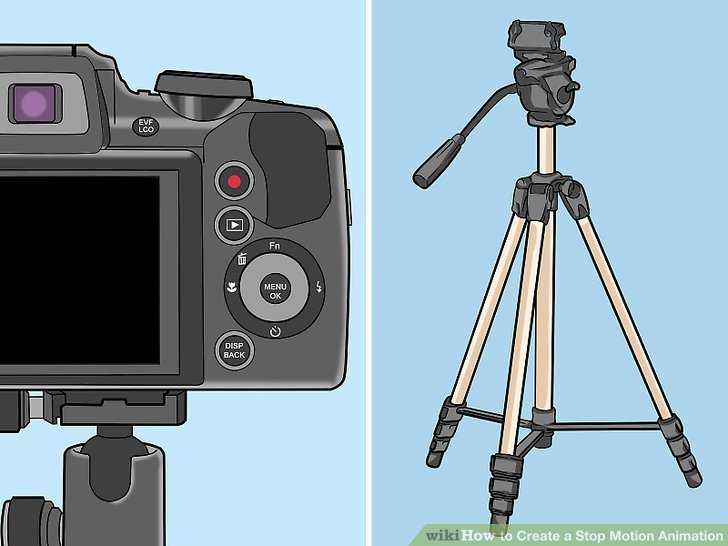
- Tripod: A sturdy tripod is non-negotiable. It keeps your camera perfectly still, preventing any unwanted movement that would disrupt the illusion of animation.
- Lighting: Consistent and controlled lighting is crucial. Natural light can be unpredictable, so dedicated studio lights or even desk lamps strategically placed can provide a stable environment. Avoid flickering lights.
- Subject/Puppets: This can be anything! Clay figures (claymation), LEGO bricks, paper cutouts, toys, or even everyday objects. The key is that they are durable enough to be manipulated repeatedly.
- Software: Animation software or video editing software is needed to import your images, arrange them in sequence, set the frame rate, and export the final video. Many free and paid options are available.
- Patience and Time: Stop motion is a labor of love. Be prepared to dedicate significant time to each project, as even short animations require hundreds, if not thousands, of individual shots.
The History and Evolution of Stop Motion Animation
The roots of stop motion animation stretch back to the dawn of cinema. Early pioneers recognized the potential of this technique to create fantastical visuals and tell imaginative stories. Over the decades, stop motion has evolved from a novelty to a respected art form, continuously pushing the boundaries of what’s possible.The very first known example of stop motion animation is attributed to J. Stuart Blackton’s “The Humpty Dumpty Circus” in 1898, though only fragments remain.
This early work demonstrated the potential for bringing toys to life. Following this, in 1907, Émile Cohl created “Fantasmagorie,” which, while primarily drawn animation, also incorporated stop motion elements.A significant leap occurred in the 1930s with the advent of claymation, popularized by Willis O’Brien in films like “King Kong” (1933), where he used stop motion to create the iconic giant ape.
Later, Ray Harryhausen became a master of this technique, bringing mythical creatures to life with his “dynamation” process in films such as “Jason and the Argonauts” (1963).The mid-20th century saw the rise of stop motion in television, most notably with George Pal’s Puppetoons and later with Aardman Animations’ beloved characters like Wallace and Gromit. The advent of digital technology has further revolutionized stop motion, allowing for greater control, easier editing, and more complex visual effects.
Films like Tim Burton’s “The Nightmare Before Christmas” (1993) and “Coraline” (2009) showcase the sophisticated storytelling and visual artistry achievable with modern stop motion techniques.
Essential Equipment and Materials
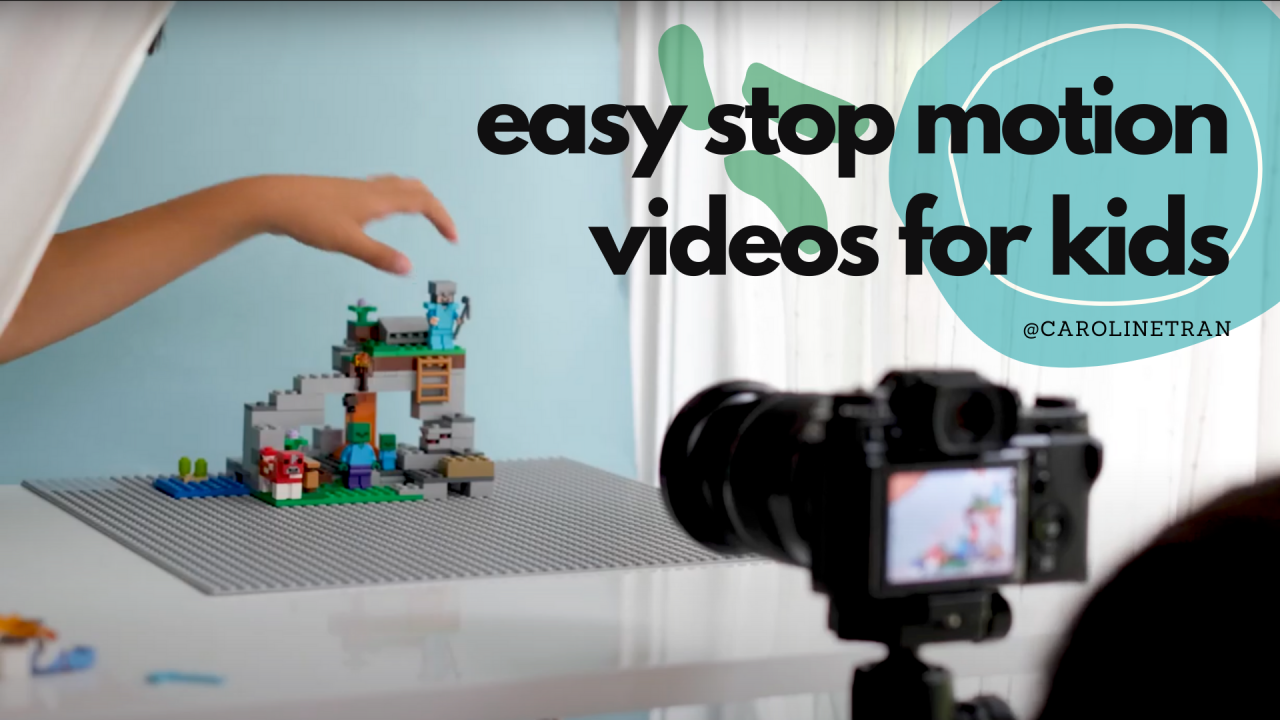
Creating a compelling stop motion animation requires careful consideration of the tools and materials you’ll use. Having the right equipment not only streamlines the process but also significantly impacts the final quality and visual appeal of your video. This section will guide you through the essential items you’ll need, from capturing your animation to bringing your characters to life.
Camera Equipment
The camera is the heart of your stop motion setup, responsible for capturing each individual frame. While professional DSLRs offer the most control and image quality, many modern devices can produce excellent results. The key is to ensure your camera can maintain consistent settings throughout your shoot.
- Digital Camera (DSLR/Mirrorless): These cameras provide manual control over focus, exposure, white balance, and aperture, which are crucial for maintaining a consistent look. Look for models that allow tethered shooting to a computer for easier frame management and review.
- Webcam: A good quality webcam can be a cost-effective option, especially for beginners. Ensure it offers manual control over settings or can be configured to maintain fixed parameters.
- Smartphone Camera: Modern smartphones have impressive camera capabilities. Apps designed for stop motion animation often allow for manual control of focus and exposure, making them viable for creating animations.
Subjects and Characters
The choice of subject matter is fundamental to the narrative and aesthetic of your stop motion video. Whether you opt for tangible objects or meticulously crafted figures, their design and movability will dictate the animation’s style and complexity.
- Claymation Figures: Made from plasticine or modeling clay, these characters are highly malleable and can be easily posed and reshaped for smooth animation. Their tactile nature allows for expressive movements.
- Puppets: Whether simple or elaborate, puppets with articulated joints are excellent for stop motion. Their design can range from hand-stitched fabric creations to professionally engineered figures with internal armatures for precise posing.
- Everyday Objects: From toys and LEGO bricks to household items, ordinary objects can be animated to tell unique stories. This approach often lends itself to a more whimsical or surreal style.
- Cut-out Animation: Flat characters and props are cut from paper, cardstock, or other materials and animated on a flat surface. This technique can create a distinctive graphic look.
Lighting Equipment
Lighting plays a pivotal role in setting the mood, defining the atmosphere, and ensuring consistency in your stop motion animation. Proper lighting can transform a simple scene into something visually captivating and professional.
- Desk Lamps with Adjustable Arms: These are versatile and allow you to direct light precisely where needed. Using multiple lamps can help eliminate harsh shadows and create depth.
- LED Panel Lights: These provide consistent, flicker-free light and often come with adjustable brightness and color temperature. They are excellent for maintaining uniform lighting conditions.
- Softboxes: When used with lights, softboxes diffuse the light, creating a softer, more even illumination that reduces harsh shadows and highlights, ideal for creating a natural look.
- Color Gels: These transparent colored filters can be placed over lights to cast specific hues onto your scene, allowing you to dramatically alter the mood and atmosphere. For instance, blue gels can create a nighttime effect, while warm orange gels can simulate sunset.
The importance of stable lighting cannot be overstated. Fluctuations in light intensity or color temperature between frames will result in noticeable flickering, detracting from the viewer’s experience. It is advisable to set up your lights before you begin animating and avoid natural light sources that can change unpredictably.
Tripods and Stable Camera Mounts
Camera stability is paramount in stop motion animation. Even the slightest movement of the camera between frames will result in a jarring and unprofessional-looking animation. A robust tripod or a secure camera mount ensures that your camera remains perfectly still, allowing you to focus on animating your subject.
- Sturdy Tripod: A heavy-duty tripod with a good quality head is essential. It should be capable of supporting the weight of your camera and remaining locked in place throughout your entire animation session. Look for features like adjustable leg locks and a stable center column.
- Camera Clamp Mounts: These can be clamped onto tables or shelves, offering an alternative to tripods, especially in confined spaces. Ensure the clamp is strong and the mount is rigid.
- Articulating Arms (Magic Arms): These flexible arms can be attached to various mounting points and offer a wide range of positioning options for your camera, allowing for unique angles and perspectives while maintaining stability.
When setting up your camera, ensure it is positioned to capture the entire frame without any obstructions. Once the camera is in place, it is often recommended to secure it further by taping down the tripod legs or the mount itself to prevent accidental bumps or shifts.
Planning Your Stop Motion Project
Before you even pick up your camera, a solid plan is the bedrock of a successful stop motion animation. This phase involves transforming your initial ideas into a tangible roadmap, ensuring your creative vision translates smoothly into the final animated piece. Thorough planning minimizes on-set confusion, streamlines the animation process, and ultimately leads to a more polished and coherent video.This section will guide you through the essential steps of pre-production, from conceptualizing your story to meticulously detailing every shot.
By investing time here, you’ll save yourself considerable effort and potential frustration down the line.
Developing a Story Concept
The genesis of any animation lies in its story. A well-defined concept provides direction and purpose, ensuring your animation resonates with your audience. The process of developing a story concept is iterative, involving brainstorming, refining, and focusing on the core message or narrative you wish to convey.Here’s a step-by-step approach to nurturing your story concept:
- Brainstorming Initial Ideas: Start by jotting down any and all ideas that come to mind. Don’t censor yourself at this stage; explore different themes, characters, and settings. Consider what kind of emotion or message you want to evoke.
- Identifying a Core Conflict or Goal: Every good story needs a driving force. Determine what your character(s) want to achieve or what obstacle they need to overcome. This conflict will create engagement and propel the narrative forward.
- Character Development: Even simple characters need a basic personality and motivation. Who are they? What do they like or dislike? What are their key traits? This will inform their actions and reactions within the story.
- World-Building (if applicable): If your story takes place in a unique environment, consider the rules and characteristics of that world. This doesn’t need to be complex, but a consistent setting adds depth.
- Defining the Beginning, Middle, and End: Artikel the basic arc of your story. What is the setup? What is the rising action and climax? How does the story resolve?
- Simplifying and Focusing: For stop motion, especially for beginners, it’s often best to start with a simple, concise story. Focus on conveying a clear message or a short, engaging narrative.
Creating a Storyboard
A storyboard is your visual blueprint, a sequence of drawings that represents the shots you plan to capture. It acts as a crucial communication tool, allowing you to visualize the flow of your animation and identify potential problems before you start animating. Think of it as a comic strip version of your film.To create an effective storyboard, you’ll need a template that provides structure.
A basic storyboard template can be created using paper and pen, or digital tools.Here are the key elements to include in your storyboard template and how to use it:
- Frame Boxes: Each box represents a single shot or key moment. The size of the box can indicate the importance or duration of the shot.
- Visual Depiction: Within each frame, sketch the main action, character placement, and key props. Focus on conveying the essence of the scene, not on artistic perfection.
- Shot Descriptions: Below or beside each frame, write a brief description of what is happening in the shot. This can include character actions, dialogue (if any), and camera movement.
- Camera Angle and Shot Type: Indicate the camera’s perspective (e.g., close-up, wide shot, eye-level). This helps in planning your camera setup during filming.
- Scene Number and Shot Number: Clearly label each scene and each individual shot within that scene. This is essential for organization.
- Timing Notes: Optionally, you can add notes about the approximate duration of a shot or key timings for animation.
Using the storyboard involves walking through each frame, imagining the movement, and ensuring the sequence makes sense. It’s a dynamic process; you might revise your storyboard as you refine your story or discover new creative possibilities.
Designing a Shot List
While the storyboard provides the visual narrative, a shot list is a more practical, logistical document that details every single shot you need to film. It breaks down the storyboard into actionable filming units, ensuring nothing is missed and making the shooting process efficient. A well-crafted shot list is indispensable for managing your time and resources.Creating a shot list involves meticulously listing each shot, along with specific details relevant to its capture.
Here’s a typical structure for a shot list:
| Scene | Shot No. | Description | Camera Angle/Shot Type | Action/Movement | Props/Characters | Notes |
|---|---|---|---|---|---|---|
| 1 | 1.1 | Character enters room | Wide Shot | Character walks from left to right | Character A | Establish setting |
| 1 | 1.2 | Character looks at object | Medium Shot | Character turns head towards object | Character A, Object X | Focus on character’s reaction |
| 2 | 2.1 | Object is picked up | Close-up | Hand reaches for and grasps object | Object X, Hand | Emphasize the object |
This table format helps organize the information clearly. The “Notes” column can include crucial details like lighting requirements, specific animation techniques needed for that shot, or any challenges anticipated. The shot list should be consulted frequently during filming to stay on track.
Scripting the Narrative Flow
While stop motion can be purely visual, a script or a clearly defined narrative flow provides the backbone for your animation. It ensures your story has a logical progression, emotional impact, and a clear beginning, middle, and end. For simpler animations, this might be a brief Artikel of events; for more complex ones, it could be a detailed scene-by-scene breakdown.Here’s how to approach creating a script or narrative flow for your stop motion project:
- Artikel Key Events: Based on your story concept, list the essential events that need to happen in chronological order.
- Define Character Actions and Motivations: For each event, describe what your characters will do and why they are doing it. This is where your character development comes into play.
- Incorporate Dialogue (if applicable): If your animation will have spoken dialogue, write it out clearly. Consider how the dialogue will be delivered (e.g., voiceovers, mouth flaps).
- Describe Visual Storytelling Elements: Think about how you will convey emotions or information without words. This could involve character expressions, gestures, or the use of symbolic imagery.
- Pacing and Transitions: Consider the rhythm of your animation. How long should each scene or action take? How will you transition smoothly between different shots or scenes?
- Read Aloud and Refine: Reading your script aloud can help you identify awkward phrasing or pacing issues. It’s a good practice to refine your narrative flow based on this feedback.
For example, a simple narrative flow for a short animation might be: “A small toy car wants to reach a cookie on a high shelf. It tries to climb, fails. It then finds a ramp and successfully rolls up to the cookie.” This basic structure informs all subsequent planning and animation.
Setting Up Your Animation Space
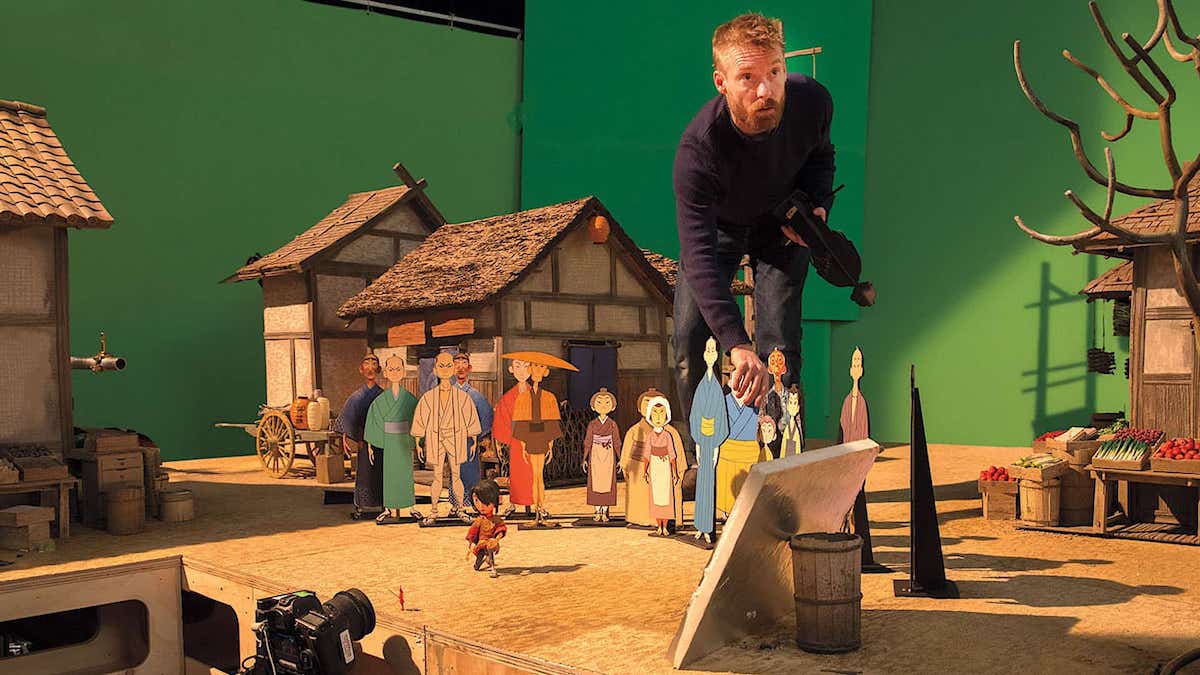
Creating a dedicated and well-prepared animation space is crucial for achieving smooth and consistent stop-motion results. This environment minimizes external interference and allows you to focus on the intricate process of bringing your characters and scenes to life. A thoughtfully arranged workspace can significantly enhance your efficiency and the overall quality of your final video.The ideal animation space is one that offers control over its environment, allowing you to dictate lighting, stability, and background consistency.
This control is paramount because even the slightest shift in light or movement of your set can introduce unwanted artifacts into your animation, necessitating retakes and frustrating your progress.
Ideal Characteristics of a Dedicated Animation Workspace
A successful stop-motion animation workspace should prioritize stability, controlled lighting, and ample space for your set and equipment. This dedicated area minimizes distractions and ensures a consistent shooting environment, which is vital for the meticulous nature of stop-motion.
- Quiet and Stable Environment: Choose a location that is free from vibrations and excessive noise. A sturdy table or desk is essential for supporting your set and camera rig. Avoid areas with high foot traffic or where accidental bumps are likely.
- Adequate Lighting Control: The ability to precisely control light is non-negotiable. This means the space should ideally have blackout capabilities, such as thick curtains or blinds, to prevent natural light fluctuations. Artificial lighting is preferred for its consistency.
- Sufficient Space: Ensure there is enough room to comfortably set up your miniature set, position your camera, lights, and any other necessary equipment. You’ll also need space to move around the set without disturbing it.
- Accessibility: The space should be easily accessible for your working sessions. If it’s a temporary setup, consider how easily you can leave it undisturbed between sessions.
Controlling Ambient Light and Preventing Unwanted Shadows
Consistent lighting is one of the most challenging yet critical aspects of stop-motion animation. Fluctuations in ambient light or the appearance of unexpected shadows can ruin frames and create a jarring visual experience. Therefore, mastering light control is a fundamental skill.To achieve optimal lighting, it is recommended to eliminate all natural light sources from your animation space. This can be accomplished by using blackout curtains, blinds, or even covering windows with thick cardboard or fabric.
Once the ambient light is controlled, you can introduce your own artificial lighting.
- Artificial Lighting Sources: Utilize LED lights, desk lamps, or specialized photography lights. These provide a consistent and controllable light output. It’s advisable to use at least two light sources to avoid harsh, single-direction shadows.
- Light Placement: Experiment with the placement of your lights to shape the mood and highlight your subjects effectively. Avoid placing lights directly above your set, as this can create flat, uninteresting lighting. Position them at angles to create depth and dimension.
- Diffusion: To soften harsh light and reduce the intensity of shadows, use diffusers. This can be achieved with materials like tracing paper, parchment paper, or dedicated photography diffusers placed in front of your light sources.
- Shadow Management: Be mindful of shadows cast by your camera, equipment, or even your own body. Ensure that no part of your setup inadvertently creeps into the frame and casts a shadow. Sometimes, a third light, known as a fill light, can be used to gently illuminate shadow areas.
Securing Your Set and Characters to Avoid Accidental Movement
The integrity of your stop-motion animation relies heavily on the stability of your set and characters. Even the slightest unintended movement can introduce errors that are difficult to correct later. Therefore, employing robust methods to secure your elements is essential.The principle here is to create a foundation that resists any forces that might cause it to shift or topple. This applies to the base of your set as well as individual elements within it, including your characters.
- Base Stability: For your main set, consider using a heavy, stable base material like a thick piece of wood, MDF, or a sturdy foam board. This will prevent the entire set from being easily knocked over.
- Adhesives and Fasteners: For attaching elements to the set and for securing characters, a variety of adhesives can be used. Blu-Tack or museum putty is excellent for temporarily attaching smaller objects and characters, allowing for adjustments. For more permanent fixtures, double-sided tape, hot glue, or small screws might be appropriate depending on the materials.
- Armatures and Stands: For characters, especially those that need to maintain specific poses or perform actions, armatures are invaluable. These are internal wire skeletons that provide support and allow for precise posing. Stands and rigs can also be used to suspend characters or props, ensuring they remain in place.
- Weighting: For elements that are prone to tipping, such as taller structures or characters, adding subtle weights to their bases can provide extra stability.
Creating a Consistent Background for Your Animation
A consistent background is vital for maintaining the illusion of a cohesive world and preventing visual distractions in your stop-motion animation. A uniform backdrop ensures that the focus remains on your characters and their actions.The goal is to have a background that does not change or shift throughout your animation, unless it is a deliberate part of the narrative. This uniformity helps to create a professional and polished look for your final video.
- Seamless Backdrops: Use seamless paper backdrops, fabric, or painted boards. Ensure the material is taut and free of wrinkles or creases, as these will be visible in every frame.
- Fixed Background Elements: If your background includes specific props or painted details, ensure they are firmly attached and will not move. Use strong adhesives or fasteners for these elements.
- Lighting the Background: Pay attention to how your background is lit. Avoid harsh shadows that might fall onto the background from your set or characters. You can use separate lights to illuminate the background evenly, ensuring it complements the lighting on your main scene.
- Color Consistency: Be mindful of the color of your background. A neutral color often works best, as it doesn’t compete with your characters or set. If you choose a colored background, ensure its hue remains consistent throughout the shoot.
Capturing the Frames
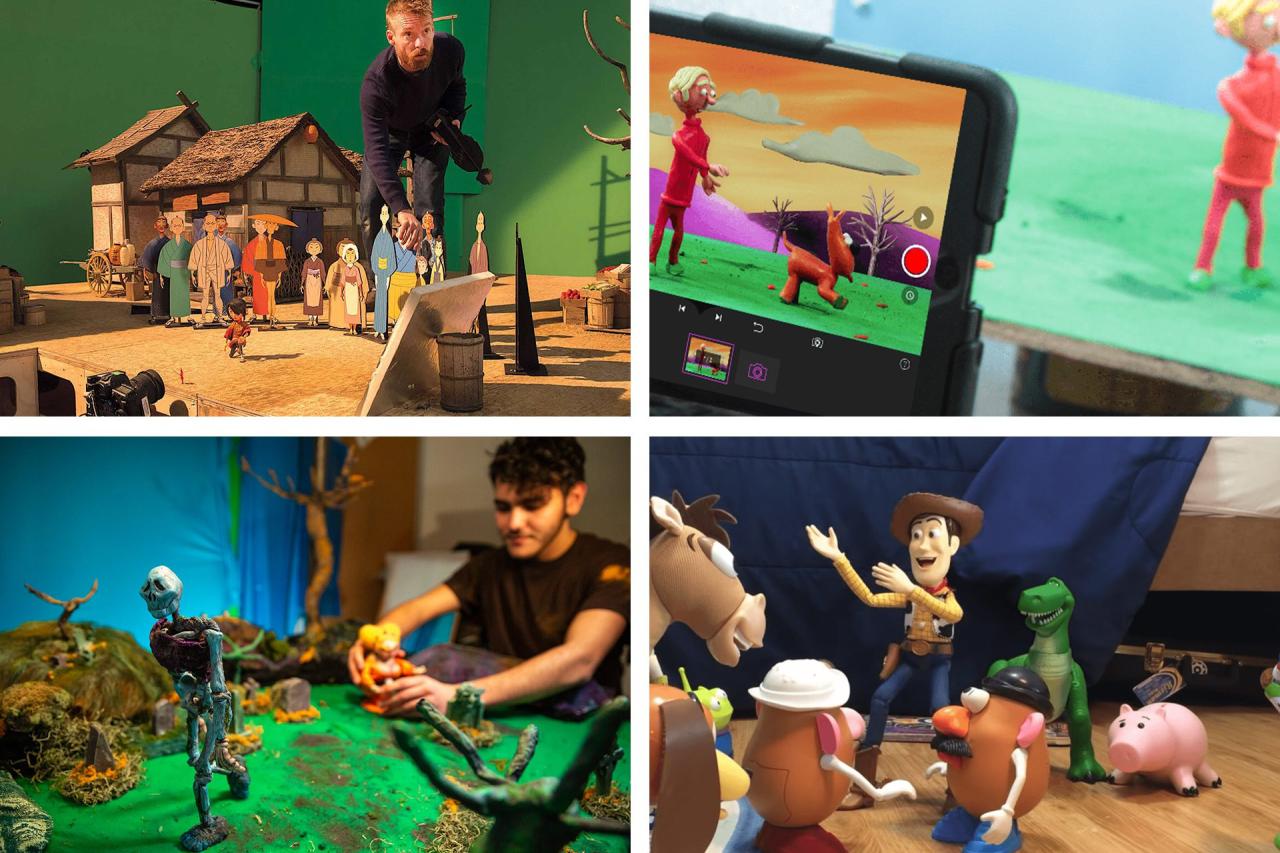
This is where your meticulous planning and preparation come to life. Capturing the individual frames is the core of stop motion animation, transforming static objects into dynamic motion through a series of sequential photographs. The magic lies in making tiny, deliberate adjustments between each shot, creating the illusion of movement when these images are played back in rapid succession.The process of capturing frames involves taking a photograph, making a minuscule adjustment to your subject or scene, and then taking another photograph.
This iterative process is repeated for every single frame of your animation. The more frames you capture per second of video, the smoother your animation will appear. A common standard for video playback is 24 frames per second (fps), meaning you’ll need to take 24 photos for just one second of animation. For simpler animations or projects with a more deliberately jerky feel, 12 fps or even 8 fps can be sufficient.
The Mechanics of Frame Capture
Capturing individual photographs is the fundamental action in stop motion. Each click of your camera shutter represents a single step in your animation’s journey. It is crucial to approach this stage with patience and precision, as even the smallest oversight can disrupt the flow of your animation.The principle of capturing frames is straightforward: position your camera, photograph your scene, make a small change to your subject or environment, and then photograph again.
This cyclical process continues until your animation sequence is complete. The key to success lies in the consistency of your actions and the subtlety of your movements.
Understanding “In-Betweening”
“In-betweening” refers to the subtle, incremental movements you make between each captured frame. These small adjustments are what create the illusion of smooth motion. If the movements are too large between shots, the animation will appear jumpy and unnatural. Conversely, very small, precise movements will result in fluid, lifelike animation. Think of it like drawing a flipbook: each page has a slightly different drawing that leads into the next, creating the impression of continuous movement when flipped.
Maintaining Camera Consistency
Maintaining a consistent camera position and focus is paramount for a professional-looking stop motion animation. Any shift in the camera’s viewpoint or focus between frames will be immediately noticeable and jarring to the viewer. This consistency ensures that the viewer’s attention remains on the animated subject and its actions, rather than being distracted by technical inconsistencies.Best practices for maintaining camera consistency include:
- Using a Tripod: A sturdy tripod is non-negotiable. It anchors your camera firmly in place, preventing accidental bumps or shifts.
- Securing the Scene: Ensure that your set, lighting, and any background elements are also secured and will not move during the shooting process.
- Locking Focus: Once you have achieved the desired focus, use your camera’s manual focus setting and lock it. Avoid relying on autofocus, which can readjust between shots.
- Using a Remote Shutter Release: This prevents camera shake that can occur when pressing the shutter button manually.
- Marking Positions: For critical setups, consider using small pieces of tape on the floor or tripod legs to mark their exact positions, allowing for precise re-placement if the camera needs to be moved and returned.
Techniques for Precise Movements
Making small, precise movements between shots is the art of stop motion animation. This requires a delicate touch and a keen eye for detail. The goal is to make movements so subtle that they are imperceptible as individual steps but create a smooth flow when viewed as a sequence.Here are some effective techniques for making these precise movements:
- Incremental Adjustments: For characters, this might involve moving a limb by a fraction of a millimeter or rotating a joint by a degree or two. For objects, it could be a slight tilt or a tiny slide.
- Using Tools: Small tweezers, sculpting tools, or even toothpicks can be invaluable for making very fine adjustments without disturbing the surrounding scene.
- Visual Cues: Some animators use faint pencil marks on the surface the object is on (which are later edited out) or reference points within the scene to guide their movements.
- “Squash and Stretch”: This animation principle involves exaggerating movement by deforming the object. For example, when a ball hits the ground, it might squash slightly, and then as it bounces up, it stretches. This adds dynamism and life.
- Anticipation: Before a character performs an action, such as jumping, they might crouch down slightly. This “anticipation” phase makes the subsequent action appear more believable and impactful.
- Follow Through and Overlapping Action: When a character stops moving, parts of their body might continue to move for a moment longer (e.g., hair or clothing). This creates a more natural and realistic animation.
Common Stop Motion Techniques and Styles
Stop motion animation is a versatile medium that can be brought to life through various techniques, each offering a unique visual aesthetic and creative approach. Understanding these different styles will help you choose the best method for your project and bring your vision to the screen effectively.The world of stop motion is rich with distinct styles, each with its own charm and set of challenges.
From the malleable nature of clay to the flat allure of cutouts, these techniques offer a broad spectrum of creative possibilities. Exploring these common methods will equip you with the knowledge to select and master the style that best suits your storytelling needs.
Claymation
Claymation, perhaps the most iconic stop motion style, involves manipulating sculpted clay figures frame by frame. This technique offers incredible flexibility for organic movement and expressive character design.The primary benefit of claymation lies in its plasticity. Artists can easily mold, stretch, and reshape clay to create fluid and nuanced movements that are difficult to achieve with other materials. This makes it ideal for character-driven stories where subtle emotional expressions are key.
However, claymation also presents challenges. The clay can become soft and distorted under warm lights, requiring careful temperature control. It can also be time-consuming to sculpt and reposition complex characters or objects.To create character movement in claymation, animators often use an internal wire armature to provide support and allow for more dynamic posing. For example, a character’s arm can be bent at the elbow and shoulder, with small adjustments made between frames to simulate a natural swing or gesture.
Tiny increments of movement, such as a slight tilt of the head or a subtle change in the mouth shape, can convey a wide range of emotions.
Object Animation
Object animation utilizes everyday objects, toys, or found items as the characters and elements within the animation. This style can lend a unique texture and personality to a film, often evoking a sense of nostalgia or playful creativity.The advantage of object animation is its accessibility and the inherent visual interest of real-world objects. It allows for a unique aesthetic that can be both charming and unexpected.
For instance, animating a set of LEGO bricks can create a distinct, blocky movement style. The challenge lies in making inanimate objects appear alive and expressive. This often requires clever manipulation and creative use of the object’s existing form. For example, a toy car can be animated to “drive” by subtly rotating its wheels and shifting its position, with small bumps and turns to suggest motion.Creating character movement with objects often involves strategically repositioning and rotating them.
For a toy soldier to walk, its legs might be moved incrementally, or the entire figure could be slightly lifted and lowered to simulate steps. The key is to observe how real objects move and then translate that into small, deliberate frame-by-frame adjustments.
Cutout Animation
Cutout animation involves creating characters and backgrounds from flat materials like paper, cardstock, or felt, and then moving these cutouts frame by frame. This technique offers a graphic and often stylized visual appeal.The benefits of cutout animation include its simplicity in creation and its distinct visual style, which can range from simple silhouettes to intricate layered designs. It’s often more cost-effective and less messy than claymation.
The challenges include achieving smooth, organic movement, as the flat nature of the cutouts can sometimes result in a more jerky or puppet-like animation.To create character movement in cutout animation, animators typically use small hinges or pins to allow limbs to move independently. For a character to wave, the arm cutout would be attached at the shoulder and then rotated slightly with each frame.
Facial expressions can be achieved by creating multiple mouth or eye cutouts that are swapped out between frames. For example, a character’s surprise could be shown by replacing a neutral eye cutout with one that is wide open and circular.
Practical Special Effects in Stop Motion
Adding special effects to stop motion animation can be achieved through a variety of practical, in-camera techniques that enhance the visual narrative without relying solely on digital post-production. These methods often lend a tangible and authentic quality to the animation.Methods for adding special effects include the use of miniatures, forced perspective, and in-camera compositing. For instance, to simulate a character flying, an animator might suspend the figure with fine threads or wires and then carefully remove them in post-production.
This creates the illusion of effortless flight.For creating explosions or fire effects, animators might use materials like tissue paper, cotton balls, or even strategically placed colored lights. A small fan could be used to create the illusion of wind or movement in these elements. For example, a miniature building could be surrounded by wisps of cotton batting, with small pieces of red and orange tissue paper strategically placed and moved incrementally to simulate flames.For adding elements like rain or snow, fine glitter or salt can be sprinkled from above the set during shooting, with each frame capturing a slightly different distribution to simulate falling particles.
“The magic of stop motion lies in its tangible reality; every movement, every effect, is a physical act of creation.”
Troubleshooting Common Issues
As you delve into the creative process of stop motion animation, it’s natural to encounter a few bumps in the road. Addressing these common issues proactively can save you significant time and frustration, allowing you to focus on bringing your vision to life. This section will guide you through identifying and resolving frequent problems encountered during production.
Many stop motion projects, regardless of their complexity, can face similar challenges. Understanding these potential pitfalls and having effective strategies to overcome them is crucial for a smooth and successful animation workflow. From visual inconsistencies to accidental disruptions, we’ll explore how to get your animation back on track.
Frame Flickering and Inconsistent Lighting
Flickering frames or inconsistent lighting are among the most common visual defects in stop motion animation. This often arises from fluctuations in ambient light during the shooting process or from the internal mechanisms of artificial light sources. Maintaining a stable and uniform light environment is paramount to achieving a professional-looking final product.
Strategies for Consistent Lighting
- Utilize Artificial Lighting: Relying on artificial lights (LEDs, tungsten lamps) provides greater control than natural light, which changes throughout the day. Position your lights strategically to illuminate your set evenly.
- Avoid Natural Light Sources: Whenever possible, shoot in a controlled environment where natural light cannot interfere. Closing curtains or blinds and disabling overhead room lights is essential.
- Constant Light Settings: Ensure your artificial lights are set to a consistent brightness and color temperature throughout the entire shooting session. Avoid adjusting them once you begin capturing frames.
- Diffusion and Bounce: Use diffusers (like parchment paper or specialized diffusion panels) to soften harsh light and prevent specular highlights. Bouncing light off white surfaces can also create a more even illumination.
- Monitor Your Set: Regularly check your set for any shadows or hot spots that may appear due to the movement of characters or props. Make minor adjustments as needed, but try to do so between frames to minimize disruption.
- Test Shots: Before committing to a long sequence, shoot a few test frames with your lighting setup to identify any inconsistencies. Review these test shots on a monitor to ensure uniformity.
Accidental Bumps and Camera/Set Movements
The delicate nature of stop motion sets and camera rigs makes them susceptible to accidental bumps or shifts. Even the slightest movement can introduce jarring inconsistencies into your animation. Implementing robust setup practices and careful handling can mitigate these issues.
Preventing and Correcting Movement Issues
- Secure Your Camera: Use a sturdy tripod and ensure it is placed on a stable surface. Consider using a tripod with a locking mechanism for the pan and tilt heads. For critical shots, use a heavy-duty tripod that won’t wobble.
- Stabilize Your Set: Securely fasten your set pieces to the base. Use museum putty, double-sided tape, or clamps to prevent props and backdrops from shifting.
- Designate a “No-Touch” Zone: Establish a clear boundary around your set and camera that should not be crossed by anyone except the animator during shooting.
- Camera Rigging: If using a camera rig, ensure it is securely mounted and free from any play or looseness. Regularly check its stability.
- Test Movements: Before capturing frames, gently tap your set and camera to ensure everything is stable.
- Frame-by-Frame Correction: If a minor bump occurs, you may be able to correct it in post-production by carefully manipulating the frames in your editing software. This can involve masking or digitally repositioning elements, though significant movements can be very difficult to fix seamlessly.
- Re-shoot When Necessary: For more substantial bumps or camera shifts, the most effective solution is often to re-shoot the affected sequence. It is better to re-shoot a small section than to have a flawed animation.
Re-animating Sections That Don’t Look Right
Occasionally, a sequence might not animate as intended, resulting in awkward movements or an undesirable visual effect. Fortunately, stop motion allows for flexibility in re-animating specific parts of your animation.
Methods for Re-animating Sections
- Identify the Problem: Review your captured frames or playback your animation in progress to pinpoint the exact frames or movements that are not working.
- Undoing and Re-doing: The simplest approach is to undo your last few movements and re-animate the character or object with a different approach.
- Selective Deletion: If only a few frames are problematic, you can delete those specific frames and re-animate the action within that timeframe. Ensure the new animation flows smoothly into the preceding and succeeding frames.
- Frame-by-Frame Adjustment: In your animation software, you can often adjust the timing and position of individual frames. This might involve slightly shifting a character’s pose or altering the duration of a specific movement.
- Layering and Compositing: For more complex fixes, you might consider re-animating a character or object separately and then compositing it into the original footage in post-production. This is particularly useful if the issue involves a specific element within a larger scene.
- Reference Material: When re-animating, it can be helpful to use reference material, such as videos of real-life movements or other animations, to guide your adjustments and ensure a more natural flow.
Bringing Your Characters to Life
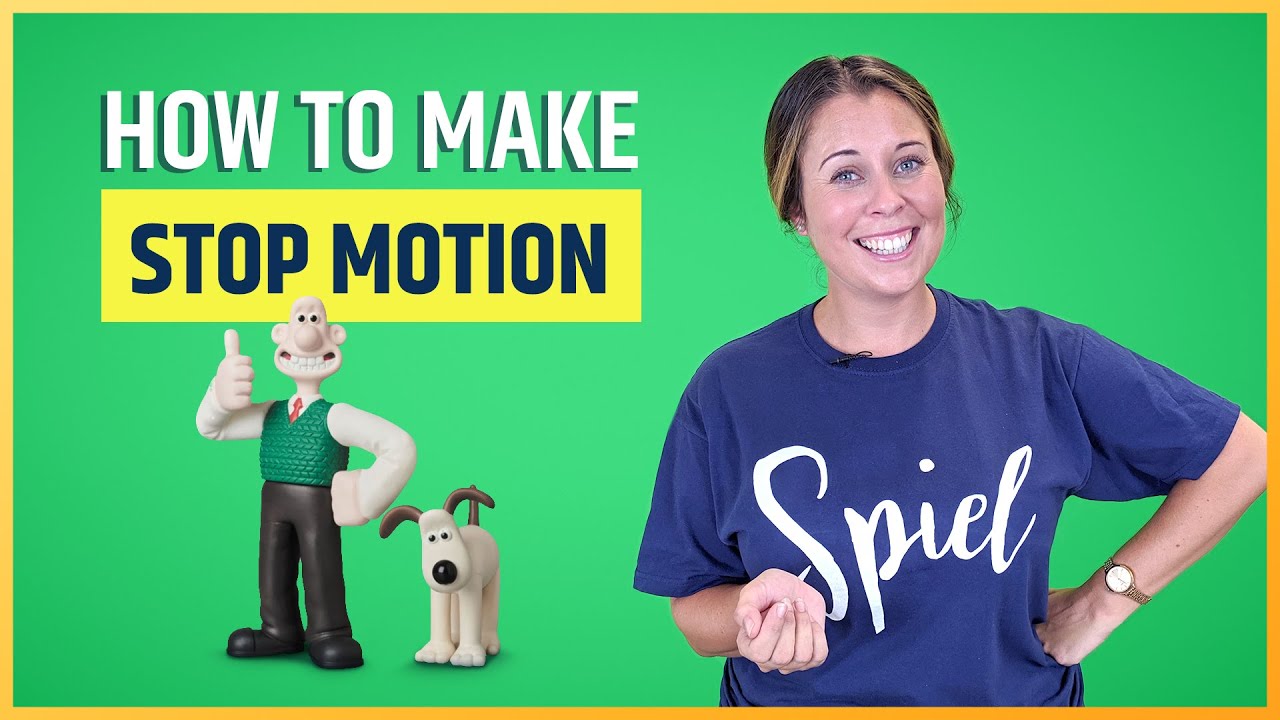
Once your frames are captured and your set is ready, the magic truly begins in breathing life into your characters and objects. This stage is where your story unfolds through subtle movements, expressive details, and believable interactions. It’s about transforming static figures into dynamic personalities that engage your audience.Animating characters effectively is the heart of stop motion. It involves a careful balance of artistic expression and technical precision.
By understanding the principles of movement and performance, you can elevate your animation from simple motion to captivating storytelling.
Animating Facial Expressions
Creating believable facial expressions is crucial for conveying emotion and personality. Even with simple characters, subtle shifts in features can communicate a wide range of feelings.Here are key techniques for animating facial expressions:
- Subtle Adjustments: For characters with fixed features, even slight tilts of the head or slight repositioning of the body can imply expression. A slight downward tilt might suggest sadness, while a perky posture could indicate happiness.
- Movable Features: If your characters have detachable or adjustable features like eyebrows, mouths, or eyes, utilize these to their fullest. Small increments of change are more effective than drastic shifts. For example, slightly curving eyebrows upwards can suggest surprise or curiosity.
- Light and Shadow: Strategically using lighting can dramatically alter the perceived expression of a character. Shadows cast across the face can create a sense of menace or introspection, while bright, even lighting can convey openness and joy.
- Body Language Integration: Facial expressions are rarely seen in isolation. They are always accompanied by body language. Ensure the character’s posture, hand gestures, and overall stance complement the emotion being conveyed by their face. A slumped posture with downcast eyes clearly communicates sadness.
- Reference and Observation: Study how real people express emotions. Observe the minute changes in their eyes, eyebrows, and mouth. Replicate these observations in your animation, even with simplified characters.
Creating the Illusion of Weight and Momentum
Making your characters and objects feel like they have mass and are subject to the laws of physics is essential for realism. This involves understanding how weight affects movement and how momentum is built and lost.Methods for achieving the illusion of weight and momentum include:
- Anticipation: Before a character performs an action, like jumping or throwing, they will often perform a preparatory movement in the opposite direction. This “anticipation” builds tension and makes the subsequent action more impactful and believable. For instance, a character preparing to jump will crouch down first.
- Squash and Stretch: This is a fundamental animation principle where objects deform during movement to emphasize speed and impact. When an object hits a surface, it might “squash” or flatten. As it moves through the air, it might “stretch” or elongate. The degree of squash and stretch can indicate the object’s flexibility and the force of the impact.
- Follow Through and Overlapping Action: These principles relate to how different parts of a character or object continue to move after the main action has stopped. For example, after a character stops running, their arms might continue to swing for a moment, or their hair might continue to sway. This adds a natural flow and realism.
- Slow In and Slow Out (Easing): Objects rarely start or stop moving instantaneously. They accelerate from a standstill and decelerate to a halt. Animating this gradual change in speed, known as easing, makes movement appear more natural and less robotic.
- Exaggeration: While aiming for realism, slight exaggeration can enhance the sense of weight and momentum. For instance, a heavy object might have a more pronounced squash upon impact, or a character’s leap might be slightly higher than realistically possible to convey effort.
Animating Object Interactions
Bringing inanimate objects to life through believable interactions is a key skill in stop motion. This includes actions like opening doors, picking up items, or manipulating tools.Here are methods for animating object interactions:
- Frame-by-Frame Manipulation: For simple interactions like picking up an object, carefully move the object in small increments with each frame. Ensure the character’s hand or appendage moves in conjunction with the object, creating a seamless transition.
- Physics Simulation (Manual): For more complex interactions, like a ball rolling down a ramp or dominoes falling, you’ll need to manually simulate the physics. This involves understanding gravity, inertia, and impact. For example, when animating dominoes, ensure each domino falls with a believable delay and trajectory.
- Pivot Points and Hinges: When animating objects with moving parts, like doors or levers, identify a clear pivot point. This will be the axis around which the object rotates. Small, consistent movements around this pivot point will create the illusion of opening or closing.
- Weight Transfer: When a character picks up or puts down an object, their body should react to the weight. If picking up something heavy, their posture might shift, and they might lean back slightly. When setting it down, they might shift their weight forward.
- Sound Integration: While not strictly visual, consider how sound effects will complement the animation of object interactions. A well-timed “thud” when an object is dropped or a “creak” when a door opens can significantly enhance the believability.
The Importance of Timing and Anticipation in Character Performance
Timing and anticipation are foundational principles that dictate the pace, impact, and emotional resonance of your animation. They are the invisible forces that make a character’s performance feel alive and engaging.Timing refers to the duration of an action, and anticipation is the preparatory movement before an action. Their combined use is critical for:
- Conveying Emotion: A slow, deliberate movement can suggest sadness or thoughtfulness, while a rapid, jerky motion might indicate fear or anger. The timing of a character’s reaction, such as a blink or a sigh, is vital for conveying their emotional state.
- Establishing Cause and Effect: Anticipation clearly signals that an action is about to occur, establishing a logical cause-and-effect relationship. Without anticipation, an action can appear sudden and unmotivated, breaking the audience’s immersion. For instance, a character swinging a hammer without any preparatory crouch or arm pull would feel unnatural.
- Creating Believability: Real-world movements are rarely instantaneous. They involve a build-up of energy and a subsequent release. By incorporating timing and anticipation, you mimic these natural processes, making your characters’ actions feel grounded and plausible.
- Building Suspense and Drama: The pause before a significant event, a moment of hesitation, or a slow build-up can create suspense and heighten the dramatic impact of a scene. The timing of a character’s reveal or a sudden action can be manipulated to create surprise or tension.
- Enhancing Visual Appeal: Well-timed movements are inherently more pleasing to watch. A character that moves with a natural rhythm, incorporating pauses and accelerations, is far more captivating than one with a monotonous, unchanging pace.
“Timing is everything, and anticipation is the silent promise of action.”
Advanced Stop Motion Concepts
As you gain confidence with the fundamentals of stop motion animation, you’ll naturally want to explore techniques that allow for greater expressiveness, realism, and complexity in your projects. This section delves into some of these advanced concepts, equipping you with the knowledge to elevate your animations from charming to truly captivating. We’ll cover the use of specialized tools for character articulation, the seamless blending of practical and digital elements, and sophisticated methods for achieving dynamic camera work and repeatable motion.
Armatures and Wireframes for Complex Character Animation
For characters that require a wide range of motion, subtle nuances, or sustained poses, relying solely on clay or malleable materials can be limiting. Armatures, essentially internal skeletons for your puppets, provide the necessary support and articulation. These can range from simple wire constructs to intricately engineered metal skeletons.A basic armature can be fashioned from pliable wire, such as aluminum armature wire, which can be bent and twisted to form the basic shape of a character’s limbs and torso.
For more robust characters or those intended for repeated use, brass or steel wire can be employed. The key is to create joints that allow for a significant range of movement without becoming loose or unstable. Ball-and-socket joints, often achieved by drilling small holes and using screws or pins, offer excellent flexibility.Wireframes are the underlying structure upon which the character’s outer material is built.
For instance, a character might have a wireframe for its spine and limbs, with foam latex or silicone molded over it. This approach allows for the creation of characters with a more defined shape and greater durability. The armature is integrated into the wireframe, ensuring that the character maintains its form and can be posed accurately frame after frame.
Integration of Digital Effects with Practical Stop Motion Footage
The power of stop motion is significantly amplified when combined with digital post-production techniques. This integration allows for effects that would be impossible or prohibitively expensive to achieve practically. Common digital effects include adding backgrounds, enhancing lighting, creating atmospheric elements like smoke or rain, and even compositing multiple animated elements.One fundamental technique is chroma keying, often referred to as “green screen” or “blue screen.” By filming your stop motion animation against a uniformly colored background, you can digitally replace that background with any image or video you desire.
This is invaluable for placing your characters in fantastical environments or complex urban settings.Another powerful application is the addition of particle effects. Digital software can generate realistic-looking rain, snow, dust, or explosions that can be seamlessly composited onto your practical stop motion footage. Similarly, digital lighting can be used to enhance the mood and depth of a scene, adding subtle glows, dramatic shadows, or dynamic light shifts that complement the physical lighting used during filming.
The synergy between tangible stop motion and digital enhancement opens up a universe of creative possibilities, allowing animators to achieve results that blend the tactile charm of physical objects with the boundless scope of digital artistry.
Strategies for Creating Seamless Looping Animations
Creating animations that loop seamlessly is a crucial skill for many applications, from short animated GIFs to continuous background elements in longer films. A seamless loop means that the end of the animation perfectly transitions back to its beginning, creating an illusion of continuous motion without any noticeable jump or break.The core principle behind seamless looping is ensuring that the state of your animated elements at the final frame is identical to their state at the initial frame.
This requires meticulous planning and execution.Here are key strategies:
- Frame-by-Frame Planning: Before you begin animating, map out the entire cycle of motion. Understand where each element needs to be at the start and end of the loop.
- Symmetry and Reversibility: For simple loops, consider animating a motion and then reversing it. For example, a ball bouncing up and down can be animated from the ground to its peak and back down, then the sequence can be reversed to create a continuous up-and-down motion.
- Offsetting Animations: For more complex loops involving multiple elements, consider animating each element independently and then offsetting their start and end points. This can create a more organic and less repetitive feel.
- Using a “Snap Back” Frame: For certain movements, you might animate the action and then include a single frame where the object or character is in its starting position. The next frame would then be the first frame of your animation cycle.
- Matching Poses: Pay close attention to the poses of your characters or objects at the beginning and end of the loop. They must be identical, down to the smallest detail, for the transition to be imperceptible.
Achieving Sophisticated Camera Movements within a Stop Motion Sequence
While stop motion is inherently about moving objects, sophisticated camera movements can dramatically enhance the dynamism and storytelling power of your animations. Moving the camera itself, rather than just the objects within the frame, adds a sense of scale, perspective, and narrative drive.Achieving smooth and controlled camera movements in stop motion requires specialized equipment and careful execution.Here are some methods and considerations:
- Dolly Shots: To simulate a camera moving forward or backward, you can mount your camera on a track or a wheeled platform (a dolly). The camera is then moved incrementally between frames. Precision is key; even a millimeter’s movement per frame can create a noticeable effect.
- Pan and Tilt: These movements, which involve rotating the camera horizontally (pan) or vertically (tilt), are achieved by mounting the camera on a pan-and-tilt head. The head is then adjusted by tiny increments between shots.
- Crane or Jib Shots: For sweeping aerial shots or dramatic reveals, a camera crane or jib arm can be used. This allows for complex movements in multiple dimensions. The camera is attached to the end of the arm, and the arm is moved smoothly through its range of motion.
- Focus Pulls: While challenging, manual focus adjustments can be made between frames to shift the point of focus, guiding the viewer’s eye. This requires a camera with manual focus control and a steady hand.
- Motion Control Rigs: For highly complex and repeatable camera moves, professional motion control rigs can be employed. These programmable systems allow for precise and intricate camera movements that can be repeated exactly.
It is essential to remember that for any camera movement, the amount of movement between each frame must be consistent to ensure a smooth visual result. Small, incremental adjustments are the hallmark of effective stop motion camera work.
Closure
As we conclude our exploration of “How to Create a Stop Motion Animation Video,” you are now equipped with the knowledge and techniques to transform static objects into dynamic characters and stories. By mastering the art of planning, capturing, and refining your animation, you can unlock a world of creative possibilities and produce captivating visual narratives that resonate with viewers.
We encourage you to experiment, troubleshoot, and most importantly, enjoy the magical process of bringing your stop motion visions to reality.