Embarking on the journey of video content creation is an exciting endeavor, and selecting the right camera is a pivotal first step. This guide is designed to demystify the process, offering a comprehensive overview of what to consider when choosing the perfect tool for your creative vision. From understanding your unique content needs to navigating the technical specifications and essential accessories, we’ll equip you with the knowledge to make an informed decision that will elevate your video production to new heights.
We will delve into the diverse landscape of video content, helping you identify your specific requirements, audience, and desired quality. Understanding key camera features such as sensor size, frame rates, autofocus, and audio input will be crucial. Furthermore, we will explore various camera types, including mirrorless, DSLRs, camcorders, and even smartphones, comparing their strengths and weaknesses for different video applications.
Budgeting wisely and selecting the right accessories will also be covered to ensure you have a complete setup for enhanced video production.
Understanding Your Video Content Needs
Before diving into camera specifications, it’s crucial to establish a clear understanding of the video content you intend to create. This foundational step will guide all subsequent decisions, ensuring your chosen camera aligns perfectly with your creative vision and practical requirements. By thoughtfully considering your content’s nature, audience, and desired quality, you can make an informed investment that empowers your video production journey.
Types of Video Content and Their Requirements
The landscape of video content is diverse, with each format presenting unique demands on the equipment used. Recognizing these differences is the first step in selecting a camera that can effectively meet your specific production goals.Here are some common types of video content creators produce:
- Vlogs: Typically involve a single creator talking directly to the camera, often in various locations. They prioritize clear audio, good lighting, and a camera that is easy to handle and maneuver.
- Tutorials and How-Tos: These often require close-ups of hands or specific objects, clear visuals of the process being demonstrated, and sometimes screen recording capabilities. Stability and the ability to zoom effectively are key.
- Cinematic Shorts and Films: These productions aim for a high-quality, artistic look. They demand excellent image quality, dynamic range, shallow depth of field capabilities, and often advanced manual controls for precise exposure and focus.
- Social Media Clips (e.g., TikTok, Instagram Reels): These are usually short, attention-grabbing videos that often require vertical shooting capabilities, fast autofocus, and the ability to capture quick, dynamic action. Ease of transfer to mobile devices is also important.
- Documentaries: These can range from interview-heavy pieces to observational footage. They require good low-light performance, reliable autofocus, and often the ability to shoot for extended periods without overheating.
- Product Reviews and Demonstrations: Similar to tutorials, these benefit from clear, detailed shots of the product, accurate color reproduction, and good audio to convey information effectively.
Identifying Primary Purpose and Style
Your video content’s primary purpose and desired aesthetic style are central to camera selection. Are you aiming for a raw, authentic feel, or a polished, professional presentation? Understanding this will influence features like image stabilization, color science, and the ability to achieve specific looks.Consider the following when assessing your purpose and style:
- Narrative vs. Informative: Is the primary goal to tell a story or to convey information? Storytelling might benefit from cameras with better cinematic qualities, while informative content may prioritize clarity and detail.
- Authenticity vs. Polish: Do you want a natural, “in-the-moment” feel, or a highly produced, refined look? Cameras with advanced color grading options and cinematic features lend themselves to a polished style.
- Action vs. Static Shots: Will your videos involve a lot of movement, or will they be primarily static shots? Cameras with excellent autofocus and image stabilization are crucial for dynamic content.
Considerations for Intended Audience and Viewing Habits
The audience you aim to reach significantly impacts the technical requirements of your video. Different platforms and demographics have varying expectations regarding video quality and viewing experience.To effectively consider your audience and their viewing habits:
- Platform Usage: Where will your videos primarily be viewed? YouTube, Instagram, TikTok, or a personal website each have different optimal resolutions and aspect ratios.
- Device Viewing: Many viewers consume content on mobile devices. This means that clarity and detail are important, but excessive resolution might not always be necessary if the content is viewed on small screens.
- Engagement Expectations: What level of visual fidelity does your target audience expect? For professional services or high-end products, a more polished, higher-resolution video is often anticipated.
Assessing Desired Video Quality and Resolution
The resolution of your video directly impacts its clarity and detail. While higher resolutions offer more detail, they also require more storage space and processing power.Here’s a framework for assessing desired video quality and resolution:
- High Definition (HD)
-1080p: Still the standard for many platforms and sufficient for most vlogs, tutorials, and social media content. It offers a good balance of quality and file size. - 4K (Ultra HD)
-2160p: Provides four times the detail of 1080p, offering significantly sharper images and greater flexibility in post-production (e.g., cropping without losing quality). Ideal for cinematic content, detailed product reviews, and future-proofing your videos. - 8K (Full Ultra HD)
-4320p: Offers an extremely high level of detail, often surpassing what the human eye can perceive on standard displays. While offering the ultimate in detail, it comes with substantial file sizes and requires powerful editing hardware. Currently, it is most beneficial for very large displays or for extreme cropping flexibility.
“For most content creators starting out, 4K resolution offers a significant upgrade in quality and future-proofing without the overwhelming demands of 8K.”
Portability and Shooting Environments
The environments in which you shoot will heavily influence the type of camera that is most suitable. If you’re constantly on the move, a lightweight and compact camera is essential. If you’re primarily shooting in a controlled studio setting, size and weight may be less of a concern.Key considerations for portability and shooting environments include:
- On-the-Go Filming: For vloggers or travel content creators, a small, lightweight camera with good battery life and perhaps a flip-out screen is crucial. Mirrorless cameras and even high-end smartphones excel here.
- Studio or Controlled Settings: If you have a dedicated space, you might prioritize cameras with more robust build quality, better ergonomics for extended use, and more advanced connectivity options. Larger DSLRs or cinema cameras might be suitable.
- Low-Light Conditions: If you frequently shoot in dimly lit environments, you’ll need a camera with a larger sensor and good low-light performance, often found in more professional-grade cameras.
- Weather Resistance: If your content takes you outdoors in various conditions, a camera with weather sealing will be a significant advantage.
Essential Camera Features for Video Creation
Selecting the right camera involves understanding its core functionalities that directly impact the quality and versatility of your video content. Beyond megapixel counts, specific features are paramount for videographers, influencing everything from visual aesthetics to the ease of capturing smooth, professional-looking footage. This section delves into the critical camera attributes you should consider.
Sensor Size and Its Impact
The sensor is the heart of any digital camera, capturing light to form an image. Its size significantly influences how the camera performs, particularly in challenging lighting conditions and in controlling the depth of field.Larger sensors, such as those found in full-frame or APS-C cameras, generally excel in low-light situations. They gather more light, resulting in less digital noise and a cleaner image when shooting in dimly lit environments.
This is crucial for creating atmospheric shots or when external lighting is limited.In terms of depth of field, larger sensors allow for a shallower depth of field. This means you can achieve a pleasing background blur, often referred to as bokeh, which effectively isolates your subject and draws the viewer’s attention. Smaller sensors, like those in smartphones or compact cameras, tend to have a deeper depth of field, making it harder to achieve this artistic effect.
Frame Rates (fps) for Motion and Slow-Motion
Frame rate, measured in frames per second (fps), determines how many still images are captured and displayed each second to create the illusion of motion. The choice of frame rate profoundly affects the look and feel of your video, offering distinct advantages for different types of content.A standard frame rate for cinematic video is 24fps, providing a natural, film-like motion.
For smoother, more realistic motion, particularly in action sequences or fast-paced content, higher frame rates like 30fps or 60fps are often preferred. These higher rates capture more detail in movement, reducing blur.Crucially, higher frame rates unlock the potential for dramatic slow-motion effects. Shooting at 120fps or even 240fps allows you to play back footage at a standard rate (e.g., 24fps or 30fps), resulting in a smooth, detailed slow-motion sequence.
This is invaluable for highlighting critical moments, adding artistic flair, or analyzing fast actions.
Interchangeable Lenses for Creative Flexibility
The ability to change lenses is a significant advantage for serious video creators, offering unparalleled creative freedom. Unlike fixed-lens cameras, interchangeable lens systems allow you to adapt your camera to a wide variety of shooting scenarios and artistic visions.Different lenses offer distinct focal lengths and apertures, each with its own impact on the final image:
- Wide-angle lenses capture expansive scenes, ideal for landscapes, architectural shots, and establishing shots in vlogs.
- Standard lenses mimic the human eye’s perspective, perfect for general-purpose shooting and interviews.
- Telephoto lenses magnify distant subjects, excellent for wildlife, sports, and isolating details.
- Prime lenses (fixed focal length) often offer wider apertures, leading to better low-light performance and shallower depth of field for stunning bokeh.
- Zoom lenses provide versatility, allowing you to change focal length without changing lenses, which is convenient for run-and-gun shooting.
By investing in a range of lenses, you can tailor your camera’s perspective and visual characteristics to suit any creative project.
Autofocus Systems for Reliable Focusing
Accurate and reliable autofocus is critical for video recording, especially when you are the subject or when shooting fast-moving scenes. Modern cameras employ various autofocus technologies, each with its strengths.
- Contrast-detection autofocus (CDAF) is common in many mirrorless and compact cameras. It works by analyzing the contrast in the image and adjusting the lens until maximum contrast is achieved. It can be accurate but sometimes slower and prone to “hunting” (constantly adjusting back and forth) in low light or with low-contrast subjects.
- Phase-detection autofocus (PDAF) is generally faster and more responsive. It uses dedicated pixels on the sensor to detect the direction and amount of focus shift needed. Many advanced mirrorless and DSLR cameras utilize PDAF, often with sophisticated tracking capabilities.
- Hybrid autofocus systems combine both CDAF and PDAF, leveraging the strengths of each to provide fast, accurate, and reliable focusing across a wide range of conditions. These are increasingly becoming the standard in high-end video cameras.
When evaluating autofocus systems for video, look for features like subject tracking (especially eye-AF), smooth transitions, and minimal hunting.
Image Stabilization for Steady Footage
Camera shake is a common enemy of professional-looking video. Image stabilization (IS) technology helps counteract unwanted movement, resulting in smoother, more watchable footage, especially when shooting handheld or with longer lenses.There are two primary types of image stabilization:
- In-body image stabilization (IBIS): The sensor itself moves to counteract camera shake. This offers stabilization for any lens attached to the camera, providing a consistent level of stabilization regardless of the lens used. It’s particularly beneficial for wide-angle shots and when using older or non-stabilized lenses.
- Lens-based image stabilization (OIS or VR): The lens contains moving elements that compensate for shake. This is often very effective, especially with telephoto lenses where shake is more pronounced. However, its effectiveness is limited to the specific lens it’s built into.
Many cameras now offer a combination of both IBIS and OIS, providing a powerful dual stabilization system for exceptionally steady footage.
Audio Input Options for Enhanced Sound Quality
While video quality is crucial, audio is often considered even more important by viewers. Poor audio can quickly detract from even the most visually stunning content. Therefore, a camera’s audio input capabilities are a vital consideration.
- 3.5mm microphone jack: This is the most common input for external microphones. It allows you to connect a wide range of shotgun microphones, lavalier microphones, or even external audio recorders for significantly improved sound quality over the camera’s built-in microphone.
- XLR inputs: These professional-grade inputs are found on higher-end cameras and provide a robust, balanced connection for professional microphones, offering superior noise rejection and signal integrity. They often require an adapter or specific camera models.
- Headphone jack: A headphone jack is essential for monitoring your audio in real-time, allowing you to detect and correct any issues like clipping or background noise before they become a problem.
Investing in a camera with flexible audio inputs will elevate the production value of your videos dramatically.
Articulating Screens for Self-Shooting
For content creators who frequently film themselves, such as vloggers, YouTubers, or online educators, an articulating screen is an indispensable feature. This type of screen can be flipped, tilted, or rotated away from the camera body.The primary benefit of an articulating screen is the ability to frame yourself accurately while recording. You can see exactly what the camera sees, ensuring you are in focus and within the frame.
This eliminates the need for a separate monitor or guesswork, making the self-shooting process much more efficient and professional. Screens that flip out to the side and then rotate 180 degrees are particularly versatile for vlogging.
Camera Types and Their Suitability
Selecting the right camera type is a pivotal step in creating compelling video content, as each category offers distinct advantages and limitations. Understanding these differences will help you align your equipment choice with your creative goals and production style.This section delves into the various camera types available, outlining their specific strengths and weaknesses for video production, and providing guidance on which scenarios they best suit.
Mirrorless Cameras
Mirrorless cameras have rapidly gained popularity among video creators due to their exceptional balance of portability, advanced features, and impressive image quality. They achieve their compact size by eliminating the mirror box found in DSLRs, allowing for smaller bodies and often more advanced autofocus systems. Many mirrorless models offer sophisticated video capabilities, including high frame rates, excellent low-light performance, and the ability to record in professional codecs.
The interchangeable lens system provides immense creative flexibility, enabling you to adapt to various shooting conditions and achieve specific visual aesthetics.
DSLR Cameras
While mirrorless cameras are gaining ground, Digital Single-Lens Reflex (DSLR) cameras remain a strong contender for video production, largely due to their extensive and mature lens ecosystem. The vast array of lenses available for DSLRs, often at competitive price points, offers unparalleled creative control over depth of field, focal length, and perspective. DSLRs generally provide excellent image quality and robust build quality, making them reliable workhorses for many types of video projects.
Their optical viewfinders are also preferred by some for still photography, which can be a secondary consideration for hybrid shooters.
Compact Cameras and Point-and-Shoots
For creators prioritizing simplicity and extreme portability, compact cameras and advanced point-and-shoots can be surprisingly capable. These cameras are designed for ease of use and often feature fixed, versatile lenses that cover a wide range of focal lengths. While typically equipped with smaller sensors than mirrorless or DSLR cameras, many modern compacts can still produce excellent Full HD and even 4K video, especially in good lighting conditions.
They are ideal for casual vlogging, travel videos, or situations where a discreet and lightweight camera is essential.
Camcorders
Camcorders are purpose-built for video recording, offering a dedicated and ergonomic design optimized for extended shooting sessions. Their integrated zoom lenses, long battery life, and often superior built-in microphones make them exceptionally user-friendly for capturing events, interviews, or documentary footage where continuous recording and straightforward operation are paramount. Many camcorders also feature advanced image stabilization and XLR audio inputs, further enhancing their suitability for professional video applications.
Smartphones
The ubiquitous smartphone has emerged as a powerful and accessible tool for video creation. Modern smartphones boast impressive camera sensors and sophisticated software that enable the capture of high-quality video, often in 4K resolution. Their unparalleled portability, instant connectivity for sharing, and the availability of a vast ecosystem of editing apps make them ideal for social media content, quick updates, and spontaneous video projects.
While they may have limitations in terms of manual control and sensor size compared to dedicated cameras, their accessibility and ever-improving capabilities make them a viable option for a wide range of video creators.
Camera Type Comparison for Video Content Creation
Choosing the right camera type involves weighing various factors against your specific video production needs. The following table provides a comparative overview to assist in this decision-making process.
| Camera Type | Pros for Video | Cons for Video | Ideal Content Type |
|---|---|---|---|
| Mirrorless | Compact, excellent video features (high frame rates, 4K), interchangeable lenses, advanced autofocus. | Can be expensive, battery life may require spares, fewer native lens options compared to DSLR in some mounts. | Vlogs, cinematic productions, social media, travel vlogging, product reviews. |
| DSLR | Wide and affordable lens selection, good image quality, robust build, optical viewfinder. | Larger and heavier than mirrorless, video features can be less advanced than comparable mirrorless, autofocus in video might be slower. | Tutorials, interviews, educational content, documentary-style filming where lens flexibility is key. |
| Camcorder | Ergonomic design for long shoots, long recording times, excellent built-in audio, often simple to operate, good image stabilization. | Limited interchangeable lens options, generally smaller sensors affecting low-light performance and depth of field, less flexibility for creative visual styles. | Events (weddings, conferences), documentaries, news gathering, family videos, live streaming. |
| Smartphone | Highly portable and always with you, easy to use interface, instant sharing capabilities, growing range of advanced video apps, affordable entry point. | Limited manual control over settings, smaller sensors impacting low-light and depth of field, battery drain with heavy use, audio quality may require external mics. | Social media stories and posts, quick updates, behind-the-scenes footage, vlogging on the go, user-generated content. |
Budgeting and Making the Purchase
Choosing the right camera is an exciting step, but it’s equally important to approach the purchase with a well-defined budget. This section will guide you through setting a realistic financial plan and making informed decisions about where your money goes, ensuring you get the best value for your video creation endeavors.Setting a realistic budget is the cornerstone of a successful camera purchase.
It prevents overspending and helps you prioritize essential components. Consider your current financial situation and how much you are comfortable investing in your video content creation journey. It’s also beneficial to think about the potential return on investment your new equipment might bring, whether through personal projects, freelancing, or business growth.
Budget Allocation for Camera Equipment
When budgeting for camera equipment, it’s crucial to look beyond just the camera body. A comprehensive setup requires various accessories that significantly impact your video quality and workflow. Understanding the cost associated with these components will allow for a more accurate and effective budget.To help you visualize the financial landscape, consider the following breakdown of potential expenses:
- Camera Body: This is often the largest single expense, and its cost can vary dramatically based on features and sensor size.
- Lenses: Essential for capturing different perspectives and achieving desired aesthetics, lenses can sometimes cost as much as or more than the camera body itself.
- Memory Cards: High-speed, high-capacity cards are vital for recording video, especially at higher resolutions and frame rates.
- Batteries: Extra batteries are a necessity for extended shooting sessions, preventing downtime.
- Tripod/Stabilization: A stable shot is fundamental for professional-looking video. This includes tripods, gimbals, or shoulder rigs.
- Lighting: Good lighting can transform your footage, and investing in basic LED panels or softboxes is often worthwhile.
- Audio Equipment: While not directly part of the camera, external microphones and recorders are critical for clear audio.
- Bags and Cases: Protecting your investment is important, so budget for durable carrying solutions.
- Software: Video editing software, while often a separate purchase, should be factored into your overall content creation budget.
New vs. Used Camera Gear
The decision to buy new or used camera gear involves weighing distinct advantages and disadvantages. Both options can be viable depending on your budget, risk tolerance, and specific needs.Here’s a comparison to help you decide:
- Buying New:
- Pros: Full manufacturer warranty, latest technology, pristine condition, no hidden wear and tear.
- Cons: Higher cost, faster depreciation.
- Buying Used:
- Pros: Significant cost savings, ability to get higher-end gear for a lower price, environmental friendliness.
- Cons: No warranty (typically), potential for wear and tear or hidden issues, older technology.
When considering used gear, it’s advisable to purchase from reputable sources that offer some form of inspection or return policy. Websites specializing in used camera equipment or authorized resellers are good places to start.
Researching and Comparing Prices
Effective price comparison is key to securing the best deal. Different retailers will offer varying prices, and taking the time to research can lead to substantial savings.To conduct thorough price research, follow these steps:
- Identify Retailers: List major camera retailers, both online and brick-and-mortar stores. Include manufacturer websites, large electronics stores, and specialized photography/videography shops.
- Use Price Comparison Websites: Utilize online tools that aggregate prices from multiple vendors for specific products.
- Check for Sales and Promotions: Keep an eye out for seasonal sales, holiday discounts, and special promotions offered by retailers.
- Consider Bundles: Sometimes, retailers offer camera bundles that include accessories at a discounted price compared to buying them individually.
- Factor in Shipping Costs: Always include shipping fees in your comparison, as a lower item price might be offset by higher shipping charges.
- Look for Refurbished Options: Many manufacturers and retailers offer certified refurbished gear at a discount, which can be a great way to save money while still getting a quality product.
Evaluating Camera Reviews and User Feedback
Camera reviews and user feedback are invaluable resources for making an informed purchase decision. They provide real-world insights into a camera’s performance, usability, and potential drawbacks that might not be apparent from manufacturer specifications alone.When evaluating reviews, consider the following:
- Source Credibility: Prioritize reviews from established photography and videography websites, reputable tech journalists, and experienced content creators.
- User Feedback Analysis: Look for patterns in user comments on retail sites and forums. Are there recurring complaints or praises about specific features or aspects of the camera?
- Video Content Focus: Pay close attention to reviews and feedback that specifically address video performance, such as autofocus in video, low-light capabilities for video, audio quality, and codec options.
- Long-Term Usage: Reviews from users who have owned and used the camera for an extended period can offer a more comprehensive understanding of its durability and long-term performance.
- Comparison to Alternatives: Look for reviews that compare the camera you’re interested in with its direct competitors, as this can highlight its strengths and weaknesses relative to other options.
A balanced approach, considering both professional reviews and everyday user experiences, will provide the most holistic view of a camera’s suitability for your video content creation needs.
Essential Accessories for Enhanced Video Production
While choosing the right camera is paramount, a truly professional video production setup relies heavily on a suite of essential accessories. These tools not only enhance the quality of your footage but also streamline your workflow, allowing for greater creative control and adaptability in various shooting scenarios. Investing in the right accessories can transform your video content from good to exceptional.The following accessories are crucial for any video creator looking to elevate their production value and achieve polished, professional results.
Audio Recording Equipment
Audio quality is often as important, if not more so, than video quality. Poor audio can quickly disengage viewers, regardless of how visually stunning your content may be. External microphones and recorders are indispensable for capturing clear, crisp sound that your camera’s built-in microphone simply cannot match.
External Microphones
External microphones offer significantly improved sound capture compared to in-camera microphones. They are designed to isolate sound sources, reduce ambient noise, and provide a richer, more detailed audio recording. Different types of external microphones cater to various needs:
- Shotgun Microphones: These directional microphones are excellent for focusing on a specific sound source, such as dialogue, while minimizing background noise. They are ideal for interviews, vlogging, and on-location shoots.
- Lavalier Microphones (Lapel Mics): Small and discreet, lavalier microphones are clipped onto clothing and provide consistent audio pickup from a close proximity to the speaker. They are a popular choice for interviews, presentations, and when a clean aesthetic is desired.
- Wireless Microphone Systems: These systems offer freedom of movement for subjects by transmitting audio wirelessly from the microphone to a receiver connected to the camera or recorder. This is invaluable for dynamic shooting situations.
External Audio Recorders
For the highest fidelity audio capture, an external audio recorder is a worthwhile investment. These devices offer more advanced preamplifiers, higher sampling rates, and greater control over audio settings than most cameras. They can record uncompressed audio formats, providing a clean signal that can be meticulously edited in post-production. Many professional video creators opt to record audio separately using an external recorder and then sync it with the video in editing software, ensuring superior sound quality.
Lighting Solutions
Effective lighting can dramatically alter the mood, atmosphere, and overall aesthetic of your video content. It shapes how your subject is perceived and can hide or highlight imperfections. A well-lit scene looks professional and engaging, while poor lighting can make content appear amateurish and unappealing.Different lighting setups can achieve various visual styles:
- Three-Point Lighting: This classic setup utilizes a key light (main light source), a fill light (to soften shadows), and a backlight (to separate the subject from the background), creating a balanced and professional look.
- Softboxes and Umbrellas: These light modifiers diffuse harsh light, creating a softer, more flattering illumination that is ideal for interviews and portraiture.
- LED Panels: Versatile and portable, LED panels offer adjustable brightness and color temperature, making them suitable for a wide range of shooting conditions and styles.
- Ring Lights: Popular for vlogging and beauty content, ring lights provide even, shadowless illumination directly on the subject’s face, often with adjustable brightness and color temperature.
Stabilization and Movement Tools
Achieving smooth, cinematic camera movements is essential for professional video content. Shaky footage can be distracting and detract from the viewer’s experience. Gimbals and stabilizers are designed to counteract unwanted camera shake and allow for fluid, controlled motion.
Gimbals and Stabilizers
Gimbals are electronic devices that use motors and sensors to keep the camera perfectly level and steady, even when the operator is moving. They are capable of producing incredibly smooth tracking shots, sweeping pans, and dynamic tilts. Even simple tripods with fluid heads can significantly improve stability for static shots and controlled pans or tilts, preventing jarring movements.
Memory Cards
Reliable and fast memory cards are the backbone of digital video recording. The demands of video, especially high-resolution formats like 4K and beyond, require cards that can write data quickly and consistently to prevent dropped frames or recording interruptions.Here are the essential memory card types and their specifications for video recording:
- SD Cards: These are the most common type of memory card. For video, it’s crucial to look for cards with specific speed classes:
- UHS-I (Ultra High Speed I): These cards offer good performance for most HD and some 4K recording. Look for V30 or higher speed ratings, indicating a minimum write speed of 30MB/s.
- UHS-II (Ultra High Speed II): These cards feature an extra row of pins for significantly faster read and write speeds, making them ideal for high-bitrate 4K, 6K, and 8K recording, as well as burst photography. Look for V60 or V90 ratings for maximum performance.
- CFexpress Cards: These are a newer, high-performance standard that offers significantly faster speeds than even UHS-II SD cards. They are essential for professional cameras recording at very high bitrates, such as 8K RAW video.
- MicroSD Cards: While smaller, high-capacity MicroSD cards are also available with speed ratings suitable for some video recording. They are often used in action cameras, drones, or as secondary storage. Ensure they meet the V30 or higher speed class for reliable video performance.
Always check your camera’s specifications for recommended memory card types and speeds to ensure compatibility and optimal performance.
Power Solutions
Extended shooting sessions can quickly drain your camera’s battery. Having reliable power solutions is critical to avoid missing crucial moments.
External Batteries and Power Banks
- External Battery Packs (V-Mount or Gold-Mount): These larger batteries are common in professional video production and can power cameras, monitors, and other accessories for extended periods. They often connect via a power tap or dummy battery system.
- Power Banks with USB-C PD: Many modern cameras can be powered or charged via USB-C Power Delivery. High-capacity power banks can provide a significant boost or even continuous power for lighter setups.
- Dummy Batteries: These adapters allow your camera to run off an external power source, such as a wall adapter or a larger external battery, eliminating the need to frequently swap out small internal batteries.
Understanding Technical Specifications
Navigating the technical jargon associated with cameras can feel daunting, but understanding these specifications is crucial for making an informed decision that aligns with your video content goals. This section will demystify key terms, empowering you to interpret camera specs with confidence.
Megapixels and Video Resolution
Megapixels, often discussed in the context of still photography, represent the number of pixels a camera sensor can capture. While not directly equivalent to video resolution, they offer an indication of the sensor’s detail-capturing capability. Higher megapixels generally translate to more detailed images, which can be beneficial for video, especially if you plan to crop or zoom in post-production. Video resolution, on the other hand, refers to the number of pixels that make up each frame of your video.
Common resolutions include Full HD (1920×1080 pixels) and 4K (3840×2160 pixels). A camera with a higher megapixel count might offer more flexibility in achieving higher video resolutions or providing better quality at lower resolutions by having more data to work with.
Aperture and Depth of Field
Aperture, denoted by the f-stop number (e.g., f/1.8, f/5.6), controls the size of the opening in the lens that allows light to pass through to the sensor. A lower f-stop number (e.g., f/1.8) indicates a wider aperture, allowing more light to enter. This is advantageous for shooting in low-light conditions and for achieving a shallow depth of field, where the subject is in sharp focus while the background is blurred.
A wider aperture creates a more visually appealing, professional look often desired in video production. Conversely, a higher f-stop number (e.g., f/11) signifies a smaller aperture, letting in less light but resulting in a greater depth of field, where more of the scene is in focus.
Shutter Speed and Motion Blur
Shutter speed refers to the duration for which the camera’s sensor is exposed to light. It is typically measured in fractions of a second (e.g., 1/60s, 1/250s). In video, a common practice is to set the shutter speed to be double the frame rate (the “180-degree shutter rule”). For example, at 30 frames per second (fps), a shutter speed of 1/60s is often used.
This setting provides a natural amount of motion blur, making moving objects appear smooth and realistic to the human eye. A faster shutter speed (e.g., 1/500s) will freeze motion, leading to a more “staccato” or choppy look, while a slower shutter speed (e.g., 1/15s) will result in significant motion blur, which can be used creatively but may appear unnatural for standard footage.
Shutter speed also directly impacts the overall exposure of the image; a longer exposure time will result in a brighter image, while a shorter one will make it darker.
ISO Sensitivity and Image Noise
ISO sensitivity measures the camera sensor’s responsiveness to light. A lower ISO (e.g., 100, 200) means the sensor is less sensitive to light, producing cleaner images with minimal noise, especially in well-lit conditions. As you increase the ISO (e.g., 800, 1600, 3200), the sensor becomes more sensitive to light, allowing you to shoot in darker environments. However, this increased sensitivity comes at a cost: image noise, which appears as graininess or speckling in the footage.
Modern cameras have improved ISO performance, but excessive noise can degrade the quality of your video, making it appear unprofessional. It’s generally advisable to use the lowest ISO possible that achieves proper exposure.
Common Video Codecs and Compression
Video codecs are algorithms used to compress and decompress digital video data. Compression is essential for reducing file sizes, making videos easier to store, transmit, and edit. Different codecs offer varying levels of compression, impacting both file size and image quality.Here’s a breakdown of common video codecs:
- H.264 (AVC): This is a widely used and highly efficient codec. It offers a good balance between compression and quality, making it suitable for a broad range of applications, from streaming to general video editing. Files are relatively small.
- H.265 (HEVC): The successor to H.264, H.265 offers even greater compression efficiency, meaning it can achieve similar quality at smaller file sizes. This is particularly beneficial for 4K and higher resolutions. However, it requires more processing power to encode and decode.
- ProRes: Developed by Apple, ProRes is a “near-lossless” or “lightly compressed” codec. It preserves a significant amount of image data, making it excellent for professional editing workflows and color grading. Files are much larger than H.264 or H.265, but they offer superior quality and flexibility in post-production.
- DNxHD/DNxHR: Avid’s equivalent to ProRes, these codecs also offer high-quality, lightly compressed video. They are widely used in professional video editing environments and provide excellent performance in post-production.
The choice of codec significantly impacts your editing workflow. Highly compressed codecs like H.264 and H.265 are easier on your computer’s processing power during playback but offer less flexibility in color grading. Lightly compressed codecs like ProRes and DNxHD/DNxHR require more powerful hardware for editing but provide much more latitude for adjustments in post-production.
Color Profiles for Post-Production
Color profiles, often referred to as “picture profiles” or “color science” in camera menus, determine how the camera interprets and records color information. Understanding these profiles is vital for achieving your desired look and for effective color grading in post-production.Here are some common color profile types:
- Standard/Rec.709: This is the standard color profile for HDTV and is designed to look good straight out of the camera. It offers vibrant colors and good contrast but has limited flexibility for extensive color grading. Footage shot in Rec.709 is often ready for immediate use.
- Flat/Neutral: These profiles aim to capture a wider dynamic range and more neutral colors, reducing contrast and saturation. They are designed to provide a good starting point for color grading, offering more room to manipulate colors and shadows without clipping or losing detail.
- Log (e.g., S-Log, C-Log, V-Log): Log profiles are designed to capture the maximum amount of dynamic range from the sensor, preserving detail in both the highlights and shadows. The footage will appear very flat and desaturated straight out of the camera, looking almost like a grayscale image. This extreme flatness provides the most flexibility for advanced color grading, allowing you to create a wide variety of looks.
However, Log footage requires significant color grading to achieve a visually appealing result and often necessitates LUTs (Look-Up Tables) for previewing or initial grading.
Choosing a flatter profile or a Log profile is generally recommended if you intend to perform significant color grading. This allows you to push the image further in post-production without introducing artifacts or losing crucial detail. If your content is intended for immediate social media sharing with minimal editing, a standard profile might be more convenient.
Planning for Post-Production Workflow
Choosing the right camera is only the first step in creating compelling video content. A significant portion of the creative process, and often the most time-consuming, happens after you’ve finished shooting. Thoughtful planning for your post-production workflow, starting from the camera settings you choose, will dramatically impact the efficiency and quality of your final output.Understanding how your camera’s settings and capabilities directly influence the editing process is crucial for a smooth and enjoyable experience.
This section will guide you through key considerations to ensure your camera choice aligns with your post-production needs.
Camera Settings and Editing Ease
The settings you select in-camera have a direct and profound impact on how easily and flexibly you can edit your footage. Choosing settings that prioritize editing convenience can save you significant time and frustration down the line.
- Picture Profiles/Log Shooting: Many cameras offer flat or log picture profiles (e.g., S-Log, C-Log, V-Log). While these capture a wider dynamic range and provide more flexibility for color grading, they require significant color correction and grading in post-production. If you’re new to editing or prefer a quicker turnaround, using a more standard picture profile with baked-in color might be preferable, though it offers less grading latitude.
- Frame Rates and Resolution: Shooting at higher frame rates (e.g., 60fps, 120fps) for slow-motion effects requires more processing power during editing and results in larger file sizes. Similarly, higher resolutions (4K, 8K) demand more powerful editing machines and longer render times. Consider your intended final output and the capabilities of your editing system when selecting these settings.
- White Balance and Exposure: While white balance can be adjusted in post-production, setting it correctly in-camera minimizes the need for extensive color correction. Similarly, exposing your footage correctly, avoiding significant clipping in highlights or crushing of shadows, will make editing much simpler. Overexposed or underexposed footage can be difficult or impossible to salvage.
- Audio Settings: If your camera records audio, understanding its limitations and capabilities is important. Choosing appropriate audio levels in-camera will prevent distortion and reduce the need for extensive audio cleanup in post.
File Formats and Software Compatibility
The file format your camera records in is a fundamental technical consideration that directly affects its compatibility with your chosen editing software. Understanding these formats ensures your footage can be imported and processed without issues.
- Common Video Codecs: Cameras typically record in codecs like H.264 (AVC) and H.265 (HEVC). H.264 is widely compatible but can be more compressed, leading to potential quality loss during extensive editing. H.265 offers better compression but requires more processing power and may not be supported by all older editing software.
- Intra-frame vs. Inter-frame Codecs: Intra-frame codecs (like ProRes or DNxHD) record each frame independently, making them ideal for editing as they are less processor-intensive. Inter-frame codecs (like H.264) compress footage by only storing the differences between frames, which is efficient for storage but requires more computational power to decode during editing.
- RAW vs. Compressed Footage: Some higher-end cameras can record in RAW formats. RAW files contain all the sensor data, offering maximum flexibility in post-production, especially for color grading and exposure adjustments. However, RAW files are very large and require powerful editing systems and specialized software.
- Editing Software Support: Always verify that your chosen editing software supports the file formats and codecs your camera records. Popular editing suites like Adobe Premiere Pro, Final Cut Pro, and DaVinci Resolve have broad support, but it’s essential to check specific camera models and their output formats.
Storage and Backup of Video Footage
The volume of video data generated by modern cameras necessitates a robust strategy for storage and backup. Losing valuable footage can be a devastating setback.
- Storage Media: Consider the type and capacity of memory cards your camera uses. SD cards, CFexpress cards, and other formats have varying speeds and costs. Ensure you have enough storage for your shooting sessions and consider investing in multiple cards.
- On-set Storage: For longer shoots, you’ll need a plan for offloading footage from memory cards. External hard drives or solid-state drives (SSDs) are common choices. SSDs offer faster transfer speeds but are generally more expensive.
- Backup Strategy: A crucial aspect of post-production planning is a multi-layered backup strategy. The “3-2-1 rule” is a good guideline: at least three copies of your data, on two different types of media, with one copy offsite. This could involve:
- Primary storage (e.g., your editing drive).
- A local backup drive.
- A cloud storage service or a physically separate external drive stored at a different location.
- Archiving: For long-term storage of completed projects or raw footage, consider archival solutions. This might involve high-capacity hard drives, LTO tape, or specialized archival cloud services.
Impact of Camera Choice on Editing Time and Resources
Your camera’s capabilities and the way it records video will significantly influence the time and computational resources required for editing. Making an informed choice upfront can save you considerable effort.
- Processing Power Requirements: Shooting in high resolutions (4K, 8K) and with complex codecs (like H.265) or in RAW format will demand a more powerful editing computer. If your current setup struggles with these formats, you might face slow playback, stuttering timelines, and extended render times.
- Color Grading Flexibility: Cameras that shoot with flat profiles or log footage offer more room for color correction and grading. However, this also means more time spent in the color grading suite to achieve a polished look. Cameras that produce more “ready-to-edit” footage may require less grading time but offer less creative control.
- File Size Management: Larger files, common with higher resolutions and less compressed formats, mean more data to manage, transfer, and store. This can impact transfer speeds from camera to computer and the overall management of your project assets.
- Proxy Workflows: For editing demanding footage (e.g., 4K RAW), many editors utilize proxy workflows. This involves creating lower-resolution versions of the footage for editing, which are then replaced with the original high-resolution files for final export. This can significantly speed up editing on less powerful machines but adds an extra step to the workflow.
Choosing Editing Software to Complement Camera Capabilities
The editing software you select should ideally work harmoniously with the footage your camera produces, leveraging its strengths and mitigating potential weaknesses.
- Codec and Format Support: As mentioned, ensure your editing software natively supports the codecs and file formats your camera records. This prevents the need for time-consuming transcoding or conversion before you can even begin editing.
- Performance with Specific Formats: Some editing software is optimized for certain types of footage. For example, Final Cut Pro is known for its excellent performance with Apple ProRes, while DaVinci Resolve excels at handling RAW footage and has robust color grading tools.
- Color Grading Tools: If your camera’s strength lies in capturing a wide dynamic range (e.g., with log profiles), choose editing software with powerful and intuitive color grading tools. DaVinci Resolve is often considered the industry standard for color grading.
- Ease of Use and Learning Curve: Consider your own experience level. Software like Adobe Premiere Pro offers a balance of professional features and a relatively accessible interface. Simpler editors might be suitable for beginners but may lack the advanced features needed for complex projects.
- Integration with Camera Ecosystem: Sometimes, manufacturers offer editing software or plugins that are specifically designed to work with their camera systems, potentially offering optimized performance or unique features.
Last Recap
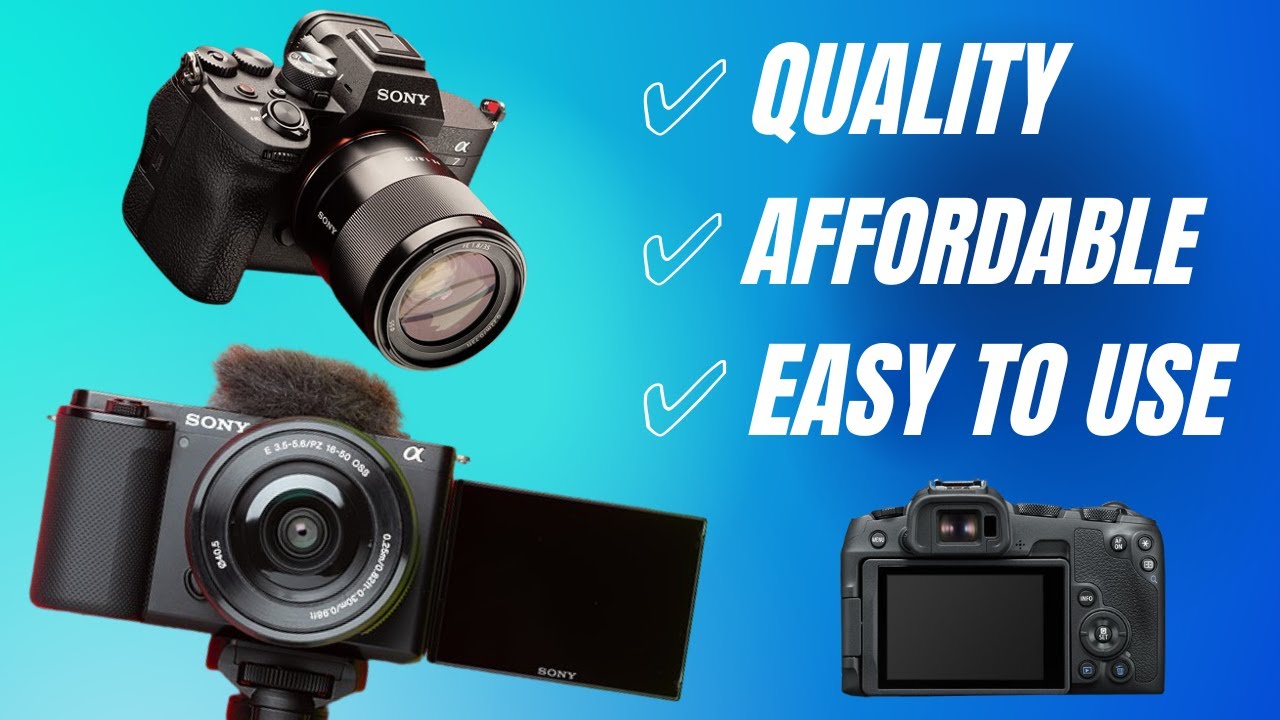
Ultimately, choosing the best camera for your video content creation is a personalized decision that balances your creative aspirations with practical considerations. By thoroughly understanding your needs, the technical capabilities of different cameras, and the importance of supporting accessories, you are well-positioned to invest in a tool that will not only meet but exceed your expectations. This journey of selection is an investment in your storytelling potential, empowering you to capture and share your unique perspective with the world.