Embarking on the journey of creating your own video content often begins with the dream of a dedicated studio. Fortunately, establishing a functional and professional-looking home video studio is more accessible than ever, even when working with limited financial resources. This guide will illuminate the path to building a space that fosters creativity and produces high-quality results without breaking the bank.
We will explore how to identify your specific needs, select essential equipment affordably, and craft a visually appealing environment. From mastering audio quality to optimizing your recording space and leveraging readily available free resources, every step is designed to empower you to produce engaging video content effectively and economically.
Understanding Your Video Studio Needs
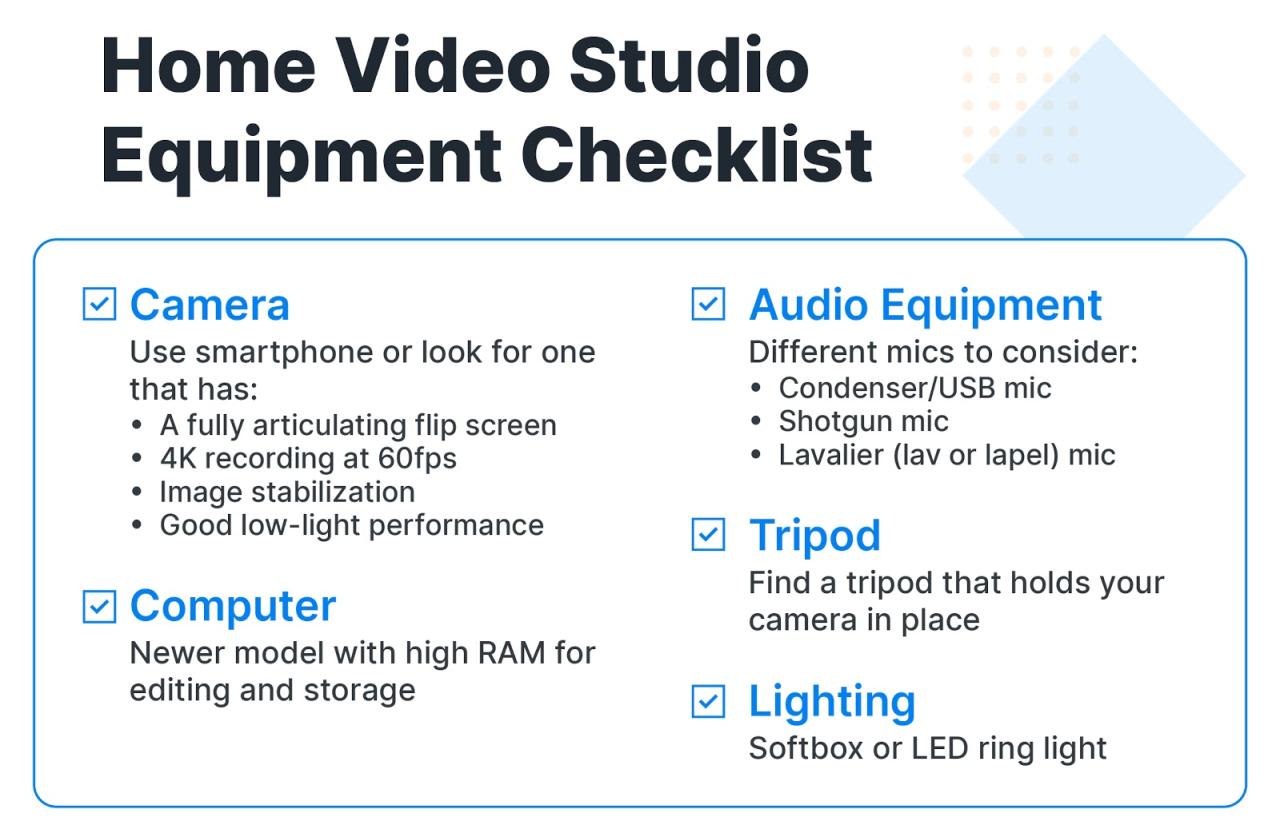
Before diving into equipment purchases and setup, it’s crucial to define what your home video studio will be used for. This foundational step will guide all subsequent decisions, ensuring you invest wisely and efficiently. Understanding your specific requirements will prevent overspending on unnecessary gear and guarantee you have the tools necessary to achieve your creative vision.A well-defined understanding of your needs allows for a tailored approach to building your studio, ensuring that every component serves a purpose.
This foresight is particularly important when working with a budget, as it prioritizes essential elements over aspirational ones.
Essential Elements of a Beginner Home Video Studio
For aspiring content creators, a basic home video studio requires a few core components to produce polished videos. These elements, when chosen thoughtfully, form the backbone of any successful home production setup, regardless of budget.
- Camera: While a professional cinema camera isn’t necessary to start, a camera capable of recording in at least 1080p resolution is essential. Many modern smartphones, DSLRs, or mirrorless cameras can fulfill this role effectively.
- Microphone: Good audio is often more critical than perfect video. A dedicated microphone, such as a lavalier (clip-on) mic, a shotgun mic, or a USB microphone, will significantly improve sound quality over built-in camera or phone microphones.
- Lighting: Proper lighting can transform the look of your videos. Simple and affordable options include natural light from a window, or basic LED panel lights that offer adjustable brightness and color temperature.
- Tripod: A stable camera is fundamental for professional-looking footage. A sturdy tripod prevents shaky shots and allows for consistent framing.
- Editing Software: While professional software can be expensive, many free or low-cost options are available for both desktop and mobile devices, such as DaVinci Resolve (free version), OpenShot, or iMovie.
Common Content Types in a Home Video Studio
The type of content you intend to create will directly influence the equipment and setup requirements for your home video studio. Different content genres have unique demands regarding visual style, audio fidelity, and interactivity.The variety of content produced in home studios is vast, ranging from educational tutorials to personal vlogs. Identifying your primary content focus will help in selecting the most appropriate gear and optimizing your space.
- Vlogs and Personal Content: These often require a more dynamic and engaging visual style, with a focus on clear audio for narration and personality. Simple lighting and a stable camera are key.
- Educational Content and Tutorials: Clarity of visuals, especially for screen recordings or demonstrations, is paramount. Clear audio for explanations and good lighting to showcase details are essential.
- Product Reviews and Demonstrations: High-quality close-ups of products, consistent lighting to show textures and colors accurately, and crisp audio for detailed descriptions are crucial.
- Interviews and Talking Head Videos: Focus on clear, well-lit shots of the subject, with excellent audio quality to capture dialogue without distractions. Background aesthetics also play a role.
- Podcasts with Video: While audio is primary, the video component requires good lighting and stable camera work, often with a focus on a clean and professional-looking background.
Key Considerations for Choosing a Dedicated Studio Space
Selecting the right location within your home is a critical step in building an effective video studio. The space’s acoustics, lighting potential, and ability to minimize external noise will significantly impact the quality of your productions.A dedicated space, even a small one, can make a substantial difference in the consistency and professionalism of your videos. It allows for a more controlled environment, reducing the need for extensive post-production fixes.
- Acoustics: Consider rooms with minimal echo or reverberation. Soft furnishings like carpets, curtains, and upholstered furniture can help absorb sound. Avoid rooms with hard, flat surfaces that reflect sound.
- Lighting: Proximity to natural light sources, such as windows, can be beneficial, but also consider the potential for unwanted reflections or glare. The ability to control light (e.g., by closing blinds) is important.
- Background: The area visible behind you during recording should be visually appealing and free from distractions. A clean wall, a bookshelf, or a simple backdrop can work well.
- Noise Isolation: Choose a space away from common household noise sources like kitchens, laundry rooms, or busy streets. Consider soundproofing measures if noise is a significant issue.
- Power Outlets: Ensure there are enough accessible power outlets to accommodate your camera, lights, microphones, and any other electronic equipment.
Factors Influencing Initial Setup Based on Content Type
The specific content you aim to produce will dictate the initial setup priorities for your home video studio. While core elements remain consistent, certain content types demand a greater emphasis on particular aspects of the setup.Understanding these nuances will help you allocate your budget and effort effectively, ensuring your studio is optimized for your primary creative output from the outset.
Lighting for Different Content
The type of lighting required varies greatly depending on the subject matter. For instance, detailed product shots might need more focused and controlled lighting than a casual vlog.
- Vlogs/Talking Heads: Often benefit from soft, diffused lighting that mimics natural light. A ring light or a softbox positioned in front of the subject can create flattering illumination.
- Product Reviews: Require precise lighting to highlight details and textures. This might involve using multiple light sources with different intensities and angles, including accent lights to emphasize specific features.
- Educational Demos: Need clear, even lighting to ensure viewers can easily see what is being demonstrated. Overhead lighting or a key light positioned to avoid shadows on the subject matter is important.
Audio for Different Content
Audio quality is paramount across all content types, but the specific microphone choice and setup can differ.
- Interviews/Dialogue-Heavy Content: Lavalier microphones are excellent for capturing clear dialogue from individuals, as they can be clipped directly to clothing, minimizing ambient noise.
- Voiceovers/Narration: A USB microphone placed in a quiet environment, possibly with some basic acoustic treatment, can provide professional-sounding voiceovers.
- ASMR/Sound-Focused Content: May require sensitive microphones and careful attention to the recording environment to capture subtle sounds without unwanted background noise.
Camera Angles and Stability
The dynamic nature of content influences camera setup and the need for stable shots.
- Dynamic Vlogs: May benefit from a combination of handheld shots and stable tripod shots for variety. A gimbal can also be useful for smooth movement.
- Tutorials/Demonstrations: Often require static shots from multiple angles to clearly show processes. A tripod is essential, and potentially a second camera or the ability to reposition the primary camera.
- Static Interviews: Primarily rely on stable tripod shots to maintain a consistent and professional look.
Essential Equipment on a Tight Budget
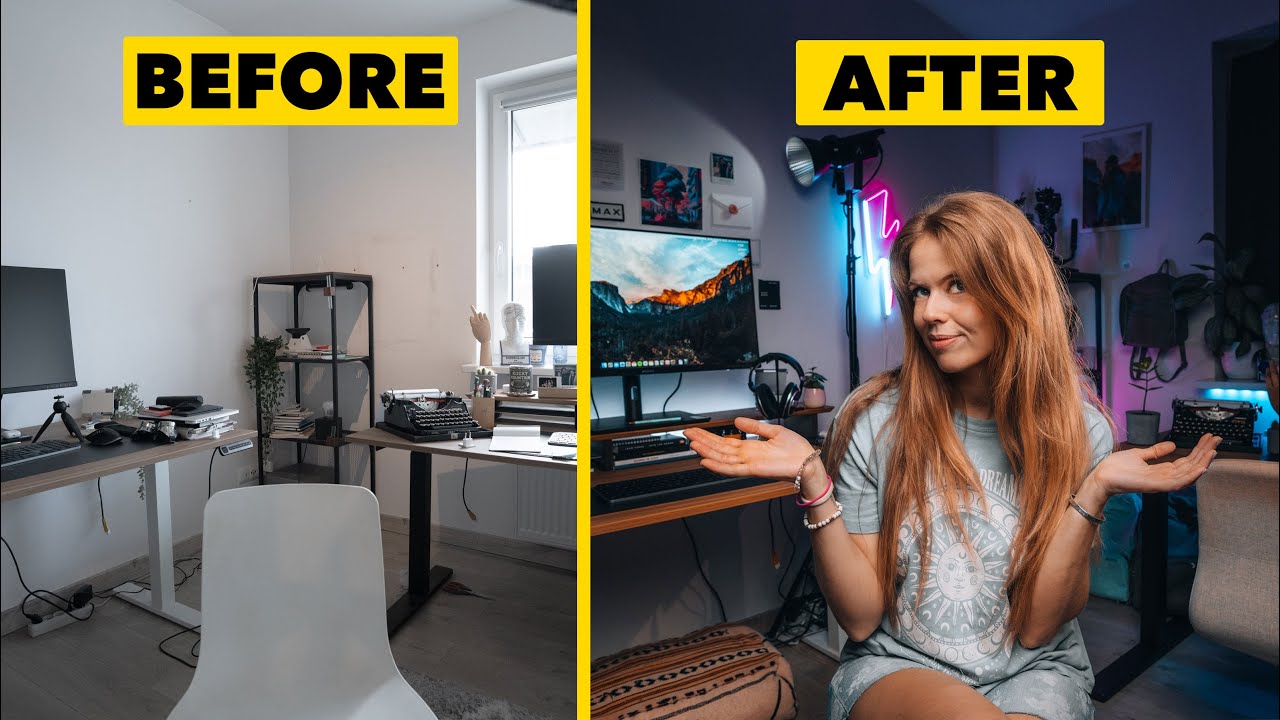
Building a home video studio doesn’t require breaking the bank. With strategic choices and a focus on core functionalities, you can equip yourself with the essentials for clear audio, flattering visuals, and stable recordings without significant investment. This section will guide you through selecting affordable yet effective equipment.Investing in quality audio is paramount for professional-sounding videos. Viewers are often more forgiving of less-than-perfect visuals than they are of muffled or noisy sound.
Fortunately, excellent audio capture is achievable on a budget.
Must-Have Audio Equipment for Clear Sound
To ensure your audience can hear you clearly and without distraction, a few key audio components are indispensable. These items will dramatically improve the sound quality of your recordings.
- Lavalier Microphone: These small, clip-on microphones are ideal for capturing clear voice audio directly from the source, minimizing background noise. Budget-friendly options from brands like Rode (Lavalier GO) or even reliable third-party manufacturers offer significant improvements over built-in camera or computer microphones.
- USB Microphone: For voiceovers, podcasting, or general recording where a lavalier might not be suitable, a USB microphone is a versatile and convenient choice. Blue Yeti and Audio-Technica AT2020 USB+ are popular mid-range options, but even more affordable models from brands like FIFINE or TONOR can provide excellent results for a home studio.
- Pop Filter or Windscreen: Essential for reducing plosive sounds (like “p” and “b”) and sibilance, a pop filter attaches to your microphone stand or directly to the mic. A foam windscreen is a simpler, often included, alternative that offers some protection against breath noise and plosives.
Achieving flattering video often comes down to good lighting. Natural light is free and can be excellent, but it’s inconsistent. Controlled lighting allows you to create a professional look regardless of the time of day or weather.
Budget-Friendly Lighting Setups for Flattering Video
Effective lighting can transform your video from amateur to professional. The goal is to illuminate your subject evenly and avoid harsh shadows. Simple, affordable setups can make a significant difference.
- Ring Light: A popular choice for its soft, even illumination and flattering catchlights in the eyes. Basic LED ring lights, often 10-18 inches in diameter, are widely available from online retailers and come with adjustable brightness and color temperature settings. Many include small desktop tripods, making them easy to position.
- Softbox Lights: For a more diffused and broader light source, softboxes are excellent. You can find affordable single softbox kits that include a light stand, bulb, and the softbox itself. These are great for creating a professional studio look by wrapping light around your subject.
- Natural Light with Reflectors: Harnessing window light is a fantastic free option. To control shadows and fill in darker areas, a simple reflector is invaluable. A white foam board or a collapsible reflector (often silver on one side, gold on the other) can bounce light back onto your subject, softening shadows and creating a more balanced image.
When it comes to cameras, you might already own a capable device. The key is to leverage what you have or make a smart, budget-conscious purchase.
Affordable Camera Options for Home Recording
The most critical piece of equipment for video is the camera, but high-end models are not always necessary for a home studio. Many devices you might already own can produce excellent results.
- Smartphones: Modern smartphones boast impressive camera capabilities, often recording in 4K resolution with good low-light performance. For budget-conscious creators, a good smartphone is an excellent starting point. Ensure you use the rear-facing camera for better quality.
- Webcams: While often associated with video conferencing, higher-end webcams have significantly improved. Models like the Logitech C920 or C922 offer 1080p recording and are a step up from basic built-in laptop cameras. They are plug-and-play and easy to set up.
- Entry-Level DSLRs/Mirrorless Cameras: If you have a slightly larger budget or are looking for future expansion, consider older or entry-level DSLR or mirrorless cameras. Used models from brands like Canon (e.g., Rebel series) or Nikon can often be found at great prices and offer superior image quality, interchangeable lenses, and manual controls.
Beyond the core components, several accessories are crucial for smooth operation and professional output. These items ensure stability, connectivity, and ease of use.
Necessary Accessories for a Video Studio
These supporting items are often overlooked but play a vital role in the overall quality and workflow of your video production.
- Tripod: Essential for stable shots, a tripod prevents shaky footage. Look for a sturdy tripod with a fluid head for smooth panning and tilting. Even an affordable tripod from brands like Amazon Basics or UBeesie can provide the necessary stability. Ensure it can support the weight of your chosen camera.
- Microphone Stand: Whether it’s a desk stand for a USB mic or a boom stand for a lavalier or shotgun mic, a stand keeps your microphone positioned correctly and frees up your hands.
- Cables and Adapters: Depending on your setup, you’ll need appropriate cables (e.g., USB-C to USB-A, 3.5mm audio cables) and potentially adapters to connect your microphone to your computer or camera. Ensure compatibility with your devices.
- External Hard Drive or Sufficient Storage: Video files can be large. Having ample storage on your computer or an external drive is crucial for editing and archiving your footage.
To help you get started and ensure you don’t miss any critical items, here is a basic checklist for your budget-friendly video studio.
Basic Equipment Checklist for a Starting Video Studio
This checklist covers the fundamental equipment needed to begin creating quality video content from home.
| Category | Item | Budget Considerations |
|---|---|---|
| Camera | Smartphone or Webcam | Utilize existing device or purchase an affordable model (e.g., Logitech C920). |
| Entry-level DSLR/Mirrorless (Optional) | Consider used models for better image quality. | |
| Audio | Lavalier Microphone or USB Microphone | Prioritize clear voice capture (e.g., FIFINE USB mic, Rode Lavalier GO). |
| Pop Filter/Windscreen | Crucial for reducing plosives and breath noise. | |
| Lighting | Ring Light or Softbox Kit | Aim for diffused, even illumination. |
| Reflector (e.g., white foam board) | Free or very low-cost way to manage shadows. | |
| Stability | Tripod | Essential for stable shots; ensure it supports your camera. |
| Connectivity | Cables and Adapters | Ensure compatibility with your devices. |
| Storage | Sufficient Computer Storage or External Hard Drive | To accommodate video files. |
Creating a Professional Visual Aesthetic
Elevating the visual appeal of your home video studio doesn’t require a substantial investment. By strategically focusing on your background, lighting, and post-production touches, you can achieve a polished and professional look that enhances viewer engagement. This section will guide you through cost-effective methods to transform your recording space and your footage.
Improving Background Aesthetics
A cluttered or uninspired background can detract significantly from your video’s message. Fortunately, creating an appealing backdrop is achievable with minimal expenditure. Consider the impression you want to convey and select elements that support your content and brand.
- Decluttering and Organization: The most budget-friendly improvement is to simply clear your background of any distracting items. Ensure shelves are tidy, and only display items that are intentional and add to the aesthetic.
- Strategic Placement of Props: Introduce a few carefully chosen props that align with your content. This could be a bookshelf filled with relevant books, a piece of art, a plant, or a decorative item. Aim for simplicity rather than an overstuffed look.
- Fabric Backdrops: Affordable fabric backdrops, such as plain colored muslin or even a well-ironed bedsheet, can provide a clean and consistent background. These can be hung easily with clamps or a simple stand.
- Using Existing Room Features: A plain wall, a window with an attractive view (ensure it’s not too bright), or even a tastefully arranged corner of a room can serve as an effective backdrop.
- DIY Backdrops: Consider creating your own backdrop. For instance, painting a large piece of plywood a solid color or attaching decorative elements like faux greenery can be cost-effective and unique.
Achieving Good Natural Lighting
Natural light is often the most flattering and budget-friendly lighting source available. Understanding how to harness it can dramatically improve your video quality.
- Positioning Relative to Windows: The ideal setup is to have a window in front of you, not behind you. This illuminates your face evenly. Avoid direct, harsh sunlight, which can create unflattering shadows; opt for diffused light.
- Timing Your Shoots: Schedule your recording sessions for times when the natural light is softest, typically during the “golden hours” shortly after sunrise or before sunset, or on overcast days when the light is naturally diffused.
- Using Reflectors: A simple white poster board, a foam core board, or even a white sheet can act as a reflector. Position it opposite your light source (e.g., the window) to bounce light back onto your face, filling in shadows and softening the overall look.
- Controlling Ambient Light: If your room has multiple light sources, such as overhead lights or lamps, turn them off to avoid competing with your primary natural light source.
Using Affordable Artificial Lighting
While natural light is excellent, it can be inconsistent. Affordable artificial lighting solutions can supplement or replace natural light, offering more control and reliability.
- Desk Lamps and Clamp Lights: Standard desk lamps or clamp lights can be surprisingly effective. Use them with soft white or daylight-balanced bulbs. Position them strategically to mimic natural light, such as one on each side of your camera at a 45-degree angle to your face (the “key” and “fill” lights).
- LED Bulbs: Invest in LED bulbs that are specifically designed for video or photography. Look for bulbs with a high Color Rendering Index (CRI) of 90 or above for accurate color representation and a color temperature of around 5500K (daylight balanced).
- DIY Light Diffusers: To soften the harshness of direct light from a lamp, you can create a DIY diffuser. Place a thin white cloth (like a t-shirt or parchment paper) in front of the bulb, ensuring it’s not too close to avoid overheating. Alternatively, bounce the light off a white wall or ceiling for a softer effect.
- Ring Lights: While some ring lights can be expensive, budget-friendly options are readily available. These provide a soft, even light that wraps around the subject, minimizing shadows and creating an appealing catchlight in the eyes.
- Three-Point Lighting Principle: Even with budget equipment, you can implement the basic three-point lighting setup: a key light (main light source), a fill light (to soften shadows from the key light), and a backlight (to separate you from the background). Start with two lights and a reflector to simulate this.
Simple Color Grading Techniques
Color grading is the process of altering or enhancing the color of a video, often to create a specific mood or aesthetic. Basic color correction can significantly polish your footage.
- Basic Color Correction: Before stylistic grading, ensure your footage has accurate colors, proper exposure, and white balance. Most video editing software offers tools for adjusting brightness, contrast, saturation, and white balance.
- Using Presets: Many editing programs come with built-in color grading presets. Experiment with these to see what styles appeal to you and your content. You can often adjust the intensity of these presets to avoid an overly processed look.
- Creating a Consistent Look: To achieve a consistent visual style, aim for a color palette that complements your brand or the mood you want to evoke. For example, warm tones (yellows, oranges) can create a cozy or inviting atmosphere, while cool tones (blues, greens) might suggest professionalism or calmness.
- Simple Adjustments: Focus on subtle adjustments. Slightly increasing saturation can make colors pop, while a minor shift in white balance can change the overall warmth or coolness of your video. Consider a slight vignette (darkening the edges of the frame) to draw the viewer’s eye to the center.
- Software Options: Free video editing software like DaVinci Resolve (which has a powerful color grading module), OpenShot, or Shotcut offer robust color correction and grading tools that are more than sufficient for a budget studio.
Creating a Consistent Visual Style
A consistent visual style helps build brand recognition and makes your content more memorable and professional. It encompasses your background, lighting, color palette, and even your on-screen presence.
- Define Your Brand/Mood: What feeling do you want your videos to evoke? Are you aiming for a clean and minimalist look, a warm and inviting atmosphere, or a vibrant and energetic feel? Your background, lighting, and color grading should all align with this.
- Establish a Color Palette: Choose a few primary and secondary colors that will appear consistently in your background, any on-screen graphics, and potentially in your color grading. This creates a cohesive look.
- Standardize Your Lighting: Once you find a lighting setup that works well, try to replicate it for every recording session. This ensures that your videos have a similar look and feel, even if shot at different times.
- Background Consistency: While you can change elements, aim for a generally consistent background or a few variations that fit within your established style. For example, if you use a bookshelf, ensure it’s always arranged in a similar manner.
- On-Screen Elements: If you use lower thirds, intro/outro sequences, or other on-screen graphics, ensure they use the same fonts, colors, and overall design aesthetic.
- Document Your Setup: Take notes or even photos of your ideal background arrangement and lighting setup. This will be invaluable when you need to quickly recreate your studio environment for a recording.
Audio Quality: The Unsung Hero

While captivating visuals draw viewers in, it’s the audio that truly keeps them engaged. Poor audio quality can quickly lead to viewer fatigue and disinterest, even if your video content is otherwise excellent. Viewers are far more forgiving of slightly imperfect visuals than they are of muffled, crackling, or echoey sound. Investing a little time and effort into your audio setup is crucial for creating a professional and enjoyable viewing experience.The impact of poor audio on viewer engagement is significant.
Studies and common user feedback consistently show that viewers will abandon a video with bad sound much faster than one with less-than-perfect video. This is because audio is directly processed by our auditory cortex, and any distortion or distraction can be highly irritating. In essence, clear and pleasant audio allows your message to be conveyed effectively, fostering trust and professionalism.
Microphone Options for Budget-Conscious Creators
Selecting the right microphone is a foundational step in achieving good audio. Fortunately, there are several budget-friendly options that can dramatically improve your sound quality without breaking the bank. These microphones offer a noticeable upgrade over your camera’s built-in microphone, providing clearer and more focused sound capture.Here are some popular and effective budget-friendly microphone choices:
- Lavalier Microphones (Lapel Mics): These small, clip-on microphones are ideal for capturing clear voice audio directly from the speaker. They are particularly useful for on-camera presentations or interviews where the subject is moving or at a distance from the camera. Many wired lavalier microphones are available for under $30, and wireless options, while more expensive, can often be found for under $100.
- USB Microphones: These microphones plug directly into your computer’s USB port, making them incredibly easy to set up and use, especially for voice-overs or podcasting. They offer a significant improvement in sound quality over built-in computer microphones. Popular entry-level USB microphones from brands like Blue Yeti, Rode NT-USB Mini, or Audio-Technica AT2020USB+ can often be found in the $50-$150 range, offering excellent value.
- Shotgun Microphones (Entry-Level): While professional shotgun microphones can be costly, some entry-level models are available that can be mounted on your camera or a boom pole. These microphones are designed to capture sound directionally, minimizing ambient noise. Budget-friendly options can be found for around $50-$100, offering improved focus on your subject’s voice compared to omnidirectional mics.
Acoustic Treatment for Small Spaces
Even with a great microphone, the acoustics of your recording space can significantly degrade audio quality. Small rooms, especially those with hard, flat surfaces like bare walls, can cause sound to bounce around, creating unwanted echo and reverb. Implementing basic acoustic treatment can dramatically improve the clarity and warmth of your recordings.Here are some effective and budget-friendly acoustic treatment methods:
- Soft Furnishings: Incorporate soft materials into your space. Thick curtains, rugs, upholstered furniture, and even blankets can absorb sound reflections. Hanging blankets on walls or strategically placing them around your recording area can make a noticeable difference in reducing echo.
- Bookshelves: A bookshelf filled with books acts as an excellent natural sound diffuser. The irregular surfaces of the books and the gaps between them help to scatter sound waves, preventing them from bouncing directly back.
- DIY Acoustic Panels: You can create effective acoustic panels by covering rigid insulation boards (like Owens Corning 703 or Rockwool) with breathable fabric. These panels can be hung on walls to absorb sound. Materials for a few DIY panels can often be purchased for under $50-$100.
- Egg Cartons and Foam: While not as effective as dedicated acoustic foam or professional panels, strategically placed egg cartons or even thick foam padding can offer some minor sound absorption in a pinch, especially for very tight budgets. However, their effectiveness is limited compared to other methods.
Minimizing Background Noise and Echo
Reducing extraneous noise and echo is paramount for professional-sounding audio. Background noise, such as traffic, air conditioning, or household sounds, can distract viewers and make your voice-over difficult to understand. Echo and reverb, as mentioned earlier, make recordings sound amateurish and unprofessional.Here’s how to tackle these common audio pitfalls:
- Choose a Quiet Location: Whenever possible, record in the quietest room available in your home. Consider recording during times of day when external noise is minimized (e.g., late at night or early morning).
- Turn Off Appliances: Ensure that noisy appliances like refrigerators, fans, or air conditioning units are turned off during recording. Even subtle hums can be picked up by sensitive microphones.
- Seal Drafts: Close windows and doors to prevent external noise from entering your recording space. If you have drafty windows, consider using weather stripping to create a better seal.
- Strategic Microphone Placement: Position your microphone as close as possible to your sound source (your mouth) without causing plosives (harsh “p” and “b” sounds). This proximity helps to isolate your voice and reduce the pickup of ambient noise.
- Use a Pop Filter or Windscreen: A pop filter, placed between your mouth and the microphone, significantly reduces plosives. Windscreens, which fit over the microphone capsule, can help with both plosives and minor air movement. These are inexpensive accessories, typically costing between $10-$20.
- Record in a “Dead” Space: Aim to record in a space with as little natural echo as possible. This is where acoustic treatment, as discussed previously, plays a vital role.
Microphone Types for Voice-Over and On-Camera Use
The best microphone for your needs depends on whether you’re recording voice-overs in a controlled environment or capturing audio directly on camera during a shoot. Each type has its strengths and weaknesses in these different scenarios.Here’s a comparison of common microphone types for voice-over and on-camera use:
| Microphone Type | Best For | Considerations | Budget Range (Approximate) |
|---|---|---|---|
| Lavalier Microphone | On-camera talent, interviews, presentations where subjects move. Captures clear voice close to the source. | Can pick up clothing rustle; wired versions have limited range; wireless systems can be more expensive and prone to interference. | $20 – $150+ |
| USB Microphone | Voice-overs, podcasting, narration, voice-over work in a stationary setup. Excellent for solo recording. | Not ideal for on-camera talent unless stationary and close to the mic; requires a computer for connection. | $50 – $150+ |
| Shotgun Microphone | On-camera use where distance from the subject is necessary, directing sound capture, reducing ambient noise. | Requires careful aiming; can still pick up some ambient sound in noisy environments; may require a separate audio recorder or interface. | $50 – $200+ (entry-level) |
| Condenser Microphone (Large Diaphragm) | Studio voice-overs, detailed narration, capturing nuanced vocal performances. | Highly sensitive to background noise and room acoustics; requires phantom power (often from an audio interface); not practical for on-camera use unless in a studio. | $80 – $250+ |
For on-camera use on a budget, a good lavalier microphone is often the most practical and effective choice for capturing clear dialogue. For voice-over work where you’re stationary at your computer, a USB microphone offers excellent quality and ease of use.
Optimizing Your Space for Production
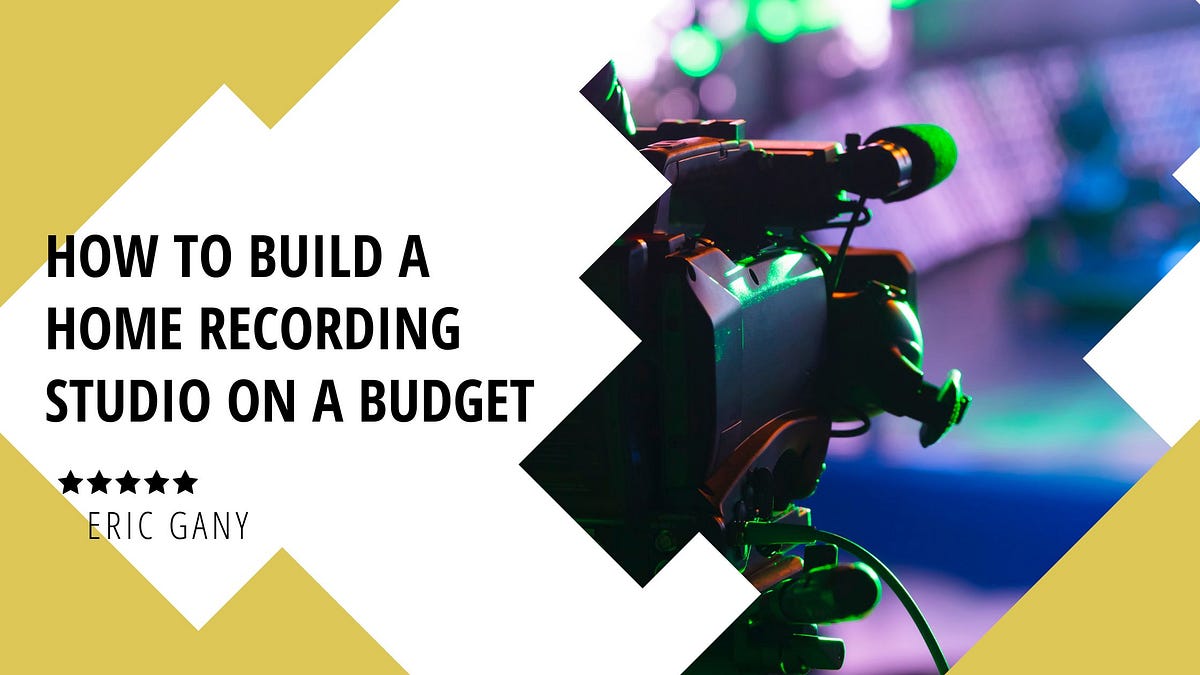
Transforming a corner of your home into a functional video studio doesn’t require a complete overhaul. With a little creativity and strategic planning, you can leverage your existing environment to create an effective and professional-looking space without breaking the bank. This section will guide you through maximizing your chosen area, from smart furniture repurposing to essential organizational techniques.Making the most of your available space is crucial for a productive and efficient home studio.
By thoughtfully arranging your equipment and optimizing the acoustics, you can significantly enhance your video production quality. This involves a blend of practical solutions for sound management and a focus on creating a visually pleasing and organized environment.
Repurposing Furniture and Decor
You can significantly reduce costs by creatively integrating existing furniture and decorative items into your studio setup. Think about how your current belongings can serve dual purposes, contributing to both the functionality and aesthetics of your filming space.Here are some ideas for repurposing what you already own:
- Bookshelves: These can act as excellent backdrops, providing visual interest and a sense of depth. You can arrange books, plants, or decorative objects to create a curated look. They also offer convenient storage for equipment when not in use.
- Desks and Tables: Your existing desk can serve as your control center for editing and managing your setup. Ensure it’s large enough to comfortably accommodate your computer, monitor, and any audio interfaces or control surfaces.
- Clothing Racks: A sturdy clothing rack can be draped with fabric to create a portable and adjustable backdrop, offering a clean and professional look.
- Lamps and String Lights: Ambient lighting can be easily achieved with existing lamps. String lights can add a creative and atmospheric touch to your background, enhancing the visual appeal.
- Mirrors: Strategically placed mirrors can help to bounce light around the room, making the space feel larger and brighter, and can also be used for checking your appearance before recording.
Soundproofing on a Minimal Budget
Achieving good audio quality is paramount, and minimizing unwanted ambient noise is a key part of that. While professional soundproofing can be expensive, there are several effective and budget-friendly methods to improve your room’s acoustics and reduce echo.Consider these cost-effective soundproofing strategies:
- Soft Furnishings: Utilize existing soft materials in your room. Thick rugs, upholstered furniture, curtains, and even blankets can absorb sound waves and reduce reverberation. Hang heavy blankets on walls or doors to further dampen sound.
- DIY Acoustic Panels: You can create effective acoustic panels using inexpensive materials. For instance, framing rigid insulation boards (like Roxul or Owens Corning 703) and covering them with breathable fabric can significantly improve sound absorption.
- Sealing Gaps: Sound can travel through small openings. Use weatherstripping around doors and windows to seal any gaps. Caulking can also be used to fill cracks in walls or around electrical outlets.
- Room Placement: If possible, choose a room that is naturally quieter, away from street noise or household appliances. Avoid recording in rooms with hard, bare surfaces that create a lot of echo.
- Record During Quiet Hours: Be mindful of external noise sources and schedule your recording sessions during times when your environment is likely to be most peaceful.
Managing Cables and Maintaining an Organized Workspace
A cluttered workspace can lead to distractions, inefficiency, and even safety hazards. Implementing a good cable management system and keeping your studio organized will streamline your workflow and contribute to a more professional presentation.Effective cable management and organization techniques include:
- Cable Ties and Sleeves: Use reusable velcro cable ties or plastic cable sleeves to bundle and secure cables together, preventing them from becoming tangled messes.
- Cable Clips and Raceways: Mount cable clips or raceways along walls, desks, or furniture to neatly route and hide cables, keeping them out of sight and out of the way.
- Power Strips with Surge Protection: Consolidate your power needs with a good quality power strip. Ensure it has surge protection to safeguard your valuable equipment.
- Labeling: Label your cables and power strips so you can easily identify what each connection is for, saving time and frustration during setup and breakdown.
- Dedicated Storage: Utilize drawers, bins, or shelves to store accessories, microphones, and other equipment when not in use. Keep your primary filming area clear.
Setting Up a Comfortable and Functional Filming Area
Your filming area should be designed for both comfort and efficiency, allowing you to focus on your performance or presentation without unnecessary distractions. This involves considering the placement of your equipment, lighting, and any background elements.A comfortable and functional filming area can be achieved through:
- Ergonomic Seating: If you’re sitting for long periods, ensure you have a comfortable and supportive chair that allows for good posture.
- Equipment Placement: Position your camera, microphone, and lighting so they are easily accessible and positioned optimally for your recording needs. Avoid having to constantly reach or adjust equipment.
- Background Considerations: Whether you’re using a plain backdrop or a more decorated one, ensure it is clean, visually appealing, and free from distracting elements.
- Adequate Ventilation: Filming can generate heat from equipment and lighting. Ensure your space has adequate ventilation to maintain a comfortable temperature.
- Accessibility: Make sure your filming area is easily accessible for setup and teardown, and that you have enough space to move around comfortably.
Checklist for Preparing Your Space
Before each recording session, a quick check of your space can ensure everything is ready for optimal production. This systematic approach minimizes last-minute issues and helps maintain consistency.Use this checklist to prepare your space before each recording session:
- Clear the Area: Ensure the filming area is free of clutter and any non-essential items that could be distracting.
- Check Background: Verify that your background is clean, tidy, and visually appealing. Adjust any props or decor as needed.
- Test Lighting: Confirm that your lighting setup is functioning correctly and provides the desired illumination. Adjust brightness and angles.
- Mic Check: Ensure your microphone is properly connected, positioned, and functioning. Perform a brief audio test.
- Camera Setup: Verify that your camera is set up correctly, focused, and framed as desired.
- Cable Management: Briefly check that all cables are neatly managed and secured, preventing trip hazards.
- Temperature and Ventilation: Ensure the room temperature is comfortable and there is adequate airflow.
- Remove Distractions: Turn off notifications on phones and computers, and inform others in the household about your recording session.
Leveraging Free and Affordable Resources
Building a professional-looking video studio doesn’t have to break the bank. Fortunately, a wealth of free and low-cost resources are available to help you enhance your productions without significant investment. These tools and platforms can significantly elevate the quality of your content, from the auditory experience to the visual appeal and your overall skill set.This section will guide you through discovering valuable free and affordable resources that can make a substantial difference in your home video studio setup.
We will explore where to find music and sound effects, access royalty-free stock footage, learn new video production skills, create branding elements, and utilize cost-effective screen recording software.
Free Online Resources for Music and Sound Effects
The right audio can dramatically impact the mood and professionalism of your videos. Fortunately, numerous platforms offer a vast library of music and sound effects that can be used without incurring licensing fees, allowing you to add polish to your productions.
- Pixabay Music: Offers a diverse collection of royalty-free music tracks across various genres, suitable for background music in intros, outros, or throughout your videos.
- Zapsplat: Provides a large database of free sound effects and royalty-free music. While a free account offers many options, a premium subscription unlocks even more.
- Freesound.org: A collaborative database of sounds released under Creative Commons licenses, offering a wide array of sound effects contributed by users worldwide. It’s essential to check the specific license for each sound.
- Bensound: Features a selection of free royalty-free music that can be used for personal and commercial projects, with attribution required.
Websites Offering Royalty-Free Stock Footage
Visuals are critical in keeping your audience engaged. Stock footage can add dynamic B-roll, illustrative clips, or professional-looking backgrounds to your videos, enhancing their storytelling capabilities without the need for expensive filming equipment or extensive travel.
- Pexels Videos: A popular source for high-quality, free stock videos and photos that can be used for commercial and non-commercial purposes without attribution.
- Videezy: Offers a wide variety of free stock videos, with many premium options available for purchase. Free clips often require attribution.
- Coverr: Provides a curated collection of beautiful, free stock videos that are updated weekly, perfect for adding a polished look to your projects.
- Mixkit: Offers a growing library of free stock video clips, stock music, and sound effects, all available for free use.
Platforms for Learning Video Production Skills at No Cost
Continuous learning is key to improving your video production quality. Many online platforms provide free courses, tutorials, and educational content that can help you master various aspects of video creation, from editing techniques to storytelling and visual composition.
- YouTube: An unparalleled resource for free tutorials on every conceivable video production topic, from beginner editing guides to advanced cinematography techniques. Channels like “This Guy Edits,” “Film Riot,” and “Peter McKinnon” offer valuable insights.
- Skillshare (Free Trial): While a subscription service, Skillshare offers a free trial period that allows you to access a vast library of video production courses taught by industry professionals.
- Coursera (Audit Option): Many universities offer video production and digital media courses on Coursera that can be audited for free, providing access to lectures and learning materials without a certificate.
- Adobe Premiere Pro & Final Cut Pro Tutorials: Both Adobe and Apple provide extensive free tutorials and learning resources for their respective editing software, which are invaluable for mastering editing workflows.
Affordable Tools for Graphic Design and Branding Elements
Consistent branding and professional graphics can elevate your video studio’s identity. Fortunately, several affordable or free tools can help you create logos, lower thirds, title cards, and other visual elements that contribute to a cohesive and professional look.
- Canva: An incredibly user-friendly graphic design platform that offers a free tier with a vast array of templates, design elements, and stock photos. It’s perfect for creating custom thumbnails, channel art, and on-screen graphics.
- Adobe Express (formerly Adobe Spark): Provides a free version with tools for creating graphics, web pages, and short videos, offering a good starting point for branding elements.
- GIMP (GNU Image Manipulation Program): A powerful, free, and open-source alternative to Photoshop for image editing and graphic design, offering advanced features for custom creations.
- Fiverr/Upwork (Freelance Marketplaces): For specific branding needs, consider hiring freelance designers on platforms like Fiverr or Upwork. You can often find affordable options for logo design or custom graphics starting at very low price points, especially for simpler projects.
Examples of Free or Low-Cost Software for Screen Recording
Screen recording is essential for tutorials, software demonstrations, and gaming content. Several excellent free and low-cost options are available that provide robust features without requiring a significant financial outlay.
- OBS Studio (Open Broadcaster Software): A completely free and open-source software for video recording and live streaming. It’s highly versatile, offering advanced features for capturing screen content, webcam footage, and audio, making it a top choice for many creators.
- ShareX: A free and open-source program for Windows that allows for screen recording, screenshots, and file sharing. It’s lightweight and packed with useful features for capturing and annotating screen activity.
- QuickTime Player (macOS): Built into macOS, QuickTime Player offers a straightforward way to record your screen with basic editing capabilities, making it a convenient free option for Mac users.
- Xbox Game Bar (Windows 10/11): While primarily for gaming, the Xbox Game Bar includes a built-in screen recording feature that can capture application windows. Pressing Windows Key + G opens the bar, and then you can click the record button.
- Screencast-O-Matic (Low-Cost Tier): Offers a free version with basic recording features and a watermark, as well as affordable paid plans that unlock more advanced tools like editing and longer recording times.
Conclusive Thoughts
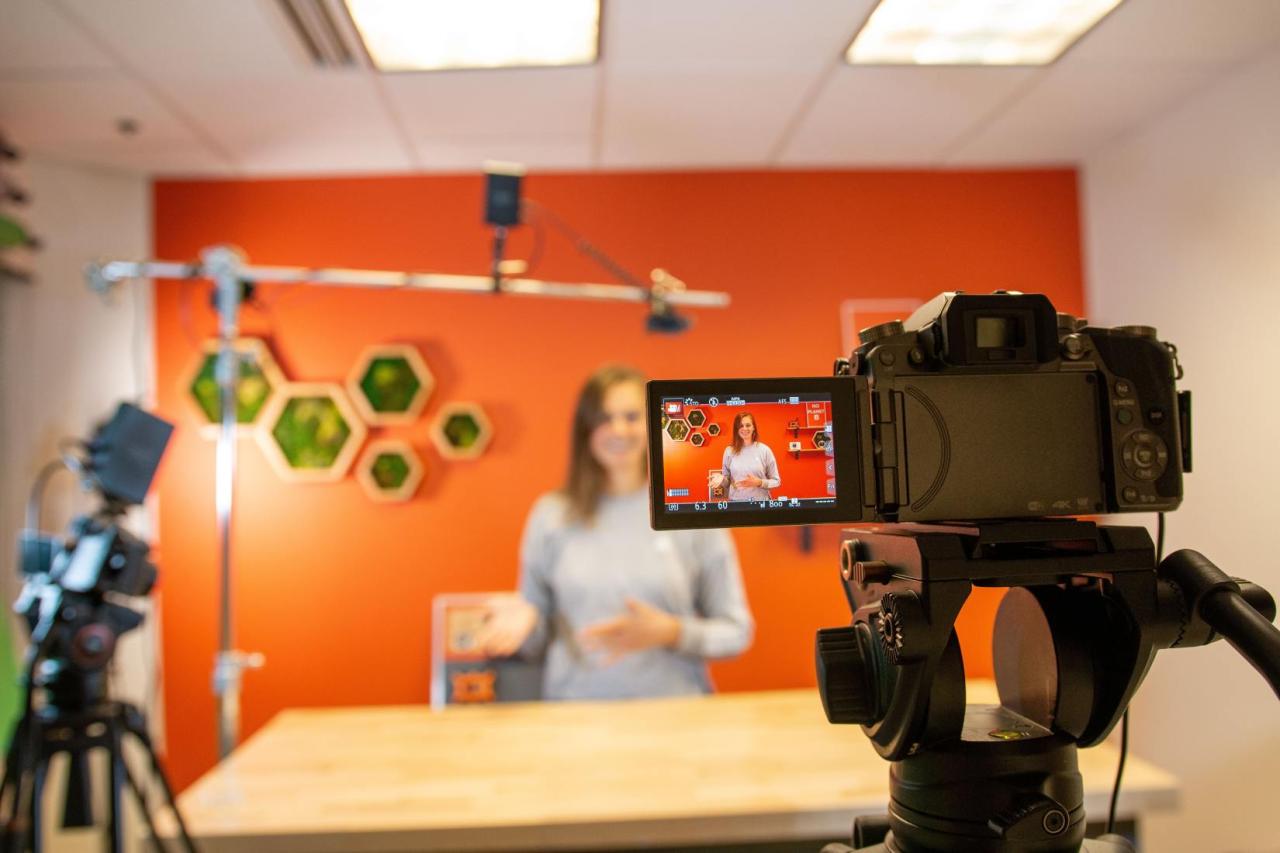
As we’ve explored, building a home video studio on a budget is not only achievable but also a rewarding endeavor. By focusing on essential elements, making smart equipment choices, and creatively optimizing your space, you can transform any room into a productive filming environment. Remember that quality audio and a thoughtful visual aesthetic are key, and thankfully, many excellent free and low-cost resources are available to support your content creation journey.
With careful planning and a resourceful approach, your budget-friendly studio awaits, ready to bring your creative visions to life.