How to Batch Your Video Content Creation for Efficiency offers a transformative approach to producing video content, moving beyond the traditional one-off method to embrace a streamlined, systematic process. This guide delves into the core principles of content batching, revealing how dedicating specific sessions to multiple video tasks can unlock significant gains in productivity and consistency. We will explore the tangible benefits, debunk common myths, and foster the essential mindset required to truly harness the power of batch production.
By understanding and implementing strategic planning, from topic brainstorming to content calendar creation and meticulous pre-production checklists, you can lay a robust foundation for efficient batching. This approach extends across all stages of video creation, including ideation, scripting, recording, editing, and distribution, ensuring a cohesive and effective workflow. We will examine various batching methodologies, identify and overcome common bottlenecks, and provide customizable workflow templates, all while highlighting the tools and technologies that can further optimize your production process.
Understanding the Core Concept of Content Batching
Content batching is a strategic approach to content creation that involves dedicating specific blocks of time to produce multiple pieces of content at once. Instead of creating content piece by piece on an ad-hoc basis, batching consolidates tasks like planning, filming, editing, and publishing into focused sessions. This method is designed to streamline the production workflow, enhance productivity, and ensure a consistent flow of valuable content for your audience.The fundamental principle of content batching lies in its efficiency.
By grouping similar tasks together, creators can minimize context switching, reduce setup and teardown time, and leverage momentum. This allows for a more organized and less overwhelming content creation process, ultimately leading to higher quality output and a more sustainable content strategy.
The Principles of Creating Multiple Videos in One Session
The core idea behind batching video content is to compartmentalize your production process. Instead of thinking about individual videos, you think about completing entire stages of production for several videos simultaneously. This involves defining your content calendar and then dedicating a significant chunk of time, often a full day or even a weekend, to execute a specific phase for multiple upcoming pieces.
For instance, you might dedicate one day to brainstorming and outlining all your videos for the next month, another day to filming all those videos, and a separate day for editing them.
Primary Benefits of Adopting a Batching Approach
The advantages of content batching are numerous and directly impact the efficiency and effectiveness of video production. By dedicating focused time to specific tasks, creators can overcome common hurdles and unlock significant improvements in their workflow.Here are the primary benefits:
- Increased Efficiency: Batching reduces the time spent on repetitive tasks like setting up equipment, finding locations, and switching between different creative mindsets. This allows for more content to be produced in less time.
- Improved Focus and Quality: By concentrating on a single type of task, creators can achieve a deeper level of focus, leading to higher quality output. For example, when filming, you can perfect your lighting and audio setup once and apply it to all videos shot that day.
- Reduced Decision Fatigue: Making countless small decisions throughout the week can be draining. Batching consolidates decision-making into specific sessions, freeing up mental energy for other important tasks.
- Consistent Content Output: Batching helps maintain a regular publishing schedule, which is crucial for audience engagement and algorithm favorability. Knowing you have a backlog of content ready can alleviate stress and ensure consistency.
- Cost Savings: Efficient use of time can translate to cost savings, especially for those who outsource editing or hire external resources. Less time spent on individual pieces means fewer billable hours.
- Enhanced Creativity: When you’re not constantly interrupted by the need to create the
-next* piece of content, you can enter a more creative flow state during your batching sessions.
Common Misconceptions About Content Batching
Despite its clear advantages, content batching is often misunderstood, leading some creators to dismiss it without fully exploring its potential. Clarifying these misconceptions is key to embracing the practice effectively.Some prevalent misconceptions include:
- It leads to generic or uninspired content: This is untrue. Batching is about efficiency, not sacrificing creativity. By dedicating focused time to planning and execution, you can actually enhance the thoughtfulness and quality of each piece.
- It requires a large, upfront time investment: While batching sessions can be intense, they ultimately save time in the long run by preventing constant interruptions and context switching throughout the week.
- It’s only for large teams or professional studios: Content batching is highly adaptable and beneficial for solo creators, small businesses, and even individuals looking to streamline their personal brand.
- It makes content feel less personal or authentic: Authenticity comes from your message and delivery, not necessarily from the production method. Batching allows you to be more present and focused during filming, potentially enhancing your authentic connection with your audience.
The Mindset Shift Required for Effective Content Batching
Successfully implementing content batching requires a fundamental shift in your approach to content creation. It moves away from a reactive, task-by-task mentality towards a proactive, strategic, and system-driven perspective.This mindset shift involves several key elements:
- Embracing the “Block” Mentality: Instead of viewing content creation as a series of small, daily tasks, you need to embrace the concept of dedicated “blocks” of time for specific production stages. This means scheduling these blocks as non-negotiable appointments in your calendar.
- Prioritizing Planning: Batching relies heavily on thorough pre-planning. You must shift from spontaneous content ideas to a structured content calendar and detailed Artikels or scripts developed
-before* your production sessions begin. - Viewing Content as a System: Understand that content creation is not just about individual videos but about a consistent system that fuels your audience engagement. Batching is a critical component of this system.
- Accepting the “Sacrifice” of Immediate Gratification: There might be days where you’re filming multiple videos, and it feels less exciting than creating one unique piece on a whim. The mindset shift involves understanding that this temporary “sacrifice” leads to greater long-term rewards in terms of productivity and consistency.
- Focusing on Process Optimization: You must be willing to analyze your workflow and identify bottlenecks. Batching encourages you to refine your processes for planning, filming, and editing to make them as efficient as possible within your dedicated sessions.
Strategic Planning for Efficient Video Batching

To truly unlock the efficiency of video content batching, a robust strategic planning phase is paramount. This involves meticulously outlining your content, scheduling your production, and preparing your resources to ensure a smooth and productive workflow. Without a clear plan, batching can quickly devolve into disorganization, negating its intended benefits.This section will guide you through the essential steps of planning for efficient video batching, from initial brainstorming to the final pre-production checklist.
By implementing these strategies, you can transform your video creation process from a series of reactive tasks into a streamlined, proactive operation.
Designing a Content Batching Schedule
A well-defined schedule is the backbone of successful content batching. It provides a roadmap for your entire production process, ensuring that all necessary steps are accounted for and executed in a timely manner. This systematic approach helps prevent bottlenecks and ensures a consistent output of high-quality video content.Here’s a step-by-step process for designing your content batching schedule:
- Define Your Content Pillars: Identify the overarching themes or categories your video content will cover. These pillars will serve as the foundation for your topic brainstorming. For instance, a fitness channel might have pillars like “Workout Routines,” “Nutrition Tips,” and “Fitness Challenges.”
- Determine Batch Size and Frequency: Decide how many videos you aim to produce in a single batch and how often you will conduct these batching sessions. This depends on your resources, audience demand, and production capacity. A common starting point might be batching 5-10 videos every two weeks.
- Allocate Time for Each Stage: Break down the entire video creation process into distinct stages: planning/brainstorming, scripting, filming, editing, and publishing. Assign realistic timeframes for each stage within your batching schedule. For example, you might dedicate a full day for scripting, two days for filming, and three days for editing for a batch of ten videos.
- Integrate with Your Content Calendar: Ensure your batching schedule aligns with your overall content calendar. This means knowing which videos need to be ready by specific dates for promotional campaigns, seasonal events, or regular publishing cycles.
- Schedule Buffer Time: Always include buffer time for unexpected delays, technical issues, or creative revisions. This proactive measure prevents your entire schedule from derailing due to minor setbacks.
- Review and Adjust: Regularly review the effectiveness of your schedule. Track the time taken for each stage and identify areas for improvement. Be prepared to adjust your schedule based on your learnings and evolving needs.
Framework for Brainstorming and Selecting Video Topics
Effective brainstorming and topic selection are crucial for creating a batch of videos that are both relevant to your audience and efficient to produce. A structured approach ensures you’re not only generating ideas but also selecting those that lend themselves well to batch production, minimizing context switching and maximizing your creative flow.Consider the following framework for brainstorming and selecting video topics suitable for batching:
- Audience Analysis: Deeply understand your target audience’s needs, pain points, and interests. Analyze comments, survey responses, and social media discussions to identify recurring questions and topics of high engagement.
- Research: Utilize tools like Google Planner, Ahrefs, or SEMrush to identify search terms your audience is actively using. Focus on long-tail s that indicate specific intent, as these often translate into focused video topics.
- Content Pillar Alignment: Ensure your brainstormed topics directly relate to your established content pillars. This provides a cohesive narrative and makes it easier to group similar ideas for batching.
- Evergreen vs. Timely Content: Balance evergreen content, which remains relevant over time, with timely content that capitalizes on current trends or events. Evergreen topics are excellent candidates for batching as they don’t require constant updates.
- Series Potential: Look for topics that can be broken down into a series. This allows you to create multiple related videos within a single batching session, enhancing efficiency and building audience anticipation. For example, a “Beginner’s Guide to Photography” could be a series covering camera settings, composition, lighting, and editing.
- Repurposing Opportunities: Identify topics that can be easily repurposed into other content formats (e.g., blog posts, social media snippets, infographics). This maximizes the value of your video production efforts.
- “How-To” and Tutorial Formats: These formats are inherently suited for batching as they often follow a similar structure and can be filmed consecutively.
- Product Reviews or Demonstrations: If you review multiple products or demonstrate similar functionalities, batching these can save significant setup and teardown time.
Methods for Creating a Content Calendar Supporting Batch Production
A content calendar is not just a list of what to post and when; it’s a strategic tool that orchestrates your entire content creation and distribution efforts. When planning for batch production, your content calendar needs to be designed to accommodate the unique workflow of creating multiple videos at once.Here are effective methods for creating a content calendar that supports batch video production:
- Visual Calendar Tools: Utilize visual tools like Google Calendar, Trello, Asana, or dedicated content calendar platforms. These allow you to see your entire schedule at a glance, making it easier to slot in your batch production days and publication dates.
- Color-Coding and Tagging: Implement a color-coding system to differentiate between various stages of production (e.g., planning, filming, editing, published) or different content pillars. Use tags to categorize videos by topic, format, or campaign.
- Batch Production Blocks: Clearly demarcate specific blocks of time on your calendar dedicated solely to batch production. For example, reserve every Tuesday and Wednesday of the month for filming.
- Publication Cadence Integration: Plan your publication dates first, then work backward to schedule your batch production days. Ensure you have sufficient time between batching sessions for editing and any necessary post-production work.
- Thematic Grouping: If you’re batching videos around a specific theme or campaign, ensure these are clearly marked on your calendar and that all related videos are scheduled for release within a cohesive timeframe.
- Cross-Promotion Planning: Use your calendar to plan how each video in a batch will be promoted. This includes scheduling social media posts, email newsletters, and any cross-promotion with other content.
- Performance Tracking Integration: While not strictly part of the calendar creation, plan to integrate performance tracking into your calendar. Schedule time to review analytics after publication to inform future batching decisions.
Checklist for Pre-Batching Preparation
Thorough preparation before you begin your video batching session is crucial for maximizing efficiency and minimizing disruptions. A comprehensive checklist ensures that all necessary equipment, resources, and environmental factors are in place, allowing you to focus entirely on the creative and technical aspects of production.Here is a checklist for pre-batching preparation:
Equipment Setup
Ensuring your equipment is ready and functioning correctly is the first step towards a smooth production day. Test everything thoroughly before your scheduled batching session.
- Camera(s): Charged batteries, sufficient memory cards, correct lens attached, and all settings pre-configured (e.g., resolution, frame rate, white balance).
- Microphone(s): Tested and working, with fresh batteries or fully charged, correct cables connected, and positioned appropriately for optimal audio capture.
- Lighting: All lights set up, tested, and adjusted to achieve the desired look. Ensure you have spare bulbs or batteries if applicable.
- Tripod/Stabilizer: Securely set up and adjusted to the correct height and angle for your shots.
- Teleprompter (if used): Loaded with scripts, tested for visibility and functionality, and positioned correctly in relation to the camera.
- Computer/Editing Station: Software updated, sufficient storage space available, and all necessary project files organized and accessible.
- Accessories: Extension cords, power strips, gaffer tape, spare batteries, lens cleaning cloths, and any other essential small items.
Location Setup
The environment in which you film can significantly impact the quality and efficiency of your video production. A well-prepared location minimizes distractions and ensures a consistent aesthetic.
- Background: Cleaned, organized, and visually appealing. Ensure it aligns with your brand aesthetic and is free from distracting elements.
- Soundproofing/Acoustics: Minimize background noise and echo. Consider using acoustic panels, blankets, or recording in a quiet room.
- Lighting Conditions: Natural light sources are consistent, or artificial lighting is set up to provide even and flattering illumination. Avoid harsh shadows or overly bright spots.
- Comfort and Ergonomics: Ensure your filming area is comfortable to work in for extended periods, with adequate space and appropriate seating if needed.
- Props and Set Dressing: Any necessary props or decorative elements are in place and readily accessible.
- Test Recordings: Conduct short test recordings to check audio quality, video clarity, and lighting before committing to full takes.
Content and Script Preparation
Having your content thoroughly planned and scripted is non-negotiable for efficient batching. This ensures clarity, conciseness, and reduces the need for extensive reshoots or on-the-spot scriptwriting.
- Finalized Scripts: All scripts are written, reviewed, and approved. Mark sections for specific shots or emphasis if necessary.
- Shot List: A detailed shot list for each video, outlining the specific camera angles, movements, and framing required.
- B-Roll and Visuals: Any pre-recorded B-roll footage, graphics, or animations are organized and ready for integration during editing.
- Call to Actions (CTAs): Clearly defined CTAs for each video are integrated into the script and planned for visual representation.
Batching Different Stages of Video Creation

Now that we’ve grasped the fundamental concept of content batching and established a strategic plan, it’s time to delve into the practical application: batching the various stages involved in video creation. By dedicating specific blocks of time to each phase, you can significantly streamline your workflow and maintain momentum. This approach allows you to leverage focused energy and minimize the context-switching that often drains productivity.The process of creating a video can be broken down into several key stages: ideation and scripting, recording, editing, and finally, uploading and distribution.
Each of these stages benefits immensely from a batching approach, allowing you to move through your content pipeline with greater efficiency and consistency.
Batching Video Ideation and Scriptwriting
The initial phase of conceptualizing and outlining your video content is a crucial foundation for the entire production process. Batching this stage involves dedicating a concentrated period to brainstorm a multitude of video ideas and then developing detailed scripts for a series of them. This allows for a creative flow where one idea can spark another, and the structure of one script can inform the next.To effectively batch ideation and scriptwriting, consider the following procedure:
- Brainstorming Session: Set aside a dedicated time, perhaps a few hours, solely for generating video ideas. Use techniques like mind mapping, freewriting, or looking at audience questions and trending topics within your niche. Aim to generate more ideas than you immediately need.
- Idea Curation and Selection: Review the generated ideas and select a manageable number that align with your content strategy and audience interests. Prioritize ideas that can be grouped thematically or that cater to a specific series.
- Artikel Development: For each selected idea, create a concise Artikel that covers the main points, key takeaways, and any visual elements you envision. This provides a roadmap for scriptwriting.
- Scriptwriting Block: Schedule a separate block of time specifically for writing the full scripts. With your Artikels in hand, you can move more fluidly from one script to the next, maintaining a consistent writing style and tone.
- Review and Refine: Once scripts are drafted, set aside time for a thorough review and refinement process. This might involve reading them aloud to catch awkward phrasing or ensuring logical flow.
This structured approach to ideation and scriptwriting ensures that you have a solid content pipeline ready for the next stages of production, preventing bottlenecks and maintaining creative momentum.
Batching Video Recording Sessions
Recording is often the most time-consuming part of video creation. Batching your recording sessions means filming multiple videos in a single, focused period. This minimizes setup and teardown time, allows you to get into a rhythm, and ensures consistent lighting and audio conditions across several videos.Efficiently batching video recording sessions involves:
- Pre-Production Check: Before your recording day, ensure all necessary equipment is set up, tested, and in good working order. This includes cameras, microphones, lighting, and any props or backdrops.
- Themed Recording Blocks: Group videos that share similar themes, settings, or talking points. This reduces the need to constantly reconfigure your recording environment or switch between different talking points that require distinct mental shifts.
- Script Rehearsal: Rehearse your scripts beforehand to minimize retakes and ensure a smooth delivery. Knowing your content well will significantly speed up the recording process.
- Consistent Environment: Maintain a consistent recording environment throughout your batch session. This includes ensuring the same lighting, background, and audio setup for all videos being filmed.
- Efficient Transitions: Plan for smooth transitions between recording different videos. This might involve a quick pause to reset, repositioning a prop, or simply moving to the next script.
“The less time you spend setting up and packing down, the more time you have for creating.”
By treating your recording day as a production event, you can maximize your output and maintain a high level of quality across all your filmed content.
Batching Video Editing Tasks
Video editing can be a detailed and often repetitive process. Batching editing tasks allows you to dedicate a block of time to specific editing functions across multiple videos, rather than jumping between different projects and different editing styles.Techniques for batching video editing tasks include:
- Standardize Your Workflow: Develop a consistent editing process for all your videos. This might involve a specific order of operations, such as importing footage, rough cuts, color correction, audio mixing, and adding graphics.
- Project Templates: Create project templates in your editing software that include pre-set sequences, common graphics, and audio settings. This saves significant time when starting a new video project.
- Focus on One Task: Dedicate your editing block to a single editing task across all your videos. For example, spend an entire session on color grading all the videos, then another session on adding music, and so on.
- Batch Exporting: Once editing is complete for a batch of videos, schedule a time for batch exporting. Most editing software allows you to queue up multiple export jobs, saving you from initiating each export individually.
- Use Keyboard Shortcuts: Familiarize yourself with and utilize keyboard shortcuts within your editing software. This small detail can significantly speed up your editing process when applied consistently across many tasks.
This systematic approach to editing ensures that you are not constantly re-learning or re-thinking your approach for each individual video, leading to faster turnaround times and a more polished final product.
Batching Video Uploading and Distribution
The final stage of video creation involves getting your content out to your audience. Batching uploading and distribution means preparing and scheduling the release of multiple videos at once, rather than uploading and promoting them individually.Strategies for batching video uploading and distribution include:
- Pre-Scheduled Uploads: Utilize the scheduling features available on most video platforms (e.g., YouTube, Vimeo). Upload all your finished videos and schedule them to go live at optimal times according to your content calendar.
- Content Calendar Integration: Align your uploading schedule with your overall content calendar. This ensures that your video releases are strategically placed alongside other content and promotional activities.
- Batch Social Media Promotion: Prepare social media posts, captions, and graphics for all your scheduled videos in advance. Schedule these posts across your social media channels to coincide with video releases.
- Email Newsletter Preparation: If you use email marketing, draft and schedule newsletters that announce your new video releases. This can be done for a week or even a month’s worth of content at once.
- Cross-Platform Consistency: Ensure that your distribution strategy is consistent across all platforms. This includes using similar messaging and visuals where appropriate to reinforce your brand.
By batching the uploading and distribution process, you can ensure a consistent presence across your platforms and free up your time to focus on engaging with your audience and creating more content.
Optimizing Your Workflow for Batch Production
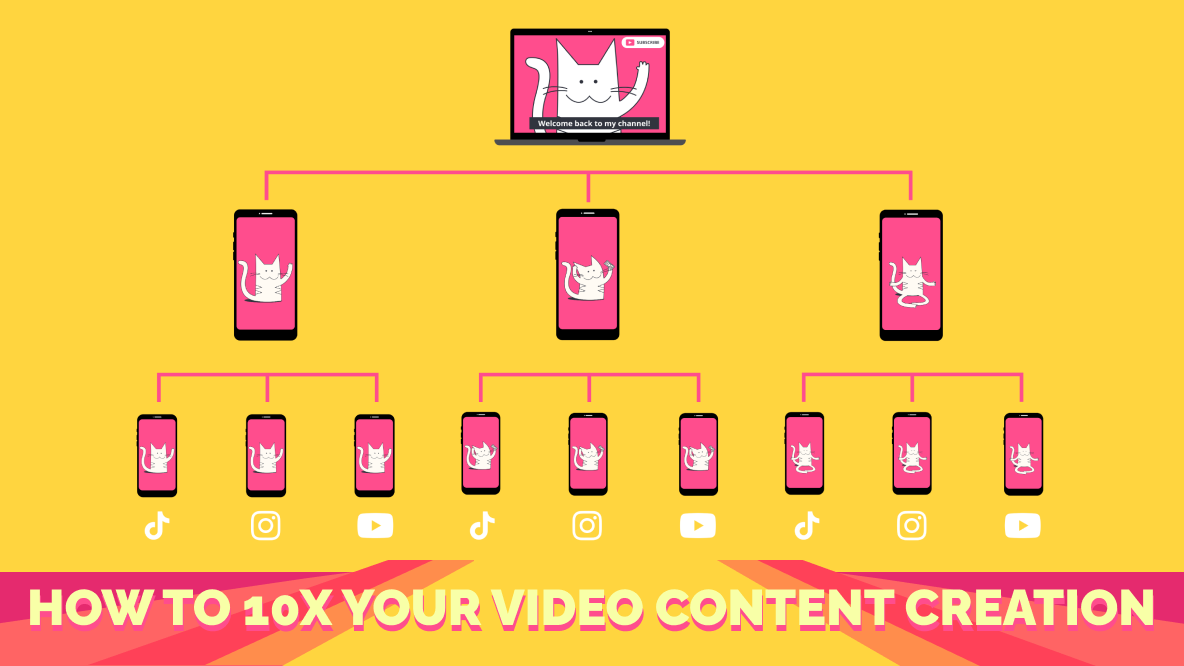
Mastering the art of video content batching goes beyond simply grouping tasks. It requires a strategic approach to workflow optimization, ensuring that your production process is as seamless and efficient as possible. This section delves into how to refine your batching methodology, identify and overcome common hurdles, and leverage technology to maximize your output.
Batching Methodologies: Task, Topic, or Format
The most effective batching strategy often depends on your specific content calendar and production capabilities. Understanding the nuances of different approaches allows you to tailor your workflow for maximum efficiency.
- By Task: This is the most granular approach, where you dedicate specific blocks of time to a single type of task across multiple videos. For example, you might shoot all your talking-head segments for the week in one session, then edit all the footage in another. This method excels at building muscle memory and minimizing context switching.
- By Topic: Here, you group videos that cover similar themes or subjects. This allows for a deeper dive into a particular area, potentially leading to more cohesive content and easier research and ideation. For instance, you could dedicate a day to creating all your videos on “Beginner Photography Tips.”
- By Format: This approach involves batching all videos of a similar style or structure. This could mean filming all your short-form vertical videos one day, and then dedicating another day to longer, more produced documentary-style pieces. This method is excellent for streamlining technical setup and post-production needs.
Identifying and Alleviating Common Bottlenecks
Video content creation, even when batched, can encounter specific points where progress slows down. Recognizing these bottlenecks is the first step to implementing solutions that batching can effectively address.
Common bottlenecks often arise from the inherent complexities of video production. These can include:
- Technical Setup and Teardown: Constantly setting up and taking down cameras, lighting, and audio equipment for individual videos is time-consuming. Batching by task or format significantly reduces this overhead by allowing you to keep your setup consistent for a block of recordings.
- Mental Transitioning: Shifting between different video ideas, scripts, or editing styles requires mental energy. Batching by topic or format minimizes this cognitive load, allowing you to stay in a particular creative or technical headspace for longer periods.
- Research and Scripting: If you’re creating content around a specific theme, doing all the research and scriptwriting for related videos in one go can be far more efficient than revisiting the same topics repeatedly.
- Editing Complexity: Tackling similar editing challenges across multiple videos at once can lead to faster problem-solving and more consistent stylistic choices.
Batching Workflow Template
To facilitate a structured and adaptable approach to your batch production, consider using a customizable workflow template. This template serves as a blueprint that you can adjust based on the specific needs of your content.
Here is a foundational template that can be adapted:
| Stage | Batching Strategy (Example) | Tasks | Time Allotment (Estimate) | Notes/Dependencies |
|---|---|---|---|---|
| Ideation & Planning | By Topic | Brainstorm topics for the month, Artikel video concepts, research s. | 1-2 days | Ensure topics align with audience interests and marketing goals. |
| Scripting & Storyboarding | By Topic/Format | Write scripts for all videos within a topic cluster or format. Create storyboards or shot lists. | 2-3 days | Review scripts for clarity and conciseness. |
| Filming/Recording | By Task/Format | Record all talking-head segments, capture B-roll for multiple videos, conduct interviews. | 1-2 days | Ensure consistent lighting and audio quality. |
| Editing | By Task/Format | Assemble footage, add graphics and music, color correction, audio mixing for a batch of videos. | 3-5 days | Use templates for common elements like intros and outros. |
| Review & Approval | By Batch | Watch and review all edited videos, gather feedback, make final adjustments. | 1 day | Prioritize feedback for efficient revisions. |
| Publishing & Promotion | By Batch | Schedule uploads, write descriptions and tags, create social media promotional assets. | 1 day | Plan promotional activities for each video. |
Leveraging Tools and Software for Streamlined Production
The right tools can significantly amplify the efficiency gains from batching. Investing in software that supports your workflow, from planning to distribution, is crucial for maximizing your output.
Several categories of tools can enhance your batch video production:
- Project Management Software: Tools like Asana, Trello, or Monday.com are invaluable for organizing your batching schedule, assigning tasks, and tracking progress. You can create boards for different stages of production or for specific content batches.
- Cloud Storage and Collaboration Tools: Services such as Google Drive, Dropbox, or OneDrive allow for easy sharing of scripts, footage, and edited files among team members. This is essential for collaborative batching.
- Video Editing Software with Templates: Modern editing suites like Adobe Premiere Pro, Final Cut Pro, or DaVinci Resolve offer robust template features. Creating reusable templates for intros, outros, lower thirds, and common transitions drastically speeds up the editing process for batched content.
- Automation Tools: For repetitive tasks, consider automation. For example, tools that can automatically transcribe audio or generate social media snippets from longer videos can save considerable time when working in batches.
- Scheduling Platforms: For publishing, platforms like Buffer, Hootsuite, or native YouTube/Vimeo scheduling capabilities allow you to upload and schedule multiple videos in advance, ensuring a consistent release schedule.
“Efficiency is doing things right; effectiveness is doing the right things.”Peter Drucker. Batching is about doing both by optimizing the ‘how’ to ensure you’re producing the ‘right’ content consistently.
Content Types and Formats Best Suited for Batching

Understanding which video content formats lend themselves best to batch creation is key to maximizing efficiency. Not all video types are created equal when it comes to batching, and identifying those that benefit most will significantly streamline your production process. By focusing on formats that can be produced in a similar style, with recurring elements, or in a structured sequence, you can achieve substantial time savings and maintain a consistent output.Certain video content formats are inherently more conducive to batch creation due to their repetitive nature, structured format, or the ability to reuse assets and templates.
These formats allow for a focused approach where you can dedicate blocks of time to specific production stages across multiple videos, rather than jumping between different tasks for individual pieces.
Tutorial and How-To Videos
Tutorials and how-to videos are excellent candidates for batching. Their sequential nature, often involving screen recordings, demonstrations, and clear step-by-step instructions, allows for a standardized production process. You can film multiple demonstrations back-to-back, record voiceovers for several tutorials in one session, and then edit them in batches.
Examples of tutorial formats ideal for batching include:
- Software Demonstrations: Recording screen captures for multiple software features or user guides.
- DIY and Craft Projects: Filming the assembly or creation process for several similar projects.
- Recipe Videos: Preparing and filming multiple dishes with similar cooking techniques or ingredient preparations.
- Skill-Based Tutorials: Teaching a specific skill, such as coding, drawing, or playing a musical instrument, through a series of lessons.
Question and Answer (Q&A) Sessions
Q&A videos, whether live-streamed and repurposed or pre-recorded based on submitted questions, are highly efficient for batching. You can compile a list of frequently asked questions or questions from a specific campaign and address them all in one or a few recording sessions. This consolidates the planning, recording, and editing efforts.
Batching Q&A sessions offers several advantages:
- Themed Q&As: Grouping questions by topic (e.g., product features, industry trends, personal advice) allows for focused content creation.
- Live Stream Repurposing: Recording a live Q&A session and then editing segments into individual, digestible videos for different platforms.
- Consistent Delivery: Practicing your answers and delivery style for multiple questions at once improves consistency.
Short-Form Clips and Social Media Snippets
The demand for short-form video content across platforms like TikTok, Instagram Reels, and YouTube Shorts makes batching particularly effective. These clips often require quick edits, engaging visuals, and concise messaging, which can be produced efficiently in volume.
Consider batching these short-form formats:
- Tips and Tricks: Short, actionable advice related to your niche.
- Behind-the-Scenes Glimpses: Quick peeks into your work process or company culture.
- Product Spotlights: Brief showcases of product features or benefits.
- Motivational Quotes or Affirmations: Visually appealing clips with impactful messages.
The ability to create multiple, visually similar short clips using templates or consistent editing styles significantly boosts batching efficiency.
Educational Content Series
Educational content, especially when structured as a series, is a prime candidate for batch production. This allows you to build upon previous videos, maintain a consistent narrative, and leverage a standardized visual and auditory style throughout the series.
Batching different types of educational content can be approached strategically:
- Course Modules: Filming all lectures for a specific module in one go.
- Webinar Series: Recording multiple webinars on related topics consecutively.
- Deep Dives: Creating a series of videos that explore different facets of a complex subject.
By batching educational content, you ensure a cohesive learning experience for your audience and streamline the content pipeline for extended learning journeys.
Promotional and Marketing Videos
Promotional and marketing videos, such as product announcements, testimonials, or campaign teasers, can also be batched effectively. If multiple promotions are running concurrently or if you have a series of product features to highlight, batching allows for consistent branding and messaging.
Guidance on batching promotional videos:
- Campaign Cohesion: Producing all videos for a specific marketing campaign at once ensures consistent visual style and messaging.
- Testimonial Collections: Filming multiple customer testimonials in a single session to gather diverse perspectives.
- Product Feature Spotlights: Creating a series of short videos highlighting different features of a product or service.
- Event Promotions: Batching promotional content for upcoming events, conferences, or webinars.
This approach ensures that your marketing efforts are synchronized and visually aligned, reinforcing brand identity.
Series-Based Video Content
The advantages of batching series-based video content are particularly pronounced. When you plan a series, you’re already thinking in terms of interconnected episodes. Batching allows you to execute this vision with maximum efficiency.
The advantages of batching series-based video content include:
- Consistency: Maintaining a uniform look, feel, and tone across all episodes is easier when produced together.
- Narrative Flow: Ensuring a logical progression of information or story from one episode to the next is more manageable.
- Audience Engagement: Releasing episodes consistently from a batched production can keep your audience engaged and anticipating the next installment.
- Resource Optimization: Reusing sets, props, or even script structures across episodes saves time and resources.
For example, a weekly vlog series or a monthly expert interview series can be planned and produced in batches, allowing for a steady stream of content without constant last-minute scrambling.
Tools and Technology for Enhancing Batching
Leveraging the right tools and technology is paramount to maximizing the efficiency gains from video content batching. These resources not only streamline individual tasks but also foster a more organized and collaborative production environment, ultimately allowing you to create more content in less time.The strategic selection and implementation of software and hardware can transform a potentially chaotic batch production process into a well-oiled machine.
From initial planning to final distribution, technology plays a crucial role in every stage.
Essential Software and Hardware for Batching
To effectively batch video content creation, a well-equipped toolkit is indispensable. This encompasses reliable hardware for recording and a robust suite of software for editing, organizing, and collaborating.
- High-Quality Camera/Webcam: For consistent visual quality across multiple recordings, invest in a camera or webcam that offers good resolution (at least 1080p, ideally 4K) and decent low-light performance.
- External Microphone: Clear audio is as critical as good visuals. An external microphone, whether a lavalier, shotgun, or USB microphone, will significantly improve sound quality compared to built-in mics.
- Lighting Equipment: Consistent lighting ensures uniformity in your batch content. A simple ring light or a more comprehensive three-point lighting setup can make a substantial difference.
- Powerful Computer: Video editing is resource-intensive. Ensure your computer has sufficient RAM (16GB or more recommended), a fast processor (Intel Core i5/i7 or AMD Ryzen 5/7 equivalent or higher), and a dedicated graphics card for smooth editing performance.
- Video Editing Software: Professional or prosumer editing software is essential. Popular choices include Adobe Premiere Pro, Final Cut Pro, DaVinci Resolve (which has a powerful free version), and CapCut (for mobile and desktop).
- Screen Recording Software: For tutorials, software demonstrations, or presentations, tools like OBS Studio (free and open-source), Camtasia, or Loom are invaluable.
Project Management Tools for Organizing Batch Production
Effective organization is the bedrock of successful batching. Project management tools provide a centralized hub for planning, tracking, and managing all aspects of your video production pipeline, ensuring that no task falls through the cracks.These platforms are designed to break down complex projects into manageable steps, assign responsibilities, set deadlines, and monitor progress visually. This structured approach is particularly beneficial when working on multiple video projects simultaneously within a batch.
- Task Breakdown and Assignment: Tools like Asana, Trello, or Monday.com allow you to create detailed task lists for each video, from scriptwriting and filming to editing and uploading. You can assign these tasks to team members or to yourself with specific deadlines.
- Visual Workflow Management: Kanban boards, as popularized by Trello, offer a visual representation of your production workflow. You can move tasks through stages like “To Do,” “In Progress,” “Review,” and “Completed,” providing a clear overview of where each video stands.
- Calendar Integration and Scheduling: Many project management tools integrate with calendars (like Google Calendar or Outlook) to schedule filming sessions, editing blocks, and publication dates, ensuring a cohesive production timeline.
- Centralized Communication: These platforms often include features for comments and discussions within tasks, keeping all relevant communication and feedback in one place, reducing the need for scattered email threads.
Utilizing Editing Software Features for Batch Editing
Modern video editing software offers a plethora of features specifically designed to accelerate repetitive tasks, making them ideal for batch editing. By mastering these functionalities, you can significantly reduce the time spent on post-production.The key is to identify and leverage features that allow for consistent application of edits across multiple clips or projects. This minimizes manual adjustments and ensures a uniform look and feel for your content series.
- Templates and Presets: Create custom templates for common video structures, intro/outro sequences, or color grading. Saving these as presets allows you to apply them with a single click to new clips.
- Batch Exporting: Most professional editing software allows you to queue multiple export jobs. This means you can set up all your videos to export sequentially without manual intervention, saving considerable time.
- Multicam Editing: If you record from multiple camera angles, multicam editing allows you to sync and switch between angles efficiently, which is crucial for creating dynamic content like interviews or vlogs in a batch.
- Keyboard Shortcuts and Macros: Familiarize yourself with and customize keyboard shortcuts for your most frequent actions. Some advanced users even create macros to automate sequences of commands.
- Adjustment Layers and Master Effects: Apply color correction, audio adjustments, or visual effects using adjustment layers or master effects that can be applied to multiple clips simultaneously, ensuring consistency.
Cloud Storage and Collaboration Platforms for Batch Content
For teams or individuals working on batch content, cloud storage and collaboration platforms are indispensable for managing large volumes of video files and facilitating seamless teamwork. They ensure accessibility, version control, and efficient sharing.These services provide a secure and centralized location for all your project assets, from raw footage to final renders, allowing for remote access and collaborative editing workflows.
- Cloud Storage Services: Platforms like Google Drive, Dropbox, OneDrive, and specialized media asset management (MAM) systems offer ample storage space and robust file-sharing capabilities. This is essential for storing large video files.
- Version Control: Many cloud platforms automatically track file versions, allowing you to revert to previous edits if needed, which is a critical safety net during intensive editing periods.
- Collaboration Features: Services like Frame.io (integrated with Adobe Premiere Pro) or built-in commenting and sharing features in other cloud platforms allow team members to review footage, provide feedback directly on the timeline, and approve edits without cumbersome file transfers.
- Remote Access: Access your project files from any location with an internet connection, enabling flexible working arrangements and ensuring that production can continue uninterrupted, regardless of physical location.
- Backup and Security: Cloud storage provides an essential off-site backup for your valuable video content, protecting against hardware failures or data loss on local drives.
Overcoming Challenges in Content Batching
While content batching offers significant efficiency gains, it’s not without its hurdles. Recognizing and proactively addressing these common obstacles is key to a successful and sustainable batching strategy. This section delves into the typical challenges creators face and provides actionable solutions to ensure your video content creation remains smooth and productive.The journey of batching video content can sometimes feel like navigating a maze, with unexpected turns and potential roadblocks.
By understanding these common pitfalls and equipping yourself with the right strategies, you can transform potential frustrations into opportunities for enhanced creativity and consistent output.
Maintaining Consistency and Quality
Ensuring that a batch of videos maintains a uniform brand voice, visual style, and overall quality is paramount. Inconsistency can dilute your brand’s impact and confuse your audience. Implementing clear guidelines and review processes is crucial for maintaining this crucial aspect of your content.To achieve consistent quality across batched videos, consider the following strategies:
- Develop a Style Guide: Create a comprehensive document outlining your brand’s visual elements (colors, fonts, logos), tone of voice, editing style, and any specific on-screen graphics or transitions. This serves as a definitive reference for all content produced within a batch.
- Pre-Production Checklists: Before filming a batch, ensure all equipment is calibrated, lighting is set consistently, and audio levels are standardized. A pre-production checklist helps eliminate last-minute technical issues that can lead to variations in quality.
- Template Utilization: For recurring video formats (e.g., tutorials, Q&As), develop templates for intros, outros, on-screen text, and lower thirds. This ensures visual uniformity and saves significant editing time.
- Standardized Editing Procedures: Establish a consistent editing workflow. This might include specific color grading presets, audio mixing techniques, and pacing guidelines. Training editors on these procedures is vital.
- Quality Assurance Reviews: Implement a multi-stage review process. This could involve peer reviews, self-reviews against the style guide, and a final quality check before publication.
Managing Burnout and Maintaining Motivation
The intensive nature of batching can lead to creative fatigue and burnout if not managed carefully. Sustaining motivation over extended creation periods requires conscious effort and strategic planning to protect your well-being and creative drive.Here are effective methods for managing burnout and maintaining motivation during content batching:
- Strategic Breaks: Schedule regular, short breaks during your batching sessions to step away from the screen, stretch, and clear your head. Longer breaks between batching cycles are also essential for complete rejuvenation.
- Varying Content Types: If possible, intersperse different types of video content within your batching schedule. Switching between a talking-head video, a screen recording, and a more visually dynamic format can prevent monotony.
- Celebrate Milestones: Acknowledge and celebrate the completion of significant portions of your batch. This could be as simple as a small treat, a team outing, or sharing positive feedback with your team.
- Incorporate Personal Interests: Where appropriate, weave in topics or themes that genuinely excite you. Passion is a powerful motivator and often translates into more engaging content.
- Set Realistic Expectations: Avoid overcommitting to unrealistic production schedules. Understand your capacity and plan batches accordingly to prevent overwhelming yourself.
- Seek External Inspiration: Regularly consume content from other creators, attend webinars, or read industry publications to reignite your creative spark and discover new ideas.
Adapting Batching Strategies to Evolving Content Needs
The digital landscape and audience preferences are constantly changing. Your batching strategy must be flexible enough to adapt to these shifts without compromising the efficiency you’ve worked to build. This requires ongoing evaluation and a willingness to iterate.Methods for adapting batching strategies to evolving content needs include:
- Regular Performance Analysis: Continuously monitor the performance of your batched content. Analyze metrics like watch time, engagement rates, and audience feedback to identify what resonates and what needs adjustment.
- Agile Planning: Instead of rigid, long-term batch plans, adopt a more agile approach. Plan batches in shorter cycles (e.g., monthly or quarterly) allowing for adjustments based on recent performance data and emerging trends.
- Audience Feedback Loops: Actively solicit and integrate audience feedback into your content planning. Surveys, comments, and direct messages can provide invaluable insights into what your viewers want to see next.
- Experimentation within Batches: Dedicate a portion of your batching time to experimenting with new formats, topics, or presentation styles. This allows for low-risk testing of new ideas before committing to them on a larger scale.
- Cross-Functional Collaboration: Maintain open communication with your marketing, social media, and analytics teams. Their insights can help anticipate shifts in trends and inform necessary adaptations to your batching strategy.
- Modular Content Design: Design content elements that can be easily repurposed or rearranged. For instance, a longer educational video could be batched into several shorter, digestible clips for social media, allowing for flexibility in distribution.
Outcome Summary

In conclusion, mastering How to Batch Your Video Content Creation for Efficiency is not merely about saving time; it’s about cultivating a sustainable and high-impact video production strategy. By embracing batching across all facets of your workflow, from initial ideation to final distribution, and by leveraging the right tools and overcoming potential challenges, you can consistently deliver quality content that resonates with your audience.
This methodical approach ensures that your video efforts are not only more efficient but also more impactful, setting you up for long-term success in the dynamic world of online video.