How to Film a Compelling Unboxing Video Guide unlocks the secrets to creating captivating content that resonates with audiences and drives engagement. This comprehensive approach delves into the art and science of presenting products in a way that builds excitement and fosters a genuine connection with viewers.
From meticulous pre-production planning and strategic environment setup to expert camera techniques and authentic presentation, this guide provides actionable insights for every step of the unboxing video creation process. We will explore how to understand viewer expectations, build anticipation, and effectively showcase product features and benefits, ensuring your unboxing videos stand out and leave a lasting impression.
Understanding the Core of a Compelling Unboxing
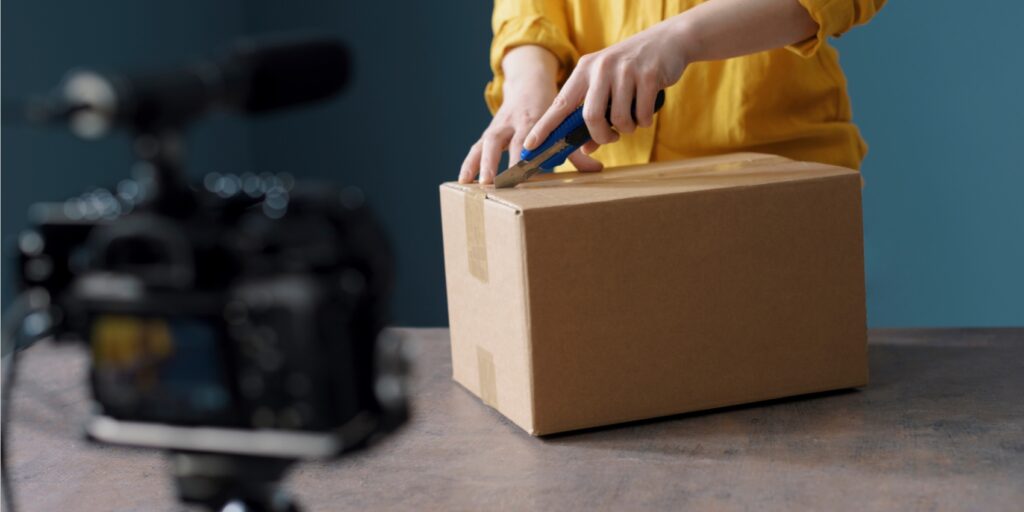
A truly compelling unboxing video transcends the simple act of opening a package. It’s about crafting an experience that resonates with viewers, making them feel as though they are part of the discovery process. This involves a thoughtful approach to presentation, engagement, and the emotional journey the viewer undertakes.The essence of an engaging unboxing lies in its ability to tap into a viewer’s curiosity, desire for new products, and the vicarious thrill of experiencing something for the first time.
It’s a blend of informative content and entertainment, designed to satisfy a specific audience’s needs and interests.
Essential Elements of Engaging Unboxing Videos
To create an unboxing video that captivates an audience, several key elements must be meticulously integrated. These components work in harmony to transform a basic product reveal into a memorable viewing experience.
- Clear and High-Quality Visuals: Sharp, well-lit footage is paramount. Viewers need to see the product, its packaging, and any accessories in detail. This includes smooth camera movements and a stable shot.
- Enthusiastic and Authentic Presentation: The presenter’s genuine excitement and personality are infectious. A relatable and approachable demeanor builds a connection with the audience.
- Detailed Product Examination: Going beyond a superficial glance, a compelling unboxing explores the product’s build quality, materials, features, and any unique design aspects.
- Clear Audio: Crisp and understandable audio ensures that commentary and any sound effects are easily perceived. Background noise should be minimized.
- Logical Flow and Pacing: The video should progress smoothly, with a natural rhythm that keeps viewers engaged without feeling rushed or bored.
- Honest First Impressions: Sharing genuine initial thoughts and reactions, both positive and negative, fosters trust and authenticity.
- Contextual Information: Briefly explaining the product’s purpose, its place in the market, or why it’s significant adds value for the viewer.
Target Audience and Their Expectations
Unboxing content appeals to a diverse range of individuals, each with specific motivations for watching. Understanding these motivations is crucial for tailoring content effectively.The primary audience for unboxing videos often includes:
- Potential Buyers: Viewers who are considering purchasing a product and want to see it in action, assess its quality, and gather more information before making a decision. They expect detailed visuals, honest reviews, and comparisons.
- Enthusiasts and Hobbyists: Individuals passionate about specific product categories (e.g., tech gadgets, gaming consoles, beauty products, collectibles). They seek in-depth analysis, expert opinions, and a sense of community with like-minded individuals.
- Curious Viewers: Those who simply enjoy the vicarious thrill of seeing new and exciting products being revealed, regardless of their immediate purchase intent. They are drawn to the element of surprise and the presenter’s reactions.
- Early Adopters: People eager to be among the first to see and learn about the latest releases. They value speed and comprehensive coverage of new products.
Viewers in these segments generally expect transparency, thoroughness, and a degree of entertainment. They are looking for a reliable source of information that helps them make informed decisions or simply satisfies their curiosity.
Strategies for Building Anticipation and Excitement
The moments leading up to the actual unboxing are critical for setting the stage and drawing viewers in. Building anticipation transforms a simple reveal into an event.Effective strategies for generating excitement include:
- Teasing the Product: Briefly showcasing the packaging or hinting at the product’s contents without fully revealing them in the intro can pique curiosity.
- Setting the Scene: Creating a visually appealing and organized backdrop for the unboxing can enhance the perceived value of the product and the overall experience.
- Highlighting Key Features (Pre-Reveal): Mentioning specific features or benefits that the viewer can look forward to discovering during the unboxing can increase their engagement.
- Using Engaging Language: Employing descriptive and evocative language in the introduction to describe the product or the anticipation of receiving it can amplify excitement.
- Sound Design: Incorporating subtle sound effects, such as the crinkle of packaging or the click of a seal being broken, can add to the sensory experience and build anticipation.
For instance, a tech reviewer might start by showing the sleek, minimalist box of a new smartphone, emphasizing its premium feel and the excitement surrounding its launch, before proceeding to the actual unboxing.
The Emotional Connection Viewers Seek
Beyond the practical information, viewers connect with unboxing videos on an emotional level. This connection is what often distinguishes a forgettable video from one that garners a loyal following.The emotional resonance in unboxing videos stems from:
- Vicarious Joy and Excitement: Viewers experience the thrill of a new purchase through the presenter. Their genuine delight can be contagious, making the viewer feel happy and excited.
- A Sense of Discovery: The act of unveiling something new and unknown mirrors the human desire for exploration and learning. Viewers feel like they are discovering the product alongside the presenter.
- Relatability and Authenticity: When a presenter shares honest reactions, including moments of surprise, delight, or even slight disappointment, it makes them more human and relatable. This authenticity fosters trust and a deeper connection.
- Aspiration and Desire: Seeing desirable products unboxed can evoke feelings of aspiration. Viewers may imagine themselves owning and using the product, fulfilling a personal desire.
- Nostalgia and Fond Memories: For some products, the unboxing can trigger nostalgic feelings or remind viewers of positive past experiences, creating an emotional anchor.
For example, a collector unboxing a rare vintage toy might evoke feelings of nostalgia and joy in viewers who share a similar passion, creating a strong emotional bond with the content. This emotional engagement is a powerful driver of viewer retention and satisfaction.
Pre-Production Planning for Success
Before you even think about hitting record, meticulous pre-production planning is the bedrock of a truly compelling unboxing video. This stage ensures you capture high-quality footage, highlight the product effectively, and present it in a professional and engaging manner. Investing time here will significantly elevate the perceived value of your content and your overall production quality.Thorough preparation transforms a potentially chaotic unboxing into a polished and informative experience for your audience.
It allows you to anticipate challenges, optimize your shooting environment, and deliver a narrative that resonates with viewers.
Essential Equipment Checklist
To achieve professional-looking unboxing footage, a well-equipped setup is crucial. This checklist covers the fundamental tools that will enable you to capture clear visuals and crisp audio, ensuring your product is showcased in the best possible light.Here are the essential pieces of equipment to consider for your unboxing videos:
- Camera: A DSLR, mirrorless camera, or even a high-end smartphone with good video capabilities. Look for features like 1080p or 4K resolution and decent low-light performance.
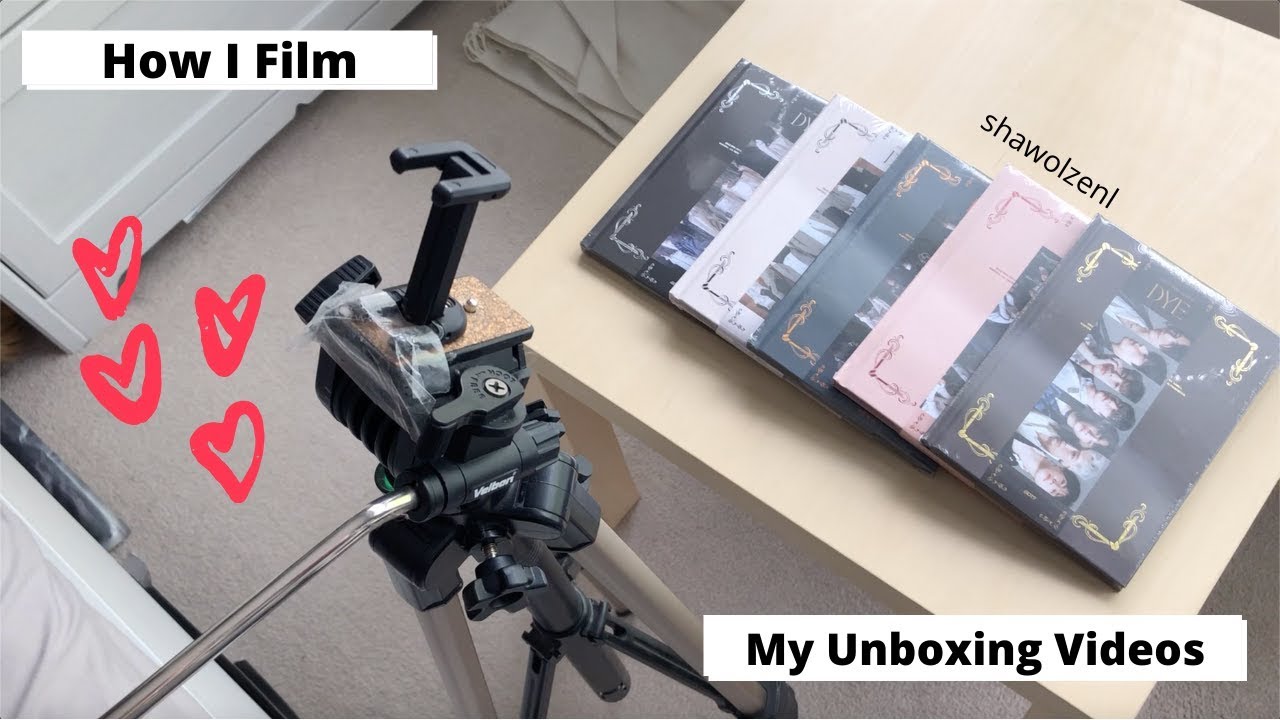
- Tripod: Essential for stable shots and preventing shaky footage. A sturdy tripod allows for consistent framing and frees up your hands to interact with the product.
- Lighting: Natural light is excellent, but artificial lighting offers more control. Consider a ring light or softbox setup to illuminate the product evenly and minimize shadows.
- Microphone: Good audio is as important as good video. A lavalier microphone (clip-on) or a shotgun microphone can significantly improve your audio clarity compared to built-in camera microphones.
- Background: A clean, uncluttered background keeps the focus on the product. This could be a plain backdrop, a clean desk, or a visually appealing setting that complements the product’s aesthetic.
- Cutting Mat or Protective Surface: To protect your workspace and the product from scratches during the unboxing process.
- Tools for Opening: Depending on the packaging, you might need scissors, a box cutter, or even a small screwdriver.
Shot List Design
A well-designed shot list is your roadmap for filming, ensuring you capture all the necessary angles and details to tell the product’s story effectively. It goes beyond simply opening the box; it’s about showcasing the product’s features, design, and the unboxing experience itself.This structured approach guarantees that you don’t miss any critical moments or product attributes, leading to a comprehensive and visually appealing video.Consider the following key shots to include in your list:
- Establishing Shot: A wide shot of the package as it arrives, showing the shipping box and any branding.
- Box Details: Close-ups of the product’s retail packaging, highlighting artwork, specifications, and any unique design elements.
- Opening Sequence: Shots of you carefully opening the box, emphasizing the sealing and presentation of the contents within.
- First Reveal: The moment the product is first revealed from its packaging. This should be captured with anticipation.
- Product Overview: Multiple angles of the product itself, showcasing its design, materials, and form factor.
- Accessory Shots: Detailed views of all included accessories, cables, manuals, and any other items in the box.
- Close-ups of Key Features: Focus on specific buttons, ports, screens, or any distinguishing features of the product.
- Size Comparison (Optional): If relevant, a shot comparing the product’s size to a common object (e.g., a hand, a coin) can provide helpful context.
- Initial Impressions: Shots that capture your initial reaction and handling of the product.
Script or Talking Points Development
A script or a set of talking points provides structure and ensures your presentation is coherent, informative, and engaging. It allows you to convey key information about the product, share your genuine reactions, and guide the viewer through the unboxing experience logically.Without a plan, you might find yourself rambling, forgetting important details, or struggling to articulate your thoughts. A well-crafted script elevates your video from a simple unboxing to a valuable product review.Here’s how to approach creating your script or talking points:
- Introduction: Briefly introduce yourself and the product you’re unboxing. Mention where you purchased it and why you chose it.
- Packaging Experience: Describe the unboxing process itself. Was the packaging secure? Was it easy to open? Did it feel premium?
- Product First Impressions: Share your immediate thoughts upon seeing and holding the product. Discuss its build quality, materials, and overall aesthetic.
- Key Features and Specifications: Highlight the most important features and technical specifications that potential buyers would want to know.
- Included Accessories: Detail everything that comes in the box and comment on their quality or usefulness.
- Demonstration (if applicable): Briefly show how a particular feature works or how to set up the product.
- Pros and Cons (Initial): Based on your first impressions, mention any immediate positive or negative aspects you notice.
- Call to Action (Optional): Encourage viewers to like, subscribe, or comment with their questions.
Remember to keep your language natural and conversational, even if you’re using a script. Authenticity is key.
Product Selection for Unboxing Videos
The choice of product is fundamental to the success and appeal of your unboxing video. Selecting items that resonate with a specific audience, offer interesting features, or generate buzz can significantly increase viewership and engagement.Consider these factors when deciding which product to unbox:
- Audience Interest: What types of products does your target audience typically watch unboxing videos for? This could be technology, beauty products, collectibles, toys, or niche hobbies.
- Product Novelty or Hype: New releases, limited editions, or products that are currently trending are often highly sought after and generate considerable interest.
- Unique Features or Design: Products with innovative features, striking design elements, or a unique selling proposition make for more engaging content.
- Personal Interest and Expertise: Unboxing products you are genuinely passionate about or have expertise in will translate into more authentic and informative commentary.
- Market Demand and Search Volume: Researching what people are actively searching for can guide you towards popular and in-demand products. Tools like Google Trends or research platforms can be helpful.
- Visual Appeal: Products that are visually striking or have aesthetically pleasing packaging are inherently more engaging to watch being unboxed.
- Value Proposition: Consider products that offer a clear benefit or solve a problem, as this can be a strong narrative hook.
For instance, a recent study by Statista indicated that unboxing videos for consumer electronics, particularly smartphones and gaming consoles, consistently rank among the most-watched categories, demonstrating the power of selecting products aligned with popular consumer interests.
Setting the Stage: Environment and Lighting
The environment and lighting are critical elements that can elevate a good unboxing video to a great one. They contribute significantly to the overall aesthetic, the viewer’s ability to see the product clearly, and the professional feel of your content. A well-prepared setting ensures that the focus remains squarely on the product you are showcasing.Creating a visually appealing and distraction-free background is the first step in setting the stage.
This involves selecting a space that complements your product without overpowering it. The goal is to provide a clean and organized canvas that allows the unboxing experience to shine.
Filming Background Design
A compelling background minimizes visual clutter and guides the viewer’s attention to the product. Consider the overall theme or brand of the product you are unboxing. For tech gadgets, a minimalist, modern background might be ideal, while for artisanal goods, a more textured or natural setting could be appropriate.Here are key considerations for designing your filming background:
- Declutter the Space: Remove any extraneous items, personal belongings, or distracting patterns from the frame. A clean desk, a plain wall, or a simple fabric backdrop are excellent choices.
- Color Palette: Opt for neutral or complementary colors that do not clash with the product’s packaging or the product itself. White, grey, black, or subtle wood tones often work well.
- Depth and Texture: While minimalism is often preferred, a touch of depth can add visual interest. This could be achieved with a slightly out-of-focus bookshelf in the background, a plant, or a subtle piece of decor that relates to the product’s theme.
- Branding Consistency: If you have a YouTube channel or a personal brand, consider incorporating subtle elements of your branding, such as a small logo or specific color accents, into the background.
Lighting Techniques for Product Showcase
Effective lighting is paramount for showcasing the product’s details, textures, and colors accurately. It ensures that the viewer can appreciate the product’s design and quality without being hindered by harsh shadows or blown-out highlights.The aim of lighting is to create a well-lit environment that is neither too dark nor excessively bright, allowing the product to be the star.
Key Lighting Principles
- Soft, Diffused Light: Harsh, direct light can create strong shadows and glare, obscuring product details. Soft, diffused light wraps around the product, revealing its form and texture more gently.
- Even Illumination: Aim for consistent lighting across the entire product. Avoid dark shadows on one side and overly bright spots on the other.
- Highlighting Key Features: Strategically placed lights can draw attention to specific design elements or features of the product.
- Avoiding Glare: Glare can be a major issue, especially with glossy surfaces. Adjusting the angle of your lights and the product can help minimize or eliminate distracting reflections.
Natural Versus Artificial Light Sources
Both natural and artificial light sources have their advantages and disadvantages for unboxing videos. Understanding these differences will help you choose the best option for your filming setup and schedule.Natural light, when harnessed correctly, can produce beautiful, soft illumination. However, its availability and consistency can be challenging to manage. Artificial lights offer greater control and predictability.
- Natural Light:
- Pros: Often free, provides a soft and pleasing quality of light, can give a natural and authentic feel.
- Cons: Highly dependent on the time of day and weather conditions, can change rapidly, may require shooting near a window, which can limit placement options.
- Best Use: Diffused daylight from a north-facing window is ideal as it provides consistent, soft light without direct harshness. Avoid direct sunlight.
- Artificial Light:
- Pros: Controllable intensity, color temperature, and direction; available at any time, allowing for consistent filming schedules.
- Cons: Can be an additional expense, requires understanding of different light types and modifiers, potential for unnatural color casts if not set up correctly.
- Types of Artificial Lights:
- Ring Lights: Excellent for providing even, shadowless light and can create attractive catchlights in the eyes if filming with a person. They are also good for illuminating the product directly.
- Softboxes: These are light sources enclosed in a diffuser, creating a large, soft light that mimics natural window light. They are highly effective at reducing harsh shadows.
- LED Panels: Versatile and often adjustable in brightness and color temperature, offering a good balance of control and portability.
Ensuring Consistent Lighting
Maintaining consistent lighting throughout your unboxing video is crucial for a professional and polished look. Fluctuations in light can be jarring for the viewer and detract from the overall experience.Consistency ensures that the product’s appearance remains stable from the moment you begin unpacking to the final reveal.Here are tips for achieving consistent lighting:
- Scout Your Location: Before filming, assess the lighting conditions of your chosen space. Identify potential light sources and any areas that might be problematic.
- Use Artificial Lights as Your Primary Source: Relying on artificial lights provides the most control. Set up your lights and test them to ensure they are providing the desired illumination before you start recording.
- Avoid Mixing Light Sources: Mixing different types of light (e.g., warm incandescent bulbs with cool LED lights) can create an uneven color balance. If using a mix, ensure their color temperatures are as close as possible or use color correction gels.
- Monitor Your Lights: Periodically check your lighting setup during the filming process, especially if you are shooting for an extended period. Small adjustments may be needed to account for battery drain or minor shifts.
- Record a Test Clip: Always record a short test clip and review it to check for any lighting issues, such as flicker, glare, or uneven shadows, before you begin the main recording.
- Use a Light Meter (Optional but Recommended): For a more precise approach, a light meter can help you measure the light intensity and ensure it is consistent across your subject.
Capturing the Unboxing Experience: Camera Techniques
To truly immerse your viewers in the excitement of your unboxing, the way you capture the action on camera is paramount. Thoughtful camera techniques will not only showcase the product’s allure but also convey the tactile and auditory sensations of the unboxing process, making your audience feel as though they are opening the package themselves. This section will guide you through essential camera strategies to elevate your unboxing videos.
Camera Angles for Product and Packaging Emphasis
The selection of camera angles plays a crucial role in highlighting the design, craftsmanship, and unique selling points of both the product and its packaging. Strategic angles can draw the viewer’s eye to specific features and textures, enhancing the perceived value and desirability of the item.
- Eye-Level Shot: This is your standard, neutral perspective, akin to how a person would naturally view the product. It’s excellent for establishing the overall presentation and for initial reveals.
- Overhead Shot: Positioned directly above the unboxing area, this angle is perfect for showcasing the arrangement of items within the box, the unboxing sequence, and how everything is laid out. It offers a clear, organized view.
- Low-Angle Shot: Shooting from a lower perspective looking up at the product can make it appear more grand, imposing, or premium. This can be particularly effective for larger or more visually striking items.
- Close-Up and Extreme Close-Up: These shots are indispensable for detailing specific features, textures, logos, ports, or any intricate design elements that might be missed from a wider perspective. They build anticipation and allow viewers to appreciate the finer points of the product’s construction.
- Dutch Angle (Canted Angle): Used sparingly, a slight tilt of the camera can add a sense of dynamism or intrigue. However, overuse can be disorienting, so it’s best reserved for moments of particular excitement or when highlighting a unique design aspect.
- Worm’s-Eye View: Similar to a low-angle shot but even more extreme, this perspective can create a dramatic and impactful view, especially when the product is being lifted out of its packaging.
Achieving Stable Footage
Shaky, unstable footage can detract significantly from the professional feel and viewing experience of an unboxing video. Maintaining stability ensures that your audience can focus on the product without being distracted by camera movement.
The foundation of stable footage lies in utilizing appropriate support equipment and camera handling techniques. For most unboxing scenarios, a tripod is an indispensable tool. It anchors your camera, eliminating hand-held jitters and allowing for consistent framing throughout the unboxing process. When a tripod isn’t feasible, or for capturing dynamic shots, consider using a gimbal or a camera slider. Gimbals provide exceptionally smooth, stabilized motion, while sliders allow for controlled, linear movements that can add a cinematic flair.
If shooting handheld is unavoidable, brace yourself against a stable surface, such as a table or your own body, and move deliberately and smoothly. Exhale as you press the record button to minimize any subtle movements.
Utilizing Close-Ups for Detail Revelation
Close-up shots are your secret weapon for showcasing the tactile qualities and intricate design elements of a product. They allow viewers to examine the craftsmanship, materials, and specific features in a way that wider shots cannot achieve, fostering a deeper connection with the item.
When employing close-ups, focus on areas that are particularly noteworthy. This could include the texture of the product’s casing, the precision of its seams, the clarity of its display, the quality of its buttons, or any unique branding elements. For instance, when unboxing a new smartphone, a close-up of the camera lens array can highlight its advanced optics, while a shot of the polished metal frame can emphasize its premium build.
Similarly, for a piece of clothing, a close-up of the fabric weave or stitching quality can speak volumes about its durability and feel. Ensure your close-ups are sharp and well-lit to truly bring out the details.
Capturing Immersive Unboxing Sounds
The auditory experience of an unboxing video is just as important as the visual. The satisfying crinkle of plastic, the rip of tape, the thud of a heavy item being placed on a surface, or the soft click of a button can all contribute to a rich, immersive experience that heightens the viewer’s engagement.
To capture these subtle yet impactful sounds, it’s crucial to use a microphone that is sensitive to a wide range of frequencies and can pick up ambient noise effectively. While your camera’s built-in microphone might suffice for basic audio, investing in an external microphone, such as a shotgun microphone or a lavalier microphone, will yield significantly better results. Position the microphone strategically to capture the primary sounds of the unboxing without being overwhelmed by background noise.
Experiment with microphone placement; sometimes placing it slightly off-camera but closer to the action can capture the nuances better. Furthermore, ensure your recording environment is as quiet as possible to avoid unwanted distractions. The goal is to make the viewer feel as if they are right there, experiencing the unboxing with all their senses.
Presenting the Product: Narration and Personality
The way you present the product is as crucial as the unboxing itself. Your voice and personality are the conduits through which the viewer connects with the item, transforming a simple unboxing into an engaging experience. This section will guide you in developing a captivating presentation style.
Establishing a Persona and Tone
To create a memorable unboxing video, developing a distinct persona or tone is essential. This persona should align with your target audience and the type of products you are unboxing. Whether you aim for a humorous, informative, sophisticated, or energetic vibe, consistency is key to building a recognizable brand and fostering viewer loyalty.Your persona acts as an extension of the product, influencing how viewers perceive its features and benefits.
A playful persona might highlight the fun aspects of a gadget, while a more analytical one would focus on technical specifications. Consider your own natural inclinations and how they can be amplified to create an authentic and appealing on-screen presence.
Clear and Enthusiastic Delivery
Speaking clearly and with genuine enthusiasm is paramount to keeping viewers engaged. Enunciate your words carefully, ensuring that your narration is easy to understand. Enthusiasm, when authentic, is infectious and conveys your excitement about the product, encouraging viewers to share in that excitement.Practice speaking your script or talking points aloud to identify areas where your delivery might falter or sound monotonous.
Vary your pitch and pace to emphasize key features and maintain listener interest. A well-paced and energetic narration can make even the most technical details sound engaging.
Descriptive Language for Product Quality and Feel
To truly convey the essence of a product, employ vivid and descriptive language. Instead of simply stating “it’s nice,” use words that appeal to the senses and evoke a tangible experience for the viewer. This is particularly important for physical products where texture, weight, and finish are significant selling points.Here are examples of descriptive language you can incorporate:
- For tactile sensations: “The matte finish feels incredibly smooth and almost velvety to the touch, offering a secure grip without being sticky.”
- For visual appeal: “The brushed aluminum casing gleams under the light, with a subtle iridescent sheen that shifts as you move it, giving it a premium, almost jewel-like quality.”
- For weight and build: “It has a reassuring heft to it, suggesting robust construction and high-quality materials, not at all flimsy or cheap.”
- For sound: “The satisfying
-click* as the lid snaps shut is a testament to its precision engineering.” - For overall impression: “This feels like a product built to last, exuding an air of understated elegance and sophisticated design.”
Integrating Authentic Personal Opinions and Reactions
While objective descriptions are important, genuine personal opinions and spontaneous reactions are what make an unboxing video relatable and trustworthy. Don’t be afraid to express your honest thoughts and feelings about the product as you interact with it.Authenticity builds credibility. If you are genuinely impressed, let that show. If something surprises you, share that surprise. This can involve:
- Expressing delight: “Wow, I wasn’t expecting this color; it’s even more vibrant in person than it looked online!”
- Sharing initial impressions: “Right off the bat, the packaging itself feels incredibly premium. This definitely sets a high expectation for what’s inside.”
- Offering constructive thoughts: “While the design is sleek, I do wonder how this particular material will hold up to everyday wear and tear. Only time will tell, but it’s something to consider.”
- Highlighting personal preferences: “This feature is a game-changer for me personally, as I’ve always struggled with [specific problem the product solves].”
By weaving your genuine reactions into the narrative, you create a more dynamic and engaging experience for your audience, making them feel as though they are unboxing the product alongside you.
Showcasing Product Features and Benefits
Moving beyond the initial reveal, the heart of a compelling unboxing video lies in effectively demonstrating what makes the product special. This section focuses on translating the excitement of discovery into tangible information that resonates with your audience, ultimately influencing their purchasing decisions.Highlighting the most important aspects of a product requires a strategic approach, ensuring that viewers grasp the unique selling propositions and understand why this particular item is worth their consideration.
This involves not just showing the product, but actively illustrating its value.
Highlighting Key Product Aspects
To effectively showcase the most important aspects of a product, it’s crucial to identify its core strengths and unique selling propositions before you even begin filming. This might involve researching competitor products to understand differentiation, or recalling the primary reasons you, as the unboxer, are excited about this item. During the unboxing, dedicate specific moments to zoom in on these features, using clear visuals and concise commentary.
For instance, if a smartphone boasts an exceptional camera, dedicate a segment to showing its lens array and perhaps a quick demonstration of its low-light capabilities. If a piece of tech has a particularly innovative design, pan slowly over its contours and explain the ergonomic or aesthetic considerations.
Demonstrating Product Functionality
Clearly and concisely demonstrating product functionality is paramount to building viewer confidence and understanding. This means showing, not just telling, how the product works in practical scenarios. For electronic devices, this could involve powering them on, navigating menus, and executing basic functions. For physical products, it might involve assembling components, testing moving parts, or showing how accessories integrate. The key is to keep these demonstrations brief, focused, and easy to follow, avoiding overly technical jargon unless your audience is specifically interested in that level of detail.For example, when unboxing a new coffee maker, demonstrate the brewing process from start to finish, highlighting ease of use and the quality of the final output.
If it’s a new kitchen gadget, show it in action performing its intended task, like slicing vegetables or mixing ingredients.
Explaining Product Benefits to Potential Buyers
Translating features into benefits is where you truly connect with your audience and address their needs. A feature is what a product
- is* or
- has*, while a benefit is what that feature
- does for the user*. For instance, a laptop’s “long battery life” (feature) translates to the benefit of “working remotely without constantly searching for an outlet.” When explaining benefits, consider the pain points your product solves or the aspirations it fulfills.
Here are common benefit-driven explanations:
- Enhanced Productivity: If a software offers automation, explain how it saves users time and reduces manual effort, allowing them to focus on more strategic tasks.
- Improved Convenience: For a smart home device, demonstrate how it simplifies daily routines, such as controlling lights with voice commands or scheduling appliance operation.
- Cost Savings: If a product is designed for durability or energy efficiency, explain how it leads to lower replacement costs or reduced utility bills over time.
- Greater Enjoyment/Experience: For entertainment products, like a gaming console or a high-fidelity audio system, focus on the immersive experience, the quality of the graphics, or the richness of the sound.
Common Pitfalls in Product Feature Demonstration
Avoiding common mistakes during feature demonstrations is crucial for maintaining viewer engagement and credibility. One of the most frequent errors is overwhelming the audience with too much information or overly complex demonstrations. This can lead to confusion and disinterest.Key pitfalls to avoid include:
- Overly Technical Jargon: Using industry-specific terms that your average viewer may not understand. Always aim for clarity and simplicity.
- Unrealistic Demonstrations: Showing the product working in ideal conditions that don’t reflect real-world usage, or omitting potential limitations.
- Skipping Crucial Steps: Failing to show the complete process of a function, leaving viewers with unanswered questions about its usability.
- Lack of Visual Clarity: Poor camera angles or insufficient lighting that make it difficult to see the product’s details or how it operates.
- Focusing Solely on Features: Neglecting to explain
-why* a feature matters to the user and what problem it solves.
Post-Production Essentials: Editing and Enhancement
Once the unboxing footage is captured, the magic truly happens in post-production. This is where you transform raw clips into a polished, engaging narrative that keeps your viewers hooked. A well-edited video not only looks professional but also enhances the viewer’s understanding and enjoyment of the product.
Editing Workflow Organization
An efficient editing workflow is crucial for producing compelling unboxing videos without unnecessary delays. It involves a systematic approach to handling your footage, from initial import to final export.Here’s a recommended workflow to organize your editing process:
- Project Setup: Create a new project in your chosen editing software and import all your raw footage, audio files, and any graphics. Organize these into clearly labeled folders (e.g., “Main Footage,” “B-roll,” “Music,” “Graphics”).
- Rough Cut: Begin by assembling the main unboxing sequence. Focus on selecting the best takes, cutting out any dead air or repetitive moments, and establishing the basic flow of the video.
- Incorporate B-roll: Seamlessly integrate B-roll footage to illustrate points, showcase details, and maintain visual interest. This is where you add close-ups of the product, packaging, or accessories.
- Add Audio: Layer in background music, sound effects, and your narration. Ensure audio levels are balanced so that your voice is clear and the music doesn’t overpower it.
- Text and Graphics: Incorporate text overlays for product names, key specifications, pricing, or calls to action. Add any branding elements like logos or lower thirds.
- Color Correction and Grading: Adjust the colors and lighting to ensure a consistent and visually appealing look throughout the video.
- Refinement and Polish: Review the entire video for pacing, transitions, and any minor errors. Make final adjustments to audio and visual elements.
- Export: Render your video in the appropriate format and resolution for your target platform (e.g., YouTube, Instagram).
B-roll Footage Integration
B-roll footage is the unsung hero of engaging unboxing videos. It provides visual variety, reinforces your narration, and allows viewers to see the product from different angles and in greater detail.The strategic use of B-roll can significantly elevate your unboxing experience:
- Detail Shots: Use close-ups to highlight specific features, textures, or intricate designs of the product that might not be easily visible in the main shot. For example, showing the stitching on a bag or the texture of a phone’s finish.
- Contextual Shots: Show the product in use or in its intended environment. If unboxing a kitchen gadget, B-roll could show it being used to prepare food. If it’s a piece of tech, show it connected and functioning.
- Illustrative Shots: When discussing a specific benefit or feature, use B-roll to visually demonstrate it. For instance, if you mention a product’s portability, show it being easily carried or packed.
- Transition Enhancement: B-roll can be used to create smooth transitions between different segments of your unboxing, preventing abrupt cuts and maintaining a natural flow.
- Visual Storytelling: Beyond just showing the product, B-roll can help tell a story about the unboxing experience itself, such as the satisfying moment of peeling off protective films or admiring the packaging.
Background Music and Sound Effects
Audio plays a vital role in setting the mood and enhancing the viewer’s experience. Background music can add energy and professionalism, while sound effects can emphasize actions and add a layer of realism.When incorporating audio elements, consider the following:
- Music Selection: Choose background music that complements the tone and style of your video and the product. Upbeat and energetic music might suit a tech gadget, while something more mellow could be appropriate for a lifestyle product. Ensure the music is royalty-free to avoid copyright issues.
- Music Volume: The background music should always be subtle enough not to compete with your narration. Aim for a volume level where it enhances the atmosphere without being distracting. A common practice is to keep music around -18dB to -24dB relative to your voice.
- Sound Effects: Use sound effects judiciously to enhance key moments. This could include the satisfying “click” of a button, the rustle of packaging, or the chime of a notification. These add a tactile feel to the video.
- Synchronization: Align sound effects with the on-screen actions for maximum impact. For instance, a “whoosh” sound effect can accompany a quick pan over the product.
- Consistency: Maintain a consistent audio level and style throughout the video for a professional finish.
Text Overlays and Graphics
Text overlays and graphics are essential tools for conveying information clearly and concisely, adding visual interest, and reinforcing your brand identity.Effective use of these elements includes:
- Product Identification: Clearly display the product name, model number, and brand name, especially at the beginning of the video and when the product is first revealed.
- Key Specifications: Use text overlays to highlight important technical specifications, dimensions, or unique features that viewers might want to note.
- Pricing and Availability: If relevant, include information about where the product can be purchased and its price. This is a crucial piece of information for many viewers.
- Calls to Action: Add text that encourages viewers to subscribe, like the video, leave a comment, or visit a website.
- Branding Elements: Incorporate your channel logo or watermark to increase brand recognition. Lower thirds can be used for your name or social media handles.
- Visual Clarity: Ensure text is easy to read with appropriate font choices, sizes, and contrasting colors against the background. Avoid overcrowding the screen with too much text.
Intro and Outro Design
Your intro and outro are critical for branding your unboxing videos and leaving a lasting impression on your audience. They bookend your content and provide an opportunity to reinforce your channel’s identity.Designing effective intros and outros involves:
- Intro: The intro should be concise and engaging, quickly establishing your brand and the video’s topic. It typically includes your channel logo, a brief tagline, and perhaps a quick glimpse of the product being unboxed. Aim for an intro that is no longer than 5-10 seconds to avoid losing viewer attention.
- Outro: The outro serves to thank viewers, provide calls to action, and direct them to other content. This is where you can include links to subscribe, watch other videos, or follow you on social media. Visually, it might feature end screens with clickable thumbnails for suggested videos.
- Branding Consistency: Use consistent colors, fonts, music, and animation styles in both your intro and outro to create a cohesive brand identity across all your videos.
- Memorability: A well-designed intro and outro should be memorable and recognizable, helping viewers associate your content with your brand.
- Value Proposition: Briefly hint at what viewers will gain from watching your video or encourage them to engage further with your channel.
Ending Remarks
Mastering the art of the unboxing video involves a blend of technical skill, creative presentation, and a deep understanding of your audience. By meticulously planning your shots, optimizing your lighting and audio, and infusing your personality into the narration, you can transform a simple product reveal into an immersive and memorable experience. Implementing these strategies will not only enhance the quality of your unboxing videos but also cultivate a loyal viewership eager for your next reveal.