Embarking on the journey of creating dynamic video content often begins with a memorable introduction. This guide, “How to Animate Your Logo for a Video Intro,” delves into the art and science of transforming a static brand mark into a captivating visual experience that immediately grabs your audience’s attention and sets a professional tone for your entire video project.
We will explore the fundamental reasons why animating your logo is crucial for video intros, discuss the various animation styles that can effectively represent your brand, and examine the essential design principles and technical considerations that contribute to a polished and impactful result. From understanding the tools and software available to mastering the step-by-step animation process and integrating it seamlessly with your video, this comprehensive overview is designed to empower you to elevate your brand’s visual storytelling.
Understanding Logo Animation for Video Intros
Animating your logo for a video intro is a powerful strategy to elevate your brand’s presence and make a memorable first impression. In today’s visually driven digital landscape, static elements can easily be overlooked. A dynamic and well-crafted logo animation captures attention immediately, setting a professional and engaging tone for your content. It transforms a simple brand mark into an active participant in storytelling, communicating your brand’s personality and values before the main video even begins.The fundamental reasons for animating a logo in video intros are rooted in enhancing viewer engagement and brand recall.
A moving logo is inherently more captivating than a still one, drawing the viewer in and signaling that something of interest is about to unfold. This initial visual stimulation can significantly increase the likelihood that viewers will continue watching. Furthermore, a unique and well-executed animation helps differentiate your brand from competitors, making your logo more recognizable and memorable. This increased brand recognition is crucial for building a loyal audience and fostering long-term customer relationships.
Types of Logo Animations for Video Intros
Various animation styles can be employed to bring your logo to life, each offering a distinct feel and impact. The choice of animation type should align with your brand’s identity, the overall tone of your video content, and the message you wish to convey. Understanding these different approaches allows for a strategic selection that best serves your introductory needs.Here are several common and effective types of logo animations suitable for video intros:
- Explosion/Implosion Animation: This style involves the logo elements rapidly expanding outwards from a central point or collapsing inwards to form the final logo. It’s effective for conveying energy, transformation, or a sense of revelation. For instance, a tech company might use an explosion animation to signify innovation and rapid growth.
- Reveal Animation: In this approach, the logo is gradually revealed through various means, such as fading in, wiping on, or being drawn by an unseen force. This can create a sense of anticipation and elegance. A luxury brand might opt for a slow, sophisticated fade-in to emphasize exclusivity and refinement.
- Kinetic Typography Animation: While not strictly a logo animation, this style can be integrated with logo reveals. It involves animating text elements that form part of your logo or brand name, often with playful or impactful movements. A creative agency might use this to showcase their dynamic and adaptable nature.
- 3D Transformation Animation: This type involves the logo appearing to morph or transform in a three-dimensional space. It can add depth, sophistication, and a modern feel. A gaming company might use a metallic 3D transformation to evoke a sense of power and high production value.
- Abstract Motion Animation: This involves using abstract shapes, particles, or light effects that coalesce to form or interact with the logo. It can be used to create a unique visual signature and evoke specific emotions or themes. A wellness brand might use flowing, organic shapes to convey serenity and natural harmony.
Impactful Logo Animations in Professional Video Intros
Observing successful examples provides valuable insight into the power and versatility of logo animation. Professional video intros often feature meticulously crafted animations that not only showcase the brand but also enhance the overall viewing experience. These animations are typically short, impactful, and perfectly synchronized with sound design, creating a cohesive and memorable introduction.Consider these examples of impactful logo animations:
- Netflix: The iconic “ta-dum” sound effect paired with the Netflix logo briefly animating and expanding is instantly recognizable. It’s a simple yet incredibly effective way to signal the start of entertainment content, creating a sense of anticipation and familiarity. The animation is brief, impactful, and directly tied to the audio cue.
- Apple: Apple’s logo animations are renowned for their minimalism and elegance. They often feature the clean Apple logo appearing with subtle, sophisticated movements, such as a gentle scale-up or a smooth fade. This reinforces their brand identity of simplicity, innovation, and premium quality.
- Pixar: The beloved Pixar lamp animation, where the lamp “jumps” onto the “i” in Pixar, is a classic example of character-driven logo animation. It immediately evokes a sense of storytelling, whimsy, and childhood wonder, setting the stage for their animated films.
- Google: Google frequently uses animated versions of its colorful logo, often incorporating playful or thematic elements related to current events or holidays. These animations are dynamic and reflect the brand’s innovative and ever-evolving nature.
The Role of Motion Design in Creating Engaging Brand Experiences
Motion design is the art and practice of bringing graphic design elements to life through movement. In the context of video intros and branding, motion design plays a pivotal role in crafting immersive and memorable brand experiences. It goes beyond simply making a logo move; it’s about strategically using animation, timing, and visual effects to communicate a brand’s essence and connect with its audience on an emotional level.Motion design contributes to engaging brand experiences in several key ways:
- Enhancing Visual Appeal: Dynamic animations capture attention far more effectively than static visuals. They add a layer of visual interest that can make a brand stand out in a crowded digital space.
- Communicating Brand Personality: The style, speed, and energy of an animation can directly reflect a brand’s personality. A fast-paced, energetic animation might suit a sports brand, while a slow, fluid animation could be ideal for a spa or a luxury product.
- Improving Information Retention: When used effectively, motion design can help guide the viewer’s eye and emphasize key elements, making information easier to process and remember. The synchronized movement and sound can create a stronger cognitive link to the brand.
- Building Emotional Connections: Well-designed animations can evoke specific emotions and create a sense of excitement, trust, or wonder. This emotional resonance is crucial for building brand loyalty and fostering a deeper connection with the audience.
- Establishing Professionalism and Credibility: A polished and well-executed logo animation signals a commitment to quality and attention to detail. This can significantly enhance a brand’s perceived professionalism and credibility in the eyes of potential customers.
“Motion design is not just about making things move; it’s about making them communicate.”
This quote encapsulates the core principle of motion design – its power lies in its ability to convey meaning and emotion through movement. For video intros, this translates to creating a powerful, lasting impression that goes beyond a mere visual display.
Essential Elements for Logo Animation
Crafting an effective logo animation for your video intro involves more than just making your logo move. It requires a thoughtful integration of design principles, a deep understanding of your brand, and precise execution. This section delves into the core components that transform a static logo into a dynamic and memorable visual asset.To ensure your logo animation resonates with your audience and reinforces your brand’s message, several key elements must be carefully considered and implemented.
These elements work in synergy to create an animation that is not only visually appealing but also strategically effective.
Key Design Principles for Effective Logo Animation
Effective logo animation adheres to fundamental design principles that enhance clarity, impact, and memorability. These principles guide the animator in creating a fluid and engaging visual experience that aligns with the brand’s overall aesthetic.
- Balance: A well-balanced animation ensures visual harmony, preventing any single element from overpowering others. This can be achieved through symmetrical or asymmetrical arrangements that feel stable and pleasing to the eye.
- Rhythm and Flow: Consistent movement patterns and smooth transitions create a sense of rhythm, guiding the viewer’s eye through the animation in a natural and engaging way.
- Contrast: Utilizing differences in color, size, or motion can highlight key aspects of the logo and add visual interest, making the animation more dynamic.
- Unity: All elements within the animation should work together cohesively, reinforcing the brand’s identity and message without feeling disjointed.
- Simplicity: Overly complex animations can be distracting and detract from the logo’s recognition. A focus on clean, concise movements ensures the logo remains the hero.
Brand Identity and Animation Style Influence
Your brand identity is the bedrock upon which your logo animation should be built. The animation style should directly reflect your brand’s personality, values, and target audience to foster immediate recognition and emotional connection.A brand that is perceived as playful and energetic might opt for bouncy, vibrant animations with quick transitions. Conversely, a brand that projects sophistication and reliability might choose slower, more elegant movements with subtle reveals and refined details.
Understanding whether your brand is modern, classic, minimalist, or elaborate will dictate the appropriate visual language. For instance, a tech startup might use sharp, geometric animations with futuristic sound design, while a luxury goods company might employ smooth, flowing animations with a sophisticated color palette and ambient music.
Logo Complexity and Animation Feasibility
The inherent complexity of your logo significantly impacts the feasibility and effectiveness of its animation. Highly intricate logos with numerous small details can become cluttered and lose their impact when animated, especially in shorter intro sequences.Consider the following:
- Simpler Logos: Logos with clean lines, bold shapes, and fewer intricate details are generally easier to animate and translate well to motion. They offer more flexibility for creative animation techniques.
- Complex Logos: Logos with fine lines, gradients, or detailed illustrations may require simplification or a more strategic approach to animation. Animating every single detail might be impractical and visually overwhelming. In such cases, focusing on animating the core elements or a simplified version can be more effective.
- Scalability: The animation should remain clear and recognizable across various screen sizes, from mobile devices to large displays. Overly complex animations may not scale well.
For example, a logo with a single, bold icon is far more amenable to dynamic entrance animations than a logo composed of detailed typography and multiple small graphical elements.
The Role of Timing and Pacing in Memorable Animation
Timing and pacing are critical in dictating the emotional response and memorability of your logo animation. The duration of each movement, the pauses between actions, and the overall speed of the animation all contribute to its impact.A well-paced animation can build anticipation and create a sense of excitement before the logo is fully revealed. For instance, a gradual build-up of light or color that culminates in the logo’s appearance can be highly engaging.
Conversely, an animation that is too fast might feel rushed and fail to register with the viewer, while one that is too slow can lead to boredom and disengagement.
The sweet spot for most video intro logo animations lies between 3 to 10 seconds, allowing enough time for a dynamic reveal without overstaying its welcome.
The pacing should also align with the brand’s persona. A fast-paced, energetic animation might suit a brand targeting a younger demographic, while a slower, more deliberate animation might be better suited for a brand emphasizing maturity and gravitas. The judicious use of acceleration and deceleration in motion, known as easing, plays a crucial role in making the animation feel natural and polished.
Tools and Software for Logo Animation
Selecting the right tools is a crucial step in bringing your logo to life. The world of animation software offers a wide spectrum, from beginner-friendly platforms to professional-grade suites. Understanding the capabilities and workflows of these tools will empower you to choose the best fit for your project’s complexity and your own skill level. This section will guide you through popular options, their features, and the fundamental processes involved in creating animated logos.
Software Options for Logo Animation
The choice of animation software significantly impacts the ease of use, the depth of creative control, and the final professional polish of your animated logo. Each platform caters to different needs, balancing accessibility with advanced features.
- Adobe After Effects: Widely considered the industry standard for motion graphics and visual effects, After Effects offers unparalleled control and a vast array of animation tools. Its strength lies in its layer-based compositing, extensive plugin support, and sophisticated animation capabilities, making it ideal for complex and highly polished animations. However, it has a steeper learning curve and can be resource-intensive.
- Apple Motion: A powerful yet more accessible option for Mac users, Motion is designed specifically for motion graphics. It provides a robust set of tools for 2D and 3D animation, effects, and compositing, with a workflow that can feel more intuitive than After Effects for some users. It integrates seamlessly with Final Cut Pro.
- DaVinci Resolve (Fusion Tab): While primarily a video editing and color grading suite, DaVinci Resolve’s Fusion tab is a formidable node-based compositing and motion graphics environment. It’s incredibly powerful for complex animations and visual effects, offering a professional-grade workflow. Its node-based approach can be different from layer-based software, requiring a shift in thinking for some. It is also free for its core functionality.
- Canva: For those prioritizing ease of use and speed, Canva offers a selection of pre-set animation templates and simple animation effects that can be applied to logos directly within the platform. This is an excellent choice for quick, straightforward animations, though it offers limited customization compared to professional software.
- Adobe Animate: While often associated with character animation and interactive content, Adobe Animate can also be used for logo animation, particularly if you need to create frame-by-frame animations or incorporate vector-based drawing directly into the animation process.
When comparing these, consider your budget, operating system, existing software familiarity, and the desired complexity of your animation. After Effects and DaVinci Resolve (Fusion) are professional powerhouses, while Apple Motion offers a strong balance for Mac users. Canva stands out for its user-friendliness and speed for simpler needs.
Importing a Logo into Animation Software
The initial step in animating your logo involves getting your design into the chosen software. Most animation tools support common vector and raster image formats, ensuring compatibility with various logo creation methods.The workflow typically involves:
- File Preparation: Ensure your logo is saved in a suitable format. Vector files like .AI (Adobe Illustrator) or .SVG (Scalable Vector Graphics) are highly recommended for animation as they can be scaled infinitely without losing quality, allowing for crisp lines at any size. If you only have a raster image (.PNG, .JPG), ensure it’s high-resolution and ideally has a transparent background (for .PNG).
- Importing: Open your animation software and navigate to the “File” menu, then select “Import” or “Place.” Choose your logo file from your computer. For vector files, some software might offer options to import layers separately, which can be beneficial for animating individual elements of your logo.
- Layer Organization: Once imported, your logo will typically appear as a layer or a group of layers in your project’s timeline or composition window. It’s good practice to rename these layers descriptively (e.g., “Logo Shape,” “Brand Name Text”) to keep your project organized, especially if your logo has multiple distinct parts that you intend to animate independently.
This straightforward process ensures your logo is ready for the creative animation phase.
Basic Animation Techniques in Design Tools
Once your logo is imported, you can begin applying animation techniques to make it dynamic. Common design tools offer a range of fundamental methods to achieve movement and visual interest.
These techniques form the building blocks of most logo animations:
- Keyframing: This is the most fundamental animation technique. You set specific “keyframes” at different points in time on a timeline, defining the properties of an element (e.g., position, scale, rotation, opacity) at those moments. The software then interpolates the changes between these keyframes, creating smooth motion. For example, to animate a logo fading in, you would set an opacity keyframe of 0% at the start and 100% at a later point.
- Easing: Keyframes alone can result in linear, robotic movement. Easing allows you to control the acceleration and deceleration of animation between keyframes. Common easing types include “ease-in” (starts slow, speeds up), “ease-out” (starts fast, slows down), and “ease-in-out” (slows at both the beginning and end). This adds a natural, organic feel to motion.
- Transformations: This category encompasses basic property changes:
- Position: Moving an element from one point to another on the screen.
- Scale: Resizing an element, making it grow or shrink.
- Rotation: Turning an element around its anchor point.
- Opacity: Controlling the transparency of an element, making it fade in or out.
- Masking: Masks are used to reveal or hide parts of a layer. You can animate the mask’s properties (shape, position, size) to create effects like reveals, wipes, or reveal animations where elements appear to draw themselves.
- Shape Layer Animation: In vector-based animation software, shape layers offer powerful built-in animators that can modify path properties, strokes, fills, and more. This is excellent for animating geometric elements or creating abstract motion effects within your logo.
Mastering these basic techniques will provide a solid foundation for creating a wide variety of engaging logo animations.
Essential Features to Look for in Animation Software
When evaluating animation software for logo animation, certain features are particularly beneficial for achieving professional results efficiently. Prioritizing these will help you make an informed decision.
Consider these key features when selecting your animation tool:
- Vector Support: The ability to import and manipulate vector files (.AI, .SVG) is paramount. This ensures your logo remains sharp and scalable, crucial for various video resolutions and applications.
- Intuitive Timeline and Keyframing: A well-organized timeline interface and straightforward keyframing tools are essential for precise control over animation timing and properties.
- Motion Blur: This feature simulates the natural blurring of fast-moving objects, adding a sense of realism and smoothness to your animations.
- Easing Controls: Advanced easing options (e.g., graph editors) allow for fine-tuning the acceleration and deceleration of motion, creating more sophisticated and less robotic movements.
- Pre-built Animation Presets and Templates: While customization is key, having access to a library of presets can significantly speed up the workflow and provide inspiration for common animation styles.
- Masking and Shape Tools: Robust masking capabilities and tools for manipulating vector shapes are vital for creating reveal animations and intricate visual effects.
- Integration with Other Creative Tools: If you use other Adobe Creative Cloud applications or similar software, seamless integration can streamline your workflow considerably.
- Rendering Options: The software should offer flexible rendering options, allowing you to export your animation in various formats (e.g., MP4, MOV, GIF) and resolutions suitable for your video intro.
- Performance and Stability: For complex animations, the software needs to be stable and performant, handling large projects without frequent crashes or significant slowdowns.
Step-by-Step Animation Process
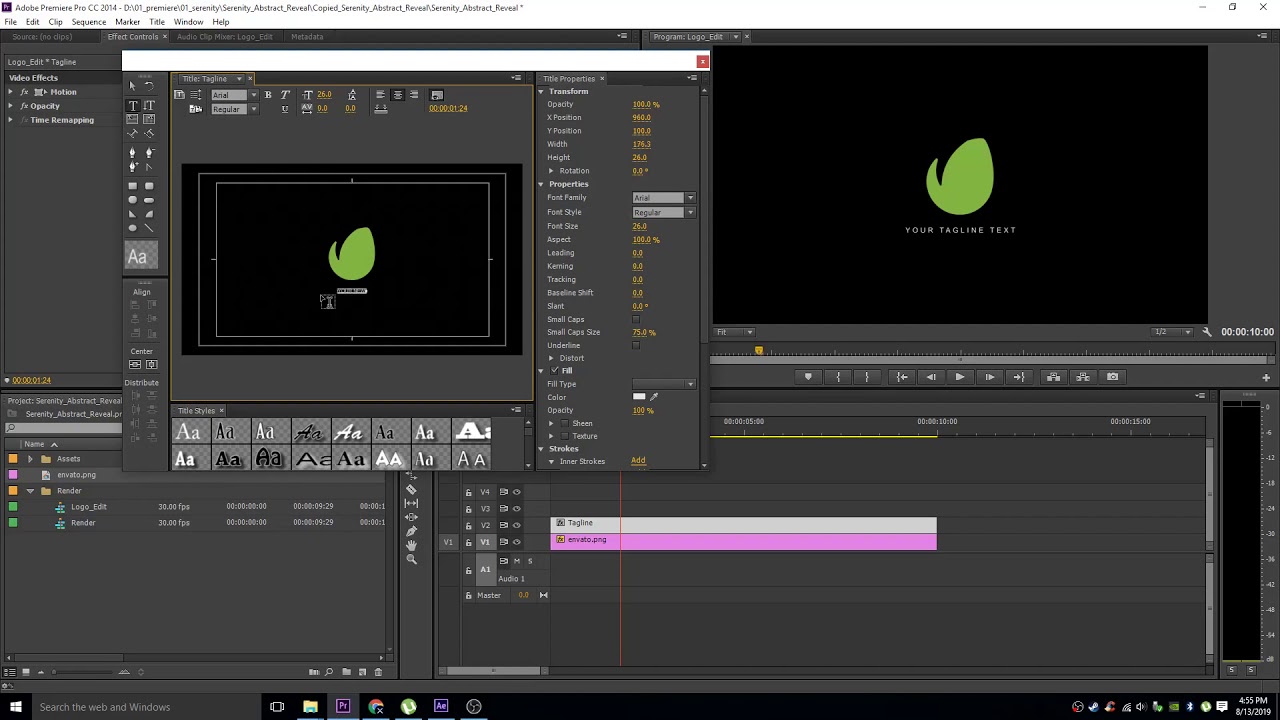
Bringing your logo to life through animation is a systematic process that transforms a static image into a dynamic visual element for your video intro. This section will guide you through the typical stages, from initial concept to the final rendered animation, demonstrating how to create a simple yet effective logo reveal. We will explore how incorporating various movements and transformations can breathe life into your brand identity, making it memorable and engaging for your audience.The animation process can be broken down into several key phases, each building upon the previous one to achieve the desired final outcome.
Understanding these stages is crucial for efficient workflow and effective animation.
Logo Preparation and Asset Breakdown
Before any animation can begin, your logo needs to be prepared. This involves ensuring it’s in a suitable digital format and, crucially, breaking it down into individual elements that can be animated independently. For example, a logo with distinct shapes, text, and perhaps a tagline would be separated into these components. This allows for more granular control over each part’s movement and timing.
A well-prepared asset file is the foundation of a successful animation.
Defining the Animation Concept and Storyboard
With your assets ready, the next step is to conceptualize the animation. This involves deciding on the overall feel, the type of reveal, and the narrative you want to convey. A storyboard, even a simple one, is invaluable here. It visually Artikels the sequence of events, the timing of each element’s appearance or movement, and the overall flow of the animation.
This conceptual phase prevents wasted effort and ensures the animation aligns with your brand’s message and video intro’s tone.
Animating Individual Elements
This is where the core animation work happens. Each separated element of your logo is brought to life. This can involve a wide range of techniques:
- Movement: Elements can slide in, bounce, rotate into place, or follow a custom path. For instance, the main logo shape might elegantly sweep across the screen, while the text fades in sequentially.
- Transformations: This includes changes in size (scaling), rotation, and skewing. A common technique is to have the logo elements scale up from a small point to their full size, creating a sense of emergence.
- Effects: Applying visual effects like glows, blurs, or particle systems can add polish and impact. A subtle glow might emanate from the logo as it completes its reveal, or a gentle shimmer could run across its surface.
Timing and Synchronization
The effectiveness of a logo animation heavily relies on its timing and how different elements synchronize. Each movement needs to be timed precisely to create a fluid and visually appealing sequence. This involves adjusting the duration of animations, the delays between elements appearing, and the overall pace of the intro.
“Good animation is not just about movement, but about the rhythm and flow created by the timing of those movements.”
Adding Transitions and Effects
Once the core elements are animated, transitions and further effects are added to enhance the visual narrative and create a polished finish. This might include:
- Fading: Elements can fade in or out smoothly, controlling their visibility over time. This is often used for text or subtle background elements.
- Scaling: Gradually increasing or decreasing the size of an element. A logo might scale up from its center to its final size for a dramatic reveal.
- Rotating: Spinning an element into its final position. This can add dynamism and a sense of completion.
A simple logo reveal might involve the brand name scaling in from zero, followed by the logo mark rotating into place above it, with a subtle fade-in for a tagline. The key is to ensure these effects complement the logo and the overall video, rather than distracting from it.
Rendering and Exporting
The final stage involves rendering the animated sequence into a video file. This process converts your animation project into a format suitable for your video intro. The choice of resolution, frame rate, and video codec is important to ensure the animation looks sharp and plays smoothly in your final video.
Enhancing Logo Animations with Visuals and Audio

Elevating a logo animation from functional to unforgettable involves a thoughtful integration of visual effects and sound design. These elements work in synergy to create a richer, more engaging experience for your audience, reinforcing your brand’s identity and the overall message of your video intro.The right combination of visual flair and auditory cues can significantly amplify the emotional impact and memorability of your logo.
It’s about creating a cohesive sensory experience that resonates with viewers long after the intro has concluded.
Visual Effects for Complementary Logo Animation
Visual effects, when applied judiciously, can add depth, dynamism, and a professional polish to your logo animation. These effects should always serve the purpose of enhancing the logo’s inherent design and the brand’s personality, rather than distracting from it.Here are several types of visual effects that can effectively complement a logo animation:
- Glows and Flares: Subtle glows can highlight the edges of your logo, giving it a luminous quality, while lens flares can add a cinematic feel, particularly effective for brands associated with innovation or entertainment.
- Particle Systems: The use of particles, such as shimmering dust, light streaks, or abstract shapes, can introduce movement and texture. For instance, a tech company might use futuristic, glowing particles, while a nature-focused brand could opt for organic, leaf-like particles.
- Motion Graphics Overlays: Incorporating abstract geometric shapes, animated lines, or subtle background textures that move in sync with the logo can create a sophisticated visual rhythm. These overlays can echo the logo’s form or color palette.
- Distortion and Glitch Effects: For brands aiming for a modern, edgy, or digital aesthetic, controlled distortion or glitch effects can add a unique visual signature. These should be used sparingly to avoid appearing unprofessional.
- Transitions and Reveals: Beyond the logo itself, the way it appears on screen is crucial. Effects like wipes, fades with added textures, or reveals using animated elements that form the logo can be highly impactful.
Impact of Sound Design and Music on Logo Intros
Sound is a powerful psychological tool that can profoundly influence how an audience perceives and remembers a logo intro. A well-chosen soundtrack and carefully crafted sound effects can evoke specific emotions, convey brand personality, and create a lasting impression.The auditory experience is as critical as the visual one in establishing the tone and memorability of your brand introduction.
- Music: The genre, tempo, and mood of the music should align with your brand’s identity. Upbeat, energetic music might suit a startup, while a calm, sophisticated melody could be ideal for a luxury brand. The music should build anticipation and resolve harmoniously with the logo’s final appearance.
- Sound Effects (SFX): Specific sound effects tied to the animation’s actions can enhance realism and impact. For example, a subtle “whoosh” as the logo appears, a gentle chime as elements lock into place, or a futuristic hum for a tech brand. These SFX should be high-quality and not overwhelming.
- Voiceovers: While not always used for intros, a brief, impactful voiceover stating the brand name or a tagline can reinforce recognition.
- Silence and Pacing: Strategic use of silence or pauses can build tension and make the subsequent sounds and visuals more impactful. The pacing of the audio should perfectly match the animation’s rhythm.
“Sound is half the picture.”
George Lucas
Integrating Animated Elements with Background Visuals or Footage
Seamlessly blending your animated logo with background visuals or live-action footage is key to creating a professional and immersive intro. This integration ensures that the logo feels like an organic part of the video, not an afterthought.The goal is to create a cohesive visual narrative where the animated logo enhances, rather than competes with, the surrounding imagery.
- Masking and Compositing: Techniques like masking allow your animated logo to appear as if it’s interacting with the background. For instance, a logo could emerge from behind a piece of footage or have elements of the footage appear to pass through it.
- Parallax Effects: If using a static background image, a subtle parallax effect where the background moves at a different speed than the foreground elements (including the logo) can add depth and a sense of dimension.
- Color Grading Consistency: Ensure the color palette of your animated logo and its effects are consistent with the color grading of the background footage. This visual harmony makes the integration appear natural.
- Animated Overlays on Footage: Introducing subtle animated elements that complement the background footage and lead into the logo animation can create a smooth transition. This could be abstract lines that guide the eye or particles that drift across the screen.
- Depth of Field: Mimicking depth of field in your animation can help your logo sit convincingly within the visual space of the background footage, making it appear as if it’s truly part of the scene.
Color and Lighting in Logo Animation Enhancement
Color and lighting are fundamental tools in visual design, capable of setting moods, conveying emotions, and drawing attention. In logo animation, they play a crucial role in making the logo stand out, reinforcing brand identity, and guiding the viewer’s eye.The strategic application of color and lighting can transform a simple animation into a visually striking and emotionally resonant experience.
- Brand Color Consistency: Always adhere to your brand’s established color palette. The animation should reinforce these colors, using them in ways that are visually appealing and consistent with brand guidelines.
- Highlighting and Shadows: Using subtle highlights and shadows can give your logo a three-dimensional feel, making it appear more tangible and dynamic. This can be achieved through simulated light sources within the animation.
- Dynamic Color Shifts: For certain brands, animating color transitions can add energy and a sense of transformation. This could be a slow, elegant fade between brand colors or a more energetic pulse.
- Backlighting and Rim Lighting: Applying effects like backlighting or rim lighting can help the logo “pop” from its background, defining its edges and giving it a professional, polished look. This is particularly effective when the logo is placed over darker backgrounds.
- Color Temperature and Mood: The overall color temperature (warm or cool) of the animation and lighting can set the mood. Warm tones might convey energy and passion, while cool tones can suggest professionalism and calm.
Exporting and Implementing Animated Logos
Once your logo animation is complete and you’re satisfied with its visual appeal and synchronization with your video project, the next crucial step involves exporting it correctly and integrating it seamlessly into your video editing workflow. This stage requires careful attention to file formats, settings, and platform-specific considerations to ensure optimal performance and quality.
Recommended File Formats and Settings for Exporting
Selecting the appropriate file format and export settings is paramount for maintaining the quality of your animated logo while ensuring compatibility with various video platforms and editing software. The goal is to balance visual fidelity with manageable file sizes.Here are the primary file formats and recommended settings:
- MP4 (H.264/AVC): This is the most universally compatible format for web and general video use. It offers a good balance between quality and file size.
- Video Codec: H.264 (AVC) is the standard.
- Resolution: Match your project’s resolution (e.g., 1920×1080 for Full HD, 3840×2160 for 4K).
- Frame Rate: Maintain the original frame rate of your animation and video project (commonly 24, 25, 30, 48, 50, or 60 frames per second).
- Bitrate: A variable bitrate (VBR) is often preferred, with settings that balance quality and file size. For HD, a target bitrate between 8-15 Mbps is generally suitable. For 4K, aim for 35-60 Mbps. Higher bitrates result in better quality but larger files.
- Audio Codec: AAC is the standard for MP4.
Ensure your audio is clear and at an appropriate sample rate (e.g., 44.1 kHz or 48 kHz).
- Color Depth: 8-bit is standard. For more advanced color grading, consider 10-bit if your workflow supports it.
- MOV (ProRes, DNxHD/HR): These are professional editing codecs that offer higher quality with less compression, ideal for intermediate steps in editing or for projects requiring the absolute highest fidelity. They result in significantly larger file sizes.
- Codec: Apple ProRes (various flavors like 422, 422 HQ) or Avid DNxHD/HR.
- Color Depth: Often supports 10-bit or even 12-bit, providing more flexibility for color correction.
- Alpha Channel: If your animation requires transparency (e.g., the logo appearing over live-action footage without a solid background), export with an alpha channel. Formats like ProRes 4444 or Animation (less common now) within a MOV container support this.
- WebM (VP9/AV1): Increasingly popular for web-based video, offering good compression and support for transparency.
- Codec: VP9 or AV
1. - Transparency: Supports alpha channels for transparent backgrounds.
- Codec: VP9 or AV
- GIF (Animated): Suitable for very short, simple animations, especially for social media or older web contexts. However, it has limited color depth and no audio support, and file sizes can become large for complex animations.
- Color Palette: Limited to 256 colors.
- Looping: Ensure looping is set correctly if desired.
When exporting, it’s crucial to preview the exported file to ensure the quality meets your expectations and that there are no artifacts or unexpected visual glitches.
Integrating an Animated Logo into Video Editing Software
Once exported, your animated logo needs to be brought into your video editing software to be placed within your main video project. The process is generally straightforward across most editing platforms.The typical steps for integration include:
- Importing the File: Open your video editing software (e.g., Adobe Premiere Pro, Final Cut Pro, DaVinci Resolve, iMovie, Shotcut). Navigate to the “Import” function and select your exported animated logo file. The file will then appear in your project’s media bin.
- Placing on the Timeline: Drag and drop the imported animated logo file from the media bin onto a video track in your timeline. Position it at the desired start point for your video intro.
- Adjusting Placement and Duration: Use the editing tools to resize, reposition, and trim the animated logo clip on the timeline. You can scale it to fit the screen and adjust its duration to match the intro sequence.
- Layering and Compositing: If your animated logo has transparency (e.g., exported as ProRes 4444 or WebM with alpha), it will automatically composite over any video layers below it on the timeline. Ensure it’s placed on a track above your background video content.
- Syncing with Audio: If your animated logo includes sound effects or music, ensure its audio track is properly aligned with the visual animation and any accompanying music in your main project.
Some software might offer specific import options or settings for animated sequences, so consult your editor’s documentation if you encounter any difficulties.
Ensuring Seamless Integration with the Overall Video Project
A well-integrated animated logo enhances your video’s professional appearance. Poor integration can be jarring and detract from the viewer’s experience.To ensure your animated logo fits seamlessly, consider these best practices:
- Consistent Visual Style: The animation’s color palette, motion style, and overall aesthetic should align with the branding and mood of your video. If your video is energetic and fast-paced, a slow, subtle animation might feel out of place, and vice versa.
- Appropriate Timing: The duration of your animated logo intro should be sufficient to be noticed and registered but not so long that it bores the viewer. A typical intro length ranges from 3 to 10 seconds, depending on the complexity of the animation and the overall video’s pacing.
- Clear Visibility: Ensure the logo is legible and easily identifiable against the background. If the animation involves complex visual elements, consider simplifying them to keep the logo as the focal point.
- Sound Design Harmony: The sound effects and music accompanying your animated logo should complement the video’s audio. A sudden, loud sound effect can be off-putting if the rest of the video is quiet.
- Strategic Placement: While often used at the beginning, animated logos can also be used as watermarks or end screens. Their placement should be unobtrusive yet noticeable.
Think of the animated logo not as an isolated element but as the opening statement of your video’s narrative or brand message.
Considerations for Different Video Platforms
Different platforms have varying technical requirements and user expectations regarding video content, including animated intros. Adhering to these specifics can significantly impact how your video is received.Key platform considerations include:
- YouTube: Generally flexible with formats, but MP4 (H.264) is the most common and recommended. High bitrates are supported for higher resolutions. Consider how the intro might appear on various devices, from mobile phones to large screens.
- Social Media (Facebook, Instagram, TikTok, LinkedIn): These platforms often prioritize shorter video content and can have stricter file size and duration limits.
- Instagram/Facebook: MP4 is standard. Square or vertical aspect ratios are common for Stories and Reels. Shorter intros (2-5 seconds) are often more effective.
- TikTok: Vertical video is essential.
MP4 with H.264 is preferred. Extremely short and engaging intros are key.
- LinkedIn: Professional audience; MP4 with H.264 is suitable. Intros can be slightly longer if they align with professional content.
- Websites/Landing Pages: MP4 is ideal for general embedding. For interactive elements or where file size is a critical concern, consider optimized formats like WebM or even CSS animations for very simple logo reveals if applicable. Ensure fast loading times.
- Broadcast Television: Requires broadcast-quality codecs and formats, often using professional editing codecs like ProRes or DNxHD/HR within MOV containers, with strict adherence to color spaces (e.g., Rec. 709) and audio specifications.
It’s often beneficial to create slightly different versions of your animated logo intro tailored to the primary platforms you’ll be using. For instance, a shorter, punchier version for TikTok and a slightly more elaborate one for YouTube.
Creative Approaches to Logo Animation Styles
Moving beyond the technical aspects, the true magic of logo animation lies in its ability to convey personality and tell a story. The chosen animation style can profoundly influence how a brand is perceived, transforming a static mark into a dynamic representation of its values and mission. Exploring different creative approaches allows for a unique and memorable introduction to your video content.This section delves into distinct animation styles tailored to various brand personalities, explores the narrative power of logo animations, compares techniques for different logo types, and offers ideas for engaging transitions.
Distinct Animation Styles for Different Brand Personalities
The effectiveness of a logo animation is heavily dependent on its alignment with the brand’s identity. A well-chosen style reinforces the brand’s message and resonates with its target audience. Consider these distinct styles, each suited for a particular brand archetype:
- Minimalist: Characterized by clean lines, simple shapes, and subtle movements. This style is ideal for brands emphasizing elegance, sophistication, and clarity, such as luxury goods, tech startups focused on user experience, or professional services. Animation might involve gradual reveals, gentle fades, or precise geometric transformations. For example, a minimalist tech company might have its logo elements elegantly assemble from scattered dots, signifying innovation and precision.
- Energetic: This style employs vibrant colors, dynamic movements, and often a sense of playful chaos. It’s perfect for brands targeting a younger demographic, those in entertainment, sports, or any industry that wants to project excitement and dynamism. Animations could include bouncing, spinning, or explosive reveals. A sports drink brand might have its logo burst onto the screen with a splash of color and a quick, impactful animation.
- Sophisticated: This approach utilizes smooth, flowing animations, often incorporating gradients, subtle lighting effects, and a sense of depth. It’s suited for established corporations, financial institutions, or brands that want to project trust, authority, and a premium feel. Animations might involve elegant unrolling, metallic sheen effects, or a slow, deliberate formation. A financial advisory firm might animate its logo with a slow, polished sweep, conveying stability and trustworthiness.
- Whimsical/Playful: This style is all about charm and lightheartedness, often using hand-drawn elements, quirky characters, or unexpected transformations. It’s ideal for brands in the children’s sector, creative agencies, or any business aiming for a friendly and approachable image. Animations could include characters interacting with the logo, bouncy typography, or morphing shapes. A children’s toy company might have its logo characters playfully build the brand’s name.
Narrative Potential of Logo Animations
Logo animations offer a powerful opportunity to tell a brand’s story in a concise and engaging manner. Instead of simply displaying the logo, the animation can subtly communicate the brand’s origin, its core values, or its ultimate purpose. This narrative approach creates a deeper emotional connection with the viewer.
Consider the journey of a brand. A logo animation could depict:
- The origin story: For instance, a startup might animate its logo starting as a single spark of an idea that gradually grows and evolves into its current form, symbolizing innovation and growth.
- The process or craft: A craft brewery could animate its logo showing ingredients being brewed, hops being added, and the final product being poured, highlighting their dedication to quality and traditional methods.
- The impact or benefit: A charitable organization might animate its logo expanding to encompass images of people being helped or positive outcomes, demonstrating the tangible difference they make.
- The core values: A sustainability-focused brand could animate its logo incorporating elements of nature, like growing leaves or flowing water, to visually represent their commitment to the environment.
By weaving a narrative into the animation, the logo becomes more than just an identifier; it becomes a symbol of the brand’s journey and aspirations.
Animation Techniques for Flat Logos Versus 3D Rendered Logos
The fundamental nature of a logo – whether it’s a flat design or a 3D render – dictates the animation techniques that will be most effective and visually compelling.
Flat Logos
Flat logos, characterized by their two-dimensional appearance and lack of depth, lend themselves well to animation styles that emphasize motion, transformation, and graphic design principles.
- Shape Morphing: This technique involves smoothly transforming one shape into another. For a flat logo, this could mean individual letters morphing into each other to form the complete logo, or abstract shapes within the logo changing form.
- Kinetic Typography: This focuses on animating text elements. Letters can fly in, bounce, or assemble in creative ways, often with accompanying sound effects. This is particularly effective for logos that are primarily text-based.
- Layered Reveals: Flat logos can be animated by revealing their components in layers. For example, a logo with multiple overlapping shapes might have each shape fade or slide into place sequentially.
- Masking and Wipes: Animation can be achieved by using masks to reveal the logo or by employing various wipe effects (e.g., linear, radial) to draw attention to the logo’s elements.
The key advantage of animating flat logos is their inherent simplicity, which allows for faster rendering times and often a cleaner, more graphic aesthetic.
3D Rendered Logos
D rendered logos possess inherent depth and dimensionality, opening up a wider range of animation possibilities that leverage these attributes.
- Rotation and Orbiting: A 3D logo can be animated to rotate on its axis, allowing viewers to see its form from all angles. It can also be animated to orbit around a central point, creating a dynamic and engaging display.
- Lighting and Material Effects: The realistic materials and lighting applied to 3D renders can be animated. This includes dynamic reflections, emissive glows, or material transitions that add a sense of realism and sophistication. For example, a metallic logo could animate to show a brushed metal texture being polished to a high shine.
- Camera Movement: Sophisticated camera movements can be used to explore the 3D logo. This could involve a slow zoom in, a sweeping pan around the logo, or a dramatic reveal from behind an object.
- Simulations: Advanced 3D animation allows for physics-based simulations, such as water, fire, or particle effects interacting with the logo, adding a high level of visual complexity and impact. A luxury brand might animate its logo emerging from a swirling cloud of smoke or shimmering particles.
While 3D animation offers greater visual fidelity and depth, it typically requires more complex software and longer rendering times compared to flat logo animation.
Ideas for Unique Animation Transitions
Transitions are the bridge between your intro sequence and the main video content. A well-designed logo animation transition can leave a lasting impression and set the tone for what’s to come.Here are some unique ideas for integrating your animated logo into a video transition:
- The “Unfolding” Transition: Imagine your logo animating into its final form, and then a section of it “unfolds” or peels away to reveal the beginning of your video content. This could be a corner of the logo lifting like a page, or a segment sliding to the side. This works well for brands with a sense of discovery or unveiling.
- The “Ink Bloom” Transition: For a more organic feel, your logo could animate by appearing as if it’s being drawn with ink, with the final strokes leading directly into the first visuals of your video, perhaps mimicking the flow of ink. This is ideal for creative or artistic brands.
- The “Glitch/Digital Break” Transition: If your brand is tech-oriented or has a modern, edgy feel, your logo could animate and then momentarily “glitch” or break apart into digital artifacts before resolving into the video content. This creates a sense of disruption and re-establishment.
- The “Geometric Assembly” Transition: Your logo can animate by assembling from geometric shapes, and as the final piece locks into place, it could transform into a doorway or portal through which the video content emerges. This conveys order, structure, and passage.
- The “Sound Wave” Transition: If audio is a key component of your video, your logo could animate in sync with a prominent sound effect or musical sting, and then the final visual element of the logo could morph into a visual representation of a sound wave that transitions into your video.
- The “Character Interaction” Transition: If your brand uses a mascot or character, that character could animate your logo into existence and then lead the viewer into the video content by gesturing or stepping into the frame.
The key to a successful transition is ensuring it feels seamless, relevant to your brand, and provides a smooth entry point into your video’s narrative.
Common Pitfalls and How to Avoid Them
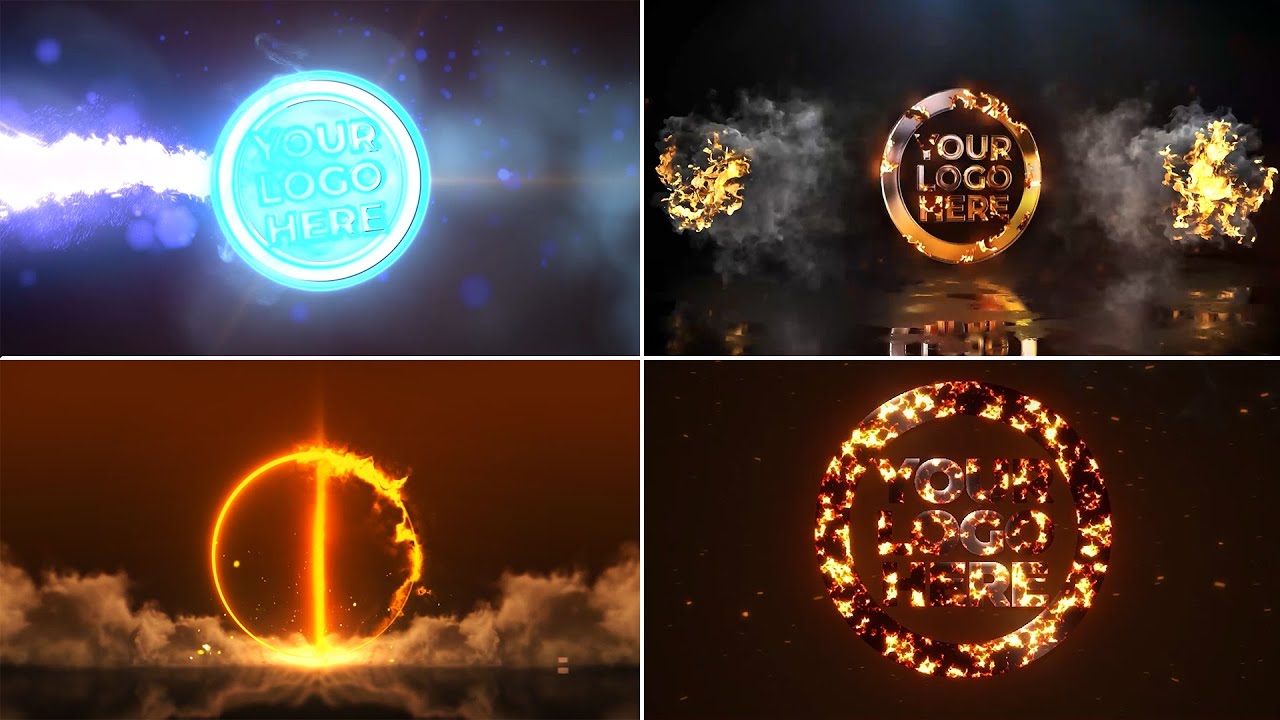
Even with a solid understanding of logo animation principles and the right tools, certain common mistakes can detract from the professionalism and effectiveness of your video intros. Being aware of these pitfalls and knowing how to sidestep them is crucial for creating polished and impactful animations.Identifying and rectifying frequent errors ensures your animated logo leaves a positive and lasting impression.
This section will guide you through these common issues and provide practical solutions to achieve a sophisticated and engaging result.
Overly Complex Animations
A common mistake is to pack too much movement and visual flair into a short intro. While it might seem appealing to showcase every possible animation technique, this often leads to a cluttered and distracting experience for the viewer. The primary goal of an intro is to quickly establish brand identity and transition smoothly into the main content.
Simplicity is the ultimate sophistication.
Leonardo da Vinci
Excessive animation can also negatively impact loading times and playback performance, especially on various devices and internet connections. It’s essential to remember that the animation should complement the logo, not overpower it.
Ignoring Animation Timing and Pacing
The duration and speed of animation are critical. Animations that are too fast can be jarring and difficult to follow, while those that are too slow can cause viewers to lose interest before the logo is fully revealed. Achieving the right rhythm and flow is key to a professional feel.To troubleshoot pacing issues:
- Analyze playback speed: Watch your animation at different speeds to identify areas that feel rushed or dragged.
- Listen to audio cues: If using sound effects, synchronize animation movements with audio beats or swells to create a natural rhythm.
- Test on target devices: Ensure the animation’s pacing remains consistent and enjoyable across desktops, tablets, and mobile phones.
A well-paced animation guides the viewer’s eye and creates anticipation, enhancing the overall impact.
Poor Performance and Glitches
Technical issues such as stuttering playback, dropped frames, or large file sizes can significantly undermine a professional animation. These problems often arise from inefficient animation techniques, excessive use of complex effects, or unoptimized export settings.Troubleshooting animation glitches involves:
- Simplifying complex elements: Break down intricate animations into simpler, more manageable layers or sequences.
- Optimizing asset usage: Ensure that any imported graphics or textures are at appropriate resolutions and file formats.
- Reducing layer count: Fewer layers generally lead to smoother rendering and playback.
- Previewing frequently: Regularly check your animation in the software’s preview window to catch issues early.
- Checking export settings: Ensure you are using appropriate codecs, bitrates, and frame rates for your intended platform.
Addressing these technical aspects proactively prevents frustrating playback experiences for your audience.
Lack of Brand Consistency
An animated logo should reinforce the brand’s identity, not introduce conflicting visual elements. This means the animation style, colors, and overall mood should align with the brand’s existing guidelines and personality.To maintain brand consistency:
- Adhere to brand colors: Use only the approved color palette for your logo and any accompanying animation elements.
- Match brand typography: If the logo includes text, ensure any animated text elements use the same or complementary fonts.
- Reflect brand tone: A playful brand might use bouncy, energetic animations, while a corporate brand might opt for more subtle, sophisticated movements.
Deviating from brand guidelines can confuse your audience and dilute brand recognition.
Overcomplicating for a Professional Look
Achieving a professional look doesn’t necessarily mean employing the most advanced or elaborate animation techniques. Often, a clean, well-executed simple animation is far more effective than a complex one that is poorly executed or distracting.Guidance for achieving a professional look without overcomplication includes:
- Focus on the logo’s strengths: Identify key features of your logo and design animations that highlight them.
- Emphasize subtle movements: Smooth fades, gentle rotations, or elegant reveals can be incredibly impactful.
- Use negative space effectively: Allow your logo room to breathe; don’t fill every inch of the screen with animation.
- Prioritize clarity: Ensure the logo is easily recognizable throughout the animation.
- Seek feedback: Get opinions from others to gauge whether the animation appears professional and serves its purpose.
A well-crafted, concise animation that clearly presents the brand is always preferable to an overly ambitious and messy one.
Final Conclusion
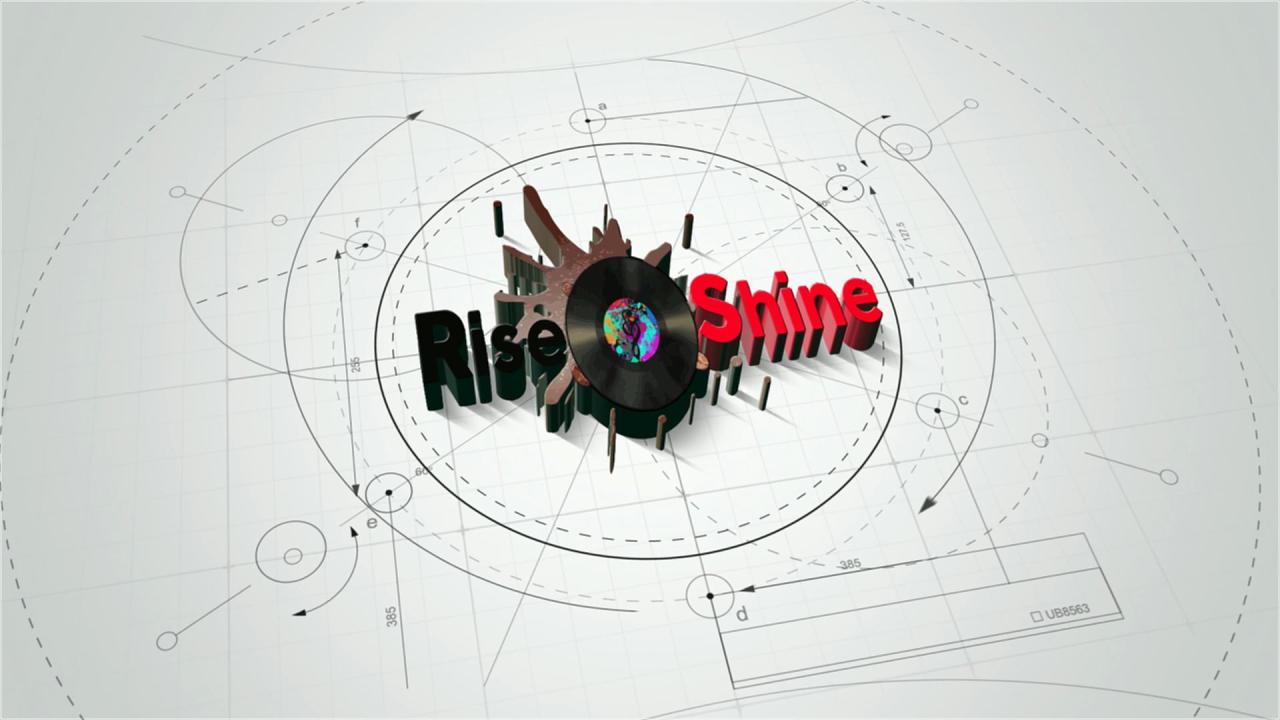
In conclusion, animating your logo for a video intro is a powerful strategy to enhance brand recognition, create an engaging first impression, and tell your brand’s story in a visually compelling manner. By understanding the core principles, leveraging the right tools, and carefully considering every element from motion design to sound integration, you can craft an intro that not only looks professional but also resonates deeply with your audience, leaving a lasting positive impact on your video content.