How to Livestream Your Content to Multiple Platforms offers a comprehensive guide for creators looking to expand their reach and impact. This exploration delves into the strategic advantages and technical intricacies of broadcasting your live content simultaneously across various online destinations, transforming your broadcasting efforts from a single point of contact to a widespread presence.
We will navigate the fundamental concepts of multistreaming, from understanding its core benefits and essential technical prerequisites to addressing common challenges. The journey will then lead us to selecting the optimal multistreaming software or services tailored to your needs and budget, followed by a detailed walkthrough of platform-specific configurations to ensure a seamless and high-quality broadcast experience across all chosen channels.
Understanding the Fundamentals of Multistreaming
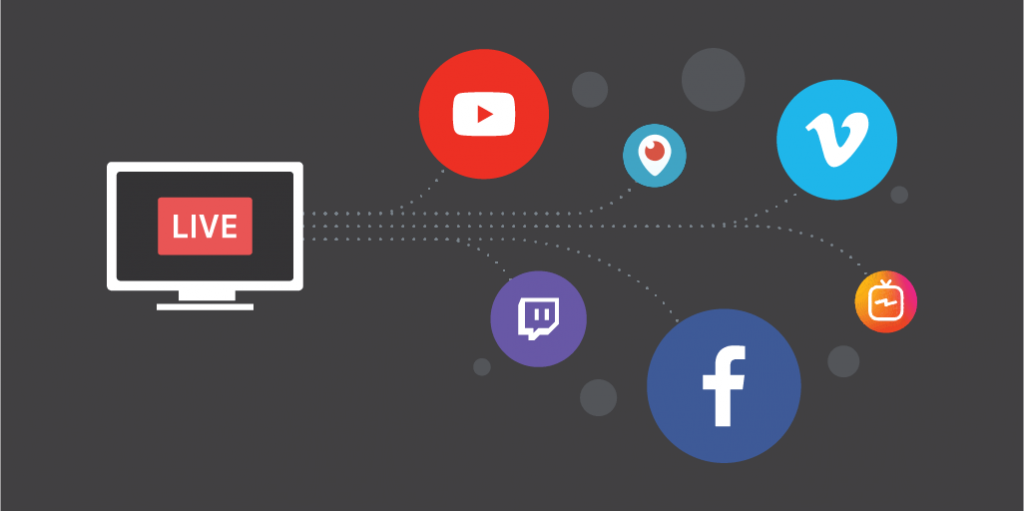
Multistreaming, also known as simulcasting, is the practice of broadcasting your live content simultaneously to multiple online platforms. Instead of choosing one platform for your audience, multistreaming allows you to reach a wider and more diverse viewership by being present on several channels at once. This strategic approach significantly amplifies your content’s reach and engagement potential.The core concept involves taking a single video and audio feed from your live stream and distributing it in real-time to various destinations, such as YouTube, Twitch, Facebook Live, LinkedIn Live, and others.
This is achieved through specialized software or hardware encoders that can manage these multiple outgoing streams efficiently.
The Primary Benefits of Multistreaming
For content creators, adopting a multistreaming strategy offers a compelling array of advantages designed to maximize exposure and audience connection. These benefits are crucial for growth and sustainability in the competitive digital landscape.Here are the primary benefits:
- Expanded Audience Reach: By broadcasting on multiple platforms, you tap into the user bases of each. This means your content is discoverable by individuals who may only frequent specific platforms, thereby increasing your overall potential viewership significantly.
- Increased Engagement Opportunities: Different platforms foster different types of engagement. Multistreaming allows you to interact with a broader audience, respond to comments across various channels, and build a more robust community around your content.
- Audience Retention and Growth: If a viewer prefers one platform over another, multistreaming ensures they can still find and watch your content on their preferred service. This reduces the chance of losing viewers due to platform exclusivity and aids in consistent audience growth.
- Content Versatility and Testing: Multistreaming enables creators to test which platforms perform best for their specific content and audience demographics. This data can inform future content strategies and platform focus.
- Monetization Diversification: Each platform may offer different monetization options. Being present on multiple platforms can open up diverse revenue streams, such as ad revenue, subscriptions, donations, and sponsorships, potentially increasing overall income.
Essential Technical Requirements for Multistreaming
To successfully implement a multistream setup, several technical components and considerations are necessary to ensure a smooth and high-quality broadcast. These requirements are foundational for any creator looking to expand their reach across platforms.A robust multistreaming setup typically necessitates the following:
- Reliable Internet Connection: A stable and high-speed internet connection is paramount. Upload speeds are particularly critical, as they dictate the quality and stability of your outgoing streams. A minimum upload speed of 10-15 Mbps is often recommended for HD streaming, but higher speeds are preferable for multiple streams or higher resolutions.
- Streaming Software or Hardware Encoder: You will need software like OBS Studio, Streamlabs OBS, or XSplit, or a dedicated hardware encoder that can manage multiple outgoing RTMP (Real-Time Messaging Protocol) streams. These tools take your single input feed and duplicate it for distribution.
- Powerful Computer or Device: The computer or device running your streaming software must have sufficient processing power (CPU), graphics capabilities (GPU), and RAM to handle encoding multiple streams simultaneously without performance degradation.
- Webcam and Microphone: High-quality video and audio are essential for viewer engagement. Depending on your content, you might need professional-grade webcams, microphones, and potentially lighting equipment.
- Platform Accounts and Stream Keys: You will need active accounts on each platform you intend to stream to, along with the respective stream keys provided by each platform. These keys authenticate your stream to the platform.
Common Challenges in Multistreaming
While the benefits of multistreaming are substantial, creators often encounter specific challenges that require careful planning and management. Understanding these potential hurdles can help in proactively addressing them and ensuring a more seamless broadcasting experience.Creators frequently face the following challenges:
- Bandwidth Limitations: Simultaneously uploading multiple high-quality streams can quickly consume available upload bandwidth, leading to dropped frames, buffering, or complete stream interruptions if the internet connection is insufficient.
- Technical Complexity: Setting up and managing multistreaming software, configuring stream keys for each platform, and troubleshooting any technical glitches can be complex, especially for beginners.
- Audience Management and Engagement: Monitoring and responding to chat and comments across multiple platforms simultaneously can be overwhelming. Different platforms have different chat interfaces and moderation tools, requiring a coordinated approach.
- Platform-Specific Requirements: Each streaming platform has its own guidelines, recommended settings, and technical specifications. Ensuring your stream adheres to all these can be time-consuming and require adjustments.
- Content Performance Monitoring: Tracking analytics and viewer engagement across different platforms requires consolidating data from various sources, which can be challenging without dedicated tools or a structured approach to data analysis.
Choosing the Right Multistreaming Software/Services
Selecting the appropriate multistreaming software or service is a pivotal step in ensuring a smooth and effective broadcast across multiple platforms. This choice will directly impact your workflow, the quality of your streams, and the overall reach of your content. We will explore the features of popular options, guide you through selection criteria, and provide a practical setup process.The landscape of multistreaming tools offers a variety of solutions, each with its unique strengths and target audience.
Understanding these differences will empower you to make an informed decision that aligns with your broadcasting goals and technical capabilities.
Popular Multistreaming Software and Services Comparison
Several robust platforms cater to the needs of multistreamers, ranging from user-friendly interfaces for beginners to advanced features for professionals. Here’s a comparison of some leading options:
- Restream: Known for its intuitive interface and broad platform support, Restream is an excellent choice for beginners and intermediate streamers. It offers a unified chat feature to manage comments from all connected platforms and provides analytics to track stream performance.
- Streamlabs OBS (with multistreaming capabilities): While primarily a powerful streaming software, Streamlabs OBS integrates multistreaming functionality, allowing users to broadcast to multiple destinations directly from the application. It offers extensive customization options for overlays and alerts.
- StreamElements (with multistreaming capabilities): Similar to Streamlabs, StreamElements is a popular platform for stream enhancement that also offers multistreaming. It excels in providing free, high-quality overlays, alerts, and widgets, making it a cost-effective solution.
- Castr.io: Castr.io is a dedicated multistreaming service that focuses on stability and performance. It supports a wide array of destinations and offers features like RTMP output for advanced users and stream transcoding for better compatibility.
- OneStream Live: This platform is designed for simplicity and efficiency, allowing users to stream to multiple social media platforms simultaneously. It also offers features like pre-recorded video streaming and team collaboration.
Key Factors for Selecting a Multistreaming Solution
When evaluating multistreaming solutions, consider your budget, technical proficiency, and the specific platforms you aim to reach. These factors will help narrow down the options to those that best fit your needs.
- Budget: Multistreaming services range from free tiers with limited features to premium subscriptions offering advanced capabilities. Determine how much you are willing to invest in your streaming setup. Free options often come with watermarks or limitations on the number of platforms.
- Technical Skill: Some services are designed with a drag-and-drop interface and minimal setup, making them ideal for beginners. Others offer more complex configurations and require a deeper understanding of streaming protocols, suitable for experienced users.
- Platform Support: Ensure the service supports all the platforms you intend to stream to, such as Twitch, YouTube, Facebook Live, LinkedIn Live, and others. The breadth and depth of platform integration can vary significantly.
- Feature Set: Consider essential features like unified chat, stream analytics, recording capabilities, RTMP output, and the ability to stream pre-recorded content. Higher-tier plans often unlock more advanced features.
- Simultaneous Streams: Check how many platforms you can stream to simultaneously. Most services offer different tiers based on the number of concurrent destinations.
Step-by-Step Guide to Setting Up a Chosen Multistreaming Software
To illustrate the setup process, let’s use Restream as an example, as it is widely recognized for its user-friendliness. The general principles apply to most other services.
- Sign Up and Create an Account: Visit the Restream website and sign up for an account. You can often use your existing Google or Facebook account for a quick registration.
- Connect Your Streaming Software: Restream will provide you with a unique RTMP URL and stream key. You will need to enter these into your primary streaming software, such as OBS Studio, Streamlabs OBS, or XSplit. Navigate to the “Stream” settings in your software and select “Custom” as the service, then input the provided RTMP URL and stream key.
- Add Your Target Platforms: Log in to your Restream account and navigate to the “Destinations” tab. Click on “Add Destination” and select the platforms you wish to stream to (e.g., Twitch, YouTube, Facebook). You will be prompted to log in to each platform and authorize Restream to stream to them.
- Configure Your Stream Settings: Within Restream, you can often adjust settings like stream title, description, and thumbnail for each platform. This allows you to tailor your stream’s presentation for different audiences.
- Start Streaming: Once your streaming software is connected to Restream and your desired platforms are added, you can begin your broadcast by clicking “Start Streaming” in your streaming software. Restream will then distribute your stream to all connected destinations.
- Monitor Your Stream: Utilize the Restream dashboard to monitor your stream’s performance, view chat messages from all platforms in a unified window, and manage your broadcast.
Typical Pricing Models and Subscription Tiers
Multistreaming platforms typically employ a tiered subscription model, offering different levels of service based on features and usage. Understanding these models can help you choose a plan that offers the best value for your investment.
- Free Tier: Most services offer a free plan that allows a limited number of simultaneous streams, basic features, and may include a watermark on your broadcast. This is ideal for testing the service or for very casual streamers.
- Basic/Starter Plans: These plans usually cost between $10-$20 per month and offer more simultaneous streams, removal of watermarks, and access to essential features like unified chat and basic analytics.
- Professional/Growth Plans: Ranging from $20-$50 per month, these tiers unlock more advanced features such as higher stream quality, longer recording durations, priority support, and integration with more platforms. They are suitable for growing streamers and small businesses.
- Business/Enterprise Plans: For users with extensive needs, these custom-priced plans offer dedicated support, advanced analytics, team collaboration tools, and the highest stream quality. These are often tailored for larger organizations and professional broadcasters.
The cost of multistreaming software often correlates directly with the number of concurrent platforms supported and the advanced features offered. Always evaluate your current needs and potential for growth when selecting a subscription tier.
The choice of multistreaming software is a personal one, dependent on your specific requirements. By carefully considering the features, pricing, and your own technical comfort level, you can find a solution that empowers you to expand your reach and engage with a wider audience effectively.
Platform-Specific Considerations for Multistreaming
Successfully multistreaming involves more than just setting up your software; it requires a nuanced understanding of how each platform operates and how to optimize your stream for their unique environments. Each platform has its own set of technical requirements, audience expectations, and features that can significantly impact your stream’s performance and engagement. By tailoring your approach to each platform, you can ensure a high-quality experience for your viewers and maximize your reach.This section delves into the crucial platform-specific configurations and best practices necessary for effective multistreaming.
We will explore how to fine-tune individual platform settings, acquire the essential stream credentials, maintain consistent stream quality, and manage platform-specific interactive elements.
Configuring Individual Platform Settings for Optimal Multistreaming
Each streaming platform has distinct settings that can be adjusted to enhance your broadcast. Understanding and applying these platform-specific configurations is vital for delivering a smooth and high-quality stream to diverse audiences. This involves optimizing aspects like resolution, bitrate, and frame rate to match each platform’s recommendations and capabilities, thereby ensuring compatibility and viewer satisfaction.Here are key configuration areas to consider for popular platforms:
- Twitch: Twitch generally recommends a maximum bitrate of 6000 Kbps for 1080p 60fps streams. For optimal quality, ensure your stream resolution and frame rate align with what your audience typically expects and what your internet connection can reliably support. Many streamers opt for 1080p at 60fps, but 720p at 60fps can be a more stable option for those with less robust internet.
- YouTube Live: YouTube offers more flexibility in terms of bitrate, with recommendations varying based on resolution and frame rate. For 1080p 60fps, a bitrate between 4500-9000 Kbps is often suggested. YouTube also supports higher resolutions like 1440p and 4K, which can be beneficial if your content is visually rich and your audience has high-speed internet.
- Facebook Live: Facebook Live has specific recommendations for bitrates and resolutions. For 720p 30fps, a bitrate of around 2500-4000 Kbps is typically sufficient. For 1080p 30fps, you might aim for 4000-6000 Kbps. It’s important to note that Facebook Live’s infrastructure can sometimes be more sensitive to higher bitrates, so testing is recommended.
Obtaining Stream Keys and RTMP URLs
Stream keys and RTMP (Real-Time Messaging Protocol) URLs are the unique identifiers and connection endpoints that your streaming software uses to send your video feed to each platform. Without these, your multistreaming software cannot establish a connection to broadcast your content. The process for obtaining them is straightforward but requires navigating to the specific settings of each platform’s creator dashboard.The general steps to acquire these credentials are as follows:
- Log in to your Creator Dashboard: Access your account on the target platform (e.g., Twitch, YouTube, Facebook).
- Navigate to Streaming Settings: Look for sections like “Creator Studio,” “Stream Manager,” “Live Dashboard,” or “Settings” within your account.
- Locate Stream Key/RTMP Information: Within the streaming settings, you will find your primary stream key. Some platforms may also provide an RTMP URL or a server URL.
- Copy and Paste: Carefully copy the stream key and RTMP URL and paste them into the corresponding fields in your multistreaming software. It is crucial to ensure accuracy, as a single typo will prevent the stream from connecting.
- Reset if Necessary: If you suspect your stream key has been compromised or if you encounter persistent connection issues, most platforms offer an option to reset your stream key.
“Your stream key is like a password for your live stream. Keep it private and secure to prevent unauthorized access.”
Best Practices for Ensuring Stream Quality and Stability Across Diverse Platforms
Maintaining consistent stream quality and stability across multiple platforms can be challenging due to varying network conditions and platform requirements. Implementing a strategic approach can mitigate these challenges and ensure a professional viewing experience for your audience. This involves balancing output settings with your available bandwidth and understanding how different platforms process your stream.To achieve optimal quality and stability:
- Prioritize Bandwidth: Your internet’s upload speed is the most critical factor. Use online speed tests to determine your stable upload capacity. A good rule of thumb is to allocate no more than 70-80% of your total upload speed to streaming to leave room for other internet activities and maintain stability.
- Downscale Your Output: If you are streaming to multiple platforms with different optimal settings, it is often best to configure your multistreaming software to output at the lowest common denominator of quality that still meets your standards. For example, if one platform is best at 720p 30fps and another at 1080p 60fps, consider streaming at 720p 30fps to all platforms to ensure stability.
- Use Wired Connections: Whenever possible, connect your streaming computer to your router via an Ethernet cable. Wi-Fi can be prone to interference and fluctuations, which can lead to dropped frames and connection instability.
- Monitor Your Stream: Utilize the monitoring tools within your multistreaming software and the analytics provided by each platform to keep an eye on dropped frames, bitrate fluctuations, and connection health. Address any issues promptly.
- Test Different Servers: If your multistreaming software allows, experiment with different server locations for each platform. Choosing a server geographically closer to you can often result in a more stable connection.
Managing Platform-Specific Features Like Chat Moderation and Audience Interaction While Multistreaming
Engaging with your audience is paramount, and this extends to managing chat and other interactive features across multiple platforms simultaneously. While multistreaming, you’ll need a strategy to consolidate and respond to comments and notifications from various sources without becoming overwhelmed. This requires utilizing tools and adopting workflows that streamline communication.Effective management of platform-specific features includes:
- Centralized Chat Monitoring: Many multistreaming services and third-party tools offer a unified chat interface that aggregates messages from all your connected platforms into a single window. This is invaluable for keeping track of conversations and responding efficiently.
- Dedicated Moderators: If your audience is large or your content demands it, consider enlisting moderators to help manage chat on each platform. They can filter spam, enforce community guidelines, and highlight important questions or comments for you to address.
- Platform-Specific Alerts and Notifications: Be aware of how each platform handles alerts for new subscribers, donations, or other significant events. Some multistreaming software can integrate with these, displaying them on-screen or in your monitoring dashboard.
- Audience Call-to-Actions: When you have a particular call-to-action (e.g., “follow me on Twitch,” “subscribe on YouTube”), tailor it to the platform you are currently highlighting or addressing the audience on. This avoids confusion and reinforces where you want your viewers to engage further.
- Cross-Promotion within Streams: You can verbally remind viewers on one platform about specific features or communities on another. For instance, “If you’re enjoying this on YouTube, you can also catch me live on Twitch where we have exclusive emotes!”
Optimizing Your Stream for Multiple Audiences
Successfully multistreaming involves more than just broadcasting to various platforms simultaneously; it requires a strategic approach to ensure your content resonates with the diverse audiences present on each. This section delves into how to tailor your stream to maximize engagement across different demographics and platform preferences.A key aspect of multistreaming optimization is understanding that each platform attracts a unique user base with varying interests and viewing habits.
By designing your content with this diversity in mind, you can broaden your appeal and foster a more engaged community across all your broadcast channels.
Content Design for Diverse Demographics
Creating content that appeals to a wide range of viewers necessitates a flexible and inclusive approach. This involves identifying common themes that transcend specific platform demographics while also recognizing opportunities to cater to niche interests.To achieve this, consider the following strategies:
- Broad Appeal Topics: Focus on subjects that have universal interest, such as general knowledge, popular culture, or skill-building that can be applied in various contexts.
- Inclusive Language and Imagery: Ensure your language is accessible and avoids jargon that might alienate certain groups. Similarly, use diverse representation in any on-screen visuals or examples.
- Interactive Elements: Incorporate Q&A sessions, polls, and viewer challenges that allow for broad participation and cater to different levels of engagement.
- Tiered Content Depth: Offer layers of information. For instance, a basic explanation can be provided for casual viewers, with more in-depth discussions or technical details available for those seeking them, perhaps through a linked resource or a follow-up segment.
Content Calendar for Peak Viewing Times
Effective scheduling is crucial for reaching the maximum number of viewers on each platform. Different platforms and their associated user bases have distinct peak activity hours, influenced by time zones, work schedules, and cultural norms. A well-organized content calendar ensures your live streams align with these optimal times.To effectively organize your content calendar, consider these essential steps:
- Platform Analytics Review: Regularly examine the analytics provided by each streaming platform. These insights will reveal when your audience is most active and engaged.
- Time Zone Mapping: Identify the primary time zones of your target audience on each platform. Tools like World Time Buddy can be invaluable for this.
- Staggered Broadcasts (if feasible): If your resources allow, consider slightly staggered start times for different platforms to capture peak audiences in various regions without overwhelming your production capabilities.
- Content Thematic Alignment: Schedule content that aligns with anticipated audience interest for specific times. For example, educational content might perform well during weekdays, while entertainment might be better suited for evenings and weekends.
For example, if you have a significant audience on Twitch in North America and another on YouTube in Europe, you might schedule a stream that begins in the late afternoon EST to catch the evening viewers in North America, and this same stream will be live in the evening for a large portion of the European audience.
Adapting On-Screen Presentation and Commentary
The way you present yourself and speak during a livestream can significantly impact viewer retention across different platforms. Adapting your style to suit the general tone and expectations of each platform’s audience is a vital optimization technique.Techniques for adapting your presentation and commentary include:
- Pacing and Energy Levels: Adjust your speaking pace and overall energy to match the platform’s typical content. Some platforms favor fast-paced, high-energy interactions, while others might prefer a more relaxed and conversational tone.
- Language Nuances: While maintaining clarity, be mindful of colloquialisms or slang that might be platform-specific or understood only by a particular demographic. Opt for more universally understood language.
- Visual Engagement: Vary your on-screen presence. This could involve using different camera angles, incorporating visual aids, or simply maintaining good eye contact with the camera.
- Call to Actions: Tailor your calls to action. On platforms like Twitch, encouraging channel follows and subscriber engagement is common. On YouTube, encouraging likes, comments, and subscriptions is standard. Ensure these are clear and contextually appropriate.
Effective Use of Platform-Specific Overlays and Branding
Leveraging platform-specific design elements can enhance your stream’s professional appearance and reinforce your brand identity, making it more recognizable and appealing to each platform’s users. Overlays and branding should be consistent yet adaptable.Examples of effective use of platform-specific overlays and branding elements include:
- Twitch Overlays: These often include follower alerts, subscriber goals, chat boxes, and stream schedules. Customizing these with your brand colors and logo creates a cohesive look. For instance, a gaming streamer might use animated overlays that react to in-game events, while a talk show host might opt for cleaner, static overlays with their logo and social media handles.
- YouTube Overlays: YouTube streams often benefit from simpler overlays that highlight your channel name, social media links, and perhaps a subscribe button animation. A common practice is to have a lower-third graphic displaying your name or the topic of discussion.
- Facebook Live Overlays: Overlays on Facebook Live can be similar to YouTube, focusing on brand recognition and social links. Some creators also utilize animated elements that appear when a new follower joins.
- Consistent Branding Elements: Regardless of the platform, ensure your logo, color palette, and font choices are consistent across all overlays and branding materials to build strong brand recognition. For example, if your brand uses a specific shade of blue, this should be present in all your on-screen graphics on every platform.
Consider a scenario where a streamer is promoting a new product. On Twitch, they might use a dynamic overlay that displays the product’s countdown timer and a direct link for purchase. On YouTube, they might use a more informative overlay with key product features and a link in the video description. This targeted approach ensures the call to action is relevant and effective for each platform’s user experience.
Technical Setup and Best Practices for Smooth Multistreaming
Achieving a seamless multistreaming experience hinges on a solid technical foundation and adherence to best practices. This section delves into the essential hardware, workflow management, troubleshooting, and network optimization required to deliver professional-quality streams across multiple platforms simultaneously.A robust multistreaming setup is the backbone of any successful broadcast. It ensures that your audio and video are captured, processed, and transmitted reliably, providing viewers with an engaging and uninterrupted experience.
Investing in the right components and understanding how they interact is crucial for minimizing technical glitches and maximizing stream quality.
Essential Hardware Components for Multistreaming
A well-equipped setup minimizes the risk of technical failures and enhances the overall quality of your broadcast. The following components are vital for a professional multistreaming experience:
- Powerful Computer: A high-performance computer is essential for encoding and managing multiple streams simultaneously. Look for a CPU with a high core count and clock speed (e.g., Intel Core i7/i9 or AMD Ryzen 7/9), ample RAM (16GB minimum, 32GB recommended), and a dedicated graphics card (GPU) for hardware encoding acceleration. This ensures smooth processing without dropped frames or performance lags.
- Reliable Webcam or Camera: For video input, a high-definition webcam (1080p or 4K) or a dedicated mirrorless/DSLR camera connected via a capture card offers superior image quality. Consider features like autofocus, good low-light performance, and a wide field of view.
- Quality Microphone: Clear audio is paramount. A USB condenser microphone or an XLR microphone with an audio interface provides significantly better sound quality than built-in laptop microphones. Look for microphones with directional pickup patterns to minimize background noise.
- Capture Card (if using external cameras): If you’re using a DSLR, mirrorless, or camcorder as your primary camera, a capture card is necessary to bring its video signal into your computer. PCIe capture cards offer lower latency and higher bandwidth compared to USB alternatives.
- Lighting Equipment: Proper lighting dramatically improves video quality. A ring light, softboxes, or key/fill/backlight setup can create a professional and flattering look, ensuring your audience can see you clearly.
- Stable Internet Connection: This is arguably the most critical component. A high and consistent upload speed is non-negotiable for smooth streaming.
- Ethernet Cable: Always prioritize a wired Ethernet connection over Wi-Fi for stability and speed. Wi-Fi can be susceptible to interference and fluctuations, leading to dropped frames and disconnections.
Workflow for Managing Audio and Video Inputs
An organized workflow ensures that all your audio and video sources are managed efficiently, leading to a polished and professional stream. This involves careful setup and configuration within your streaming software.To achieve a professional-sounding and looking stream, a systematic approach to managing your audio and video inputs is crucial. This workflow ensures that each element is properly configured and integrated before you go live.
- Source Identification: Clearly identify all your audio and video sources. This includes your webcam/camera, microphone, screen capture (if applicable), game capture, and any other visual or auditory elements you plan to include.
- Software Configuration: Within your chosen multistreaming software (e.g., OBS Studio, Streamlabs Desktop, Restream Studio), add each source. For video, select your camera or capture card. For audio, select your primary microphone and any other audio inputs (e.g., desktop audio, game audio).
- Audio Mixing: This is a critical step for professional audio. Use the software’s audio mixer to balance the levels of each audio source. Your voice should be clear and dominant, with background music or game sounds at a lower, complementary volume. Enable noise suppression and echo cancellation if available.
- Video Layout and Scene Setup: Design your stream’s visual layout. Create different “scenes” within your software to switch between different camera angles, overlays, alerts, or full-screen content. Ensure your webcam is well-positioned and your lighting is adequate.
- Testing and Monitoring: Before going live, conduct thorough tests. Record a short segment to review audio levels, video quality, and overall synchronization. Monitor your stream’s performance in real-time using the software’s built-in monitoring tools.
- Stream Key and URL Configuration: For each platform you’re streaming to, you’ll need to input the correct stream key and server URL provided by the platform into your multistreaming software or service.
Troubleshooting Common Multistreaming Issues
Even with the best setup, technical challenges can arise. Being prepared to troubleshoot common issues like dropped frames and audio sync problems will save you stress and maintain viewer engagement.
When unexpected issues disrupt your stream, a systematic approach to troubleshooting is essential. The goal is to quickly identify the root cause and implement a solution to minimize viewer impact.
- Dropped Frames: This often indicates an issue with your internet upload speed or your computer’s encoding capabilities.
- Check Upload Speed: Ensure your upload speed is sufficient for your chosen stream resolution and bitrate.
- Lower Bitrate: If your internet is struggling, reduce your stream’s bitrate in your streaming software.
- Close Unnecessary Programs: Free up CPU and GPU resources by closing any applications not essential for streaming.
- Update Drivers: Ensure your graphics card drivers and network drivers are up to date.
- Check Network Congestion: If others are heavily using your internet connection, it can impact your stream.
- Audio Sync Problems (Audio Lagging or Leading Video): This can be frustrating for viewers and often points to processing delays.
- Adjust Audio Offset: Most streaming software allows you to manually adjust the audio offset (in milliseconds) to bring audio and video back into sync.
- Check Hardware Latency: Ensure your capture card or audio interface is not introducing significant latency.
- Simplify Scene Complexity: Overly complex scenes with many sources can sometimes cause processing delays.
- Restart Hardware: Sometimes a simple restart of your microphone, audio interface, or capture card can resolve temporary glitches.
- Stream Disconnecting: This is usually a network-related issue.
- Verify Internet Stability: Perform a continuous ping test to check for packet loss or high latency.
- Check Router/Modem: Restart your router and modem.
- Direct Ethernet Connection: Ensure you are using a wired Ethernet connection.
- Poor Video Quality (Pixelation, Blurriness): This can be due to insufficient bitrate or encoding issues.
- Increase Bitrate (if possible): If your internet can handle it, increasing the bitrate can improve quality.
- Check Encoder Settings: Ensure your encoder is set to a profile suitable for streaming (e.g., “veryfast” or “superfast” preset in x264).
- Hardware Encoding: If your GPU supports it, consider using hardware encoding (NVENC for NVIDIA, AMF for AMD) which can be more efficient.
Internet Upload Speed and Optimization for Multistreaming
Your internet upload speed is the single most critical factor for successful multistreaming. It dictates how much data you can send to the internet per second, and therefore, the quality and stability of your stream.The importance of a strong and consistent internet upload speed cannot be overstated for multistreaming. Without adequate bandwidth, your stream will suffer from dropped frames, pixelation, and disconnections, leading to a poor viewer experience.
Testing Your Upload Speed
Regularly testing your internet upload speed is essential to understand your current capabilities and identify potential bottlenecks.
To accurately assess your internet’s performance for streaming, follow these steps:
- Use Reputable Speed Test Websites: Websites like Speedtest.net (Ookla), Fast.com (Netflix), or Google’s built-in speed test are reliable.
- Perform Tests at Different Times: Test your speed during peak internet usage hours (evenings) and off-peak hours to understand fluctuations.
- Test with Ethernet: Always conduct speed tests using a wired Ethernet connection for the most accurate results.
- Close Other Bandwidth-Intensive Applications: Ensure no other devices or applications on your network are consuming significant bandwidth during the test.
Optimizing Your Upload Speed for Multistreaming
Once you know your upload speed, you can take steps to optimize it for the demands of multistreaming.
To maximize your upload speed for a smooth multistreaming experience, consider the following:
For a 1080p 60fps stream at a bitrate of 6000 kbps (6 Mbps), you need at least double that for stability, so around 12 Mbps upload speed. For multistreaming to multiple platforms, this requirement can increase significantly.
- Choose the Right Internet Plan: If your current plan doesn’t offer sufficient upload speed, contact your Internet Service Provider (ISP) about upgrading to a business plan or a higher-tier residential plan that prioritizes upload speeds. Fiber optic internet generally offers the best and most symmetrical upload/download speeds.
- Reduce Bandwidth Usage: During your stream, ask others in your household to limit their internet usage, especially activities like downloading large files, streaming video on other devices, or online gaming.
- Prioritize Streaming Traffic (QoS): Many routers have a Quality of Service (QoS) setting. Configure QoS to prioritize traffic from your streaming computer and your streaming software. This ensures that your stream data gets the necessary bandwidth even when other devices are active.
- Use a Wired Connection: As mentioned, always use an Ethernet cable directly connected to your router. Wi-Fi is inherently less stable and can be a major bottleneck.
- Optimize Multistreaming Service Settings: If you’re using a multistreaming service, ensure you’re not exceeding the recommended bitrates for your chosen plan and the number of platforms you’re sending to. Some services allow you to adjust outgoing bitrates per platform.
- Consider a Dedicated Streaming PC: If your primary computer is also handling demanding tasks (like gaming), a separate, powerful PC dedicated solely to encoding and streaming can significantly alleviate performance strain and improve stability.
Engaging Your Audience Across Multiple Channels
Successfully multistreaming extends beyond simply broadcasting to various platforms; it involves fostering a connected and interactive experience for your viewers, regardless of where they are tuning in from. This section will guide you through the essential strategies for managing audience engagement, ensuring every viewer feels seen and valued across your diverse broadcast channels.A key challenge in multistreaming is the fragmentation of audience interaction.
To overcome this, a centralized approach to chat management is paramount. This allows you to monitor and respond to comments efficiently, creating a cohesive experience for your community.
Consolidating Chat from Multiple Platforms
To effectively manage a unified chat experience, it’s crucial to employ tools that aggregate messages from all your streaming destinations into a single, digestible interface. This prevents you from constantly switching between tabs or windows, ensuring you don’t miss important audience feedback or questions.There are several effective methods for achieving chat consolidation:
- Dedicated Multistreaming Software: Many popular multistreaming services, such as Streamlabs, OBS Studio with specific plugins, or dedicated platforms like Restream and Castr, offer built-in chat aggregation features. These tools typically display incoming messages from linked platforms in a single window within their dashboard or streaming software.
- Third-Party Chat Aggregators: For more advanced customization or if your primary streaming software doesn’t offer robust aggregation, consider third-party applications. Tools like Chatty or various browser extensions can be configured to pull messages from multiple chat rooms into one view.
- Custom Solutions: For technically inclined streamers, custom scripts or bots can be developed to pull chat data via platform APIs and display it in a personalized dashboard. This offers the highest level of control but requires significant technical expertise.
The goal is to have a clear, organized view of all audience interactions, allowing for prompt and consistent responses.
Acknowledging and Responding to Audience Members
Making your audience feel heard is vital for building a loyal community. When multistreaming, this requires a conscious effort to acknowledge viewers from each platform, demonstrating that you value their presence and participation.Implementing a consistent strategy for acknowledging and responding to your audience is key:
- Platform-Specific Mentions: When responding to a question or comment, you can preface your reply by mentioning the platform the viewer is on. For example, “Great question from Sarah on YouTube!” or “Thanks for the tip, John on Twitch!” This shows you are actively tracking where your audience is coming from.
- Unified Persona: While acknowledging platforms, maintain a consistent persona and tone across all your interactions. Your audience should recognize your voice and personality, regardless of the platform they are using to engage.
- Prioritize and Group: If chat volume is high, develop a system for prioritizing questions or comments. You might group similar questions from different platforms and address them together.
- Moderator Assistance: Utilize moderators to help manage chat, filter spam, and highlight important questions or comments from each platform. This frees you up to focus on delivering your content and engaging with the audience.
The aim is to create a sense of a single, unified community, even though viewers are accessing the stream through different channels.
Running Interactive Elements for Multistreaming
Interactive elements are powerful tools for boosting engagement and making your stream dynamic. Adapting these for multistreaming requires careful planning to ensure inclusivity and participation from all segments of your audience.Consider these interactive elements and how to adapt them for a multistream environment:
- Polls: Many streaming platforms offer built-in polling features. For multistreaming, you can run polls directly on the platform that supports them and then announce the results and discuss them on stream, encouraging viewers on other platforms to chime in with their opinions in the chat. Alternatively, use external polling services that provide a shareable link for all viewers.
- Q&A Sessions: Dedicate specific segments of your stream for Q&A. Encourage viewers to submit questions throughout the stream, and then address them during the Q&A segment. Use your consolidated chat interface to pull questions from all platforms. You can also create a dedicated hashtag for questions across social media platforms.
- Quizzes and Trivia: Create simple quizzes or trivia questions and have viewers answer in the chat. Award points or shout-outs to participants. Ensure the questions are general enough to be understood by viewers across different platform demographics.
- Viewer Challenges: Set up simple challenges or tasks for your viewers to complete and share their results. This could be anything from a creative prompt to a gaming challenge, with viewers posting their entries on social media using a specific hashtag.
The success of these interactive elements lies in clear communication and making it easy for viewers on any platform to participate.
Encouraging Cross-Platform Engagement and Community Building
Building a strong, cohesive community when multistreaming involves actively encouraging interaction not just with you, but also between your viewers across different platforms. This fosters a sense of belonging and can lead to organic growth.Here are some strategies to encourage cross-platform engagement:
- Cross-Promotion: Regularly remind your audience of your presence on other platforms. Encourage viewers to follow you on their preferred platforms and mention specific benefits, such as exclusive content or different interaction opportunities.
- Unified Community Spaces: Create a central hub for your community, such as a Discord server or a dedicated forum. This space allows viewers from all platforms to connect, discuss your content, and build relationships outside of the live stream.
- Highlighting Viewer Contributions: Regularly feature viewer-submitted content, comments, or achievements from across all platforms. This could be showcasing fan art, sharing insightful comments, or celebrating viewer milestones.
- Collaborations: Engage in collaborations with other streamers. This exposes your audience to new content and communities, and vice versa, encouraging viewers to explore and connect across different streaming ecosystems.
- Exclusive Content Teasers: Offer small teasers or behind-the-scenes content on one platform that hints at something more substantial on another. This can drive traffic and encourage viewers to engage with your content across multiple channels.
By actively nurturing these connections, you can transform a group of individual viewers into a vibrant, interconnected community that supports your content across all broadcast locations.
Advanced Multistreaming Techniques and Monetization
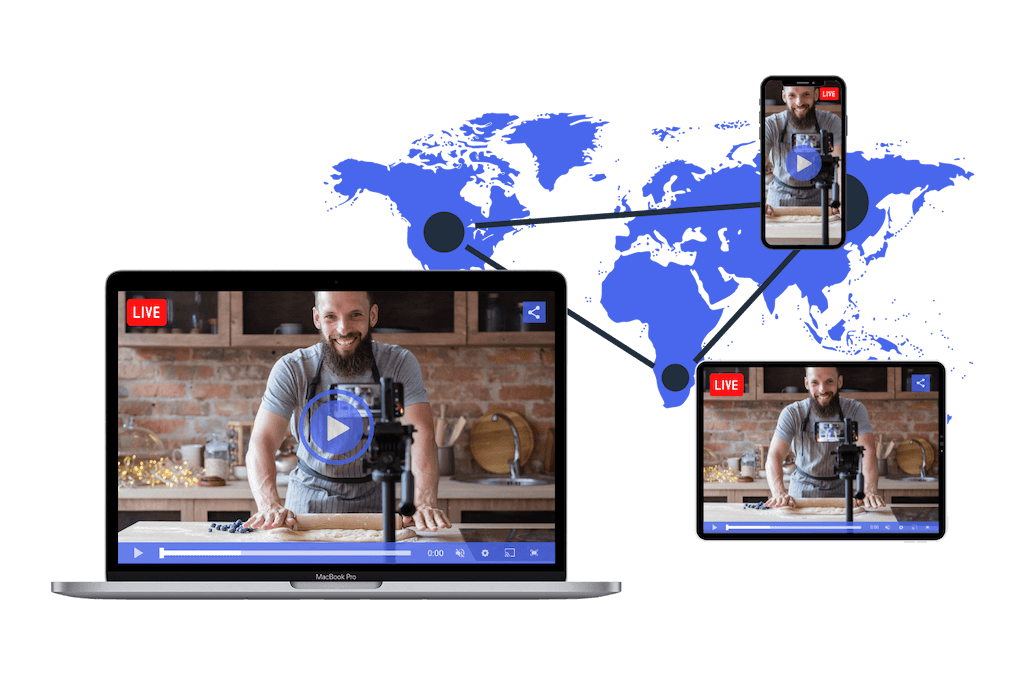
Moving beyond the initial setup and basic engagement, advanced multistreaming strategies unlock greater potential for audience growth and revenue generation. This phase focuses on intelligently leveraging your simultaneous streams to not only broadcast but to actively guide viewers and capitalize on the diverse monetization avenues available across different platforms. It requires a strategic approach to content delivery, audience interaction, and performance analysis.By implementing sophisticated techniques, you can transform your multistreaming efforts from a simple broadcast into a powerful engine for building a connected and monetized community across your chosen platforms.
This involves understanding how to make each platform work synergistically, rather than just in parallel, to achieve your overarching goals.
Driving Traffic and Engagement to Specific Platforms
A single multistream can serve as a powerful hub to direct viewers to specialized content or communities on individual platforms. This involves strategically placing calls to action and tailoring your content to encourage platform-specific engagement.To effectively drive traffic and engagement, consider the following approaches:
- Platform-Specific Content Teasers: During your multistream, create short, engaging segments that tease exclusive content or features available only on one of your target platforms. For example, if you’re streaming a gaming session, you might mention that a detailed post-game analysis or a community Q&A will happen on your Discord server shortly after the stream ends.
- Interactive Polls and Quizzes: Utilize interactive features native to platforms like Twitch or YouTube to pose questions or run polls that lead viewers to specific discussions or resources elsewhere. For instance, a poll about a future content topic could have options that link to dedicated threads on a forum or a specific video on another platform.
- Exclusive Community Events: Announce and promote exclusive events that are hosted on a particular platform. This could be a subscriber-only chat on Twitch, a private Q&A session on a Facebook Group, or a co-watching party on YouTube. Clearly communicate the date, time, and how to access these events.
- Cross-Promotion of Social Media: Integrate your social media channels into your multistream. Regularly mention and display your handles for platforms like Twitter, Instagram, or TikTok, encouraging viewers to follow for behind-the-scenes content, updates, and community interaction.
- Call to Action Overlays and Graphics: Design visually appealing overlays or graphics that appear periodically during your stream, clearly indicating where viewers can find more content, join a community, or engage further. These should be concise and easy to understand.
Managing Different Monetization Options Simultaneously
Successfully managing multiple monetization streams requires a clear understanding of each platform’s offerings and a system to track revenue effectively. This involves setting up and actively monitoring various income sources.Key monetization strategies and their management include:
- Platform-Native Subscriptions and Memberships: Platforms like Twitch (Subscriptions) and YouTube (Memberships) offer direct ways for viewers to support your content financially in exchange for perks. Ensure these are enabled and that you are providing the promised benefits, such as exclusive emotes, badges, or content.
- Advertising Revenue: Both YouTube and Facebook (via their respective ad programs) generate revenue from ads shown during your streams. For YouTube, this involves meeting eligibility criteria for the YouTube Partner Program. For Facebook, it’s often tied to in-stream ad placement. Optimize your stream duration and content to maximize ad views.
- Donations and Tips: Services like Streamlabs, StreamElements, or Ko-fi allow viewers to send direct monetary contributions. These can be integrated across most platforms and are a direct way for your audience to show appreciation. Clearly display donation links and acknowledge donors during your stream.
- Affiliate Marketing: Partner with brands and promote their products or services using unique affiliate links. When a viewer makes a purchase through your link, you earn a commission. This is particularly effective if your content aligns with specific product categories. Ensure transparency by disclosing affiliate relationships.
- Merchandise Sales: Integrate your online store (e.g., using Shopify, Teespring) into your multistream. Promote your branded merchandise, such as t-shirts, mugs, or accessories, by displaying links and showcasing products during your broadcast.
Effective management involves setting up payment gateways, understanding payout schedules, and using analytics to see which monetization methods are performing best.
Analyzing Multistreaming Performance Metrics Across All Platforms
To optimize your multistreaming strategy, it is crucial to gather and analyze performance data from each platform. This data provides insights into viewer behavior, content effectiveness, and revenue generation, allowing for informed adjustments.A comprehensive analysis should focus on the following metrics:
- Viewer Count and Engagement: Track concurrent viewers, average watch time, chat activity (messages per minute), likes/reactions, and shares on each platform. This helps understand audience retention and interaction levels.
- Audience Demographics: Analyze the age, location, gender, and interests of your audience on each platform. This information is vital for tailoring content and marketing efforts.
- Traffic Sources: Understand how viewers are discovering your streams on each platform. Are they coming from search, recommendations, external links, or social media shares?
- Monetization Performance: Monitor revenue generated from subscriptions, ads, donations, affiliate sales, and merchandise for each platform. Identify which revenue streams are most successful and on which platforms.
- Referral Traffic: If you are driving traffic to specific platforms, track the number of clicks from your multistream to those external links or pages. Use UTM parameters to accurately attribute traffic.
- Platform-Specific Metrics: Pay attention to unique metrics for each platform, such as Twitch’s Bits and Cheers, YouTube’s Super Chat, or Facebook’s Stars.
Regularly compiling this data into a consolidated report will reveal trends and highlight areas for improvement.
Experimenting with Different Multistreaming Configurations
Continuous experimentation is key to discovering the most effective multistreaming setup for your specific content and audience. This involves systematically testing various configurations and observing their impact on performance.A structured framework for experimentation can be designed as follows:
- Define Clear Objectives: Before each experiment, clearly state what you aim to achieve. Examples include increasing average viewership by 10% on Platform A, boosting chat engagement by 15% on Platform B, or generating 5% more revenue from donations.
- Isolate Variables: When testing, change only one or a few related variables at a time to accurately attribute any observed changes. For instance, test a new overlay design for one week, then revert to the old one the next, keeping all other factors consistent.
- Test Different Platforms: Experiment with streaming to different combinations of platforms. See if streaming to three platforms yields better results than two, or if focusing on specific platforms for certain types of content is more effective.
- Vary Content Delivery: Test different content formats, stream lengths, and interaction strategies. For example, try a longer, more in-depth stream versus shorter, more frequent streams. Experiment with different types of interactive elements or calls to action.
- Adjust Technical Settings: Test different streaming bitrates, resolutions, and encoder presets to find the optimal balance between stream quality and stability across all platforms.
- Implement A/B Testing for Calls to Action: If possible, use tools that allow for A/B testing of your calls to action, such as different wording or placement of donation links, to see which performs better.
- Track and Analyze Results: Meticulously record the performance metrics for each experiment as Artikeld in the “Analyzing Multistreaming Performance Metrics” section.
- Iterate and Refine: Based on the analysis, refine your multistreaming strategy. Discard configurations that do not yield positive results and build upon those that do. This iterative process ensures continuous improvement.
By adopting a systematic approach to experimentation, you can continuously optimize your multistreaming setup for maximum reach, engagement, and monetization.
Concluding Remarks
In conclusion, mastering the art of multistreaming empowers content creators to significantly amplify their audience engagement and brand visibility. By thoughtfully integrating technical setup, audience interaction strategies, and advanced optimization techniques, you can effectively harness the power of broadcasting to multiple platforms, unlocking new avenues for growth and monetization. Embrace these insights to transform your live content strategy and connect with a broader, more diverse audience than ever before.